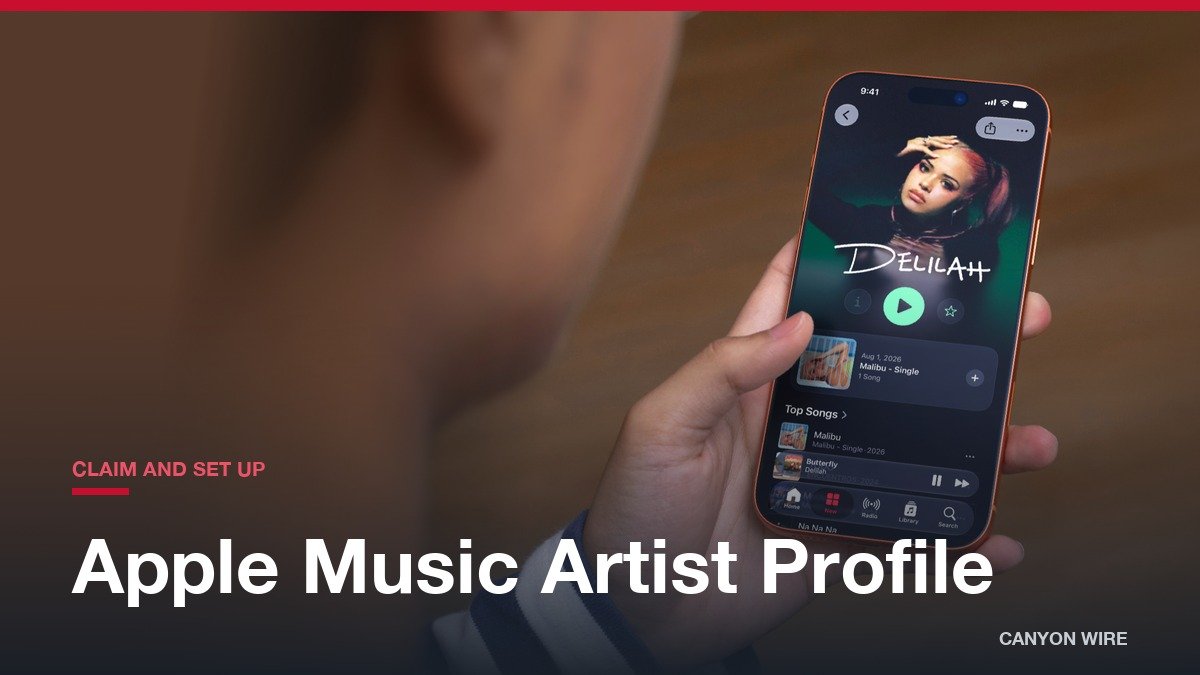
An artist gets an Apple Music artist profile by claiming it through Apple Music for Artists, Apple’s artist dashboard, once their music is live on Apple Music. Apple creates the page itself from the releases a label or distributor delivers, so the claim is what hands you the controls: the image, the logo, the button color, the pinned release and the numbers behind them.
Only an artist or an artist manager can claim the page, and the first one approved becomes its Administrator. That Admin can then add a label rep, an analyst or a profile editor to the account.
Claim Your Apple Music Artist Profile in Five Steps
- Get your music live. Apple wants your content live on Apple Music for at least five business days before you apply.
- Sign in with an Apple Account on the website or in the iPhone app and choose Request Artist Access.
- Paste a link to your artist page or to one of your albums. Open the page in Apple Music, use the ellipsis, then Share, then Copy Link.
- Select one of your albums and pick your role: Artist, Manager or Label Rep.
- Fill in the application fields and submit it. The status reads Pending while Apple reviews it, and updates come by email.
Two rules decide who gets through. You must hold the primary artist role on the album you select, so a featured artist cannot claim. And only an artist or an artist manager can claim; a label rep has to work with the artist to be reviewed or be added as a user later.
Apple checks your identity or your tie to the artist or band. It suggests supplying distributor connections, a personal website and other media accounts, and signing in to social or distributor accounts, because each one speeds up the check. If more than 10 business days pass with no status change, contact Apple. A request that no artist or manager admin acts on expires after 30 days.
Music itself arrives through a label or distributor, never through this dashboard. Apple lists 18 preferred distributors in its partner directory, and they handle streaming, financial and royalty questions as well as fixes to titles, release dates and capitalization. If you want to see what a stream earns on the money side, how much Spotify pays per stream breaks it down.
Make the Artist Profile Right: Image, Logo, Button and Spotlight
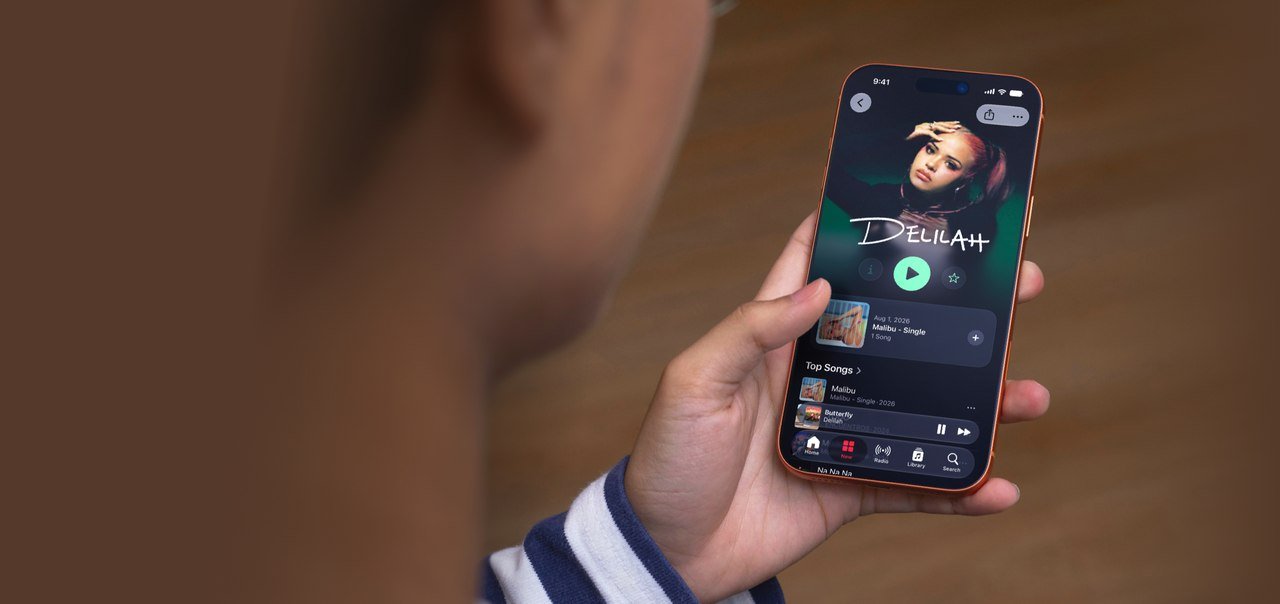
Image minimum: 800 x 800 px · Image preferred: 2400 x 2400 px or more · Logo minimum: 2880 px wide or 960 px tall · Image review: up to 5 business days
The artist image is a JPG or PNG at 72 dpi. Apple prefers 2400 x 2400 pixels or larger, sets 800 x 800 as the floor and says not to upscale a small file. The picture appears beside your music on Apple Music, the iTunes Store and Shazam. Apple rejects pixelated pictures, borders, text and marketing copy, third-party logos, album cover art and QR codes, and any use of the words Apple Music, MUSIC or iTunes. Keep eyebrows and lips inside the cropping guides.
The logo is a PNG with a transparent background, at least 2880 pixels wide or 960 tall, built on a 3000 x 1200 pixel template. It should be text that matches your artist name, not solid black, with no social handles, URLs, borders or competitor references. A logo used as the artist image is different: that file needs a fully opaque background.
The spotlight pins one album, music video, artist playlist or Apple Music Radio item to the top of your page for up to 18 months, and only for music where you are the primary artist. The button color starts white for the Info, Play and Favorite buttons and accepts a custom hex value, which shows on Apple Music within a few hours. Logo, button color and spotlight are set on the web under Artist Content, then Artist Page.
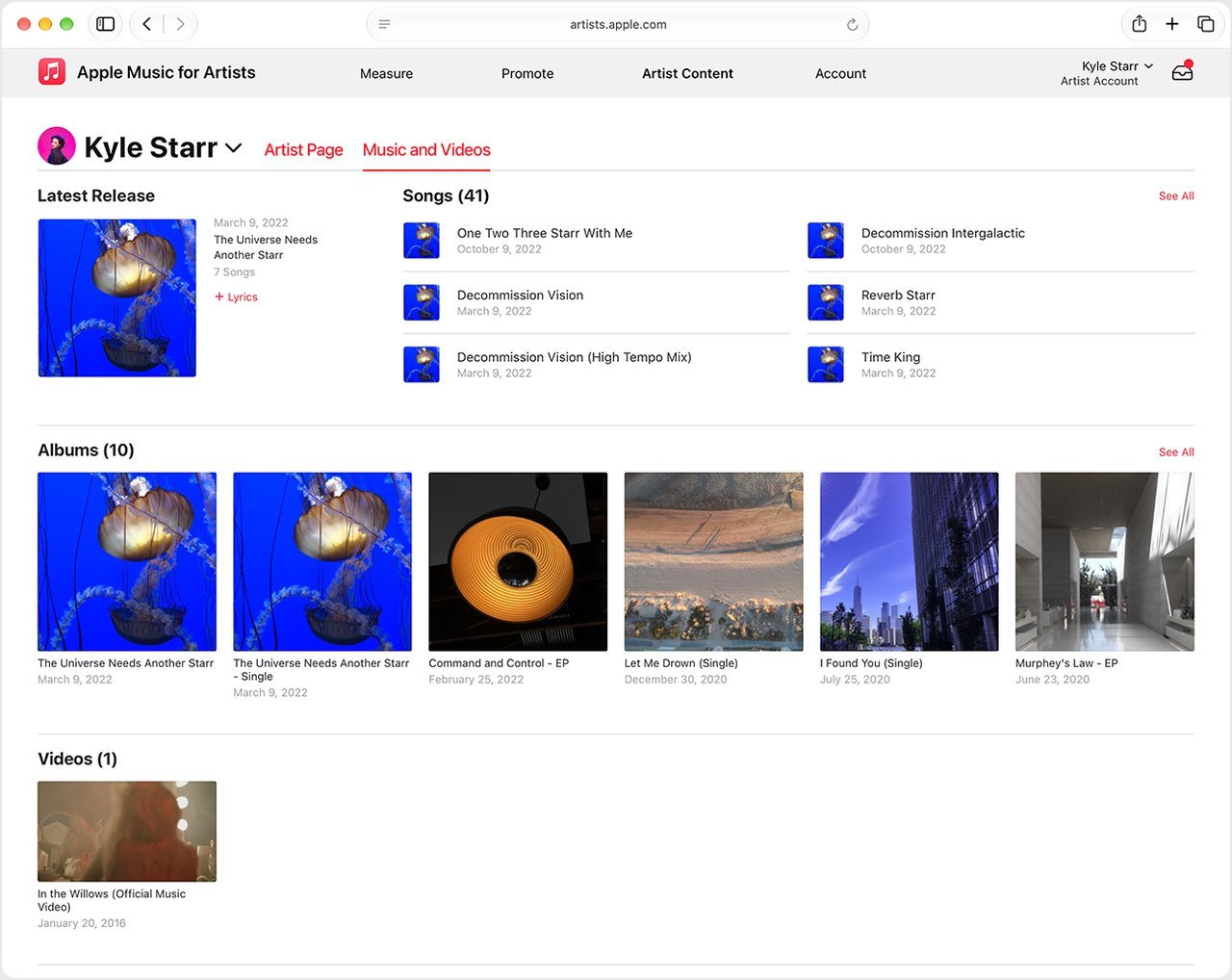
Your biography is the part you control least. Apple sources bios from Xperi, so you contact Xperi, with no guarantee of a change, or fill in the Q&A in Artist Page and let editorial decide whether to publish it. Band members, collaborators, influences and pronouns are for editors and do not display on Apple Music. The Music and Videos tab lists the songs, albums and videos where you are primary artist, and you can submit lyrics per song there. A wrong title or date goes back to your distributor.
Who on Your Team Can Do What: Admin, Analyst and Profile Editor
Apple grants Administrator access to the first artist or manager who claims the profile. That person can add others by the email on their Apple Account, can have more than one Admin, and can switch off the Allow users to request access setting to keep the team list closed.
| Role | Allowed to | Menu sections visible |
|---|---|---|
| Admin | Read analytics, use Promote, update the artist page, manage access | Measure, Promote, Artist Content, Account |
| Analyst | View data and use Promote | Measure, Promote, Account |
| Profile Editor | Upload images, add and edit lyrics, edit artist details | Artist Content |
A sensible split is an Admin for the artist or manager, an Analyst for a publicist or booking agent who needs the numbers, and a Profile Editor for whoever handles artwork and lyrics. A label rep joins through the Admin.
Reading Your First Numbers: The 8 Metrics on the Dashboard
| Metric | Counted when | Find it in | Catch |
|---|---|---|---|
| Plays | Playback runs past 30 seconds, radio station plays on Apple Music included | Overview, Trends, Places, iPhone app | Anything under 30 seconds is not a play |
| Listening Now | A fan starts a play right now; 48-hour trend view | Overview, iPhone app | No offline plays; gaps appear when too few people listen, for privacy |
| Average Daily Listeners | Unique people per day, averaged over your date range | Overview, Trends, Places, iPhone app | Hover the trend line for each day |
| Purchases | Songs and albums bought on the iTunes Store | Overview, Trends, iPhone app | Trends separates song from album buys |
| Shazam Count | Songs recognized in the Shazam app | Overview, Trends, Places, iPhone app | Can differ from the Shazam app itself |
| Radio Spins | Plays on more than 40,000 terrestrial and digital stations | Overview, Trends, Places, iPhone app | Apple Music Radio is not included |
| Video Views | A music video watched past 30 seconds | Overview, Trends | Music videos only |
| Milestones | All-time bests and insights for songs and albums | Overview, iPhone app, Promote | Apple publishes no list of thresholds |
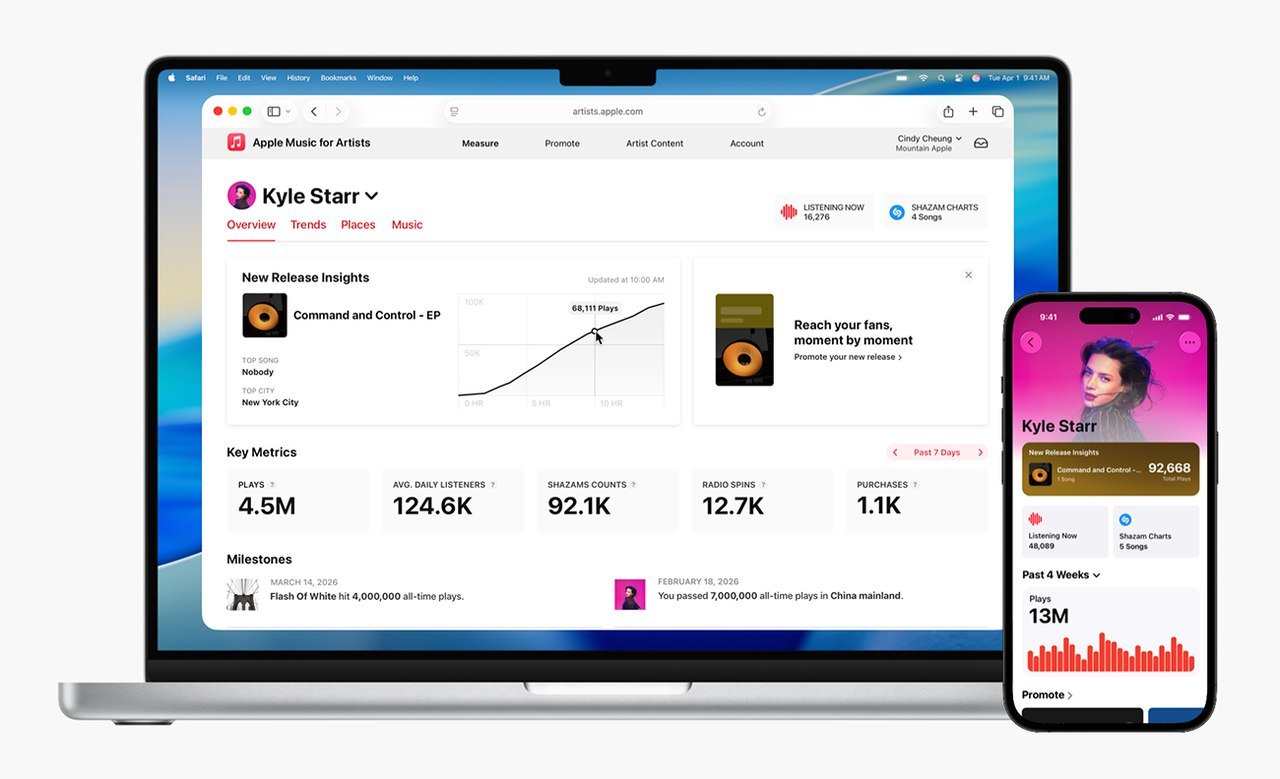
The same clock governs every row. Data is in UTC and refreshes daily, and a brand-new release takes 48 hours to appear. Plays are counted for music where you are the primary artist, across songs, albums, Apple Music editorial playlists and videos.
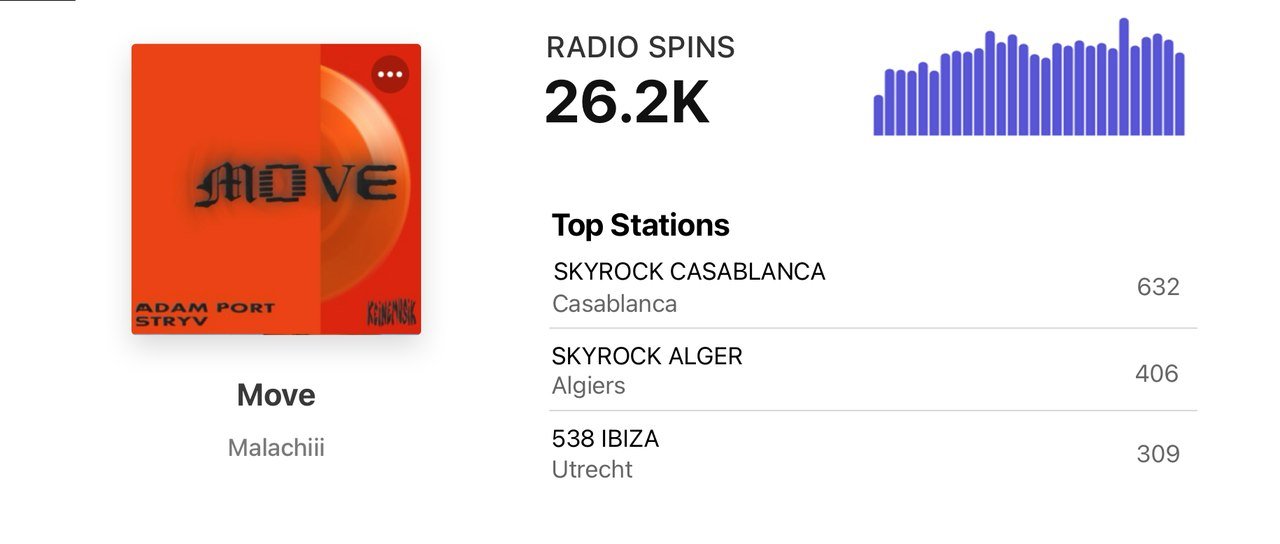
A first-week habit worth building is to read Plays next to Average Daily Listeners, then open Trends. Trends offers seven activity types and filters by song, album, playlist, gender, age, continent, country, city and station. Radio Spins reach more than 200 countries and regions, and the Places tab then shows which cities those spins and plays come from.
New Release Insights gathers the first week of an album into one view: first-week plays, the top song, the top city and a comparison with earlier releases back to June 2015. It can take up to eight hours to populate. Ask your distributor or label to map the release to your artist page at least 10 days before it goes out, or the module has nothing to show.
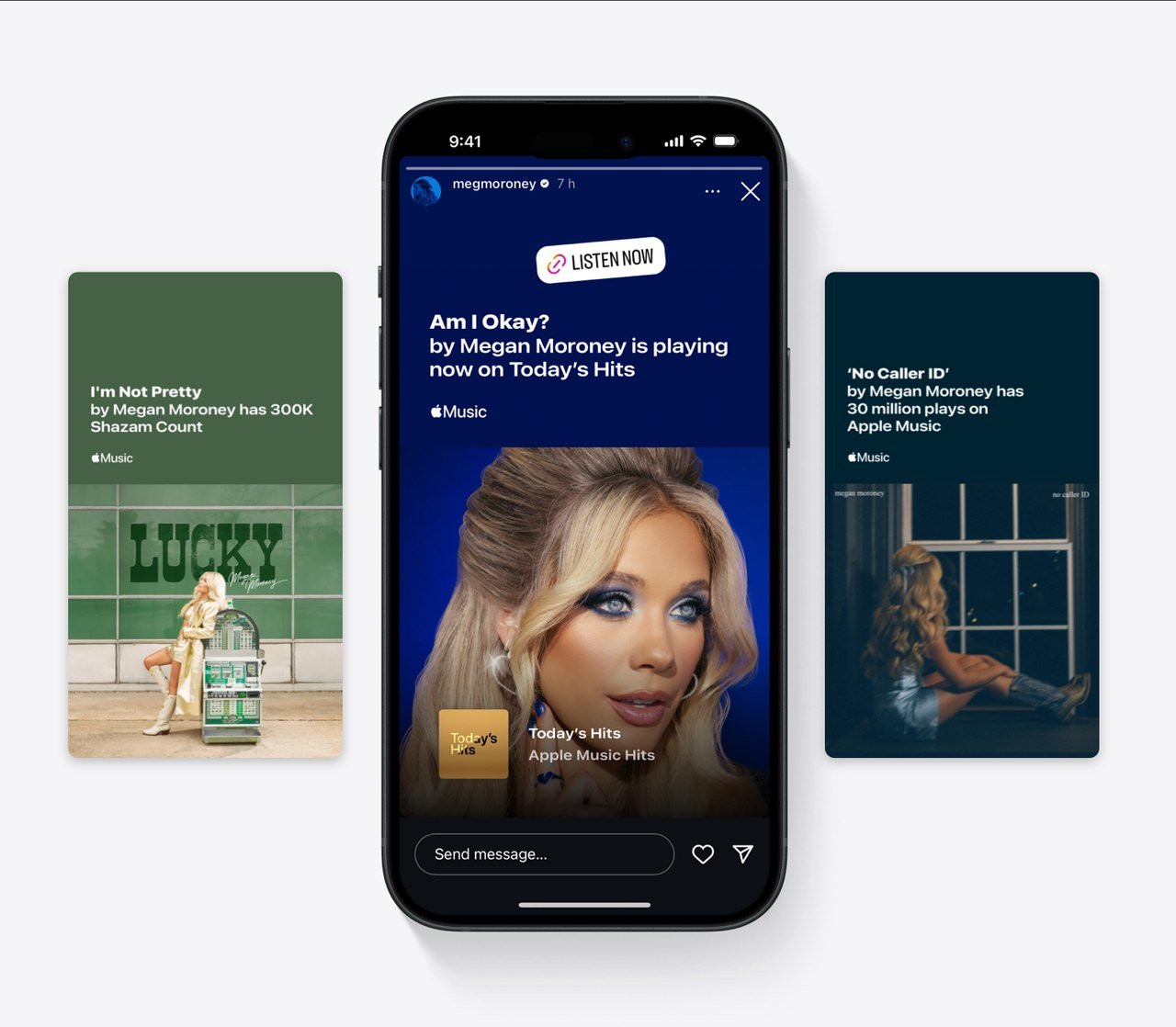
Milestones arrive on their own. Apple names Top Plays, Shazam Count and being added to an Apple Music editorial playlist as examples. Admins and Analysts can turn one into a share card in Promote, in portrait (1080 x 1920), landscape (1300 x 740) or square (1080 x 1080).
Running the Profile From an iPhone
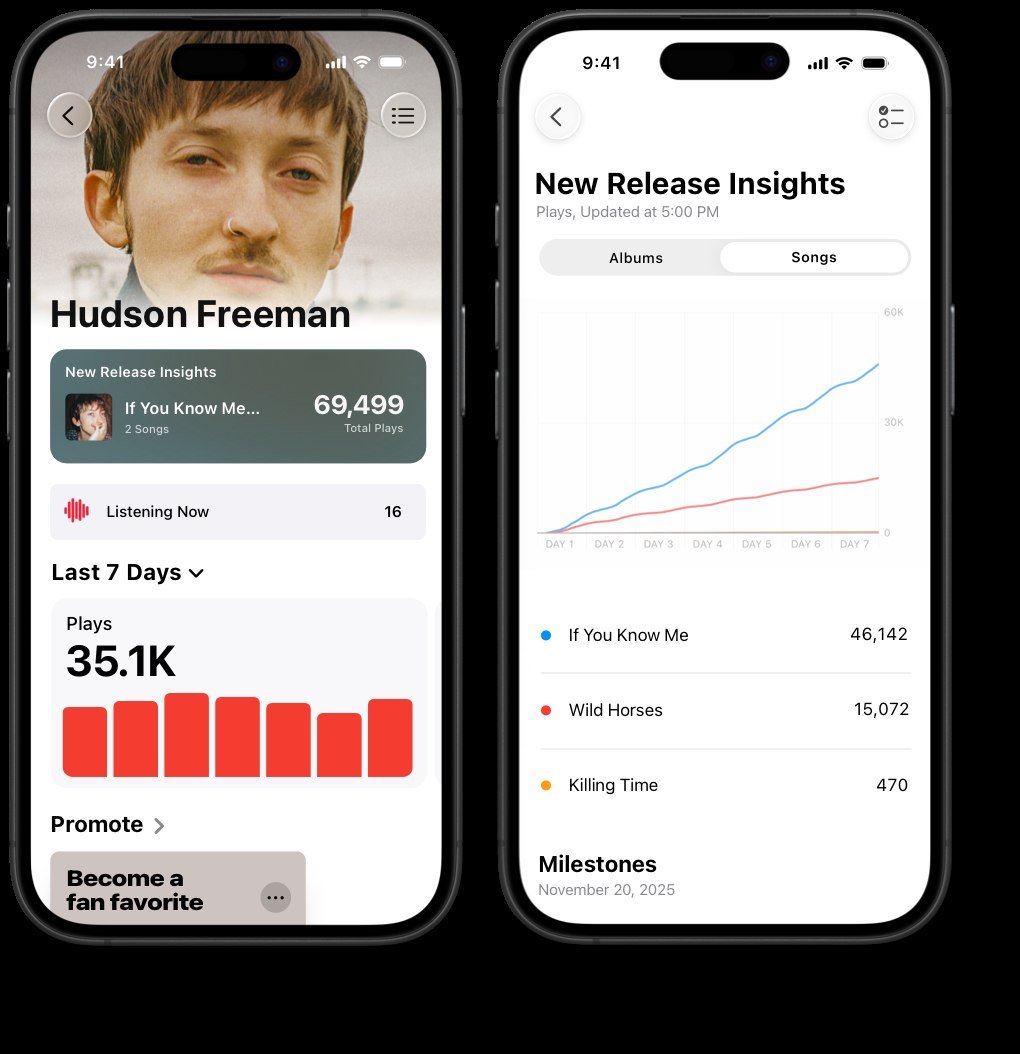
The Apple Music for Artists app runs on iPhone only. In it you can claim a page, add users and upload the artist image, so both the claim and the image upload work from the phone. The logo, button color and spotlight stay on the web.
The app opens on the last four weeks and shows Listening Now, which refreshes every five seconds, plus top songs, top playlist plays, Top Shazam Count, Top Radio Spins, Charting on Shazam and your most popular countries and regions. The App Store listing carries the current system requirements. Fans who use Apple Music to follow a favorite act often pair it with live viewing, a habit covered in the sports streaming roundup.
Keeping the Page Honest: What Apple Rules Out
Anyone who offers to sell you more Apple Music plays is not authorized by Apple, and stream manipulation is prohibited. The 30-second play rule and the daily refresh are part of that picture, so a sudden jump in Plays deserves a check against Listeners and Places before you share it.
The dashboard describes plays and listeners, not earnings, so royalty questions go to your distributor. Concert dates come from Bandsintown, and Ticketmaster where available, not from typing them into the dashboard.
A Claim-Day Checklist Before You Hit Submit
- Confirm the release has been live for five business days and that you are the primary artist on it.
- Have the artist or album link copied from Apple Music before you open the form.
- Gather your website, distributor login and media accounts so Apple can verify you quickly.
- Prepare a 2400 x 2400 pixel image and a 3000 x 1200 pixel logo template so the page is ready once you are in.
- Decide who will be Admin, Analyst and Profile Editor before you invite anyone.
If your audience also lives on video, the most subscribed YouTube channels shows who leads there and what YouTubers make per view covers what views pay.
Frequently Asked Questions
How long does it take for Apple to approve a claim?
There is no fixed approval time. The status shows Pending while Apple reviews you, with updates by email, and Apple suggests contacting it if more than 10 business days pass with no change. Your music must also have been live for at least five business days before you can apply.
Can a featured artist or label rep claim an Apple Music profile?
No. The claim needs the primary artist role on the album you pick, and only an artist or artist manager can claim. A label rep is added by the Admin, and a request that goes unactioned for 30 days expires.
How big should my artist image be?
Aim for 2400 x 2400 pixels or larger as a JPG or PNG at 72 dpi. The minimum is 800 x 800 and Apple says not to upscale. Reviews take up to five business days, and the picture shows on Apple Music, the iTunes Store and Shazam.
Why does my new release show nothing in the dashboard?
New data takes 48 hours to appear, and New Release Insights can take up to eight hours to populate. The release also has to be mapped to your artist page, which your distributor or label should do at least 10 days before release.