Most advice about email etiquette is about tone. Tone matters, but it is not what causes the arguments, the missed deadlines and the messages that quietly never arrive. Those come from a handful of mechanical things people get wrong, and each one takes about a minute to fix permanently.
What follows are the rules that change outcomes: who belongs in which address field, when reply all is actually justified, the attachment limits that bounce your message without telling you why, how to write a subject line someone can find again in six months, and the timing habits that quietly set expectations you then have to live with.
To, CC and BCC Are Instructions, Not Decoration
These three fields tell people what you expect of them. Using them loosely is the single most common source of email confusion, because the recipient has to guess whether the message is theirs to act on.
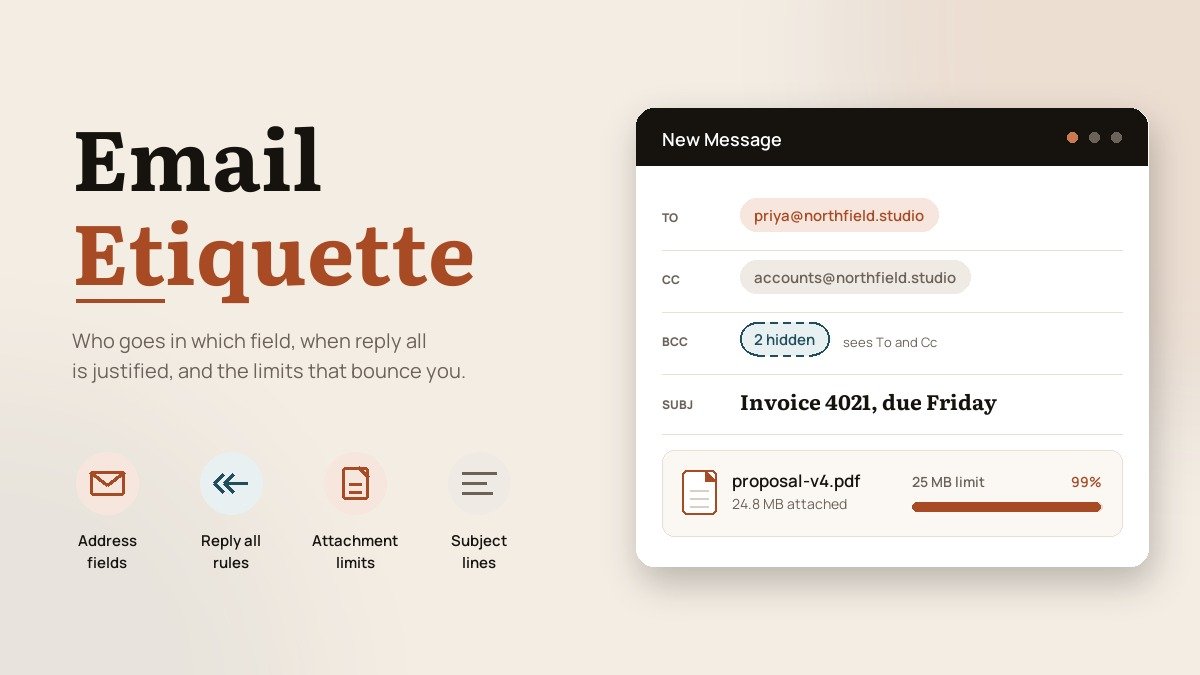
- To means you want something from this person. If nobody is in To, nobody treats the message as their job.
- CC means read this, no reply needed. Putting someone in CC and then expecting them to act is how tasks get dropped.
- BCC hides the recipient from everyone else on the message. Use it to protect addresses when writing to a group who do not know each other, never to secretly loop someone into a conversation.
That last point deserves a moment. A BCC recipient who hits reply all replies only to the sender, which means they frequently do not realise their presence was hidden, and the resulting awkwardness lands on the person who set it up. If someone needs to see a thread, forward it to them afterwards and say you are doing so.
A related habit worth building: put the addresses in last. Write the message, attach the files, read it once, and only then fill in the recipients. It costs nothing and it makes the half-finished send physically impossible.
When you are emailing more than about five people who do not know each other, BCC everyone and put your own address in To. Nobody harvests anybody, nobody replies all, and the thread cannot fork into five separate arguments.
Reply All Is Rarer Than People Think
The test is simple. Would every person on this thread change what they do because of your reply? If not, reply to the sender alone.
Two situations genuinely need reply all. The first is correcting bad information that everyone received, because leaving an incorrect date or figure standing costs more than one extra message. The second is when the group needs to see a decision so they do not each go off and duplicate the same work.
Everything else, particularly acknowledgements, does not qualify. Twenty people confirming they have seen a message consumes twenty times the attention of the original, and the thread becomes unreadable for anyone who comes to it later looking for the actual answer.
When you do reply all on a long thread, trim the quoted history to the part you are responding to. On a phone, an unedited quote chain means the reader scrolls through six previous messages to find your two lines.
Attachment Limits Will Bounce You Without Warning
This is where messages genuinely disappear. The limits are lower than most people assume, and they are not consistent between the web and the desktop version of the same product.
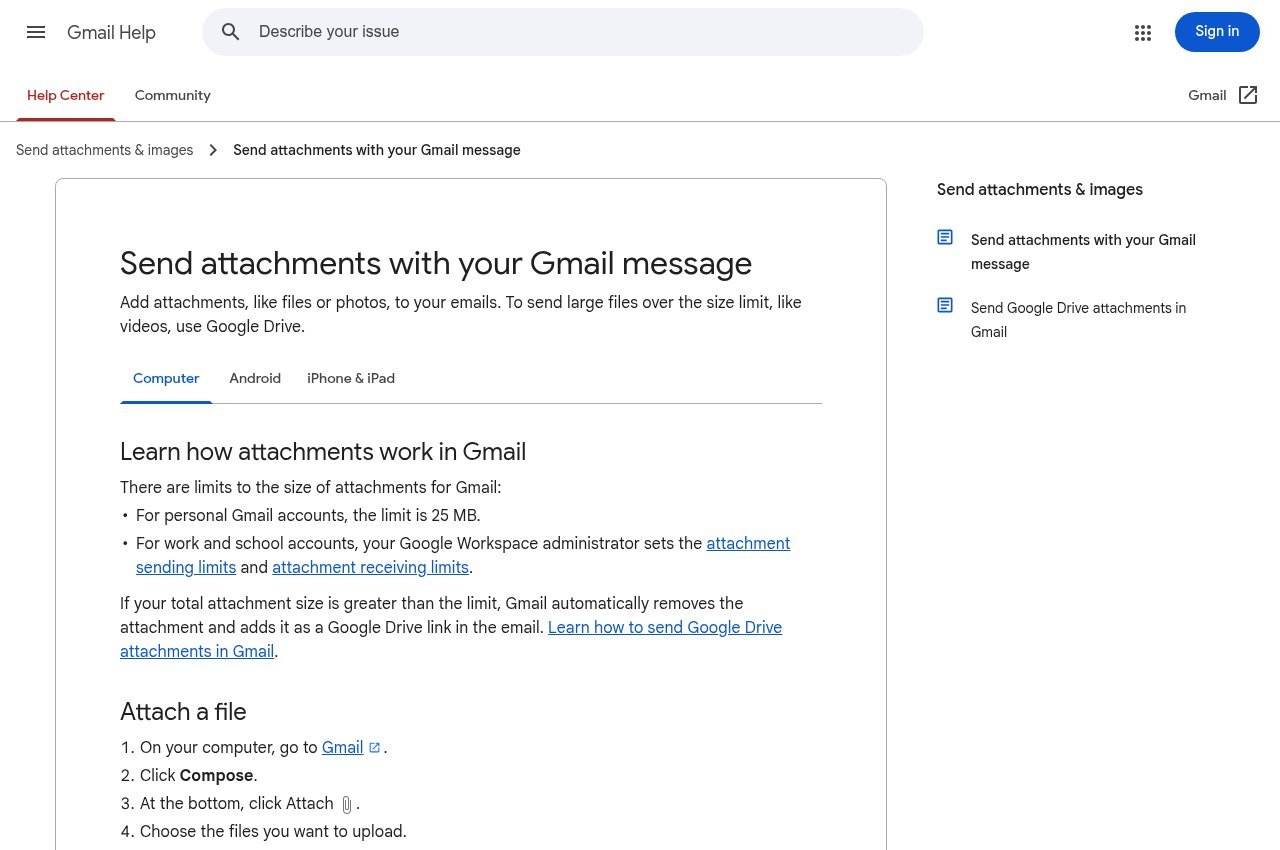
- Gmail caps attachments at 25 MB on personal accounts. Above that it uploads the file to Google Drive and inserts a link instead, which works but changes who controls access.
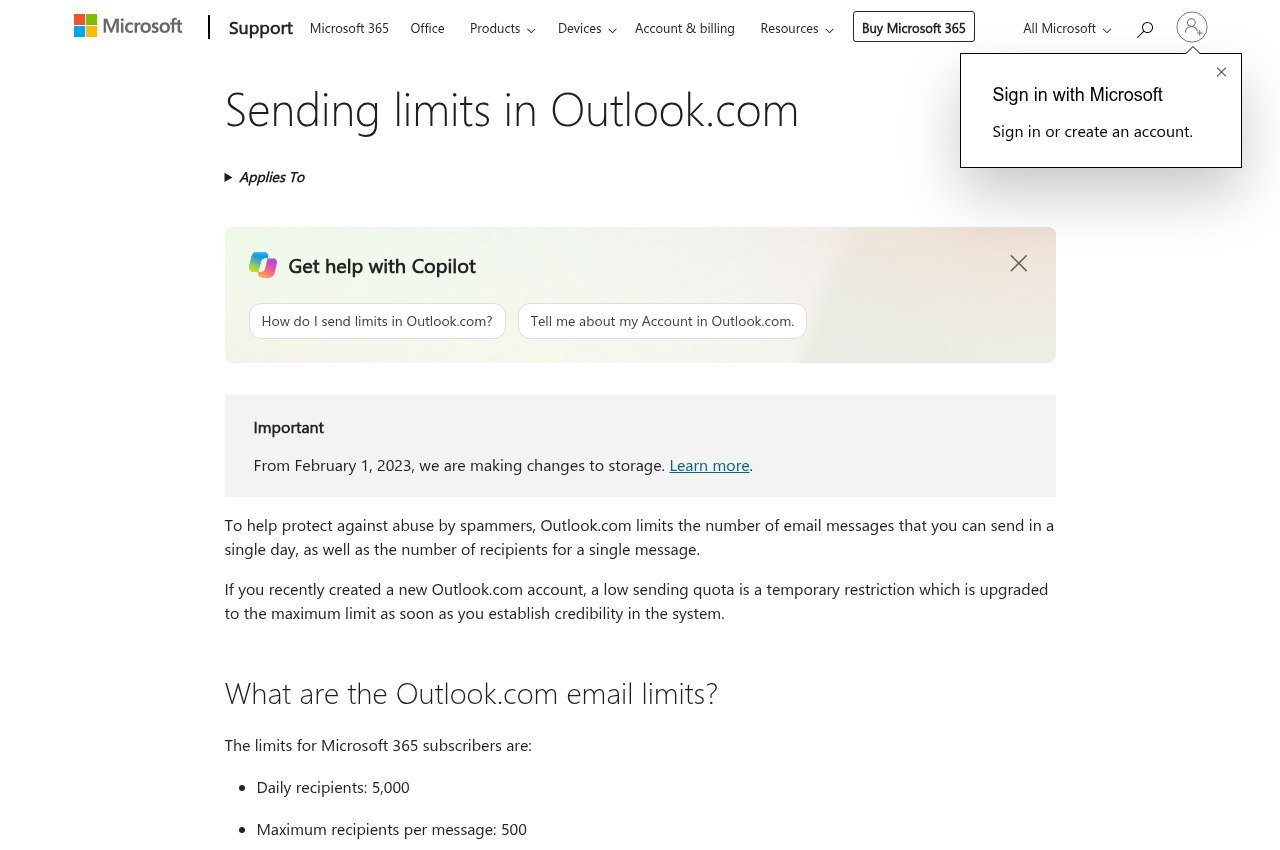
- Outlook.com uses the same 25 MB ceiling, and it counts the entire message including the text and any inserted images, not just the file you attached.
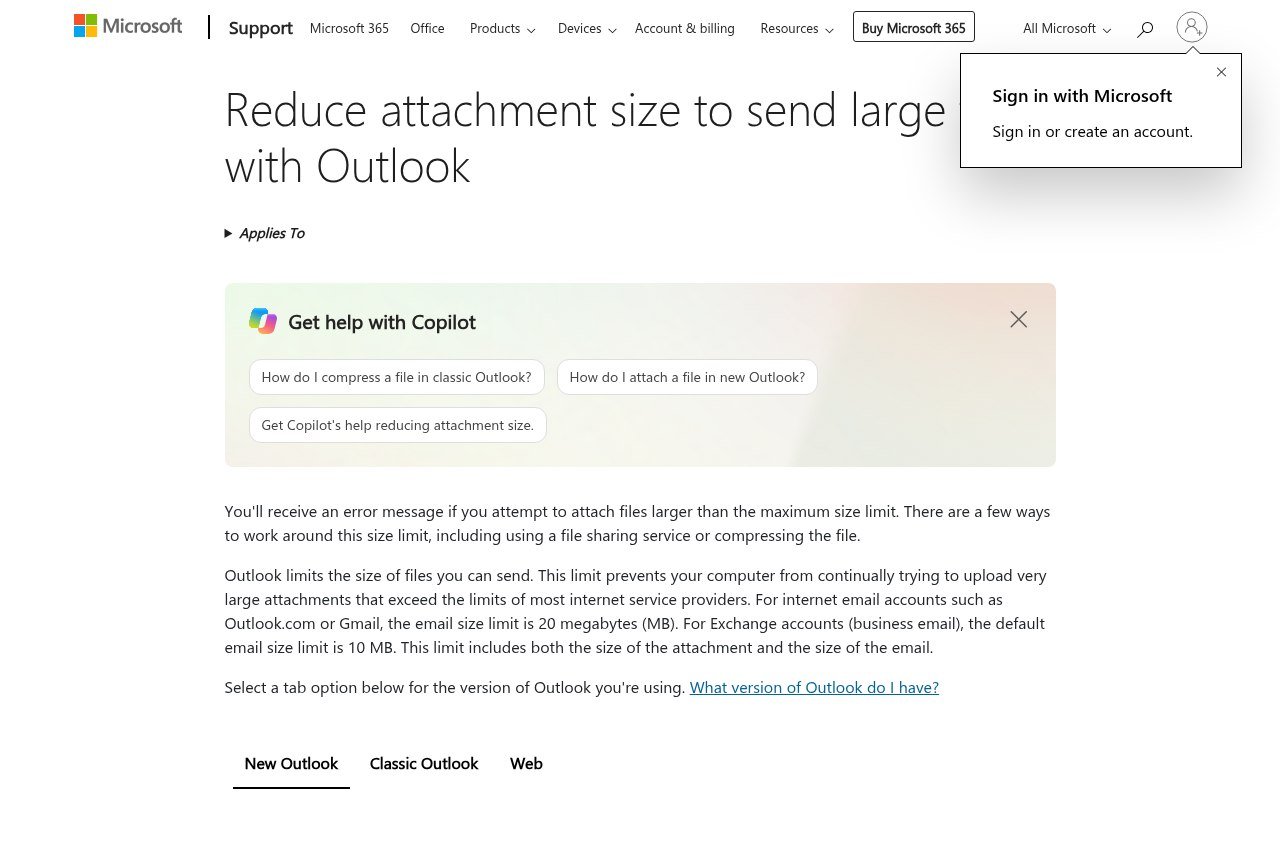
- The Outlook desktop app configured with an ordinary internet email account drops to 20 MB, so the same message can send from the browser and fail in the app.
- Workspace and business accounts let administrators set their own sending and receiving limits, and those can be lower than the consumer defaults without anyone announcing it.
The receiving side matters as much as the sending side. A 24 MB attachment leaves your outbox successfully and then bounces off a recipient whose employer caps inbound mail at 10 MB, and the non-delivery report is often vague enough that people assume the address was wrong.
Two consequences that catch people repeatedly. Shrinking an image inside a document does not shrink the file, because the original image data stays embedded in it; you have to compress or replace the image itself. And Gmail blocks executable attachments outright such as.exe files regardless of size, so sending software to a colleague needs a link no matter how small the program is.
The habit worth forming is a size rule rather than a per-message decision: anything over roughly 10 MB goes as a link. It sends instantly, it never bounces, the recipient always gets the current version, and you can revoke access later. Our comparison of cloud storage and file sharing services covers the options if you do not already have one in place.
One more thing about links. If you share from a work account and the recipient is outside your organisation, check the permissions before you send. A link that says access denied is worse than an attachment that bounced, because the bounce at least tells you something went wrong.
Subject Lines Are Search Terms
A subject line has two jobs. The first is telling someone whether to open the message now. The second is letting either of you find it again months later. Most subject lines are written for the first job and fail completely at the second.
- Put the outcome in it. “Invoice 4021 overdue, payment needed by Friday” beats “Quick question” every time.
- Front-load the distinctive word. Desktop clients truncate the subject, and phone previews truncate it harder, so the identifying detail should not be at the end.
- Never send with an empty subject. Some filters treat it as a spam signal, and an unlabelled message is effectively unfindable afterwards.
- Change the subject when the topic changes. A thread titled “Lunch” that gradually becomes a contract negotiation is lost to search forever.
- Avoid marking things urgent unless they are. People calibrate to your usage within a few weeks and then discount everything you send.
If a message needs no reply at all, it is worth saying so in the subject itself. Ending with “no reply needed” saves the recipient a decision and saves you an inbox full of acknowledgements.
Assume Every Email Will Be Forwarded
Email is trivially forwardable, indefinitely stored, and routinely produced in disputes. Write on the assumption that the least sympathetic possible reader will eventually see it, because occasionally one does.
This is not an argument for blandness. It is an argument for keeping frustration out of writing, for not saying anything about a third party you would not say with them in the room, and for moving genuinely sensitive conversations to a call and summarising the outcome afterwards.
Read receipts belong in the same discussion. They are widely disliked, frequently blocked or silently ignored by the recipient’s client, and they signal distrust before the message is even read. They also only confirm that something was opened, which is not the same as read or understood. If a message matters enough to need confirmation, ask for a one-line reply in the message itself.
Forwarding has its own rule. When you forward a chain to someone new, delete the parts they do not need and say at the top why you are sending it. Dropping forty messages of context on someone with “thoughts?” attached is a request for them to do your summarising.
Timing, and the Expectation You Create
There is no universal rule for how fast to reply, but there is one for consistency: the speed you answer at becomes the speed people expect from you.
- Answer quick questions quickly. A one-line reply in two minutes prevents a chase email, a follow-up call and a fortnight of low-level uncertainty.
- Acknowledge long requests even when you cannot action them yet. “Got this, coming back to you Thursday” ends the waiting without committing you to anything today.
- Do not send at eleven at night and expect nothing to happen. Whatever you intend, a late email reads as an expectation. Most clients can schedule send; use it.
- Stop apologising for normal response times. “Sorry for the delay” after one working day quietly teaches everyone that one day was late, and then you are held to it.
Out-of-office messages follow the same logic. Give the return date and one named alternative contact. Vague absence notices generate a second wave of email asking who to talk to instead, which is exactly what the notice was meant to prevent.
If your inbox is genuinely unmanageable, the fix is usually not faster replies. It is fewer threads: moving recurring back-and-forth to a shared document or a scheduled call, and unsubscribing properly rather than deleting the same newsletter forty times a year.
Frequently Asked Questions
What is the most common email etiquette mistake?
Misusing CC. Putting someone in CC while expecting them to act is the reason tasks get missed, because CC conventionally means read-only and the recipient reads it that way. If you need something done, that person belongs in the To field and the request should name them.
How large can an email attachment be?
25 MB on both Gmail personal accounts and Outlook.com, but the Outlook desktop app with an ordinary internet email account drops to 20 MB, and the recipient’s limit can be lower than yours. Anything over about 10 MB is safer as a shared link.
Is it rude to use BCC?
Not when it protects addresses in a mailing to people who do not know each other, which is precisely what the field exists for. It is rude when it is used to let someone read a conversation without the other participants knowing they are there.
Should I use read receipts?
Generally no. Many clients block or ignore them, they read as distrust, and they tell you only that a message was opened rather than understood. Asking for a short reply achieves more and costs the recipient less.
How quickly should I reply to a work email?
Within one working day is a widely workable standard, with a short acknowledgement sooner if the full answer will take longer. Being predictable matters more than being fast, because people plan around your usual speed rather than an ideal one.
Should I still write a formal greeting and sign-off?
Match the thread. A first message to someone new warrants a greeting and a name at the end. By the fourth reply in the same conversation, repeating both reads as padding, and dropping them is normal rather than curt.