iTunes alternatives matter again because Apple has already taken iTunes apart. On the Mac it disappeared in October 2019 with macOS Catalina, replaced by the Music, TV and Podcasts apps, and in February 2024 Apple split most of iTunes for Windows into separate Apple Music, Apple TV and Apple Devices apps.
What remains of iTunes on Windows now handles podcasts and audiobooks and little else. That leaves two kinds of people looking for a replacement: those who want a better manager for music they own, and those who need to get songs onto an iPhone or an old iPod. The eight below cover both, and six of them cost nothing.
iTunes Alternatives Compared on Price, Platform and Sync
The last column decides it for most readers, because several excellent players cannot put a single song on an iPhone.
| # | App | Runs on | Price | iPhone or iPod sync |
|---|---|---|---|---|
| 1 | Apple Music + Apple Devices | Windows 10 and 11 | Free | Yes, through Apple Devices |
| 2 | MusicBee | Windows 7 to 11 | Free | Not built in; Android and Windows Phone |
| 3 | MediaMonkey 2024 | Windows 10 and 11 | Free; Gold $39.95, lifetime $99.95 | Yes over USB; iOS devices need desktop iTunes |
| 4 | foobar2000 | Windows, macOS, Android, iOS | Free | No; streams across your home network |
| 5 | Swinsian 3 | macOS | $34.95 after a free trial | No |
| 6 | Doppler | Mac and iPhone | $30 on Mac; iPhone app has a 7-day trial | Yes, to its own iPhone app |
| 7 | Strawberry | Windows, macOS, Linux | Free | Older iPod Nano and Classic, not on Windows |
| 8 | CopyTrans Manager | Windows 7 to 11 | Free | Yes, every iPhone, iPad and iPod |
Eight iTunes Replacements, From Apple’s Own to Open Source
The first three are Windows library managers, the next four cover the Mac and every other platform, and the last exists purely to move music onto Apple devices.
1. Apple Music and Apple Devices: Apple’s Own Replacement on Windows
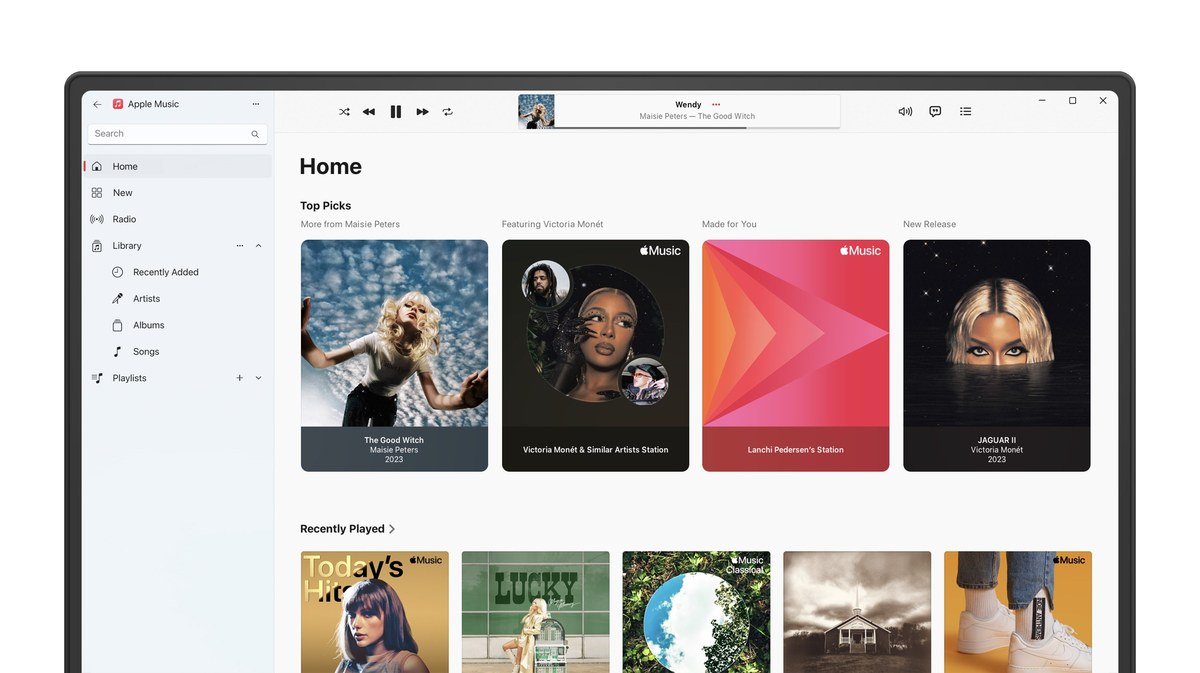
The first alternative is the one Apple built. The Apple Music app for Windows opens your existing iTunes library, including everything bought from the iTunes Store, and the free Apple Devices app covers the other half of the old iTunes job: it updates, backs up, restores and syncs an iPhone or iPad, and Apple’s guide covers iPods too. Both install from the Microsoft Store and need Windows 10 version 19045 or later.
It works as a player for the music you already own, with the Apple Music streaming subscription sold separately. The catch is scope: podcasts and audiobooks still live in iTunes on Windows, so anyone with an audiobook collection ends up running iTunes alongside the new apps. For a replacement that keeps purchases, playlists and iPhone syncing working, it is still the least disruptive move.
2. MusicBee: The Best Free iTunes Alternative for Windows
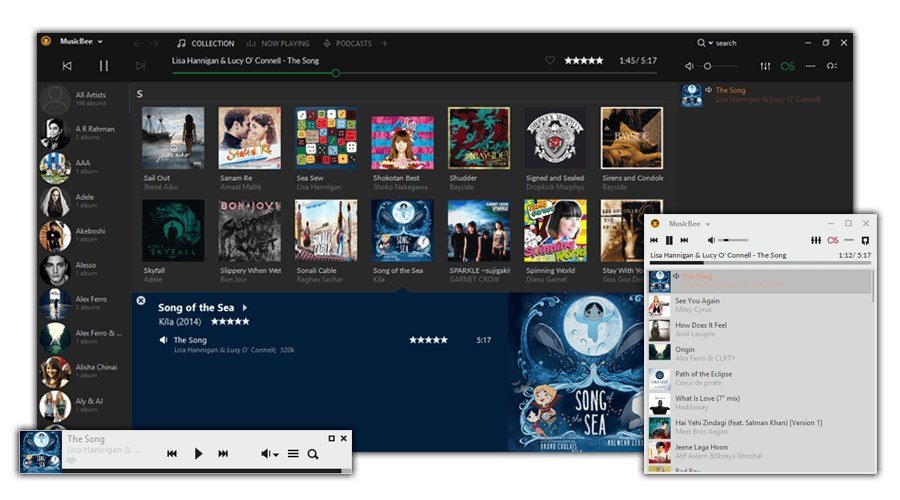
MusicBee is where most Windows users land when they leave iTunes, and it earns. It is free, funded by voluntary donations, and version 3.6.9668 arrived on June 20, 2026, so it is still actively maintained. Auto-tagging cleans up messy libraries, the 10-band or 15-band equaliser and WASAPI and ASIO output suit good audio hardware, and gapless playback works out of the box.
It also bends to your taste far more than iTunes did, with downloadable skins and a portable edition that runs from a USB drive. The limit is the phone. MusicBee’s device sync covers Android and older Windows Phone handsets, and iPhone support is not built in, so pair it with a transfer tool from further down this list if you carry an iPhone.
3. MediaMonkey 2024: For Very Large Libraries
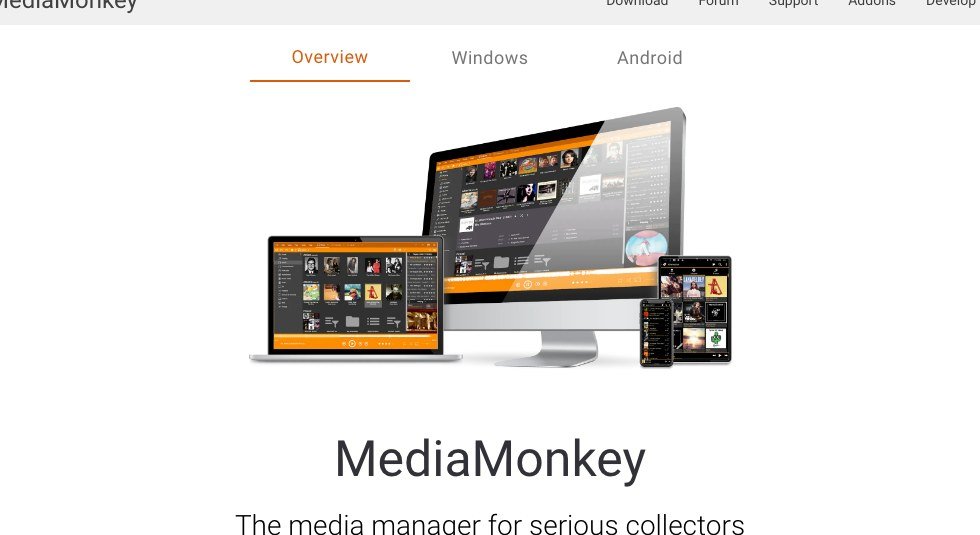
MediaMonkey is built for collections that have outgrown casual players; the company pitches it at libraries of 100,000 files and more, spread across drives, network shares and ripped CDs. It looks up missing artwork and tags, renames and files tracks automatically, and hunts down duplicates. The standard version is free, Gold costs $39.95 for every 2024.x release, and a lifetime Gold licence is $99.95.
Unlike MusicBee, it syncs iPhones, iPads and iPods over USB, carrying ratings, lyrics and artwork across and bringing play counts back. There is an awkward requirement: for iOS devices MediaMonkey relies on Apple’s drivers, so the desktop version of iTunes, not the Microsoft Store one, has to stay installed. Older iPods that never ran iOS mostly work without it.
Because it leans on Apple’s drivers, a new iOS release can break syncing until MediaMonkey updates. If your iPhone is on iOS 27, check for a MediaMonkey update before relying on it.
4. foobar2000: Light, Fast and on Every Platform
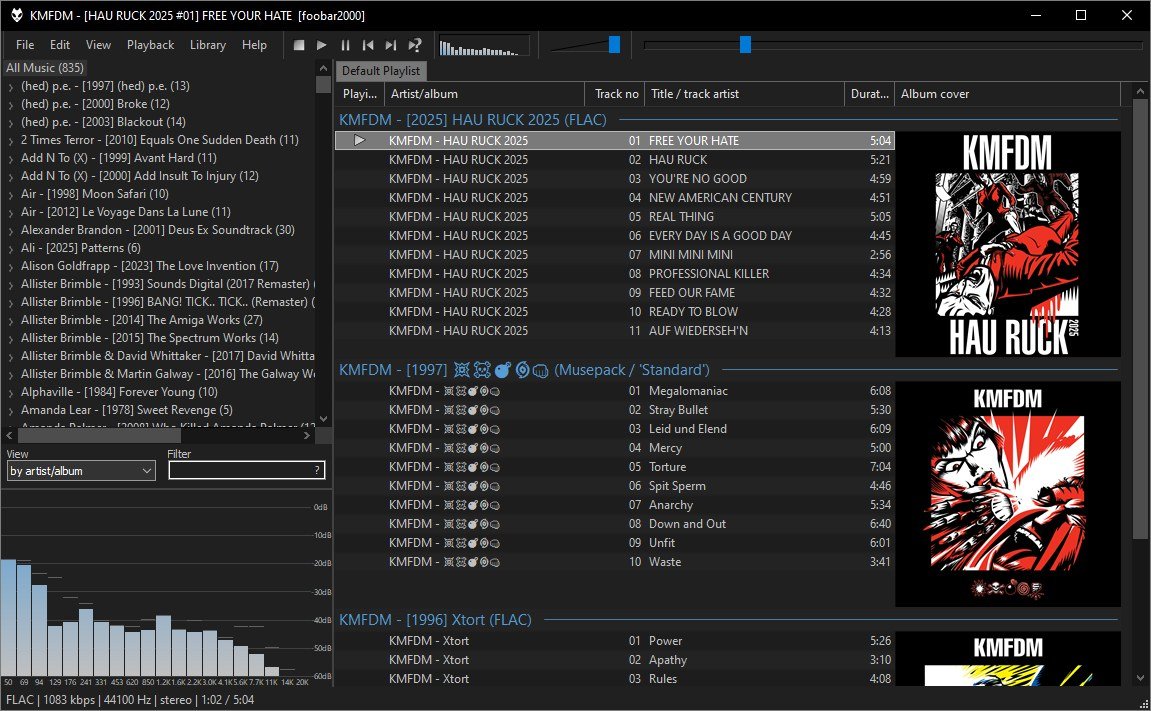
foobar2000 is a freeware audio player with a devoted following, and it is one of the few options here that runs natively on Windows, macOS, Android and iOS. Version 2.25.10 is current on desktop, it needs nothing newer than Windows 7 or macOS 11, and the project states it has no telemetry or data collection.
It plays almost every audio format, rips CDs, converts between formats and applies ReplayGain, and add-on components extend it further. The layout is plain by default and fully customisable, which is either the appeal or the problem. It is a player and library rather than a device manager: instead of syncing files to a phone, its mobile apps can stream from or control foobar2000 on another device on your network.
5. Swinsian: The Closest Thing to iTunes on a Mac
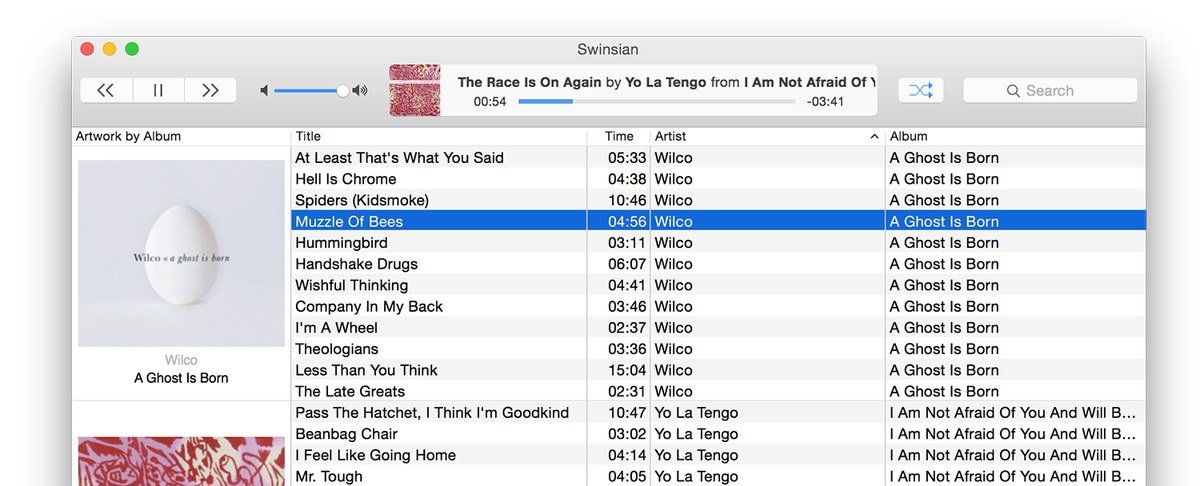
Mac owners who miss the old iTunes window more than they like the Music app should try Swinsian. It is a paid player, $34.95 after a free trial, built around the column browser and dense track lists iTunes was known for, and it imports your Apple Music library so the move takes minutes.
It is stronger than Music at handling files. Folder watching picks up new tracks automatically, a duplicate finder clears out repeats, and the tag editor supports find and replace with regular expressions. It plays formats Apple’s app will not, including FLAC, Ogg Vorbis, Opus, WMA and APE, with gapless playback, ReplayGain and a 10-band or 31-band equaliser. It does not sync iPhones; on a Mac, Finder still does.
6. Doppler: Your Own Music on Mac and iPhone
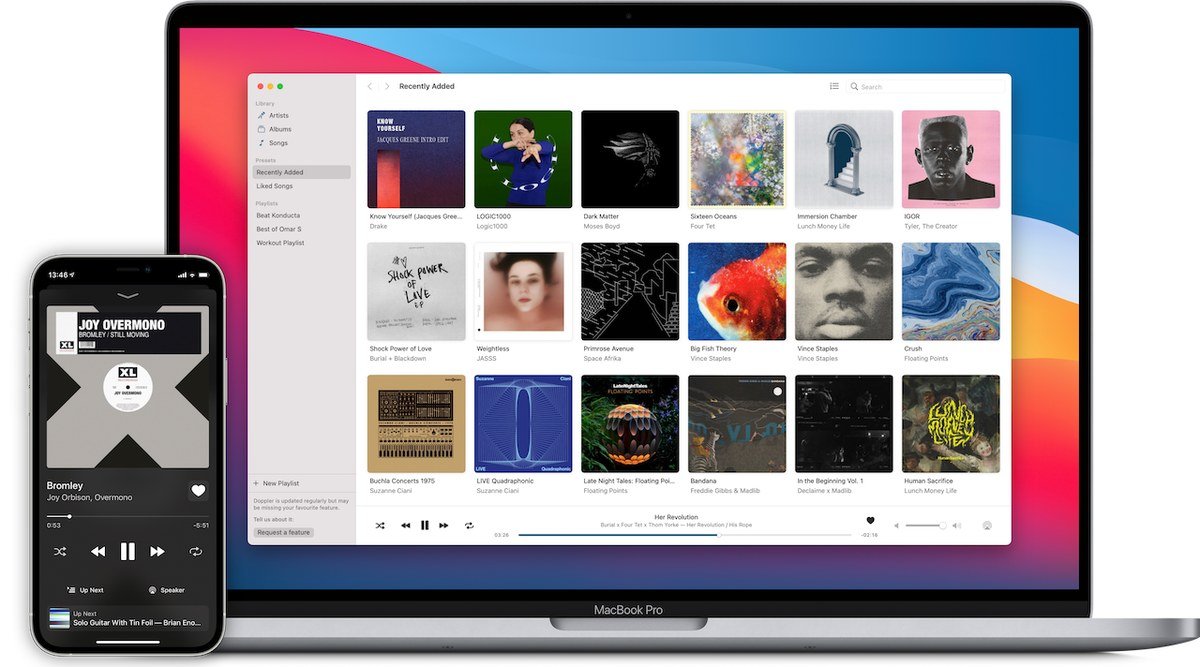
Doppler is made for people who buy music and want it on their phone without a streaming service. The Mac app costs $30 and needs macOS 11 or later, and the iPhone app comes with a seven-day free trial and requires iOS 26 or newer.
It takes MP3, AAC and M4A files as well as lossless FLAC, ALAC and WAV without converting anything, which is exactly where the built-in Music app falls down. Music moves between devices over Wi-Fi, USB or AirDrop, and Doppler Transfer sends albums and playlists from the Mac straight to the iPhone app. The trade-off is that your songs live in Doppler rather than in Apple’s Music app.
7. Strawberry: Open Source, and It Still Loads Old iPods
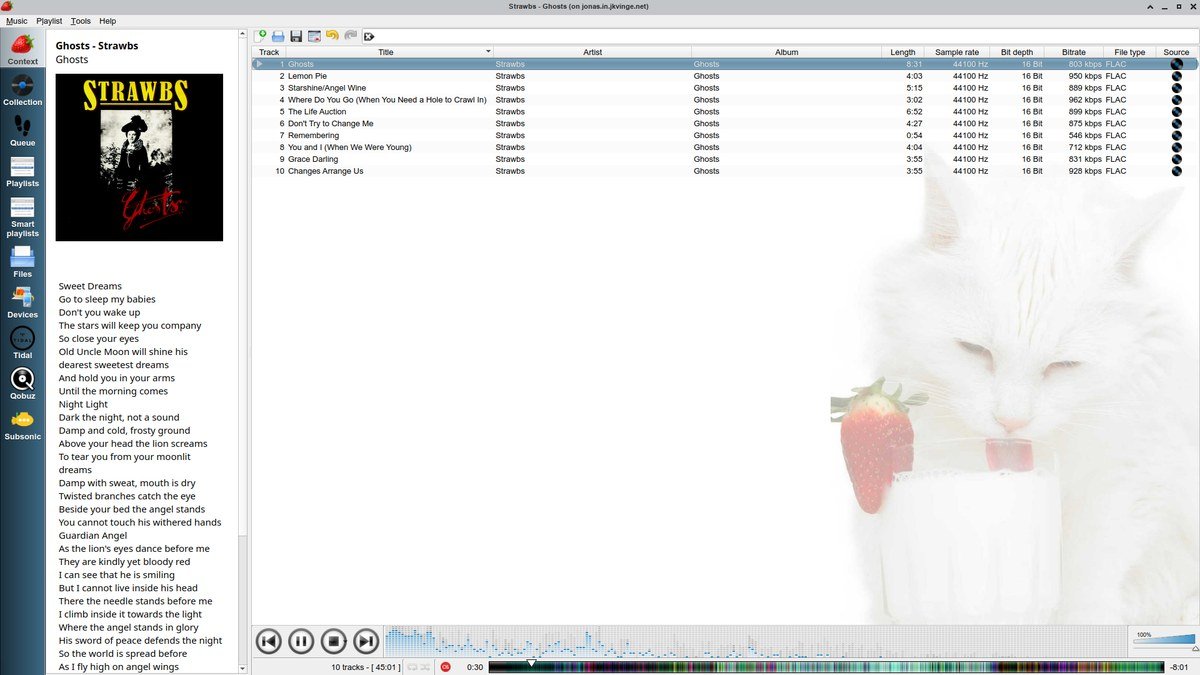
Strawberry is a free, open source player and collection organiser, a fork of the once-popular Clementine, and it runs on Windows, macOS and Linux. It is aimed at collectors: it fetches tags from MusicBrainz, cover art from sources including Discogs and Last.fm, and lyrics from several providers, and it can stream from Subsonic-compatible servers.
Its rarest feature is transfer to USB music players, MTP devices and older iPod Nano and Classic models. That device support is not available in the Windows version, so Strawberry is the pick for Mac and Linux users who still have an old iPod to fill.
8. CopyTrans Manager: iPhone Transfers Without iTunes
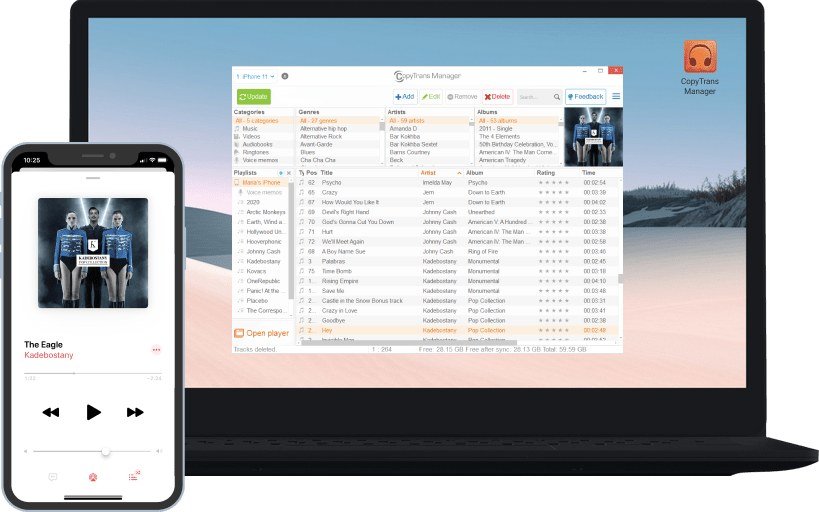
CopyTrans Manager solves the problem most players above leave open on Windows. It is free and lets you drag songs, videos, ringtones, podcasts and audiobooks from your PC straight onto an iPhone, iPad or iPod without an iTunes sync. It supports every iPhone, iPad and iPod model, including iPods that never ran iOS, on Windows 7 through 11.
It also edits titles, artwork, ratings and lyrics on the device and builds playlists, including from Apple Music tracks. It is not a player for your PC library, so it works best as a partner to MusicBee or foobar2000: organise the music there, then use CopyTrans to put it on the phone.
Syncing an iPhone or iPod Without iTunes
Syncing is where most iTunes alternatives stop. These are the routes that work today:
- Mac: Finder has synced iPhones, iPads and iPods since macOS Catalina. Connect the device and select it in the Finder sidebar.
- Windows, the Apple way: Apple Devices syncs music, films and more, and can sync over Wi-Fi once it is set up.
- Windows, drag and drop: CopyTrans Manager copies files directly, with no sync to overwrite them later.
- Windows, full library sync: MediaMonkey syncs over USB, but needs desktop iTunes installed for iOS devices.
- Old iPod Classic or Nano: Strawberry on a Mac or Linux PC, or MediaMonkey on Windows, which handles most pre-iOS iPods without iTunes.
- Your own files, including FLAC: Doppler moves music to its iPhone app over Wi-Fi, USB or AirDrop.
What Still Needs iTunes on Windows
Apple’s position is clear: on a Windows PC, you manage podcasts and audiobooks in iTunes, downloaded from the Microsoft Store. iTunes is still maintained as well, with version 12.13.11 released on September 8, 2026. The realistic setup for many people is Apple Music and Apple Devices for music and the phone, with iTunes kept only for audiobooks.
It is the same split Microsoft made with its own apps when it retired the old mail client, as our guide to Windows Mail alternatives explains, and it looks just as permanent.
Before switching, check where your music came from. Songs bought from the US iTunes Store since April 2009 are DRM-free and play in any app on this list. Songs from an Apple Music subscription are different: they stop playing if the subscription ends, so they cannot follow you to another player.
Which iTunes Alternative to Pick
For the least change on Windows, install Apple Music and Apple Devices; your library, purchases and iPhone sync carry over. For a better player with no iPhone to feed, MusicBee is the pick, with foobar2000 for anyone who values speed and every format over looks. MediaMonkey is the one for huge collections, provided you can live with keeping desktop iTunes installed.
Mac owners who want the old iTunes feel should buy Swinsian, and anyone with lossless files and an iPhone should look at Doppler. To move music onto an iPhone from Windows without Apple’s software, CopyTrans Manager is the free tool that does it, and Strawberry is the unusual pick that still fills an old iPod.
Frequently Asked Questions
Is iTunes still available?
Partly. On Windows, iTunes 12.13.11 is still offered through the Microsoft Store and Apple recommends it for podcasts and audiobooks, while music, video and device syncing moved to separate apps in February 2024. On a Mac, iTunes was replaced in 2019 by Music, TV, Podcasts and Finder.
What is the best free iTunes alternative for Windows?
MusicBee for managing and playing a library, and CopyTrans Manager for putting music on an iPhone. Apple’s free Apple Music and Apple Devices apps are the better choice if you want your iTunes library and purchases to stay exactly as they are.
What replaced iTunes on the Mac?
Since macOS Catalina in October 2019, the Music app handles your library and iTunes Store purchases, the TV and Podcasts apps took over video and podcasts, and Finder syncs an iPhone, iPad or iPod.
Can I put music on my iPhone without iTunes?
Yes. On Windows, Apple Devices or CopyTrans Manager will do it, and on a Mac you use Finder. Doppler is another route if you want your own files, including lossless ones, in a separate player on the iPhone.





