The best ai video generators for cinematic shots are not the ones you want when the job is forty product explainers or a training course in nine languages. The tools below are built for that work instead: presenter avatars, automatic dubbing, script-to-video and editing you do by changing text rather than dragging clips.
Two things are worth settling before any of them. The first is that OpenAI discontinued Sora in April 2026 and closed its API that September, so any workflow built around it needs rebuilding rather than porting. The second is that commercial rights are a plan feature here, not a given, and several of these withhold them from the cheaper tiers. All figures are current as of October 2026.
| # | Tool | Built for | Avatars | Languages | Entry price |
|---|---|---|---|---|---|
| 1 | HeyGen | Marketing video at volume | Yes | Localisation built in | Free, then $29/month |
| 2 | Synthesia | Training and enterprise comms | 240+ stock, plus clones | 140+ on Enterprise | Free tier, watermarked |
| 3 | Descript | Editing by editing text | Custom, from Business | Dubbing in 30+ | $16/month billed annually |
| 4 | InVideo | Agent-driven social video | Via hosted models | Multi-language | $9/seat/month list |
| 5 | Hedra | Character and presenter clips | Yes | Model dependent | Free, then $20/month |
| 6 | Fliki | Script and blog to video | Stock and cloned | 80+ | Free, watermarked |
| 7 | Pictory | Long form cut into clips | Limited | Captioning focus | $25/month billed annually |
1. HeyGen: Presenter Video Without a Camera
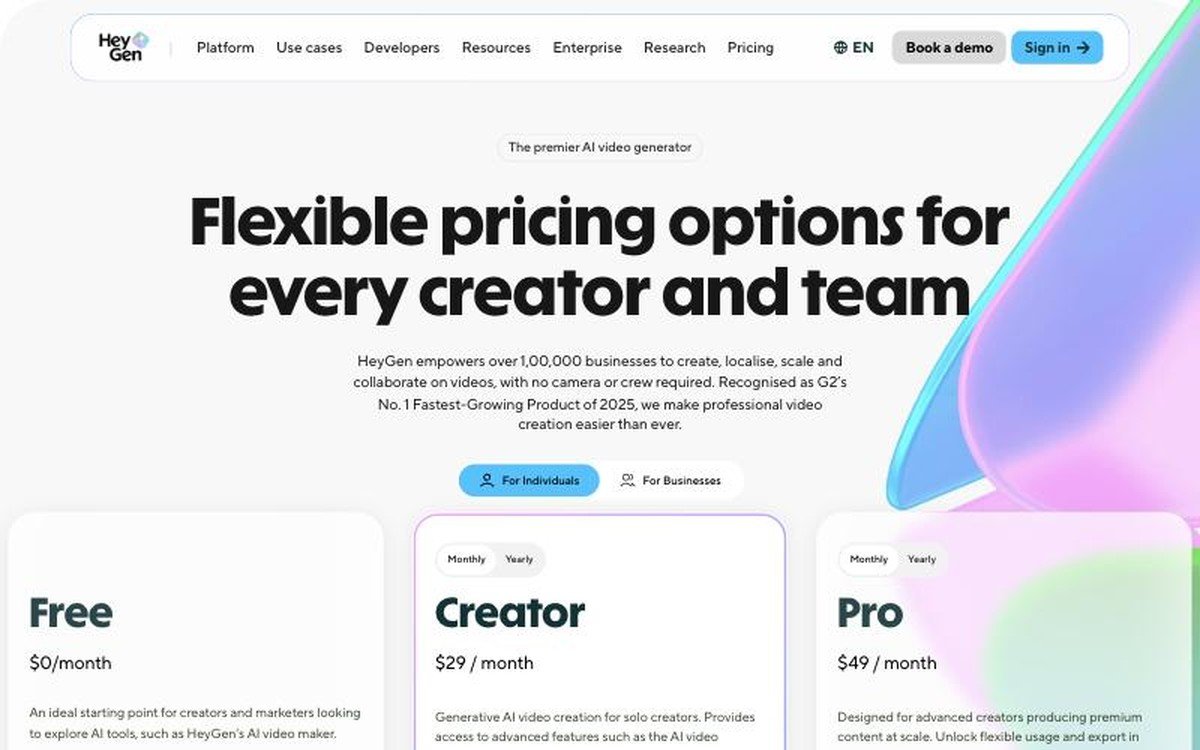
Free plan with 3 videos a month · Creator $29/month with 600 credits · Pro $49/month with 1,000 credits · Enterprise with customisable usage · avatars and localisation
HeyGen is the one most marketing teams land on first, because the output looks like a person talking to camera and nobody had to book a studio. The free plan allows three videos a month, which is enough to decide whether the avatar quality clears your bar before any money changes hands.
Paid plans are $29 a month for Creator with 600 credits and $49 for Pro with 1,000, with enterprise pricing on request. HeyGen says more than 100,000 businesses use it and that it was recognised as G2’s fastest-growing product of 2025. The localisation side is the part worth testing hardest, since translating a presenter video convincingly is a much harder problem than generating one.
2. Synthesia: The One Large Organisations Already Bought
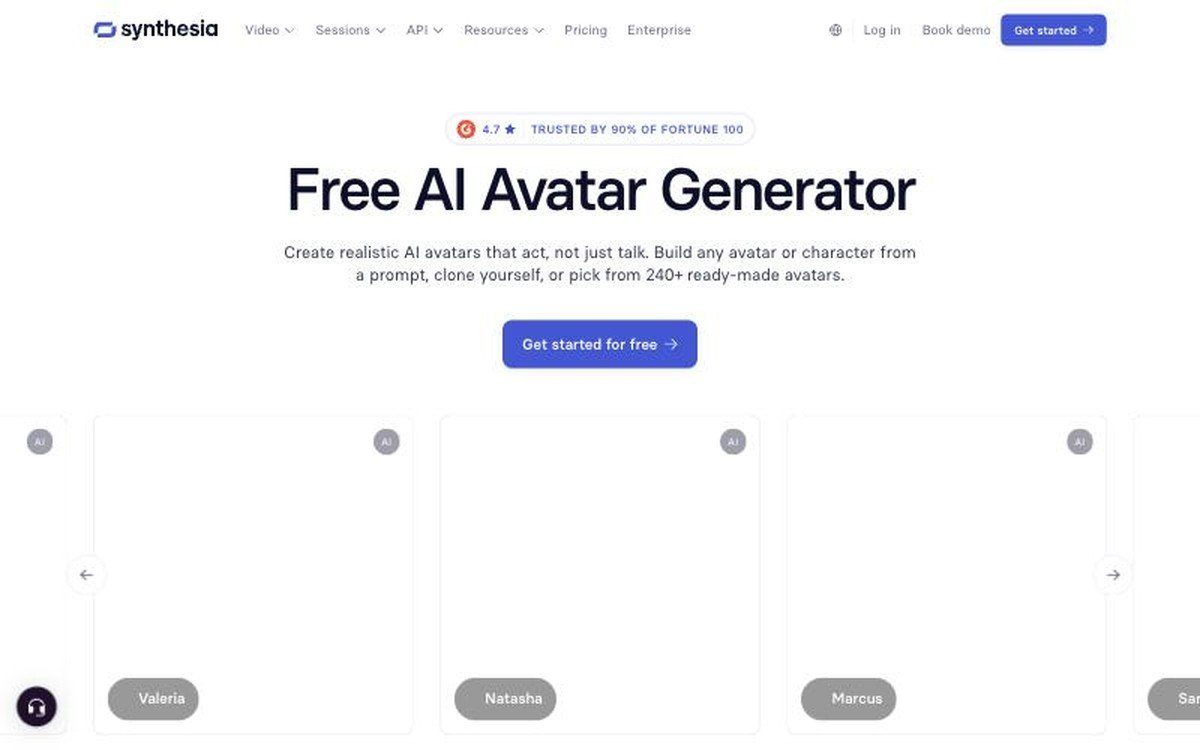
Free tier with 500 credits a month and a watermark · 100 credits per minute of video · 240+ stock avatars · 1-click translation into 140+ languages on Enterprise
Synthesia sits at the enterprise end and prices accordingly. Its avatar library runs to more than 240 ready-made presenters, you can build one from a prompt or clone yourself, and the company says 90% of the Fortune 100 use it. For compliance training and internal communications at scale, that institutional footprint matters more than raw visual quality.
The credit model is the thing to understand before signing up. Video costs 100 credits a minute and dubbing 76, with the first ten minutes included on every plan, so a free account produces about ten watermarked minutes a month. Removing the watermark and downloading your own files requires a paid plan, and the 140-language one-click translation sits at the Enterprise tier rather than lower down.
3. Descript: Edit the Transcript and the Video Follows
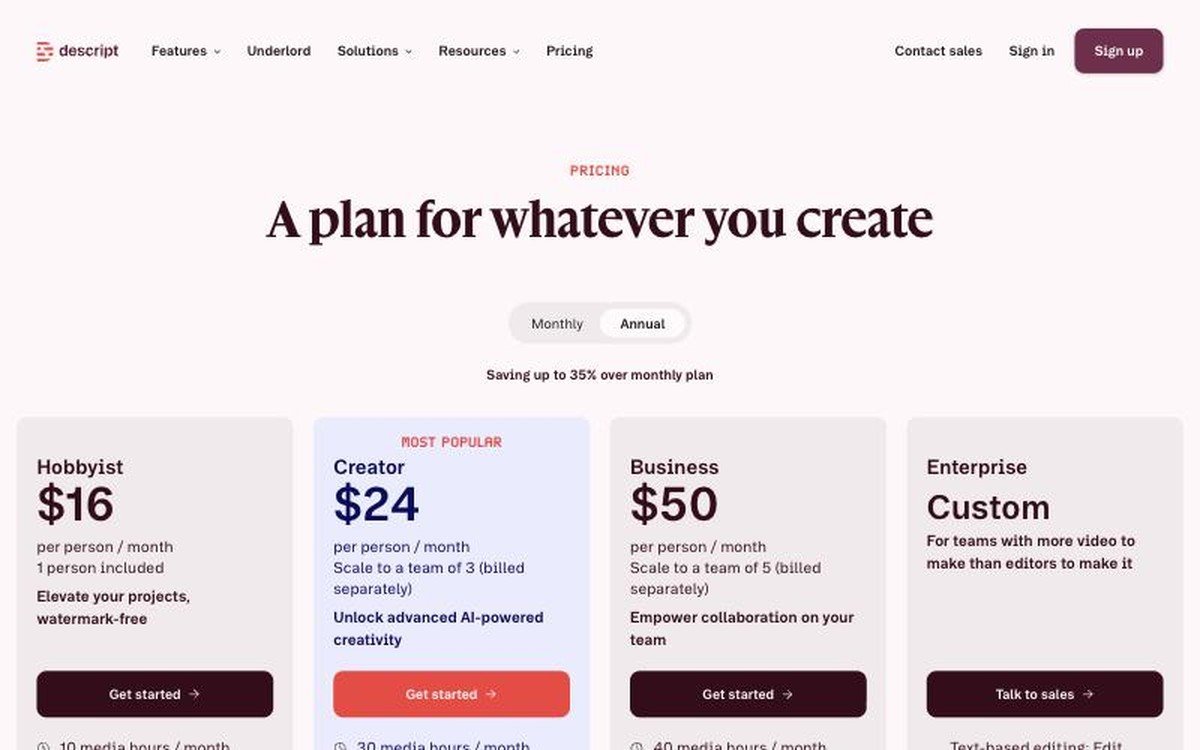
$16, $24 and $50 per person per month billed annually · 10, 30 and 40 media hours · 1080p export on Hobbyist and 4K from Creator · dubbing in 30+ languages on Business
Descript solves a different problem from everything else here. Rather than generating footage, it turns your existing recording into a document you edit by deleting words, which is the fastest route through a long interview or a webinar that needs cutting into clips.
The plan list runs Hobbyist at $16 per person a month billed annually, Creator at $24 and Business at $50, with monthly billing costing $24, $35 and $65 respectively. Media hours are the real limit at 10, 30 and 40 a month. Hobbyist exports 1080p watermark-free, 4K arrives at Creator, and dubbing into more than 30 languages plus custom avatars arrive at Business. Enterprise adds SOC 2 Type II, SSO and the ability to opt out of model training, which is usually the line that decides procurement.
4. InVideo: An Agent That Assembles the Whole Edit
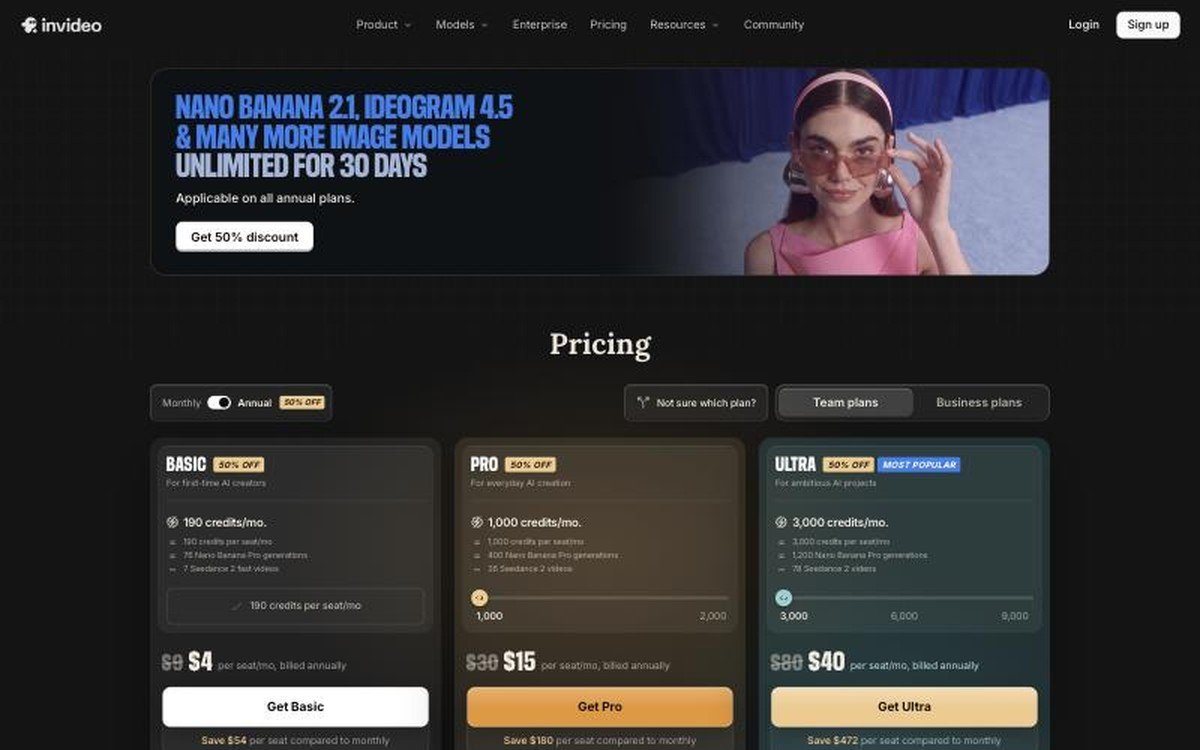
Basic $9, Pro $30 and Ultra $80 per seat per month at list · 190, 1,000 and 3,000 credits · Seedance 2.5 and 2.0 blocked on Basic · credits do not roll over
InVideo pairs a timeline editor with agents that will draft an entire video from a prompt, and it sells access to outside models the same way the big creative platforms now do. List pricing is $9 per seat a month for Basic, $30 for Pro and $80 for Ultra, billed annually, though the site runs heavy promotional discounting on top.
The gate to read is model access rather than credits. Basic is marked as having no access to Seedance 2.5 or Seedance 2.0 at all, and only reaches the Fast and Mini variants, while Pro opens Seedance 2.5 at 1080p and Seedance 2.0 at 4K. Pro also adds ten free guest seats with 190 credits each, which is a genuinely useful way to bring reviewers in. Unused credits expire each month rather than rolling over.
5. Hedra: Commercial Rights on Every Paid Plan
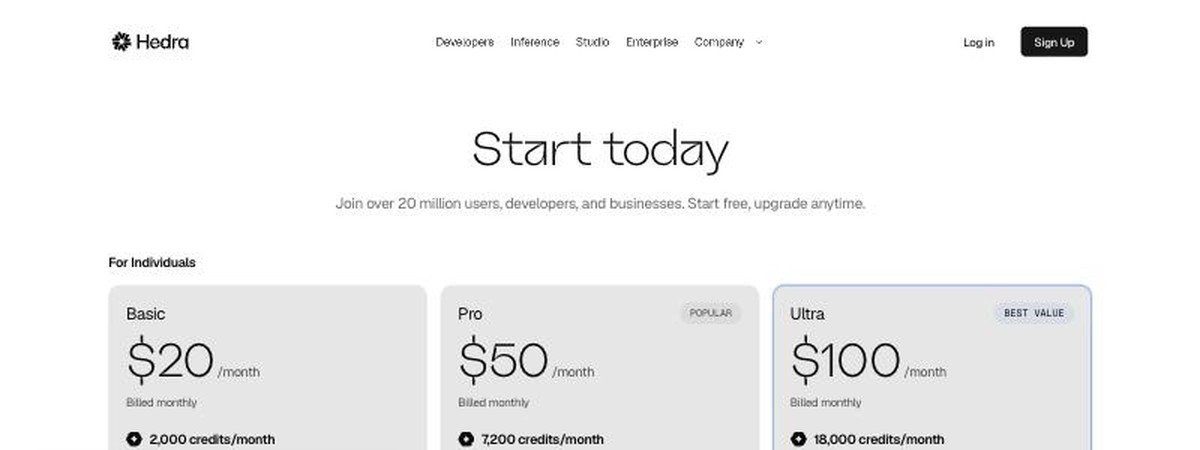
Basic $20 with 2,000 credits · Pro $50 with 7,200 · Ultra $100 with 18,000 and allowances to 57,600 · Teams $75 with 14,400 · commercial use on every paid tier · free plan, no card
Hedra is the simplest licensing story in this roundup. Commercial use is listed on Basic, Pro, Ultra and Teams alike, so there is no tier where you can generate video you are not allowed to publish. Given how many competitors gate that, it is worth more than it sounds.
Plans run $20 a month for 2,000 credits, $50 for 7,200 and $100 for 18,000, with the Ultra tier scaling to 57,600 credits and a Teams plan at $75 for 14,400. What separates the tiers beyond volume is generation speed, which Hedra labels slower, faster and fastest rather than quoting times. The free plan needs no credit card, and the company puts its user base above 20 million.
6. Fliki: Turn a Blog Post Into a Narrated Video

Free forever with 3 credits a month, 720p and a watermark · Standard adds 1080p, 15-minute videos and commercial rights · Premium reaches 40-minute videos and API access · 80+ languages
Fliki is built around the specific job of turning text into a narrated video, whether that text is a script, a blog post or a slide deck. The voice library is the reason to look at it: 300 voices across more than 80 languages on the free tier, rising to over 2,000 with a thousand described as ultra-realistic on Premium.
The free plan is genuinely free forever but caps out at 720p with a Fliki watermark and three credits a month. Standard lifts that to 1080p, videos up to 15 minutes, translation into 80-plus languages, voice cloning and, importantly, commercial rights. Premium stretches videos to 40 minutes and adds API access, photo avatars and multiple brand kits. Fliki displays its prices only after the page loads its regional pricing, so check the figure shown for your own country.
7. Pictory: Long Recordings Cut Into Shareable Clips

Starter $25/month billed annually for 1 user · Professional $35 · Team $119 for 3+ users · Enterprise for 10+ · 2,400, 7,200 and 21,600 video minutes a year
Pictory is narrower than the rest and better for it. The core job is taking something long, a webinar, a podcast or a recorded call, and producing short captioned clips from it without learning an editor. For teams sitting on a back catalogue of recordings, that is the whole value.
Annual pricing is $25 a month for Starter, $35 for Professional, $119 for Team and custom beyond that, against monthly rates of $29, $59 and $199. The meaningful difference is volume and seats: 2,400 video minutes a year and one user on Starter, 7,200 minutes on Professional, and 21,600 minutes across three or more users on Team. Enterprise starts at ten users.
Commercial Rights Are a Plan Feature, Not a Default
The single most expensive assumption in this category is that paying for a subscription means you may publish what it produces. Several of these tools separate the two. Fliki withholds commercial rights from its free tier and grants them at Standard. Hedra includes them on every paid plan. Synthesia leaves a watermark on free output and requires a paid plan before you can download your own files.
The pattern holds across the wider market too, where Pika removes watermarks on every tier but grants the commercial licence only from its third plan up. Watermark removal and commercial licensing are different things sold separately, and conflating them is how a campaign ends up needing re-rendering.
- Check the licence line specifically, not the watermark line.
- Confirm whether rights cover client work or only your own brand.
- Note whether cloned voices and avatars carry separate terms.
- For training content, confirm the dubbing licence covers every language you ship.
Credits, Minutes and Seats Are Three Different Meters
These tools meter usage in incompatible ways, which makes headline prices close to meaningless. Synthesia charges 100 credits per minute of video. Descript sells media hours, 10 to 40 a month. Pictory sells video minutes by the year, 2,400 to 21,600. HeyGen, InVideo and Hedra all sell credits, and a credit means something different in each.
The only way to compare them is to convert your own monthly output into each vendor’s unit before subscribing. A team producing four ten-minute training videos a month needs roughly 4,000 Synthesia credits, comfortably inside Descript’s 40 media hours, and well under Pictory’s Professional allowance. The same workload priced on a per-seat tool like InVideo depends on how many people touch it. Design work is metered the same confusing way, as our design software comparison found.
What the Comparison Measures
All plan names, prices, credit allowances and feature gates are current as of October 2026. Where a vendor publishes only a local currency or hides prices behind a region check, as Synthesia and Fliki both do, the figures are left out rather than converted and only the plan structure is described.
All figures are list prices, because promotions rotate and list prices do not. No tool here was ranked on output quality, which is too dependent on prompt, subject and taste to be useful in a table. The comparison is on what you are buying and what you are allowed to do with it, which is where the real differences sit. Our audio enhancement guide covers the sound side of the same workflow.
How to Choose Between the Best AI Video Generators
Match the tool to the input you already have. If you have a script and need a presenter, HeyGen or Synthesia. If you have a recording and need it shorter, Descript or Pictory. If you have a blog post and need narration, Fliki. If you have a prompt and nothing else, InVideo or Hedra. Buying the wrong category is a far more expensive mistake than paying ten dollars too much within the right one.
Then check two lines before subscribing: the commercial licence, and the meter. Hedra is the safest on licensing because every paid tier includes commercial use. On metering, convert your actual monthly output into the vendor’s own unit rather than trusting the plan name, since a credit on one platform is not a credit on another. If you are still deciding which assistant drafts the scripts, our ChatGPT alternatives roundup covers that end.
- Presenter video for marketing: HeyGen, with a free tier to test avatar quality first.
- Training and internal comms at scale: Synthesia, for the avatar library and translation.
- Cutting long recordings down: Descript for editing, Pictory for clip extraction.
- Commercial rights on the cheapest paid plan: Hedra.
- Text or blog posts into narrated video: Fliki, for the voice and language range.
Frequently Asked Questions
Which AI video generator is best for marketing teams?
HeyGen for presenter-led marketing video, because the free plan lets you judge avatar quality before committing and paid plans start at $29 a month. For training and internal communications at larger scale, Synthesia is the more common choice thanks to its avatar library and translation coverage.
Do these tools let you use the videos commercially?
Not all of them, and not on every plan. Hedra includes commercial use on every paid tier, Fliki grants it from Standard, and Synthesia watermarks free output and restricts downloads to paid plans. Read the licence line on the specific plan rather than assuming payment covers it.
What is the difference between Descript and Pictory?
Descript edits video by editing its transcript, so it suits reworking a recording in detail, and sells media hours from 10 to 40 a month. Pictory is narrower, turning long recordings into short captioned clips, and sells video minutes by the year from 2,400 upward.
Can these tools dub video into other languages?
Several can. Descript dubs into more than 30 languages on its Business plan, Fliki translates into over 80, and Synthesia offers one-click translation into more than 140 languages at the Enterprise tier. Check which plan the feature sits on, since it is rarely available at entry level.





