
If you are working out how to delete Facebook account data from a laptop or desktop in 2026, the route runs through Settings and privacy, Settings, Accounts Center, Personal details, Account ownership and control, and Deactivation or deletion. Choose Delete account, confirm your password, and Meta gives you 30 days to change your mind before the profile is permanently erased.
A browser makes the job easier than a phone: the export of your photos downloads straight to a drive, and the Apps and websites list fits on one screen. This guide covers the clicks, then what Meta actually removes, what it keeps, and how long each stage takes.
Deleting Facebook in Brief
On facebook.com, click your profile picture in the top right, then Settings and privacy, Settings, Accounts Center, Personal details, Account ownership and control, and Deactivation or deletion. Select your profile, choose Delete account, click Continue and re-enter your password. Logging in within 30 days and clicking Cancel deletion reverses it.
Delete or Deactivate: Pick the Right Exit
Both options sit behind the same Deactivation or deletion button, and they do very different things to your data. Deactivation hides your profile but keeps everything; deletion erases it on a timer.
| Deactivate account | Delete account | |
|---|---|---|
| Who can see your profile | No one | No one, then it is erased |
| Photos, posts and videos | Kept | Permanently deleted |
| Messenger | Stays active if you keep it | Ends, along with your messages |
| Your Meta Account | Remains active | Other profiles in it are unaffected |
| Coming back | Log in any time | Only within 30 days |
Deactivated accounts still leave a footprint. Messages you sent remain visible, friends may still see your name in their friends list, and group admins may still see your posts and comments with your name attached. If you want to vanish from Facebook but keep your archive, deactivation is the safer first move.
Before You Start: Time, Password and a Checklist
Budget about 15 minutes at a computer, plus however long your export takes to prepare. Then work through this checklist while you can still log in:
- Password: Facebook asks you to re-enter it before the deletion is accepted.
- Logins: open Settings and privacy, Settings, then Apps and websites, and remove each app. Meta warns you lose Facebook Login for services such as Spotify and Pinterest.
- Pages: any Page only you control is deleted with you, so give someone else full control first.
- Meta Quest: if your headset uses Facebook to log in, its app purchases, achievements and store credit are deleted too.
- Menu labels: Meta began replacing Accounts Center with a single Meta Account on April 23, 2026, with the switch spread over a year, so your settings may show either name.
Download Your Facebook Data From a Computer
After deletion you lose access to everything you added, and a profile that is already scheduled for deletion cannot be exported until you cancel. Do this first:
- Click your profile picture in the top right of Facebook, then Settings and privacy.
- Click Settings, then Accounts Center.
- Click Your information and permissions.
- Click Export your information (shown as Download your information on some accounts).
- Click Create export, select your Facebook profile and choose Export to device.
- Set the information, date range, format, notification email and media quality, then click Start export.

Choose HTML for a ZIP file with an index page that opens like a website, or JSON if you plan to upload the data to another service. You’ll know it worked when Facebook emails you that the export is ready. It stays in Available downloads for four days, and the download is password protected.
How to Delete Facebook Account From a Web Browser
These are the Accounts Center steps Meta lists for computers. Each one is a single click:
- Log in at facebook.com and click your profile picture in the top right.
- Select Settings and privacy, then click Settings.
- Click Accounts Center in the top left (via See more in Accounts Center).

- Click Personal details under Account settings.
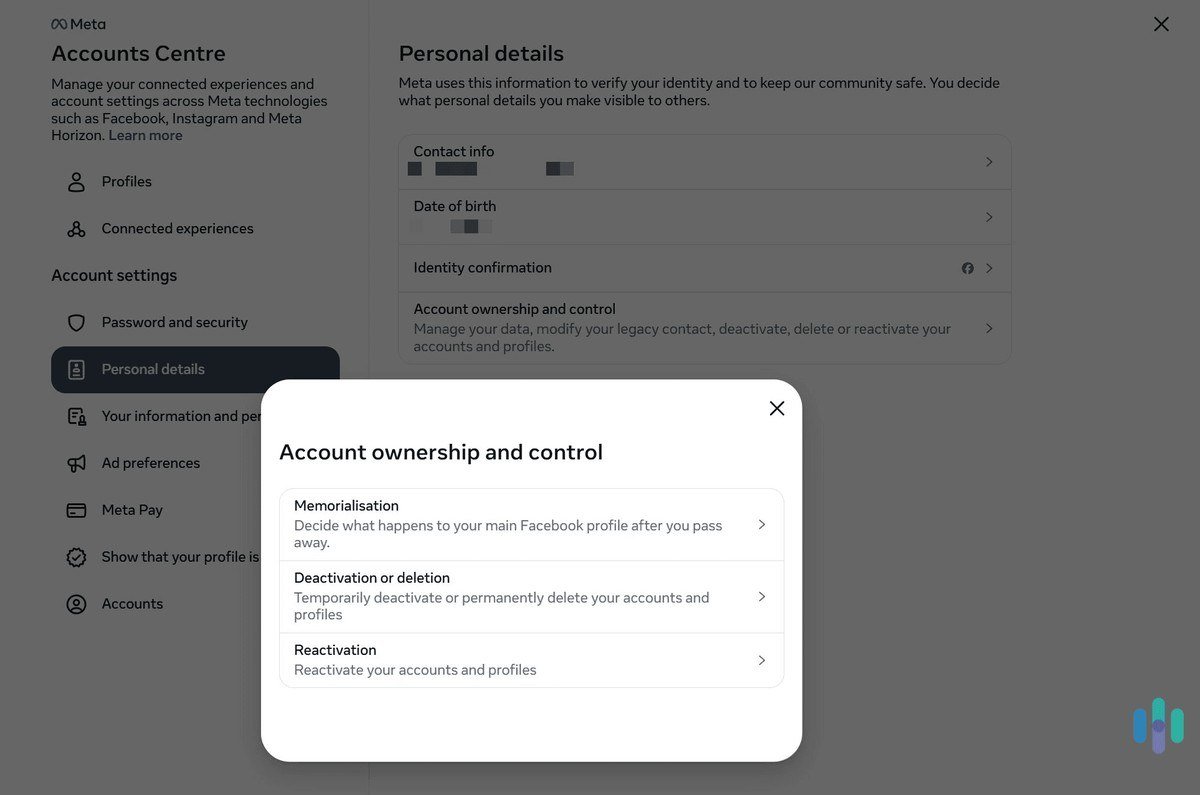
- Click Account ownership and control.

- Click Deactivation or deletion.
- Click the profile you want to delete and choose Delete account, then click Continue.

- Read the prompts and click Continue again.
- Re-enter your password and click Continue to confirm.
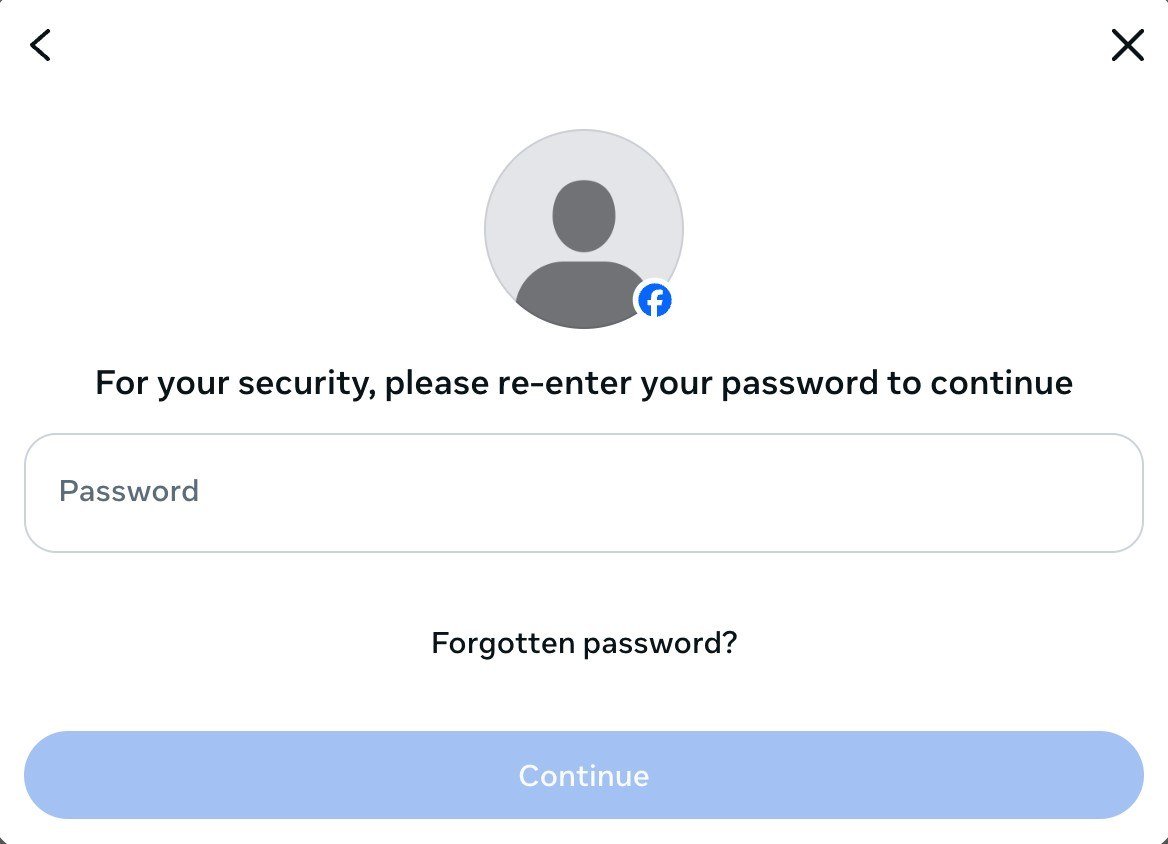
On accounts already moved to the new system, the screen shows Manage account at the bottom of Meta Account. There, click Meta Account, Manage account, Manage, then Deactivation or deletion, and finish with the same prompts. You’ll know it worked when Facebook sends an email saying the account is scheduled for permanent deletion.
What Meta Deletes, What It Keeps and When
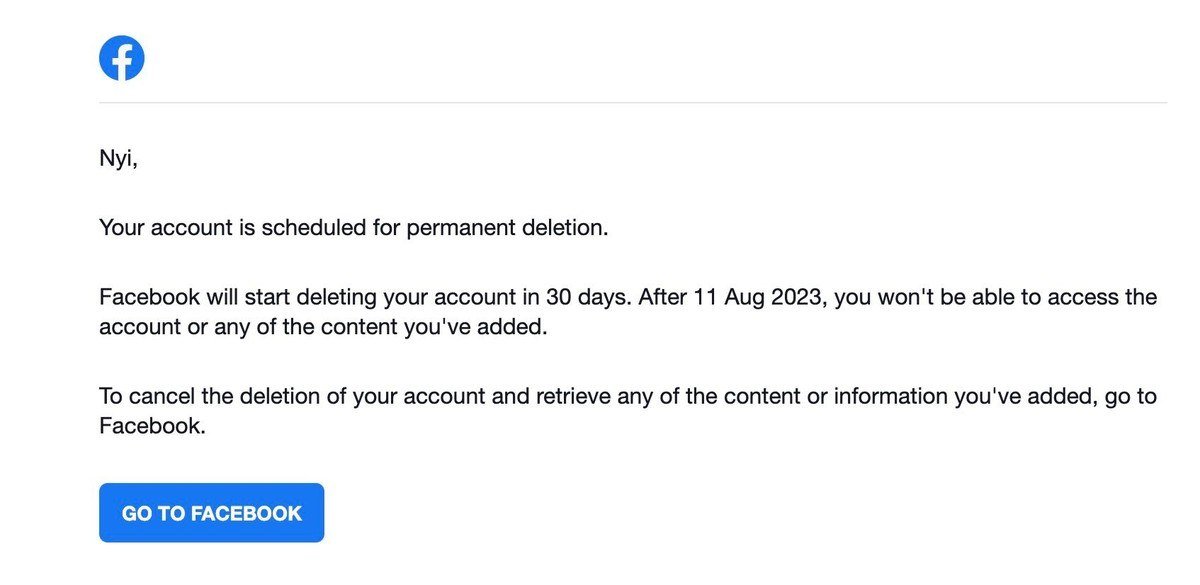
The deletion runs in stages. The timeline Meta publishes for a Facebook profile looks like this:
- Days 1 to 30: the account is scheduled for deletion and you can still cancel. Meta notes the length of this window varies by region.
- After day 30: the account and all of your information are permanently deleted and cannot be retrieved.
- Up to day 90: Meta finishes removing everything you posted, counted from the start of the process. None of it is visible to other people while that happens.
- After day 90: copies may remain in backup storage used for disaster recovery.
Some data outlives the account. Copies of messages you sent stay in your friends’ inboxes. Copies of some material, such as log records, may remain in Meta’s database but are disassociated from personal identifiers. Meta may also keep information for legal issues, terms violations or harm prevention efforts. Apps you connected keep what they already collected, and only the developer can delete that.
Privacy law backs the request in some places. The California Consumer Privacy Act gives California residents a right to delete personal information a business collected from them, with some exceptions, and in Europe Article 17 of the GDPR sets out a right to erasure that took effect in May 2018. For everyday ways to share less while you still use social apps, see our guide on how to protect your privacy online.
Changed Your Mind? Cancel Within 30 Days
To stop a deletion, log in to Facebook within 30 days of starting it and click Cancel deletion. Accounts Center also gains a Reactivation entry under Account ownership and control, which only appears when a profile is deactivated or scheduled for deletion.
Cancelling is also the only way to export data from an account mid-deletion. Meta lists “Scheduled for deletion” as a reason the export tool refuses a profile, and the fix is to cancel, export, then start over.
Apps, Pages, Instagram and Quest After Deletion
Instagram and other Meta profiles
Other profiles in your Meta Account are not affected, so Instagram stays live. Deleting it is a separate Delete account choice in Instagram’s own Accounts Center, with the same 30-day and 90-day timings. Additional Facebook profiles under your main account, though, are deleted along with it.
Messenger
You can no longer use Messenger after deleting Facebook. Deactivation is different: Messenger keeps working, and switching it off takes a separate step in the Messenger mobile app after Facebook is deactivated.
Pages and Meta Quest
A Page with no other admin disappears with your profile. Quest owners who sign in with Facebook lose app purchases, achievements and store credit, and cannot return apps afterward.
When the Account Belongs to Someone Who Died
Immediate family members or the executor can request removal of a deceased person’s account. Meta processes it fastest with a scan or photo of the death certificate. Otherwise it needs one proof of authority, such as a power of attorney, last will and testament or estate letter, and one proof of death, such as an obituary or memorial card. Cover up details Meta does not need, such as a Social Security number.
Families can instead ask for memorialization, which keeps the profile with Remembering beside the name and blocks all logins. For your own account, the Memorialization option under Account ownership and control lets you name a legacy contact or choose Delete after death.
Mistakes That Undo or Complicate a Deletion
- Logging back in. Meta says a deletion request is cancelled if you log back in during the waiting period, so sign out on every device and browser.
- Skipping Apps and websites. Accounts you created with Facebook Login may need the app’s own support team to recover once Facebook is gone.
- Assuming Instagram goes too. It does not; delete it separately if you want a clean break.
- Deleting the wrong profile. Deleting the main account removes every additional profile, while an extra profile can be deleted alone.
Leaving several platforms at once? Our guide on how to delete a Snapchat account covers the same backup-first routine, and if your Instagram is staying, check what it exposes in Google search results.
Frequently Asked Questions
Can I delete Facebook from a computer without the app?
Yes. The full deletion runs in any web browser at facebook.com through Settings and privacy, Settings and Accounts Center. The app is not required at any point.
How long does Facebook keep my data after I delete my account?
The account is permanently deleted after 30 days, and Meta says removing everything you posted can take up to 90 days from the start. Backup copies and some data kept for legal reasons can remain after that.
What is the difference between deactivating and deleting Facebook?
Deactivating hides your profile but keeps your content, and you can return any time by logging in. Deleting erases your photos, posts and Messenger access permanently once the 30-day window closes.
Does deleting Facebook delete my Instagram?
No. Other profiles in the same Meta Account are not affected, so Instagram must be deleted on its own.





