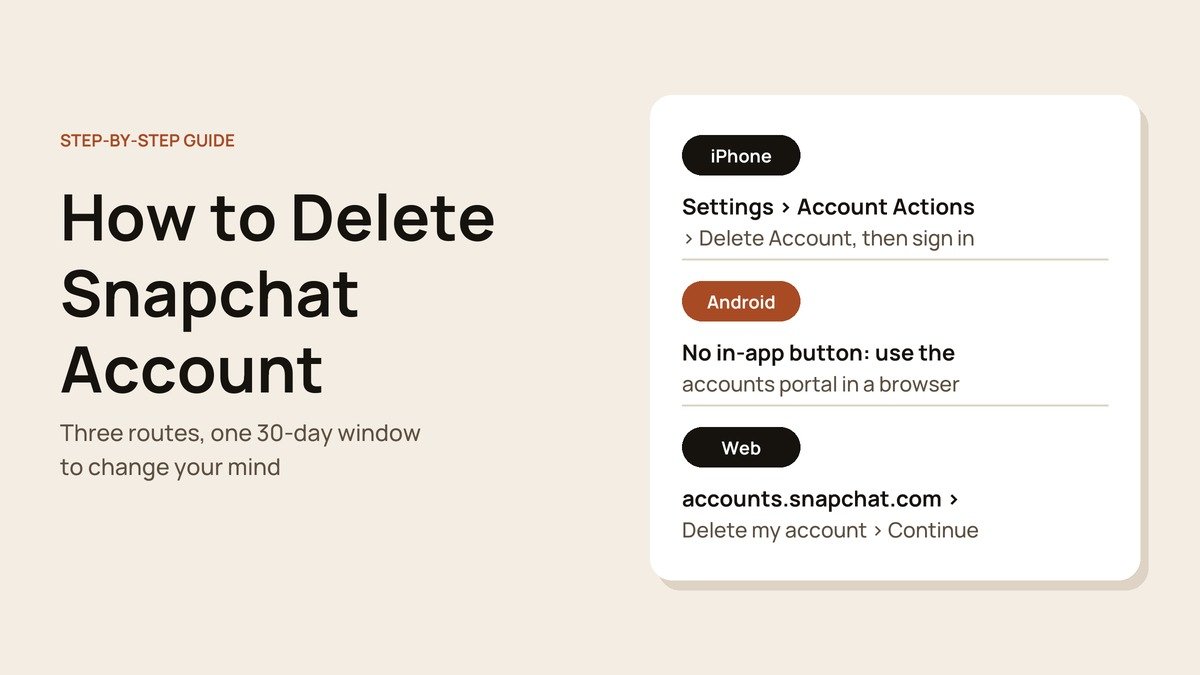
Knowing how to delete a Snapchat account properly matters, because Snapchat does not erase anything the moment you ask. It deactivates the account, holds it for 30 days in case you return, and only then moves it to permanent deletion. That gap is useful, but it also catches out people who log back in by accident.
Below is the complete process: keeping your photos, the delete steps on iPhone, Android and the web, and how the waiting period works. The deletion itself takes about five minutes.
How to Delete Snapchat in One Paragraph
In short: iPhone users go to Profile, the gear, Account Actions and Delete Account. Android and desktop users sign in at accounts.snapchat.com and pick Delete my account. Everyone finishes by entering their password and pressing Continue. The account is then deactivated, and logging in within 30 days restores it.
What You Need First
- Your Snapchat username and password. Reset the password before you begin if you are unsure of it; it cannot be changed while the account is deactivated.
- Somewhere to keep your photos, either your camera roll or a data export.
- A note of any Snapchat+ subscription. Plans bought through Google Play are cancelled in the Play Store, as Google explains in its guide to cancelling a Google Play subscription.
Step 1: Keep Your Snaps Before You Delete
The fastest way to hold on to new photos is to make sure everything you save also lands in your phone's camera roll.
- Open your profile, tap the gear and choose Memories.
- Tap Save Button and select Memories & Camera Roll.
- Open Memories, select the Snaps you want to keep and export them to your camera roll.

For a complete archive, including chat history and account details, request a copy through Snapchat's Download My Data tool, which its privacy policy points to. You can still download that file for 30 days after you deactivate.
Step 2: Delete Your Snapchat Account
On iPhone: start in the app
- Tap your profile icon in the top-left corner of the camera screen.
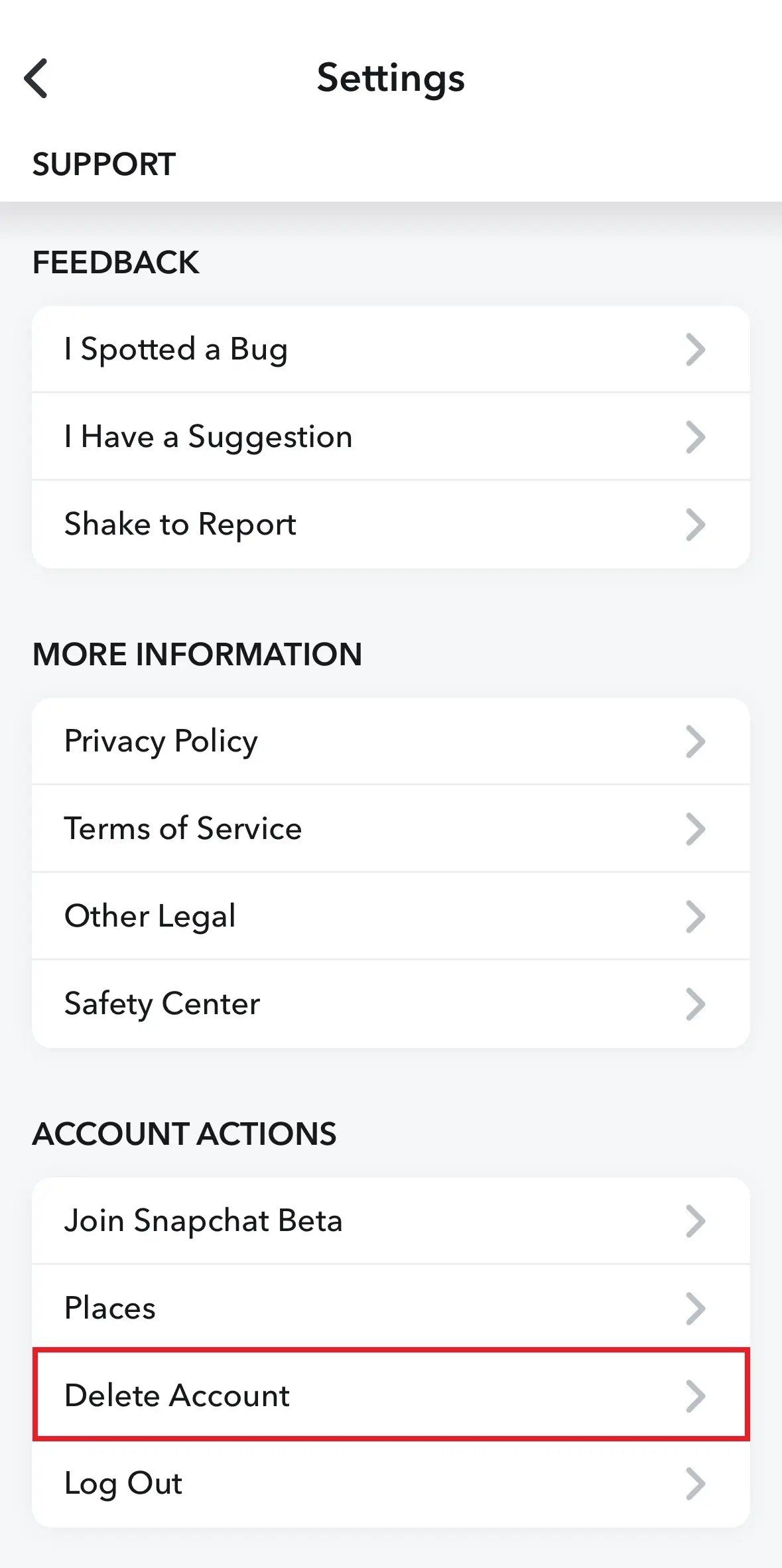
- Tap the gear in the top-right corner. You should now see the Settings list.

- Scroll to the Account Actions section near the bottom.
- Tap Delete Account. Snapchat opens its accounts portal to finish the job.
On Android or a computer: use the accounts portal
- Open a browser and go to the Snapchat accounts portal.
- Log in with your username or email, then your password.
- Pick Delete my account from the options listed.

Finish on the Delete Account page
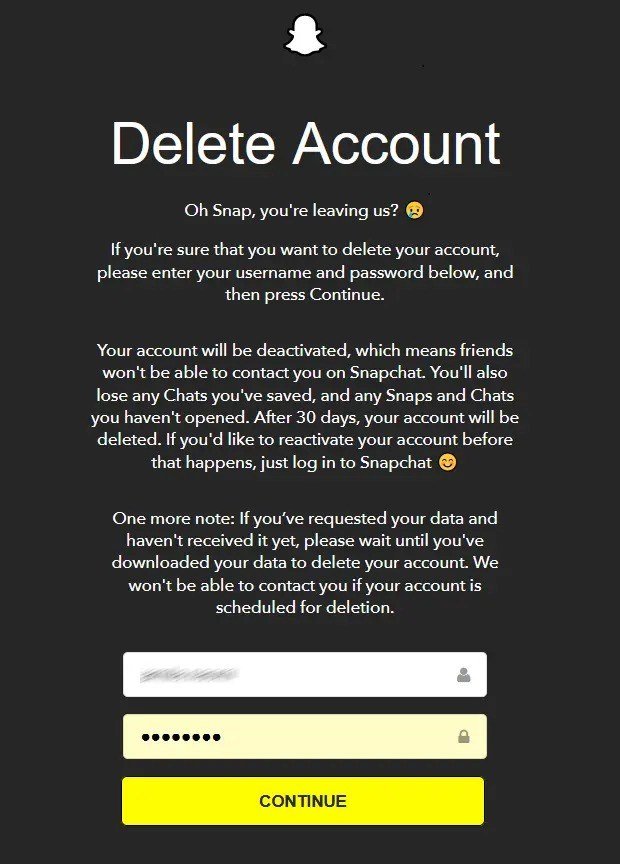
Both routes end on the same page. It warns that friends will no longer be able to reach you and that unopened Snaps and Chats will be lost.
- Check the username shown is the account you mean to delete.
- Enter the password.
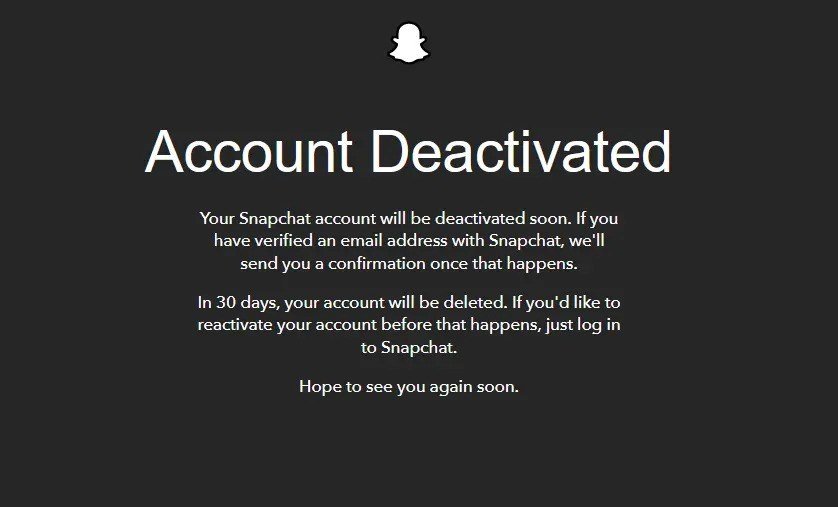
- Press Continue. The page changes to Account Deactivated, which confirms it worked.
Step 3: Know Your 30-Day Window
Deactivation is the start of the process, not the end of it. The timeline Snapchat applies is fixed.
- The first 30 days: the account is hidden but recoverable. Log in to the app with your username to bring it back. Email and phone logins do not work during this time.
- After 30 days: the account is scheduled for permanent deletion and can no longer be restored, even by Snapchat Support.
- Your data: available to download for 30 days, then permanently deleted after 60 days.
- Users in India: the same 30-day deactivation, but the account is permanently deleted 180 days after that, and data after 210 days, under local rules.
Some records survive deletion for legal and business reasons, including purchases made through Snapchat and the date you accepted its terms.
Delete or Just Step Back? Your Other Options
Deleting is permanent once the window closes. If you mainly want space from the app, these keep your account and everything in it.
- Log out: your account stays exactly as it is, and you return by logging back in.
- Uninstall the app: same effect as logging out on that phone. The account is untouched and friends can still message you.
- Remove selected data: Snapchat lets you delete items saved to Memories, content shared with My AI and Spotlight submissions without closing the account, and Settings has a Clear Data option under Privacy Controls.
- Delete the account: the only option that ends with your account and data erased.
The 30-day deactivation is sometimes described as a way to take a break. It is not designed for that: if you forget to log in before day 30, the account is gone for good.
Deleting an Account You Cannot Log Into
Every route ends with a password, so access comes first.
- Forgotten password: reset it from the accounts portal with the email address or phone number on the account, then delete.
- Locked account: the portal lists an Unlock my account option above Delete my account. Unlock first, then return to delete.
- Already deactivated: you cannot change the password while the account is deactivated, so a deletion you started is best left to run its 30 days.
Mistakes That Undo or Stall a Deletion
- Deleting the app and stopping there. The account carries on as normal without a deletion request.
- Opening Snapchat during the 30 days. A login reactivates the account straight away.
- Looking for a delete button in the Android app. There is not one; use the web portal.
- Leaving a subscription running. Store-billed plans are managed by Apple or Google.
Not ready to leave entirely? Tightening who can see you may be enough, and our guide to Snapchat public profiles explains the settings. For a wider clean-up, see how to protect your privacy online.
Frequently Asked Questions
Why can I not find Delete Account in the Snapchat Android app?
The Android app does not include it. Snapchat directs Android users to the accounts portal in a browser, where the Delete my account option sits in the main list.
Will my friends know I deleted my Snapchat?
Snapchat does not send them a notice. While the account is deactivated, though, they will not be able to contact you on Snapchat, which most friends notice sooner or later.
Can Snapchat Support reactivate my account for me?
No. Only you can reactivate a deactivated account, by logging in with the username within 30 days. After that, the account cannot be recovered.
Do I lose my Memories when I delete Snapchat?
Yes, once the account is permanently deleted. Export them to your camera roll or request your data before the download window closes.





