There is a quiet way to deal with a follower you would rather not have, and it is not blocking. Instagram lets you take someone off your followers list without telling them, without ending the ability to contact you, and without the obvious gap a block leaves behind. Learning how to remove followers on Instagram takes three taps.
The catch is that Instagram only offers the button under one condition, and it is a condition most accounts do not meet. If the option is missing from your followers list, the reason is almost certainly the one explained next, rather than a bug or a version difference.
The private account rule
Instagram states the precondition plainly: you can remove people from your followers list if your account is set to private. On a public account the Remove button is simply not there.
The reasoning follows from what public means. Anyone can see a public profile whether they follow it or not, so removing a follower would achieve almost nothing: they would lose your posts from their feed and could still read every one of them by visiting your page. Instagram does not offer an action that would look effective and not be.
Switching to private is reversible and takes a few seconds, in the menu under account privacy. Existing followers are kept when you switch, so going private does not clear the list for you. It only makes the Remove button appear, and sends future followers through an approval prompt.
How to remove followers on Instagram in the app
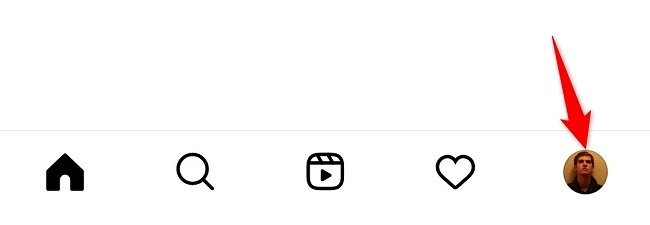
- Tap your profile picture in the bottom right to open your profile.
- Tap Followers at the top.
- Find the account, using the search box if the list is long.
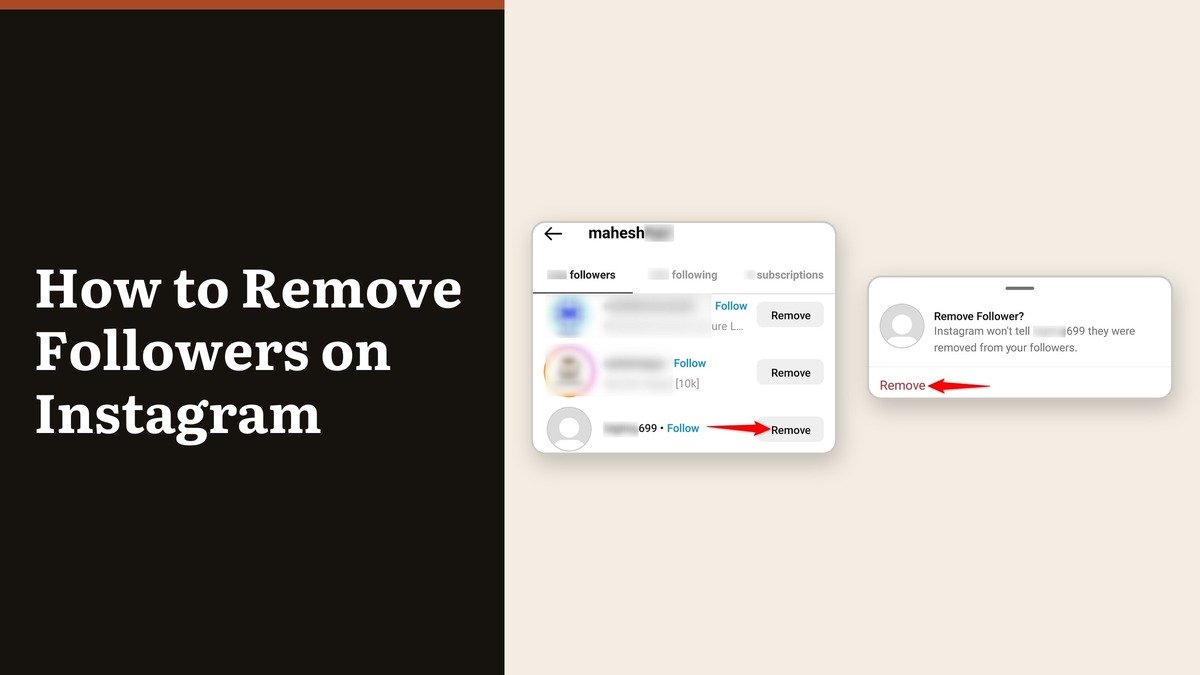
- Tap the X to the right of their name.
- Tap Remove to confirm.
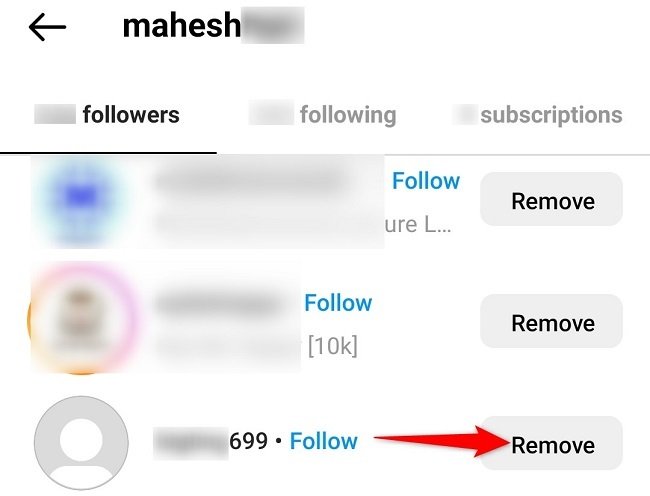
The row disappears immediately and your follower count drops by one. On some builds the button is labelled Remove rather than shown as an X, in the same position on the right of the row.
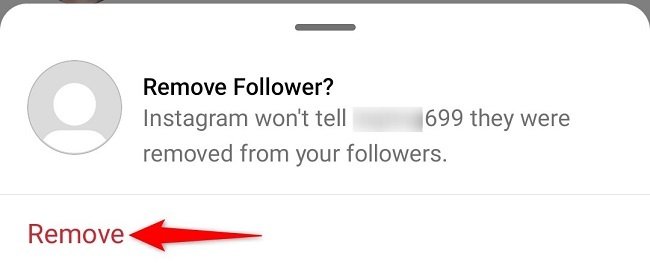
The confirmation is the reassuring part: Instagram will not tell them they were removed from your followers. There is no notification and no change they will be alerted to.
Removing a follower from a computer
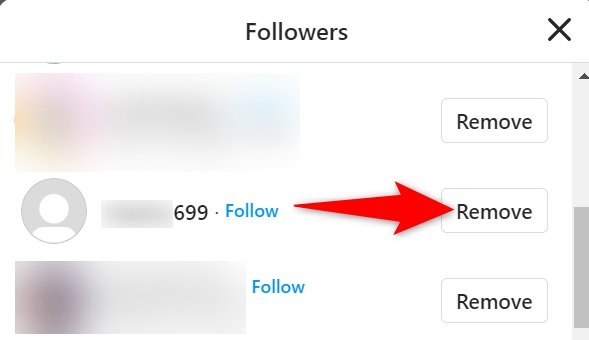
The web app handles this comfortably and is faster for a long clear-out, because the followers window scrolls with a mouse wheel rather than a thumb. Click your profile picture to open your profile, click Followers at the top, then click Remove to the right of the account and Remove again to confirm.
The same private account rule applies here. If the buttons are missing on the web they will be missing in the app too.
What a removed follower can still do
Removal is narrower than people assume. It takes them out of your followers list and stops your posts appearing in their feed. It does not block them, does not stop them messaging you, and does not stop them sending a fresh follow request.
| Option | Works on | What happens |
|---|---|---|
| Remove follower | Private accounts only | They are not told, and can follow you again |
| Block | Any account | They are not told, and cannot find you at all |
| Block then unblock | Any account | Drops the follow and leaves them able to find you |
| Go private | Any account | Existing followers stay, new ones need approval |
If the person is likely to simply follow again, removal buys you an approval prompt rather than a solution. Blocking is the tool that actually ends it, and our guide to blocking someone on Instagram covers how far a block now reaches across their other accounts.
The block-then-unblock sequence is the standard trick for a public account. Blocking severs the follow in both directions, and unblocking afterwards does not restore it, so you end up with them no longer following you and still able to find your profile. Neither step notifies them. The same approach works on other apps, and our walkthrough of removing someone on Snapchat covers the equivalent there.
Clearing out bots and inactive accounts
Removing accounts one at a time is the only method Instagram gives you. There is no bulk selection, no filter for inactive followers, and nothing that will do it on a schedule. Apps promising to automate it need your login, which puts the account at risk of restriction and puts your password somewhere it should not be.
For a genuinely messy follower list the practical approach is to go private, work through the list in batches on a computer, and leave privacy on afterwards so the problem does not rebuild. If unwanted attention is the underlying issue rather than tidiness, it is worth taking a wider pass through your privacy settings generally instead.
Frequently Asked Questions
Does Instagram notify someone when you remove them as a follower?
No. Instagram confirms on the removal screen that the person is not told. They would have to notice your posts no longer reaching their feed, or check your profile and see that the button says Follow again.
Why can I not remove a follower on Instagram?
Because the account is public. The option only appears on private accounts. Switch account privacy on in your settings and the Remove buttons appear in the followers list.
Can a removed follower follow me again?
Yes. Removing someone does not block them. On a private account their next attempt arrives as a follow request you can decline, which is usually enough.
Does removing a follower delete their old comments and likes?
No. Anything they already left on your posts stays there. Removing them is forward-looking only, so clearing the history means deleting those comments yourself.