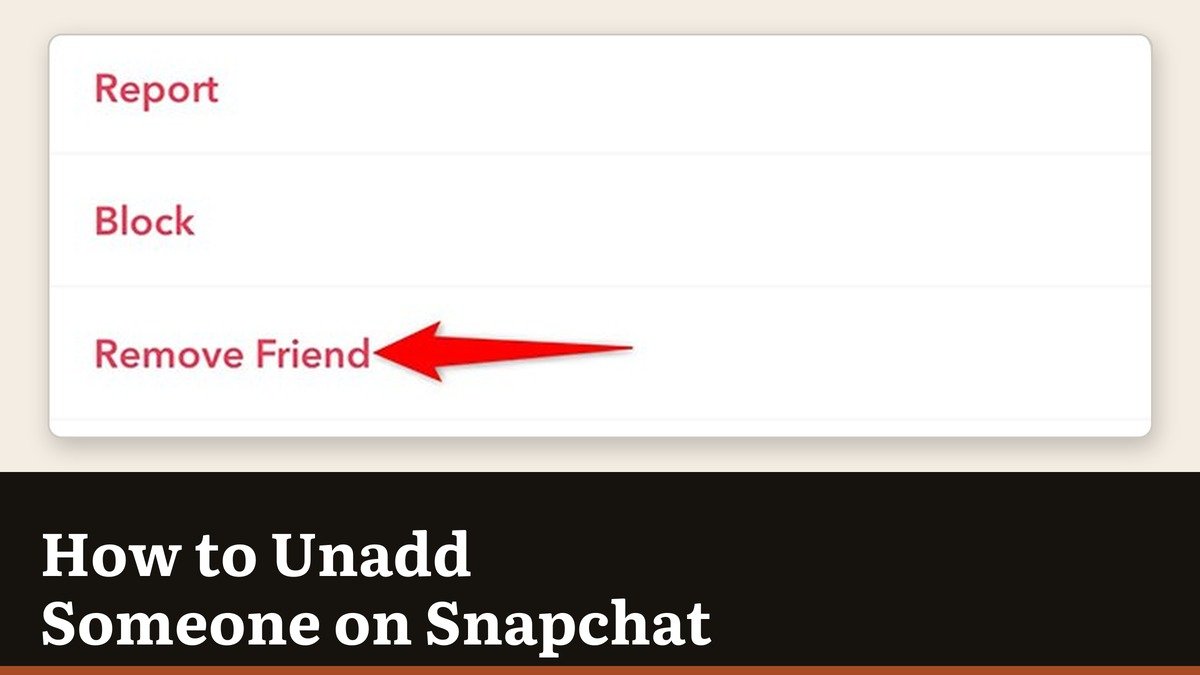
How to unadd someone on Snapchat: swipe right to the Chat screen, press and hold their name, tap Manage Friendship, then tap Remove Friend. No notification goes out, nothing appears on their end, and the friendship is over as soon as you confirm.
Snapchat describes this as quietly taking someone off your friends list, and the word quietly is doing a lot of work. Unadding is deliberately gentle: it ends the friendship and leaves almost everything else in place.
The steps, either route
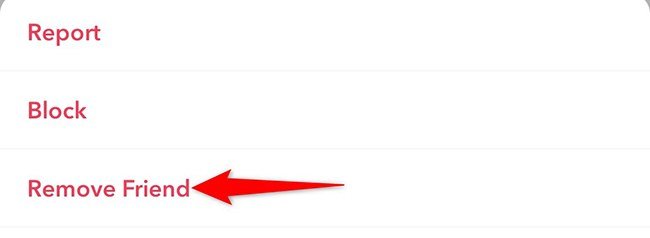
- Swipe right from the camera to the Chat screen.
- Press and hold the person’s name, or open their profile and tap the three-dot icon.
- Tap Manage Friendship.
- Tap Remove Friend and confirm.
Report and Block sit on the same short menu, which is why so many unaddings turn into blocks by accident. Read the three options before tapping; they are a very different set of outcomes.
What unadding leaves untouched
Snapchat is clear that a removed friend loses access to private Stories and to Charms, and equally clear about what they keep.
- Public content stays open to them. Anything you have set to public is unaffected by a removal.
- They may still Chat or Snap you, depending on your privacy settings. Snapchat says this explicitly.
- Your profile is still findable. Unadding does not hide you from search the way a block does.
- They are not told. There is no alert, and the only clue is your private Stories disappearing from their feed.
By default Snapchat allows your friends to contact you, and messages can also arrive from people in your phone’s contacts who write before adding you. Removing someone does not change either of those rules on its own.
Stopping the messages as well
Two settings do what unadding on its own does not.
- Open Settings from the gear icon, tap Who Can Contact Me and choose Friends. A removed person is no longer a friend, so this shuts the route.
- For one specific account, open the chat and use Report or Block. Snapchat notes the other person is not told that you hid or blocked them.
If the account is a stranger rather than a former friend, the second route is the right one from the start. Our guide to blocking someone on Snapchat sets out exactly what a block covers and the two things it does not.
Mute, unadd or block
There is a ladder here and most people reach for the wrong rung. Match the tool to the actual problem: too many Stories, an ended friendship, or someone who will not leave you alone.
| Action | Effect | Catch |
|---|---|---|
| Mute | Their Stories and notifications stop reaching you | They stay a friend |
| Unadd | They leave your friends list | They may still message you |
| Block | All contact stops and you vanish from their search | Fully reversible |
Mute is underrated. It takes a break from someone’s Stories and notifications without removing them, which is usually what people want when the friendship is fine and the posting volume is not.
The chat does not leave with them
Unadding someone leaves the conversation sitting in your Chat feed. Two separate controls deal with it, and neither is part of the removal.
- Clear the thread. On iPhone: Settings, My Privacy & Data, Clear Data, Clear Conversations, then the X beside the name. On Android the control is Clear Conversation under Manage My Data.
- Clearing keeps saved content. Snapchat says a cleared conversation does not delete anything saved or sent.
- Delete single messages by pressing and holding one and tapping Delete. Friends can see that a message was deleted.
- Check the auto-delete rule. Press and hold the name, tap Chat and Notification Settings, then Delete Chats… and pick After Viewing, 24 Hours After Viewing, 7 Days After Viewing or Never.
By default Chats disappear 24 hours after everyone has viewed them, or 31 days after sending, whichever comes first. Anyone in the conversation can change that setting, which is worth knowing before you assume a thread has vanished on its own.
Adding them back
Snapchat says that once someone is removed you have to search for them to add them again, so there is no one-tap undo and no record of the old connection to restore from. Their exact username is what the search needs.
Charms go with the friendship, and that includes Snapstreaks, because Charms are a feature of being friends rather than of the chat. Anything saved in that thread is on borrowed time as well, since Snapchat removes saved one-to-one messages over time once two people stop being friends. Removal stays strictly one person at a time, so a real clear-out is a long session of the same four taps, and it resets what you see in the friendship rankings the Snapchat planets show.
Frequently Asked Questions
Does unadding someone on Snapchat delete the conversation?
No, not straight away. The chat stays until it expires under your delete settings, though saved messages may be removed over time once you are no longer friends.
Can they tell I unadded them?
Not from a notification. They can infer it if they notice your private Stories have gone or that you are no longer on their friends list.
Is unadding the same as blocking?
No. Snapchat says blocking completely prevents interaction, while removing a friend simply takes them off your list and may leave them able to contact you.
Can I unadd several people at once?
No. Snapchat states there is no way to remove multiple friends at the same time, so each removal is its own four taps.