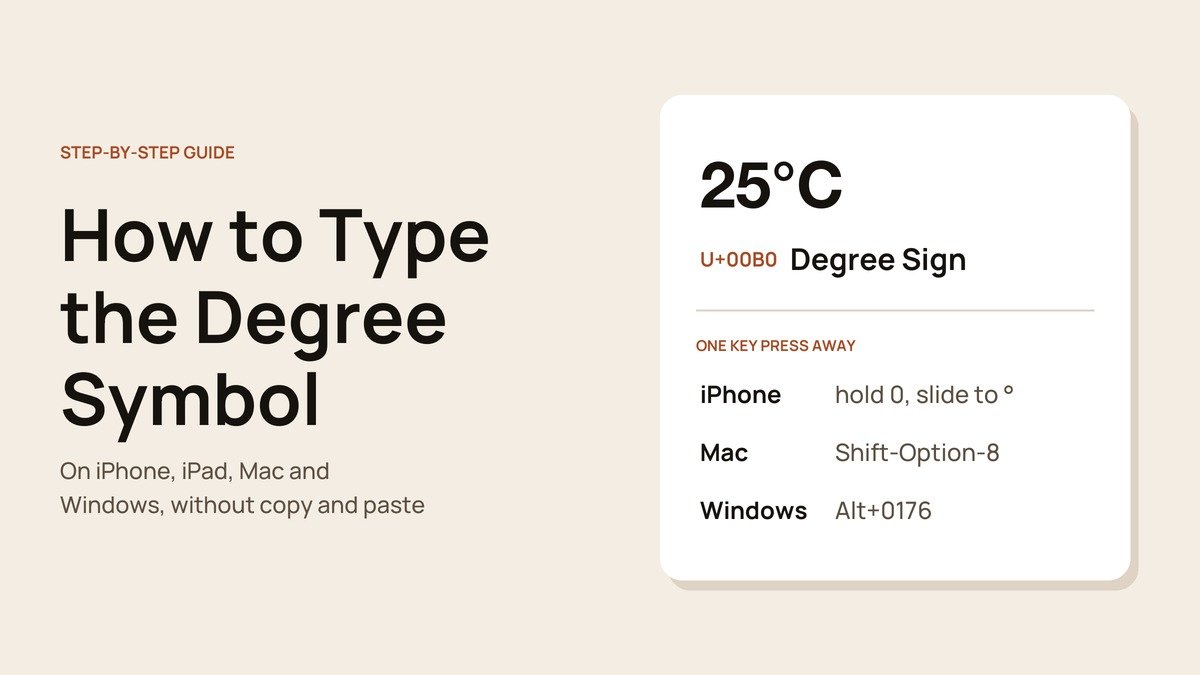
Knowing how to type the degree symbol saves you from writing “72 degrees” or hunting for a ° to copy. No keyboard prints the sign on a key, yet iPhones, iPads, Macs and Windows PCs can all enter it with a press, a hold or a short code.
Below is each method, quickest first, followed by the two characters people often insert by mistake.
The Fastest Way to Type a Degree Symbol on Each Device
- iPhone or iPad: tap 123, hold 0, slide to °.
- Mac: press Shift-Option-8.
- Windows: hold Alt and type 0176 on the numeric keypad.
On iPhone and iPad: Hold the Zero Key
- Open any app with a text box and bring up the keyboard.
- Tap the 123 key in the bottom corner.
- Press and keep holding 0. A bubble pops up showing ° beside the zero.
- Slide your finger across to ° and release.

The release is the step that catches people out: let go too early and you get a zero. If the bubble never appears, check the globe key, because a third-party keyboard may store the sign elsewhere.
On a Mac: Shift-Option-8 or the Character Viewer
Hold Shift and Option, then press 8. The shortcut gives the true degree sign on the U.S., ABC and British keyboard layouts.
For a point-and-click route, the Character Viewer that Apple describes in its emoji and symbols guide for Mac finds it by name:
- Press Fn/Globe-E, or choose Edit > Emoji & Symbols from the menu bar.
- Type degree into the search box.
- Click °. Its name, DEGREE SIGN, shows on the right, along with an Add to Favorites button.
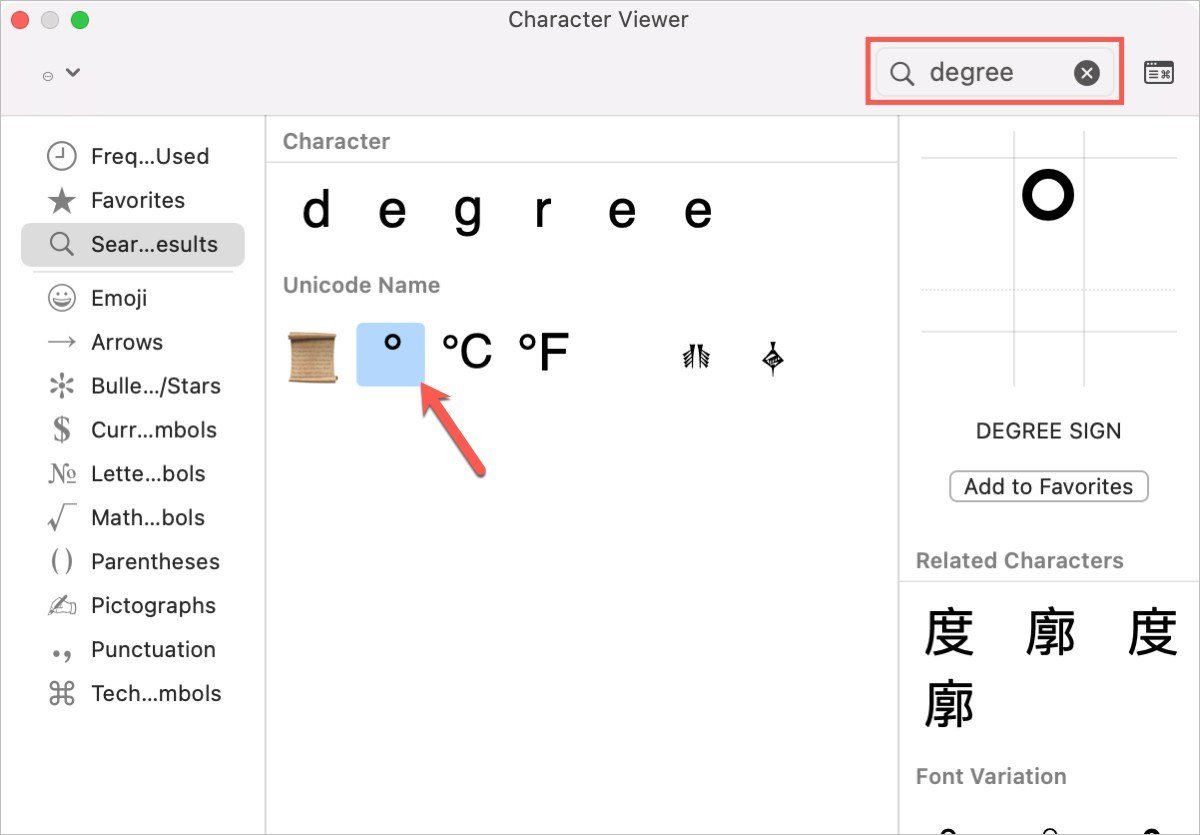
The viewer is also the quickest way to put a name to an unfamiliar character, which our guide to finding an emoji's meaning walks through.
On Windows: Use the Alt Code
Microsoft lists ° as Alt+0176 in its table of symbol character codes.
- Click where the symbol should go.
- Make sure Num Lock is on.
- Hold Alt and type 0176 on the numeric keypad.
- Release Alt. The degree sign appears.
The digits must come from the keypad, not the number row. On a laptop with no keypad, open Character Map from the Start menu and copy the sign from there.
Do Not Mix Up the Degree Symbol and Its Lookalikes
The degree symbol is Unicode U+00B0. Two characters that look close to it are not the same, and a Mac will happily type both:
- º (U+00BA), the masculine ordinal indicator from Option-0. It belongs in Spanish and Portuguese ordinals such as 1º.
- ˚ (U+02DA), the ring above, from Option-K. It is an accent mark, not a unit.
Search, sorting and screen readers treat these as different characters, so a temperature typed with º may not match a search for °. Mac shortcuts lean on the Option key, and on a Windows-layout keyboard connected to a Mac the Alt key fills that role, which matters if you are choosing between the keyboards for Mac on the market.
Frequently Asked Questions
Can I make my iPhone type ° from a short code?
Yes. Go to Settings, General, Keyboard, Text Replacement and tap the plus button. Put ° in the Phrase field and a code you never type by accident, such as dgx, in the Shortcut field. The code then turns into the sign as you type.
How do I type the degree symbol in HTML?
Write ° or ° in the page source. Both render as °.
Why does Alt+0176 type nothing on my laptop?
Alt codes only read the numeric keypad. Turn on Num Lock if your keyboard has a keypad, or use Character Map if it does not.





