
The best drone for most people is decided by a number that has nothing to do with the camera: 249 grams. Below that weight a drone flown recreationally in the United States does not need FAA registration, and above it the paperwork, the Remote ID requirement and the rules all arrive together. That single threshold is why so much of this category is built around drones that weigh 248 or 249 grams, and why five of the seven below sit under the line.
Once weight is settled, the specification that separates one drone from another is sensor size rather than resolution. Every drone here records 4K. A one inch sensor gathers several times the light of the small sensors in budget drones, which is what produces usable footage at sunrise, at sunset and in the hour either side, which is when people actually want to fly. The table states both figures for each.
Best Drone Picks Compared on Weight, Sensor and Obstacle Sensing
Read the weight column against the registration rules and the sensor column against the light you fly in. Obstacle sensing is the third column worth attention, because it is what stops a beginner losing the drone in the first month.
| Drone | Weight | Camera | Obstacle sensing | FAA registration |
|---|---|---|---|---|
| DJI Mavic 4 Pro | Above 249 g | 100MP Hasselblad, 6K/60fps HDR, dual tele | Nightscape omnidirectional at 0.1 lux | Required |
| DJI Air 3S | Above 249 g | 1 inch CMOS, 4K/60fps HDR, 14 stops | Forward LiDAR, omnidirectional at night | Required |
| DJI Mini 5 Pro | Palm-sized, under the line | 1 inch CMOS, 4K/60fps HDR | Forward LiDAR and vision sensors | Not required for recreational use |
| DJI Mini 4K | Under 249 g | 4K UHD with a 3-axis gimbal | Not stated on the listing | Not required for recreational use |
| DJI Neo | 135 g | 4K UHD, palm takeoff | Propeller guards rather than sensors | Not required, and no Remote ID |
| Holy Stone HS175G | Under 250 g | 4K with electronic stabilisation | GPS auto return home | Not required for recreational use |
| Ruko F11PRO 2 | Not stated as under 249 g | 6K camera, 4K/30fps video | GPS auto return home | Check before flying |
The 249 Gram Rule, Remote ID and Why Gimbals Matter
The weight threshold is the first thing to understand because it changes what you are allowed to do rather than what the drone can do. Under 249 grams, recreational flight needs no registration and no Remote ID broadcast module. At or above it, you register the aircraft, mark it with the number and fly something that broadcasts its position and yours. None of that is difficult, and all of it is a reason the sub-250 category has become where the engineering effort goes. The DJI Neo at 135 grams sits so far under the line that it is lighter than most phones.
A gimbal is the second thing that separates a camera drone from a toy. Three motors hold the camera level against the aircraft pitching and rolling, which is why footage from a gimballed drone looks smooth while a fixed-camera drone produces video that lurches with every correction. Electronic stabilisation, as on the Holy Stone here, crops and shifts the image instead, which works but costs field of view and struggles in low light.
Obstacle sensing is where the money goes at the top of the range and where beginners should pay attention. Forward-facing LiDAR on the Mini 5 Pro, Air 3S and Mavic 4 Pro lets the drone detect obstacles in the dark as well as in daylight, which matters because the two most common ways to lose a drone are flying backwards into a tree and flying home at dusk. GPS return-to-home, which the budget drones here do have, handles lost signal and low battery but will happily fly through a branch on the way.
1. DJI Mini 4K: The Best Drone for Most People
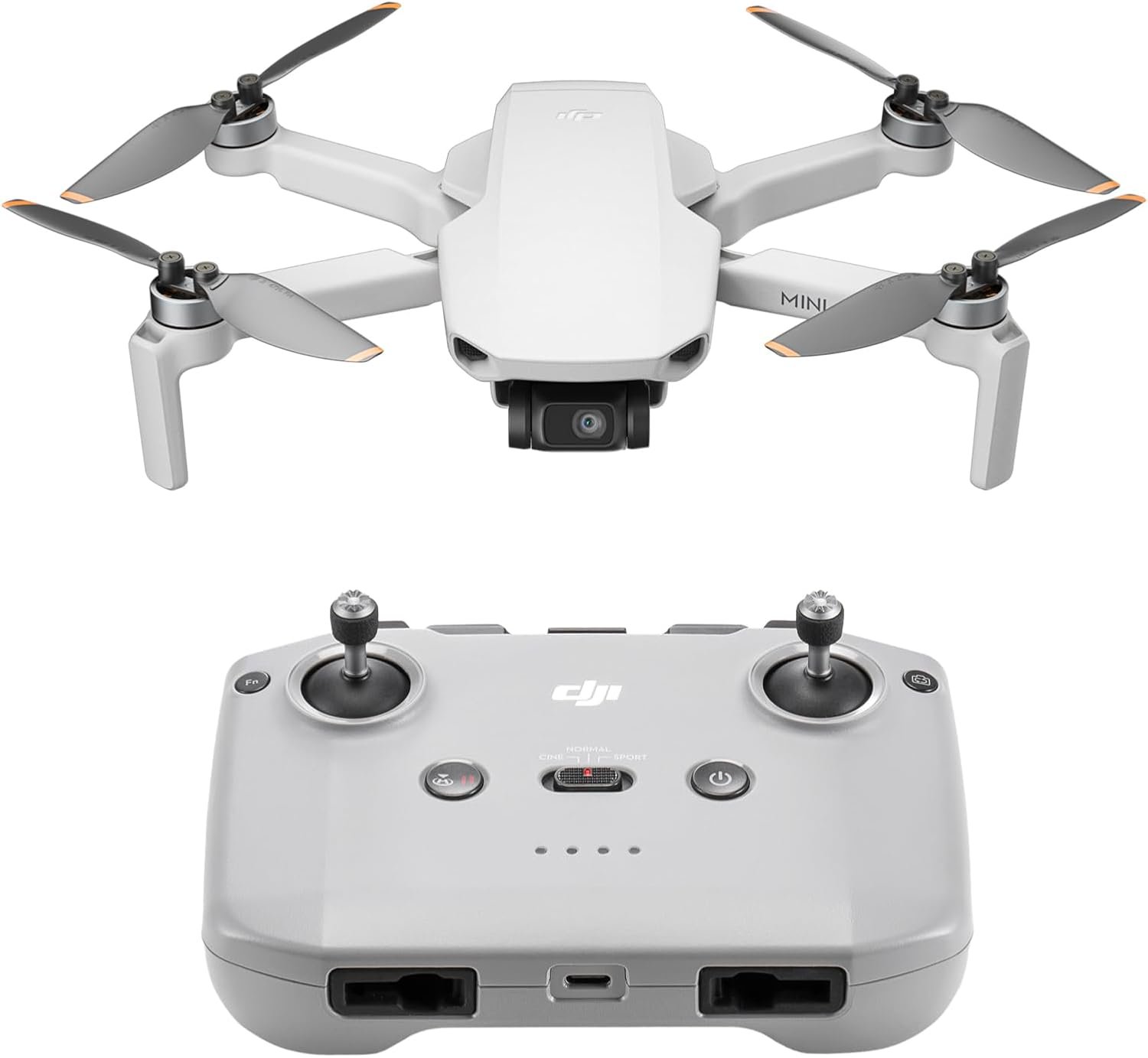
The Mini 4K is the drone to buy first. Under 249 grams means no FAA registration and no Remote ID for recreational flying, 4K Ultra HD video runs through a proper three-axis gimbal rather than electronic stabilisation, and the price sits well below everything else DJI makes.
The specification that matters more than the camera is wind resistance. It holds a stable flight in Level 5 winds, around 38 kilometres per hour, and brushless motors let it take off at altitudes up to 4,000 metres. Cheap drones fail exactly here: they fly beautifully on a still day and are unflyable on a normal one. One practical note from the listing worth knowing before you buy: the DJI Fly app has been removed from Google Play, so Android users download it from DJI directly.
What it does well
- Under 249 g, so no registration or Remote ID for recreational use.
- True three-axis gimbal rather than electronic stabilisation.
- Stable in Level 5 winds at around 38 kph.
- The cheapest way into a camera drone that works properly.
What to know before buying
- Small sensor, so low light is weak.
- No obstacle sensing stated on the listing.
- Android users must sideload the DJI Fly app.
2. DJI Mini 5 Pro: A One Inch Sensor Under the Weight Limit
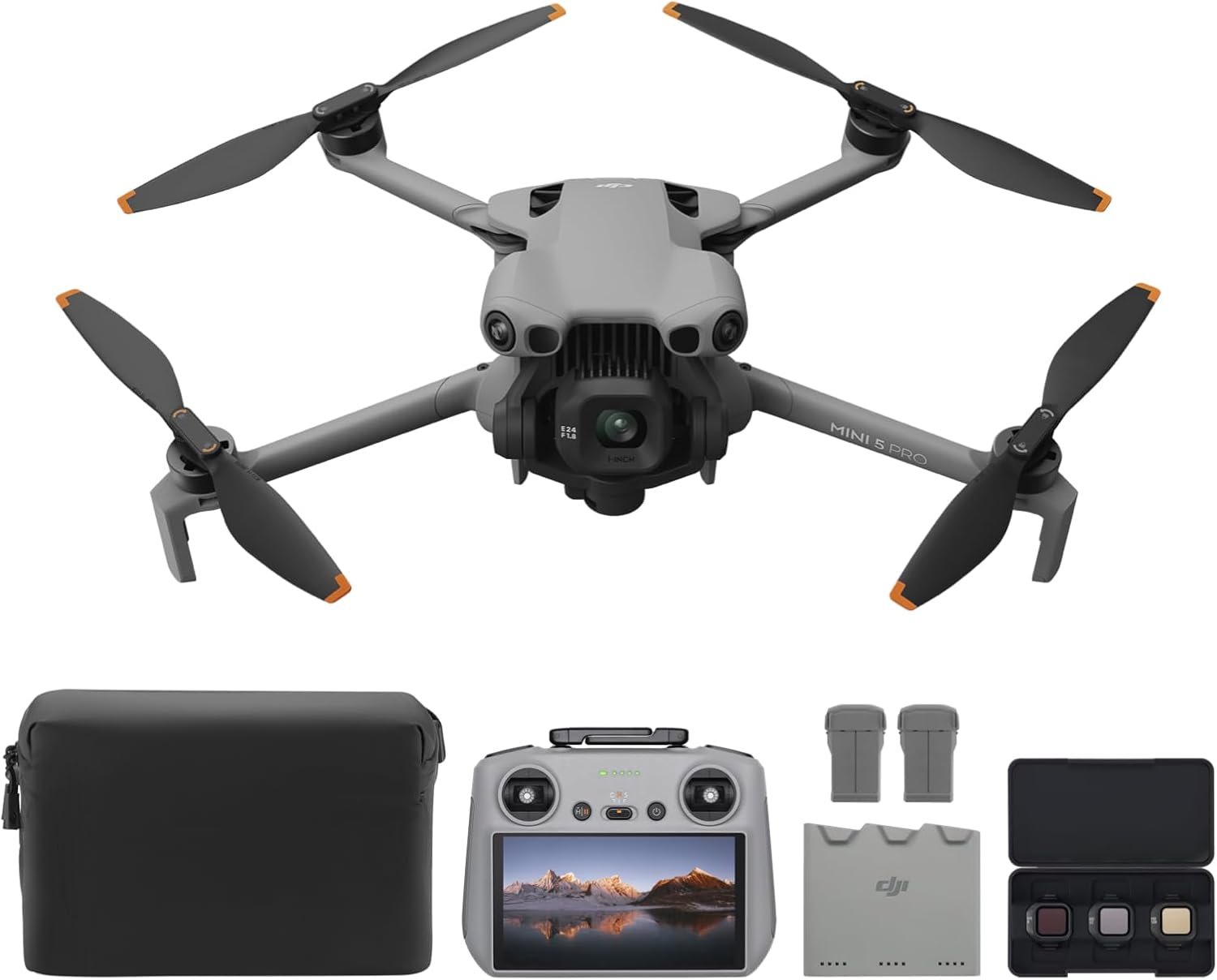
This is the drone that makes the rest of the sub-250 category look dated. DJI has put a one inch CMOS sensor, the same class found in drones twice the weight, into a palm-sized folding body that still comes in under the registration threshold. It records 4K at 60 frames per second in HDR.
Two features go beyond what the weight class usually allows. The gimbal offers true vertical filming and 225 degrees of roll rotation, so social video does not need cropping from a landscape frame, and forward-facing LiDAR with vision sensors gives omnidirectional obstacle detection that works at night as well as in daylight. There is 42GB of internal storage, so a forgotten memory card does not end the flight. If you want one drone and the budget reaches, this is it.
What it does well
- One inch sensor in a body under the registration limit.
- True vertical filming with 225 degrees of gimbal roll.
- LiDAR obstacle sensing that works at night.
- 42GB of internal storage as a fallback.
What to know before buying
- Considerably more expensive than the Mini 4K.
- Fly More Combo pricing adds up quickly.
- Still a small airframe, so very high winds are a limit.
3. DJI Neo: 135 Grams and No Controller Needed

The Neo is a different idea rather than a smaller version of the others. At 135 grams it is lighter than most phones, it takes off from your palm at the push of a button, and it can fly a whole shot with no controller at all, following you and landing back in your hand.
That makes it the drone that actually gets used. The others live in a bag because flying them is a plan; the Neo goes to a barbecue or on a walk because launching it takes two seconds. Subject tracking plus eight QuickShots modes cover the standard orbit, reveal and follow shots automatically. Propeller guards are built in, so it is safe to launch near people, and at 135 grams there is no registration and no Remote ID to think about. The trade is obvious: a small sensor, limited manual control and no obstacle sensing.
What it does well
- 135 grams, lighter than most phones.
- Palm takeoff and landing with no controller required.
- Subject tracking and eight automated QuickShots modes.
- Built-in propeller guards make it safe around people.
What to know before buying
- Small sensor and limited manual control.
- No obstacle sensing beyond the guards.
- Short flight time compared with the folding drones here.
4. DJI Air 3S: The Best Balance of Camera and Size

Once you accept registration, the Air 3S is the drone that gives the most capability for the money. A one inch CMOS primary camera records 4K at 60 frames per second with up to 14 stops of dynamic range, which is what holds detail in a sunrise rather than turning the sky white and the ground black.
Night flying is where it separates from the Mini line. Forward-facing LiDAR and additional sensors give omnidirectional obstacle sensing in nightscape conditions, so the drone will route around a building in the dark rather than into it. Free Panorama mode stitches wide-angle or medium telephoto panoramas, the latter with less distortion, which is a genuinely useful landscape tool. The Fly More Combo adds batteries and a bag, which on a drone you will fly for an afternoon is not optional.
What it does well
- One inch sensor with up to 14 stops of dynamic range.
- Omnidirectional obstacle sensing that works at night.
- Panorama modes in both wide and medium telephoto.
- Fly More Combo includes the batteries you will need.
What to know before buying
- Above 249 g, so registration and Remote ID apply.
- Larger and less pocketable than the Mini range.
- A serious step up in price from the Mini 4K.
5. DJI Mavic 4 Pro: The Flagship, With Three Cameras

The Mavic 4 Pro is the drone for people producing work rather than footage. The main camera is a 100 megapixel Hasselblad shooting 6K at 60 frames per second in HDR, and it is joined by two telephoto cameras, so you can reach a distant subject optically rather than cropping in afterwards.
The 360 degree Infinity Gimbal is the feature that changes what is possible to film: the camera rotates continuously rather than stopping at the limits a conventional gimbal imposes, which allows camera movements no other drone here can produce. Obstacle sensing works down to 0.1 lux, which is effectively moonlight. This is more drone than almost anyone needs, it requires registration and Remote ID, and it is priced accordingly.
What it does well
- 100MP Hasselblad main camera with 6K/60fps HDR.
- Two telephoto cameras for genuine optical reach.
- 360 degree Infinity Gimbal for continuous rotation.
- Obstacle sensing down to 0.1 lux.
What to know before buying
- The most expensive drone in this guide by a wide margin.
- Registration and Remote ID required.
- Large enough that spontaneous flying stops happening.
6. Holy Stone HS175G: The Budget Drone That Comes Back
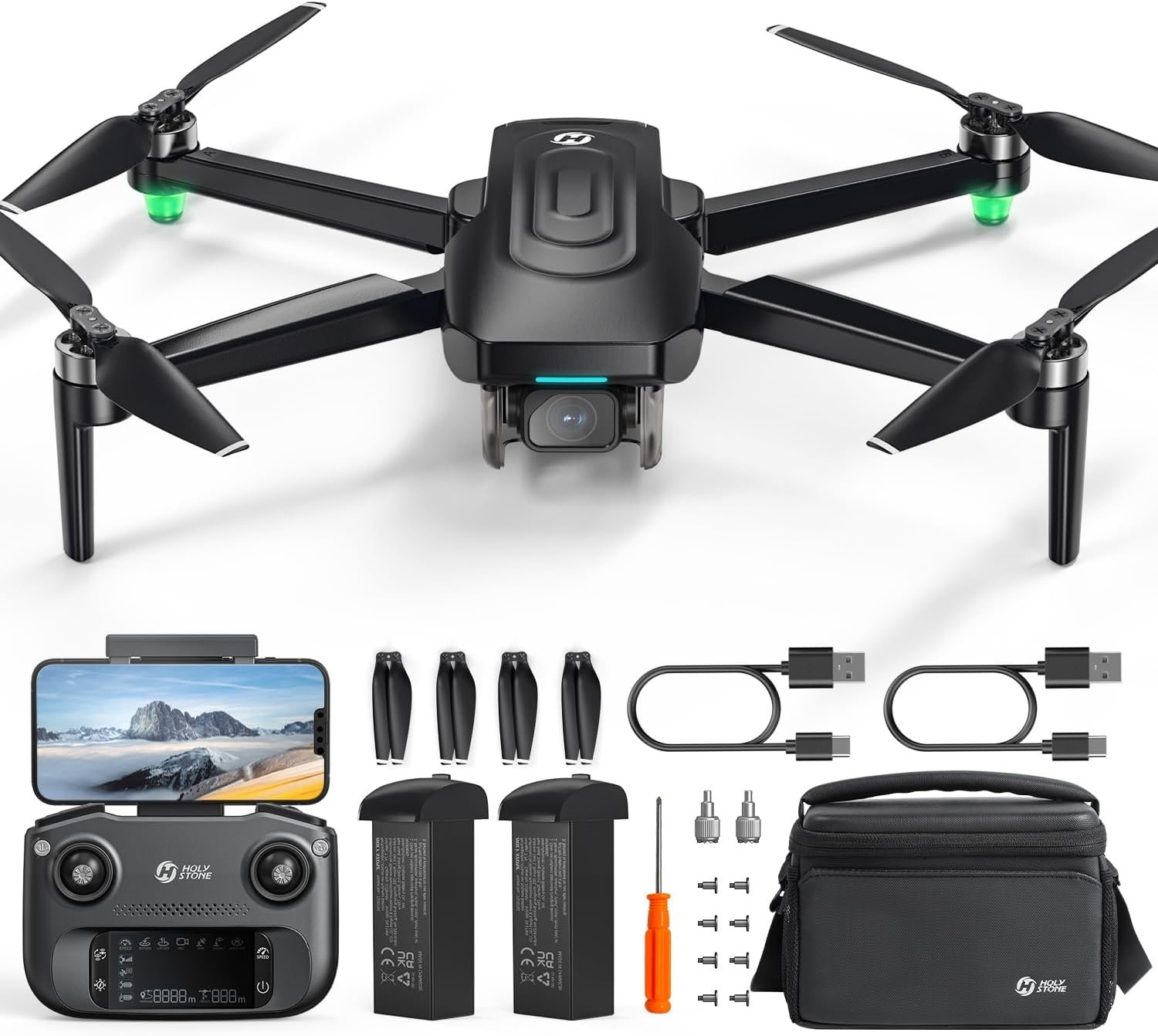
The single most useful feature on a cheap drone is the one that stops you losing it, and the HS175G has it. GPS-assisted flight returns the drone home automatically when it loses signal, flies out of range or runs low on battery, which covers the three ways beginners lose drones.
The camera is 4K with electronic image stabilisation rather than a gimbal, which is the honest compromise at this price: footage is steady enough to watch and not as smooth as the DJI drones. It weighs under 250 grams so there is no registration to deal with, the body folds and ships with a carrying case, and intelligent modes cover follow-me, waypoint flight and orbiting a point. There is an emergency stop, which matters more than it sounds when a beginner panics.
What it does well
- GPS auto return on lost signal, range limit or low battery.
- Under 250 g, so no registration for recreational use.
- Folding body with a carrying case included.
- Follow-me, waypoints and orbit modes at a budget price.
What to know before buying
- Electronic stabilisation rather than a mechanical gimbal.
- Small sensor, so poor in anything other than good light.
- No obstacle avoidance beyond return-to-home.
7. Ruko F11PRO 2: Seventy Minutes of Flight Time
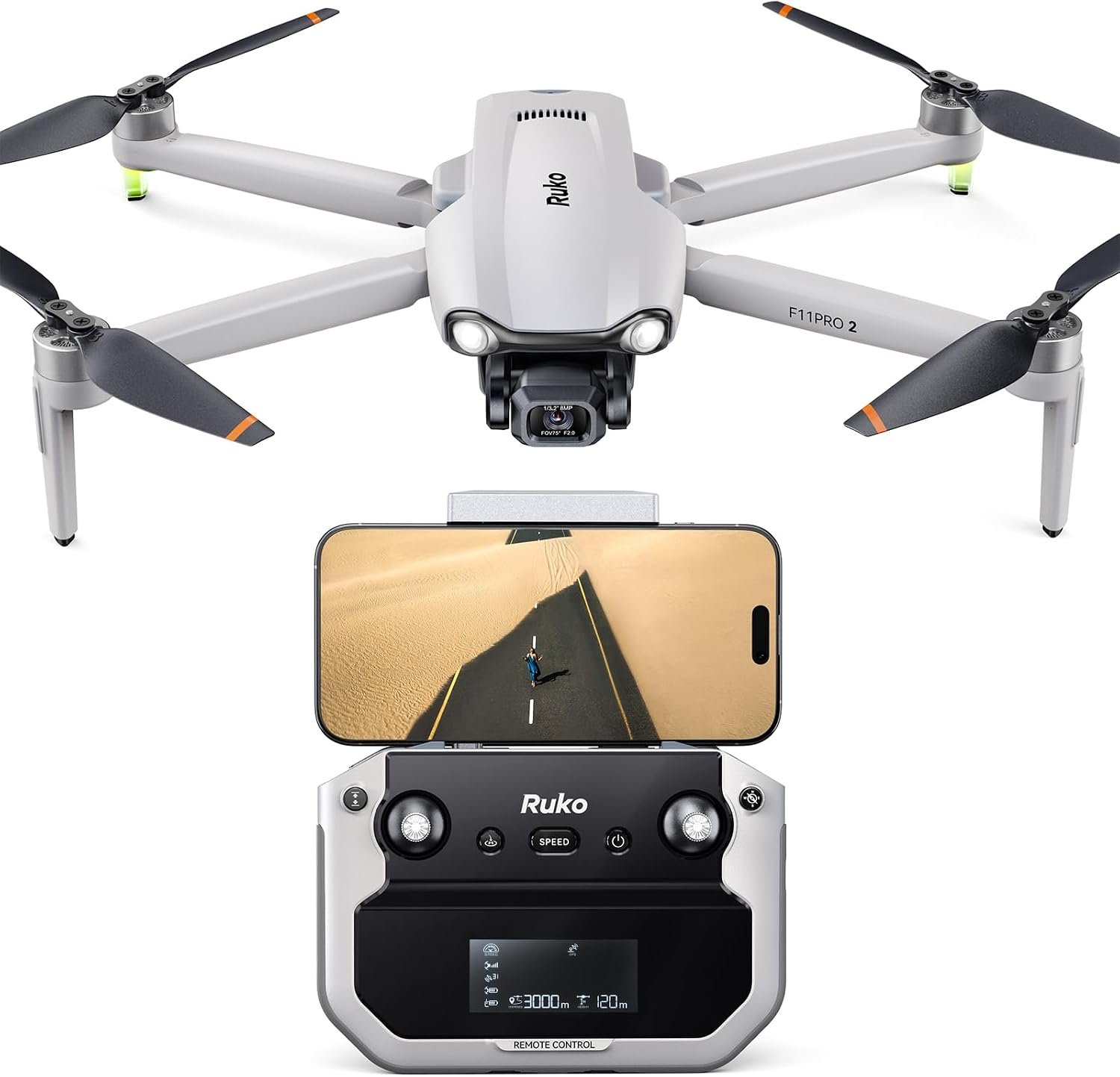
Flight time is the specification that frustrates new drone owners most, because a single battery gives roughly 20 to 30 minutes and the drone spends the rest of the afternoon charging. The F11PRO 2 ships with two intelligent batteries for a combined 70 minutes, which turns an outing into something worth driving to.
It records 6K stills and 4K video at 30 frames per second, and GPS return-to-home handles low battery, lost signal and a manual recall. Ruko has aimed it squarely at beginners with one-key takeoff and landing and a dedicated beginner mode that limits speed and range until you are ready. The listing does not state a weight under 249 grams, so check the registration requirement before flying rather than assuming it is exempt.
What it does well
- Two batteries giving a combined 70 minutes of flight.
- GPS return-to-home on low battery, lost signal or command.
- One-key takeoff and landing with a dedicated beginner mode.
- Aimed at complete beginners rather than at specifications.
What to know before buying
- Weight not stated as under 249 g, so check registration.
- Marketed heavily as a gift, which tells you the target buyer.
- 6K refers to stills; video is 4K at 30fps.
What to Check Before You Fly Anything
Buying the drone is the easy part. The rules are straightforward but they are not optional, and the practical limits on where you can fly catch out more new owners than any specification does.
- Under 249 grams flown recreationally: no registration and no Remote ID.
- At 249 grams or above: register the aircraft, mark it, and fly with Remote ID.
- Any weight: keep the drone in sight, below 400 feet, and away from airports.
- Flying for anything commercial: that is a different licence regardless of weight.
- Buy the combo with spare batteries; one battery is 20 to 30 minutes of flying.
- Check the app availability for your phone before ordering, not after.
Batteries are the recurring cost and the recurring annoyance. They self-discharge to a storage level if left, they lose capacity in the cold, and charging three of them from a car takes real power, which is where our guide to the best portable power stations is relevant for anyone flying away from a socket. If the footage is going into a video alongside ground shots, an action camera matched to the same frame rate saves a great deal of work in the edit.
Which Drone to Buy
For a first drone, the DJI Mini 4K is the right answer: a real gimbal, genuine wind resistance and no registration to deal with, at a price that makes a crash survivable. If the budget stretches and you want one drone for years, the DJI Mini 5 Pro puts a one inch sensor and LiDAR obstacle sensing under the same weight limit, which is the most capability you can have without paperwork.
The DJI Neo is the one that actually gets carried, and for family use it is more fun than any of them. Once you accept registration, the Air 3S is the best balance of camera and portability and the Mavic 4 Pro is the professional tool. At the budget end, the Holy Stone HS175G is the sensible cheap drone because it comes home by itself, and the Ruko F11PRO 2 is the one to pick if flight time matters more than image quality. Whatever you buy, read the same lesson about sensors that applies to any small camera: the size of the sensor decides the picture long before the resolution does.
Frequently Asked Questions
Do I need to register a drone with the FAA?
Not if it weighs under 249 grams and you are flying recreationally. At 249 grams or above you register the aircraft, mark it with the registration number and fly with Remote ID. Flying for any commercial purpose requires a licence regardless of weight, so the exemption is narrower than it first appears.
What does Remote ID actually mean?
It is a broadcast of the drone position, the controller position and an identifier, so the aircraft can be identified in flight. Drones that require registration must either have it built in or carry a broadcast module. Sub-250 gram drones flown recreationally are exempt, which is a large part of why that weight class exists.
Does sensor size matter more than 4K?
Yes, in the same way it does on any camera. Every drone here shoots 4K and they look similar in bright midday light. The difference appears at sunrise and sunset, which is when most people want to fly, and that is a sensor difference. A one inch sensor gathers several times the light of the small sensors in budget drones.
How long do drone batteries last on a flight?
Roughly 20 to 30 minutes for most of these, less in cold or windy conditions, which is why combo packs with two or three batteries exist. The Ruko here ships two batteries for a combined 70 minutes. Treat the advertised figure as a best case in still air with no camera recording.
Related Articles
- Best Gaming Handhelds: Power, Battery and Emulation Compared
- Best Webcams: Resolution, Low Light and Field of View Compared
- Best Power Banks: 7 Compared on Watts, Watt-Hours and Cables
As an Amazon Associate, CanyonWire earns from qualifying purchases.





