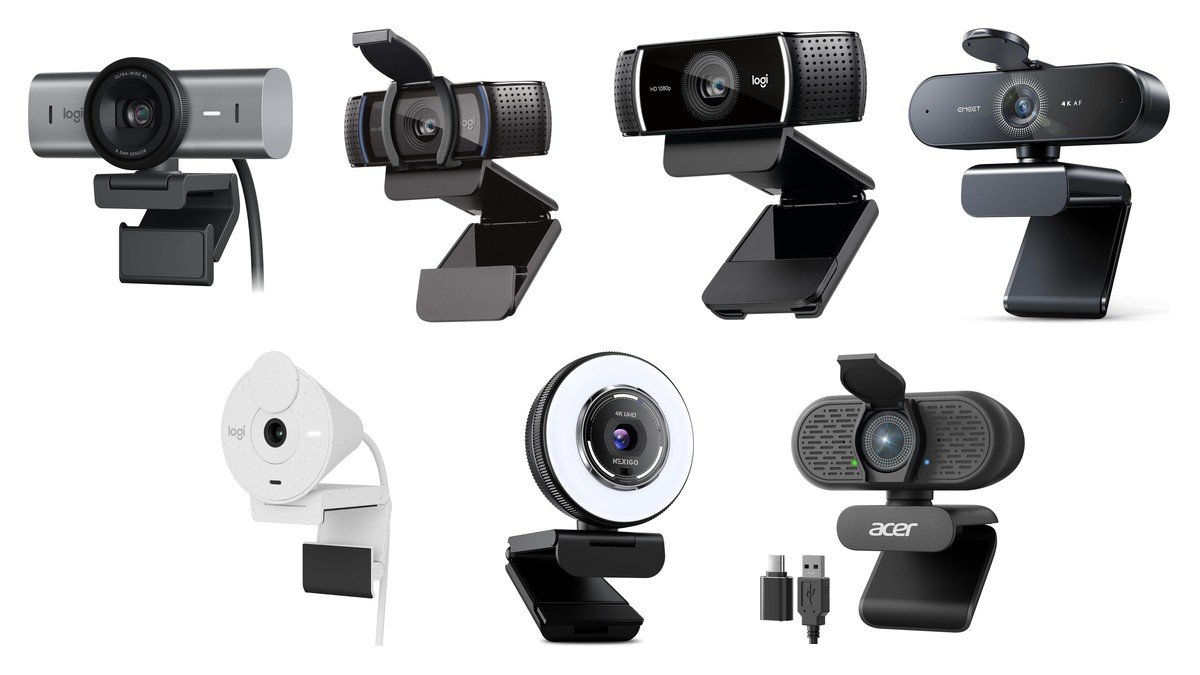
The webcam built into your laptop is bad for a reason that has nothing to do with megapixels. It is a tiny sensor squeezed into a screen bezel a centimetre thick, pointed up at your chin from below. An external camera fixes the sensor size and the angle at once, and those two changes account for most of the improvement people notice. Posture on camera starts with the chair, which our office chairs roundup covers through lumbar adjustment and seat construction.
The seven below run from a 4K camera with manual exposure controls to a 1080p workhorse that has been the default recommendation for years. Resolution is the number every box leads with and, as the section further down sets out, it is not the number that decides how you look.
We may earn a commission when you buy through the Amazon links on this page, at no extra cost to you. Products were selected on published specifications; prices and availability change, so check the listing before buying.
Two columns here matter more than resolution. Autofocus decides whether you stay sharp when you lean in, and a physical shutter is the only privacy measure that cannot be defeated in software.
| Model | Maximum resolution | Autofocus | Privacy shutter |
|---|---|---|---|
| Logitech MX Brio | 4K at 30fps, 1080p at 60fps | Yes | Not stated |
| Logitech C920S | 1080p at 30fps | Yes | Yes |
| Logitech C922x Pro Stream | 1080p at 30fps, 720p at 60fps | Yes | No |
| EMEET Nova 4K | 4K at 30fps | PDAF, fixed range | Yes, privacy cover |
| Logitech Brio 300 | 1080p | Not stated | Yes, twist shutter |
| NexiGo N680E Pro | 4K, 1080p at 60fps | PDAF | Yes |
| Acer A640 | 4K | PDAF | Yes |
1. Logitech MX Brio: The One With Manual Exposure Controls
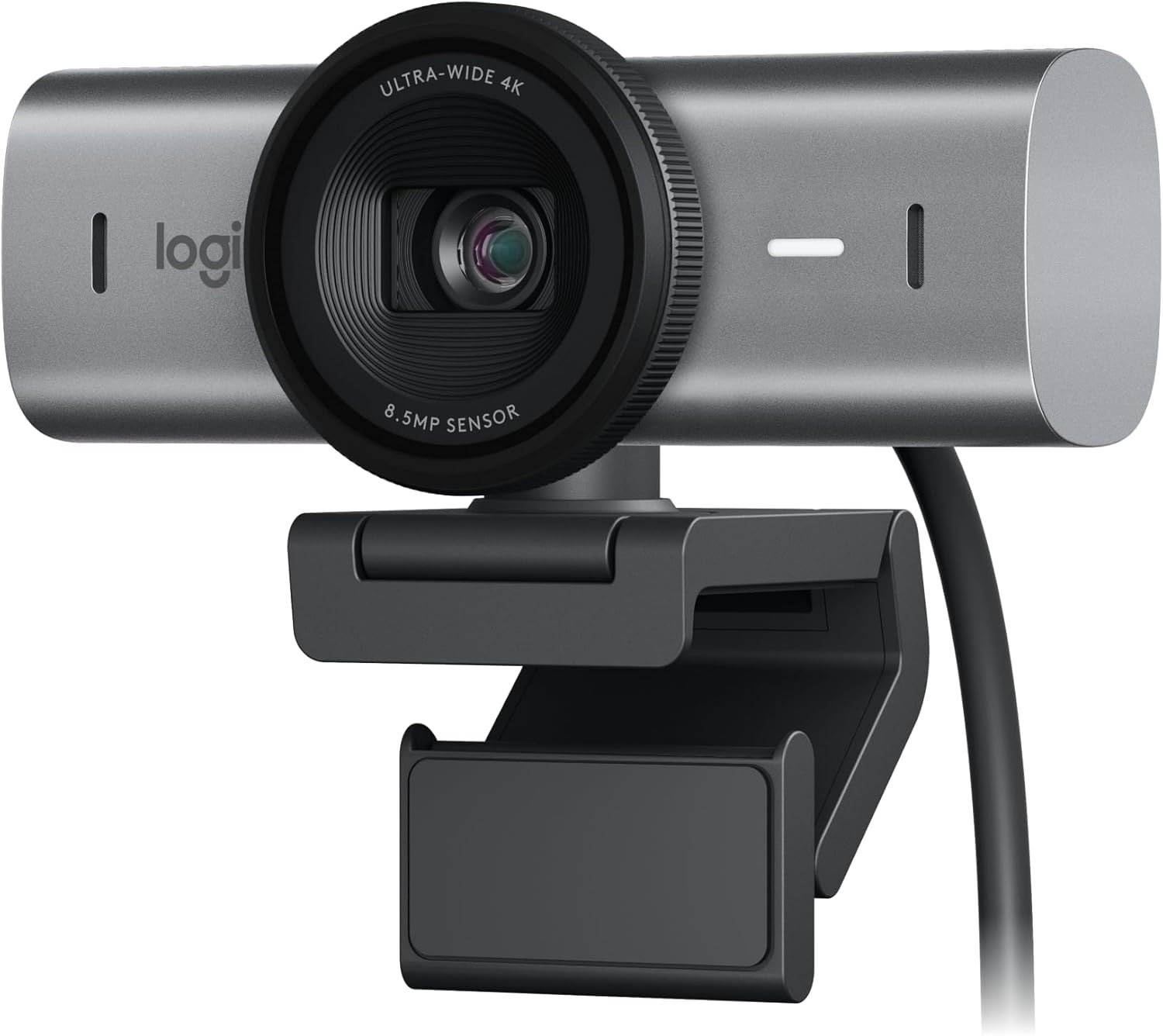
The MX Brio is the only camera here that lets you take the picture off automatic. Fine controls cover ISO, shutter speed, tint and vibrance, which means you can stop the camera hunting for exposure every time someone walks behind you or a cloud passes the window. Logitech also claims a sensor with pixels 70 percent larger than its predecessor, and pixel size does far more for low-light quality than pixel count.
It shoots 4K at 30fps or 1080p at 60fps, and the second of those is the more useful mode for most people. Show Mode tilts the camera down to share what is on your desk, and dual beamforming mics handle audio.
What it does well
- Manual control over ISO, shutter speed, tint and vibrance.
- Sensor pixels 70 percent larger than the previous generation, per Logitech.
- 1080p at 60fps as well as 4K at 30fps.
- Show Mode tilts down to share notes or sketches on the desk.
What to know before buying
- No privacy shutter is listed, which at this price is a real omission.
- 4K is wasted on most video calls, and the reason to buy this is the sensor and controls rather than the resolution.
2. Logitech C920S: The Long-Running Default, Now With a Shutter
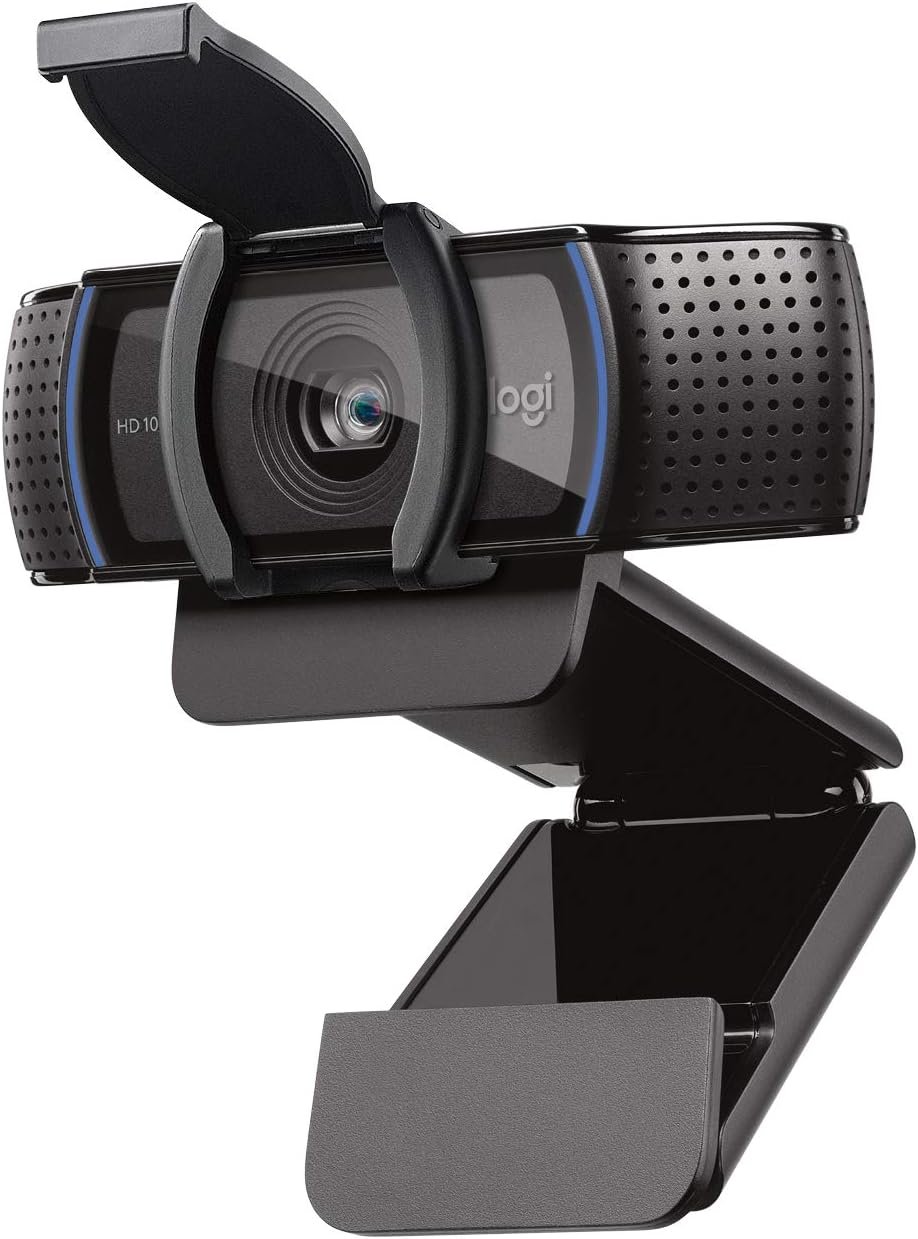
The C920 line has been the standard answer to this question for over a decade, and the S revision adds the thing the original lacked: a privacy shutter that clips snugly over the lens. It shoots 1080p at 30fps through a glass lens, with autofocus and light correction, and stereo audio from dual microphones.
There is nothing exotic here and that is the appeal. It is supported by every conferencing platform without drivers, it is priced far below the 4K cameras, and the picture it produces in reasonable light is close enough to theirs that most viewers could not pick it out.
What it does well
- Privacy shutter included, covering the lens physically.
- Glass lens rather than plastic, with autofocus and light correction.
- Stereo audio from dual microphones.
- Works everywhere without drivers or setup.
What to know before buying
- 1080p at 30fps only, with no 60fps mode for smoother motion.
- Does not include the XSplit VCam licence that ships with the C922x.
3. Logitech C922x Pro Stream: 720p at 60fps, Which Streamers Will Prefer to 4K
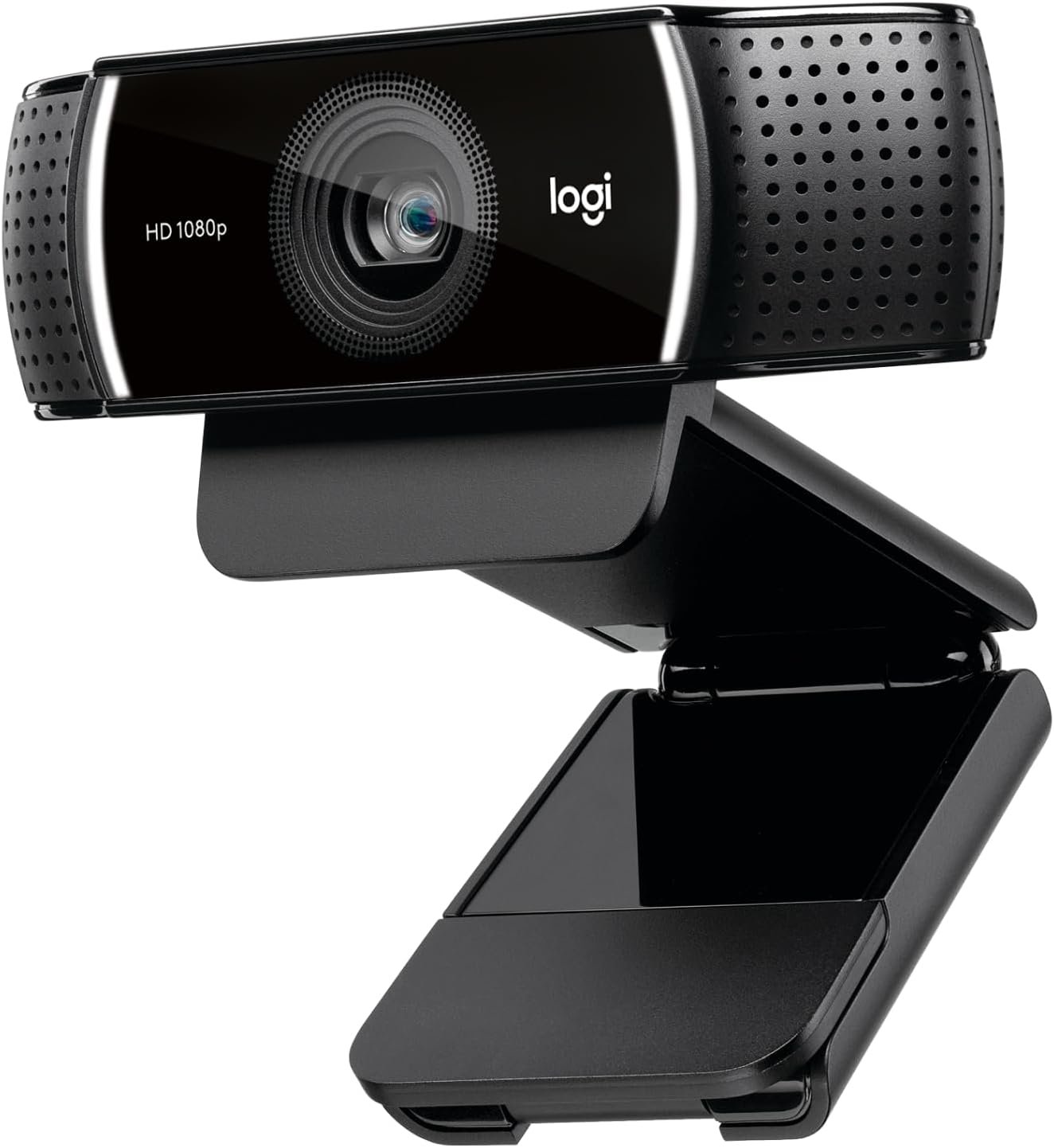
The C922x trades resolution for frame rate, offering 1080p at 30fps or 720p at 60fps. For streaming that is usually the right trade: at the size a webcam occupies in the corner of a stream layout, nobody can see the difference between 720p and 1080p, but everyone can see the difference between 30 and 60 frames when you move.
It bundles a three-month XSplit VCam licence for background removal without a green screen, which partly compensates for the one thing it gives up.
What it does well
- 720p at 60fps for noticeably smoother motion on stream.
- HD light adjustment and autofocus for low-light rooms.
- Stereo audio from dual microphones.
- Three-month XSplit VCam licence for background removal.
What to know before buying
- No privacy shutter at all, unlike the cheaper C920S.
- The XSplit licence expires after three months and then costs money.
4. EMEET Nova 4K: 4K and Phase Detection Autofocus at the Budget End
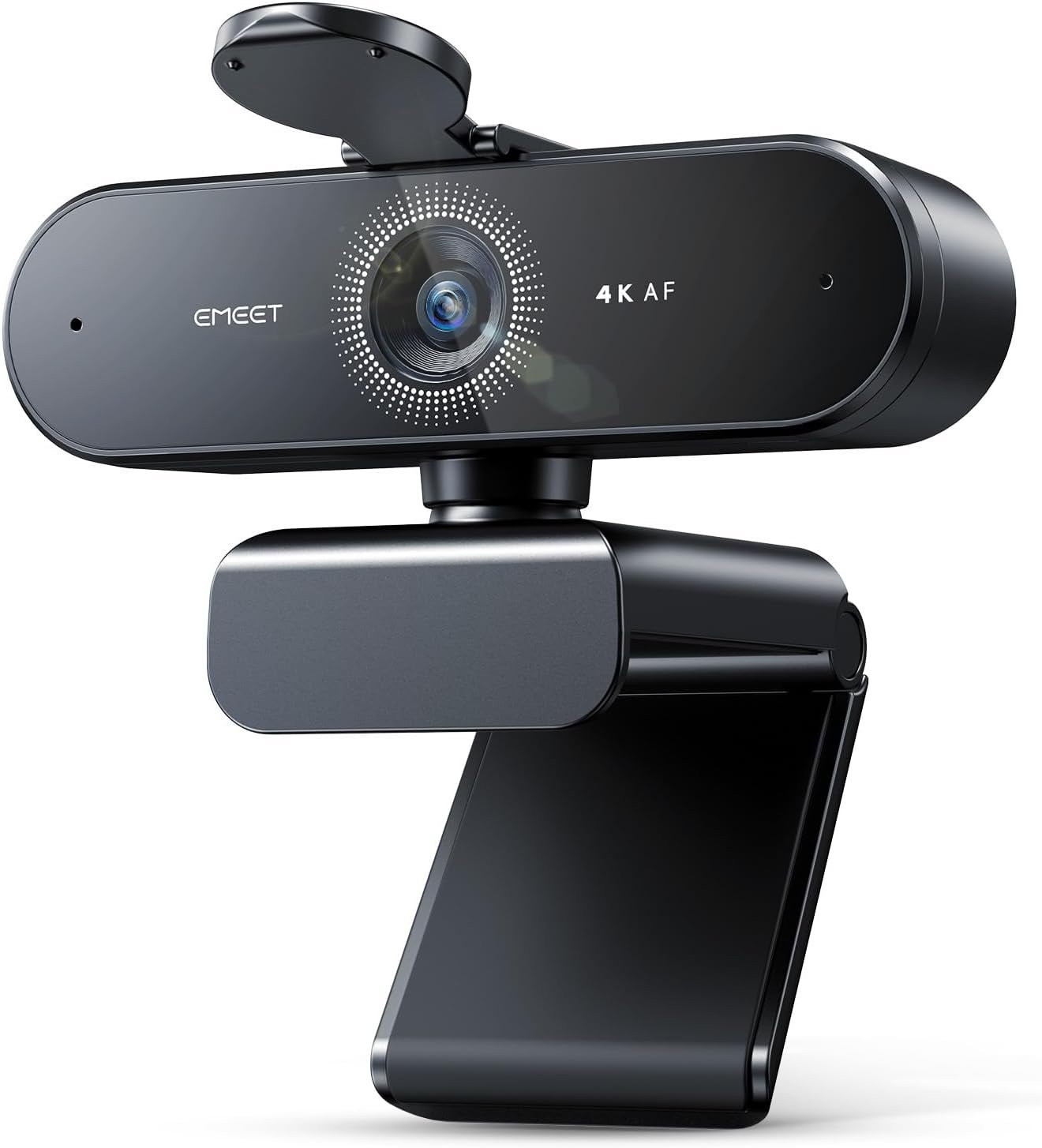
The Nova brings two features down to a price where they are rare: a 4K sensor at 30fps, and phase detection autofocus rather than the slower contrast-based hunting most cheap cameras use. PDAF locks on rather than searching, which is the difference you notice when you lean toward the screen mid-sentence.
The mounting is unusually good for the money, with a universal joint giving 360 degrees of horizontal rotation and 15 degrees of vertical tilt, a stand that folds through 180 degrees, and a standard tripod thread.
What it does well
- 4K at 30fps with phase detection autofocus.
- Two microphones rated for clear pickup to around eight feet.
- 360-degree rotation, 15-degree tilt and a tripod thread.
- Privacy cover and plug-and-play over USB 2.0 Type-A.
What to know before buying
- Autofocus works within a fixed range of roughly 7.9 to 118 inches and there is no manual focus override.
- USB 2.0 rather than 3.0, which constrains the bandwidth available for uncompressed 4K.
5. Logitech Brio 300: USB-C, a Twist Shutter and a Mic That Suppresses the Room
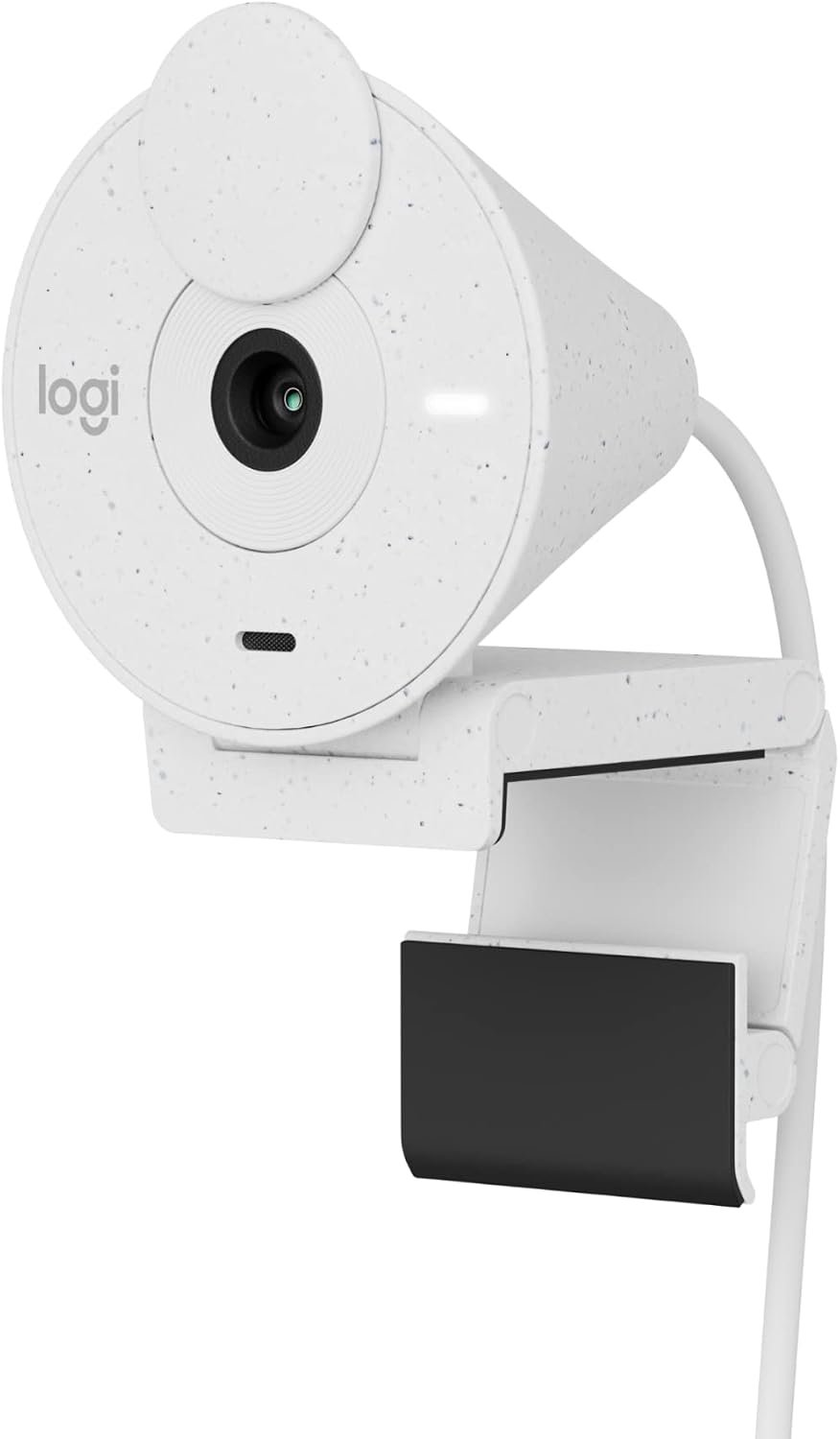
The Brio 300 is built for a laptop bag and a hot desk. It is small, connects over USB-C rather than USB-A, and the privacy shutter works by twisting the whole front barrel, which is harder to lose than a clip-on cover and faster than sliding a tab. A hot desk needs one cable to the laptop, which our guide to the best docking station works through.
Picture quality is 1080p with RightLight 2 automatic light correction, and the single microphone is noise-reducing rather than stereo, which is the right priority for meetings where the point is intelligibility rather than ambience. It is certified for Zoom, Microsoft Teams and Google Meet.
What it does well
- Twist-barrel privacy shutter that is part of the body.
- USB-C, matching modern laptops without an adapter.
- RightLight 2 automatic light correction.
- Certified for Zoom, Teams and Google Meet.
What to know before buying
- Autofocus is not stated on the listing, unlike the C920S and C922x.
- Mono microphone only, so it is a meetings camera rather than a recording one.
6. NexiGo N680E Pro: The Ring Light Is Built Into the Camera
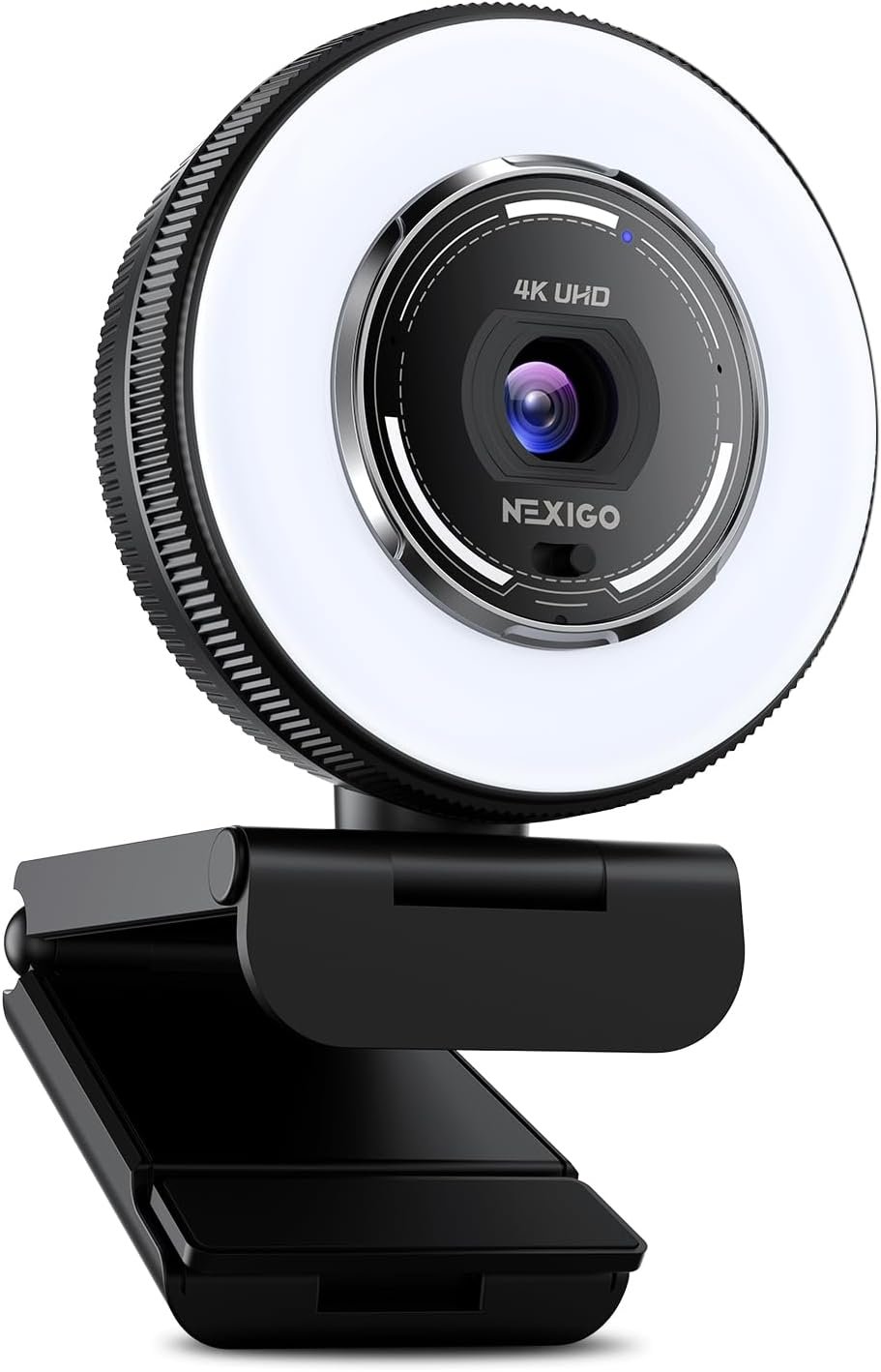
Most people would improve their picture more by adding light than by adding pixels, and this is the camera that does both. A ring light surrounds the lens with three colour temperature modes and stepless brightness on a rotating outer dial, so you adjust it by turning the camera rather than opening software.
Behind the light sits a Sony 1/2.5-inch 4K sensor with PDAF autofocus, and it will also run 1080p at 60fps. Dual noise-cancelling microphones and a physical privacy shutter complete it, and it needs no drivers.
What it does well
- Built-in ring light with three colour temperatures and a stepless brightness dial.
- Sony 1/2.5-inch 4K sensor with PDAF autofocus.
- 1080p at 60fps as well as 4K.
- Dual noise-cancelling mics and a privacy shutter.
What to know before buying
- A ring light this close to the lens produces flat, frontal light that some people dislike on camera.
- USB-A connection, so newer laptops need the adapter.
7. Acer A640: A Bigger Sensor and AI Noise Cancellation on the Mic
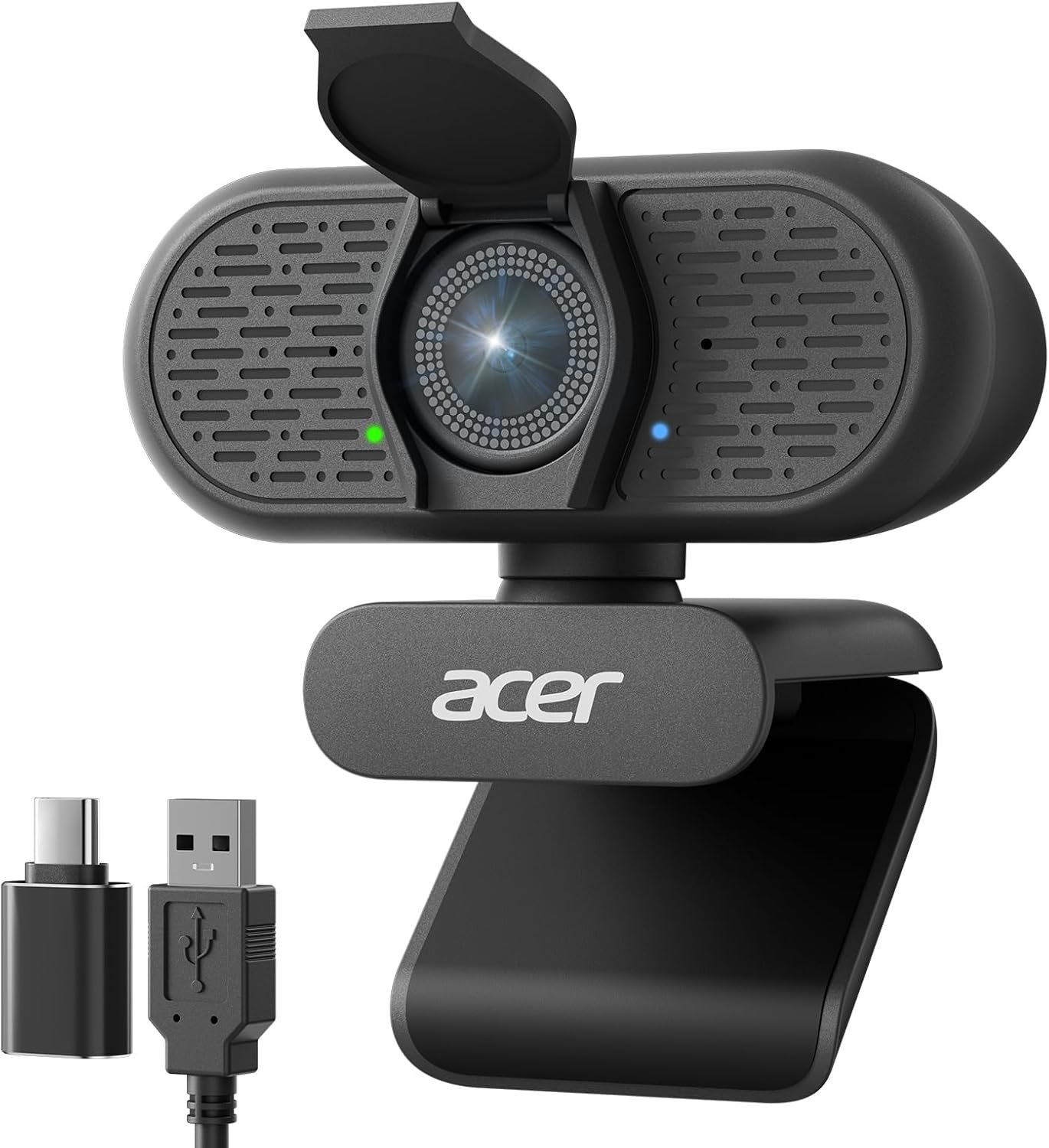
The A640’s advantage is physical. Its Sony sensor measures 1/2.8 inches, larger than most webcams in this bracket, and a larger sensor gathers more light per pixel, which is what produces a cleaner image in an under-lit room. PDAF autofocus locks on without the hunting that plagues cheaper 4K cameras.
The microphone is the other reason to consider it. AI noise cancellation filters background sound rather than merely gating it, which matters if you work somewhere with a fan, a keyboard or traffic nearby and do not want a separate microphone on the desk. A boom microphone still beats any webcam array, which our guide to the best gaming headsets goes into.
What it does well
- Sony 1/2.8-inch sensor, larger than most at this price.
- PDAF autofocus with no focus hunting.
- AI noise cancellation on the built-in microphone.
- Physical privacy shutter and a USB-A to C adapter in the box.
What to know before buying
- Acer is not an established webcam brand, so long-term driver and firmware support is less proven.
- As with every 4K webcam here, the sensor matters more than the resolution it is sold on.
Why a 4K Webcam Often Looks Worse Than a Good 1080p One
Four of the seven cameras here shoot 4K, and for most video calls none of them will deliver it. The bottleneck is not the webcam but everything after it. Zoom, Teams and Google Meet cap participant video far below 4K and compress hard, so a 4K sensor’s output is downscaled and re-encoded before anyone sees it.
What survives that pipeline is not resolution. It is sensor size, lens quality and lighting, because those determine how much real information exists before compression throws most of it away. This is why the MX Brio leads on 70 percent larger pixels rather than on its pixel count, and why the Acer A640’s 1/2.8-inch sensor is a more meaningful specification than the 4K label next to it.
There is one case where 4K genuinely pays: recording locally, or cropping in. If you record to disk rather than streaming, the compression ceiling disappears. And if you want a tighter framing than the lens gives you, cropping a 4K frame to 1080p leaves a full-resolution image where cropping a 1080p frame leaves a soft one. For calls alone, put the money into the sensor and the lighting instead.
Lighting and Autofocus Decide More Than the Spec Sheet
If you change one thing about how you appear on camera, make it the light, and put it in front of you rather than behind. A window at your back turns you into a silhouette that no amount of automatic correction fully recovers, because the camera is metering for the brightest thing in frame. Every camera here has some form of automatic light correction, and all of them are compensating for a problem better solved by moving the lamp.
Autofocus is the second thing worth understanding, because two different technologies are in play:
- Contrast-based autofocus, used on most inexpensive webcams, which hunts back and forth to find the sharpest point and visibly breathes on camera while it does.
- Phase detection autofocus, on the EMEET Nova, NexiGo N680E Pro and Acer A640, which calculates the direction and distance to focus and moves once.
- Fixed focus, on the cheapest cameras, which never hunts because it never adjusts.
- A stated working range, which the EMEET publishes as roughly 7.9 to 118 inches and most brands omit entirely.
The phase detection autofocus on those three budget cameras is the sort of feature that used to separate premium models, and it is the single clearest upgrade over a laptop camera when you move around while talking. If you present or record at a desk, our digital signage software comparison covers the display side of the same setup.
Which Webcam to Buy
For most people the Logitech C920S remains the right answer, and it has been for years. It has autofocus, a glass lens, stereo mics and a privacy shutter, it works everywhere without setup, and on a compressed video call it is very hard to distinguish from cameras costing four times as much.
Buy the MX Brio if you want manual exposure control and the largest Logitech sensor, and the C922x if you stream and would rather have 720p at 60fps than 1080p at 30. Choose the EMEET Nova 4K for phase detection autofocus on a budget, the Brio 300 if you want USB-C and a shutter built into the body, the NexiGo N680E Pro if your room is badly lit and you would otherwise buy a separate light, and the Acer A640 if the microphone matters as much as the picture. If you are assembling a full call setup, our free VoIP service providers guide covers the software end.
Frequently Asked Questions
Is a 4K webcam worth it?
For video calls, usually not. Zoom, Teams and Meet compress participant video far below 4K, so the extra resolution is discarded before anyone sees it. It is worth it if you record locally, or if you want to crop into the frame for tighter framing. For calls, a larger sensor and better lighting change the picture far more than the resolution does.
What is PDAF autofocus on a webcam?
Phase detection autofocus calculates which direction to move the lens and by how much, then moves once. Contrast-based autofocus, used on most cheap webcams, hunts back and forth searching for the sharpest point, which viewers see as the picture breathing in and out. Three cameras here use PDAF: the EMEET Nova 4K, NexiGo N680E Pro and Acer A640.
Do I still need a webcam if my laptop has one?
Usually yes, for two reasons that have nothing to do with resolution. A laptop sensor has to fit inside a screen bezel, so it is physically tiny and struggles in anything but good light. And a laptop screen sits below eye level, so it films you from underneath. An external camera on top of a monitor fixes the angle as well as the sensor.
Does a privacy shutter actually matter?
It is the only privacy measure that cannot be bypassed in software, which is why five of the seven cameras here have one and why the C922x lacking one is worth noting. Software indicator lights depend on the operating system and the application behaving correctly; a piece of plastic over the lens does not.
Related Articles
- Adobe Illustrator Alternatives
- Best Graphic Design Software
- Best Portable Power Stations
- Wi-Fi 6 vs Wi-Fi 7: What Actually Changed, and Whether You Need It
- Best standing desks
As an Amazon Associate, CanyonWire earns from qualifying purchases.