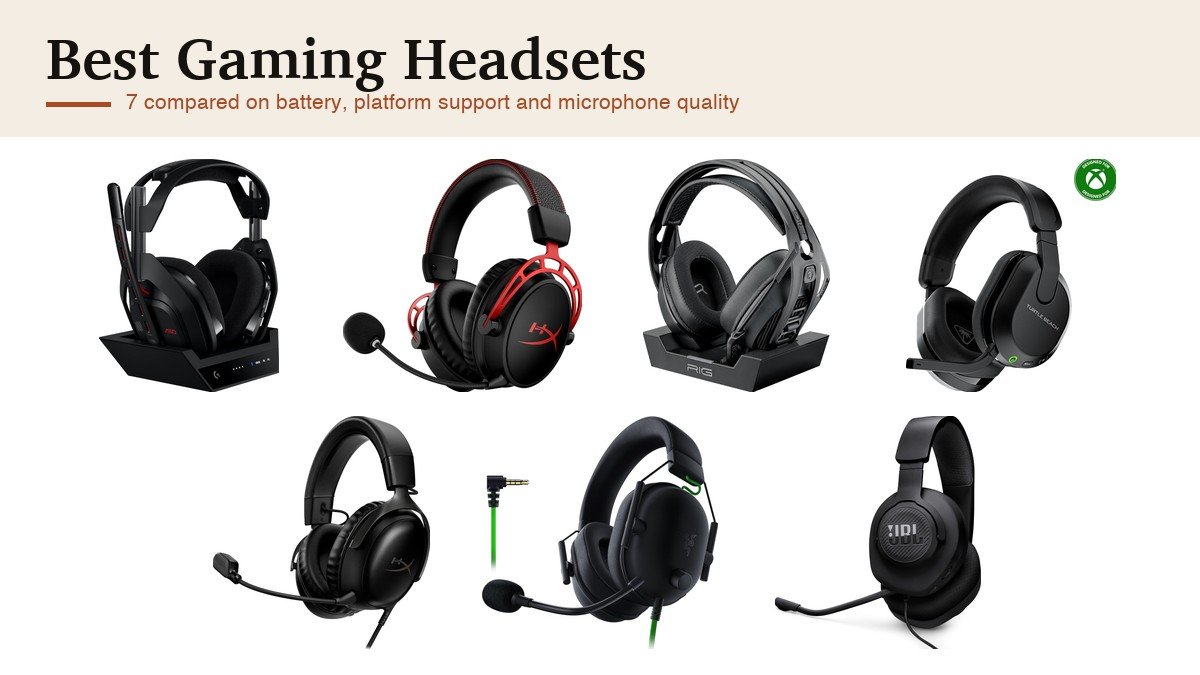
Two specifications sort the best gaming headsets and neither is the driver size printed on the box. The first is which platforms the headset actually connects to, because console wireless is a licensing matter rather than a technical one and an Xbox headset frequently will not work on a PlayStation. The second is the microphone, because in a team game your squad hears the microphone and not the drivers. The display completes that setup, and our gaming monitor roundup works through resolution and refresh against what your card can feed.
Battery is the third, and it is quoted inconsistently enough to be misleading. The figures below run from 24 hours to 300, and the gap is not a measure of quality: a headset with a charging base station is designed to be dropped on it between sessions, so 24 hours is ample, while one without a dock needs to last weeks. Read battery alongside how the headset charges rather than on its own.
Best Gaming Headsets Compared on Platform, Battery and Connection
Start with the platform column. If a headset does not support your console properly, nothing else about it matters, and the wired entries here are the ones that work everywhere without caveats. The same reading applies to software, as our guide to Nintendo Switch 2 games explains.
| Headset | Connection | Platforms | Battery | Microphone |
|---|---|---|---|---|
| Logitech G Astro A50 | 24-bit Lightspeed wireless plus Bluetooth | Xbox, PS5, PC, Mac, Switch, three at once | 24 hours at 78dB, with a charging dock | 48 kHz full-bandwidth boom |
| HyperX Cloud Alpha Wireless | 2.4GHz wireless | PC and multi-platform | Up to 300 hours | Detachable noise-cancelling boom |
| RIG 800 PRO HX | 2.4GHz wireless with base station | Xbox Series X and S, Xbox One, PC | Up to 60 hours, charging base | Flip-to-mute noise-cancelling boom |
| Turtle Beach Stealth 600 | 2.4GHz wireless plus Bluetooth | Xbox, PS5, PC, mobile | Not quoted on the listing | Flip-to-mute with AI noise reduction |
| HyperX Cloud III | Wired USB and 3.5mm | PC, PS5, Xbox Series X and S | None needed | Noise-cancelling with a mute LED |
| Razer BlackShark V2 X | Wired 3.5mm | PC, Mac, PS4, Xbox One, Switch | None needed | HyperClear cardioid |
| JBL Quantum 100M2 | Wired 3.5mm | PC, PlayStation, Xbox, Switch, mobile, Mac, VR | None needed | Detachable directional |
Platform Support, Surround Sound and What the Microphone Is For
Console wireless is the trap. Xbox uses a proprietary wireless protocol, so a headset built for PlayStation will not connect to an Xbox wirelessly however similar the specification looks, and the RIG 800 PRO HX here is explicitly an Xbox product for that reason. The A50 solves it differently by connecting to three systems at once over USB-C and letting you switch between them from the earcup. Anything with a 3.5mm jack works everywhere, which is the quiet advantage the three wired headsets below have. Note that the 2.4GHz dongles these use share a band with Wi-Fi, so a congested network can cause audio dropouts; our guide to Wi-Fi 6 against Wi-Fi 7 explains why moving the router to 5GHz helps. If you have not settled on the console yet, our guide to the best gaming consoles compares the machines themselves.
Surround sound on a headset is virtual rather than physical. There are two drivers, one per ear, and the processing simulates position by altering timing and frequency the way your ears would experience it from a real source. It works well enough to be genuinely useful for locating footsteps in a competitive game, but a 7.1 label does not mean seven speakers, and on several of these it is a software feature tied to one operating system.
The microphone is the component people underrate most. A boom microphone positioned near your mouth will always beat an earbud or a laptop microphone, and the useful specifications are whether it detaches, whether it flips to mute and whether the noise cancellation is doing anything. Several of these also carry Bluetooth alongside the low-latency dongle, which is for a phone rather than for the game, because Bluetooth adds too much delay for competitive play. Volume is the last thing to consider: the World Health Organization links sustained loud listening to hearing loss, and a headset that seals well lets you play quieter rather than louder. Our guide to the best over-ear headphones covers the non-gaming side of the same trade.
1. Logitech G Astro A50: Three Systems, One Headset
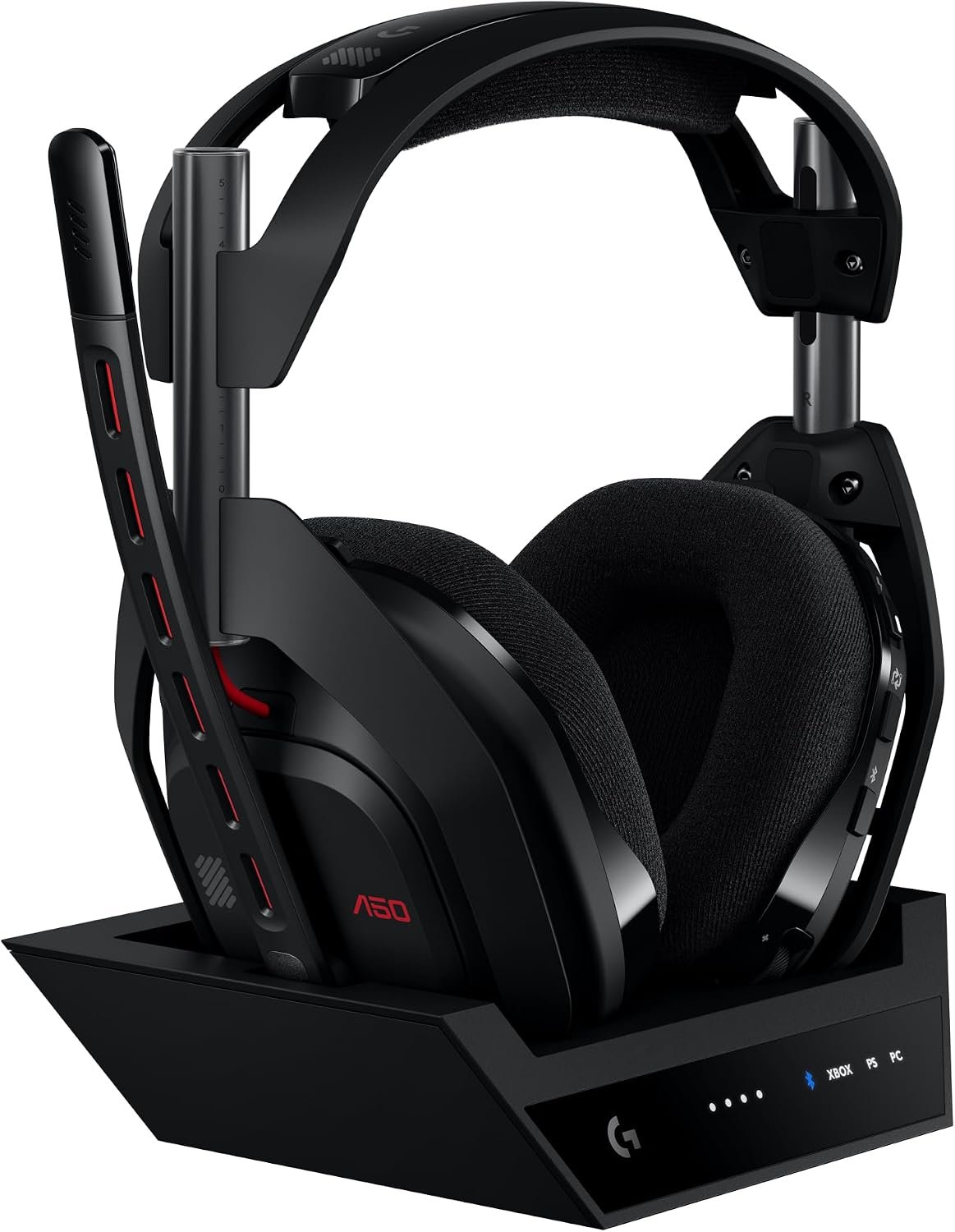
The A50 is the headset for people who own more than one machine. PlaySync Audio connects to three platforms simultaneously over USB-C, covering Xbox, PS5, PC or Mac and Switch, and you change between them from a control on the earcup rather than by unplugging anything. Nothing else in this guide removes that problem.
The audio hardware matches the convenience. Pro-G Graphene drivers at 40mm are built for separation and timing accuracy rather than raw bass, 24-bit Lightspeed wireless carries uncompressed audio, and the boom microphone runs at 48 kHz full bandwidth, which is broadcast territory rather than gaming-headset territory. Bluetooth dual-device mixing lets you fold Discord or music from a phone into the game audio. The 24 hour battery sounds short until you notice the magnetic base station, which is where the headset lives between sessions.
What it does well
- Connects to three systems at once with switching on the earcup.
- 48 kHz full-bandwidth microphone, the best here on paper.
- Uncompressed 24-bit Lightspeed wireless.
- Magnetic charging base station makes the 24 hour battery a non-issue.
What to know before buying
- The most expensive headset in this guide.
- 24 hours is the shortest battery figure here if you lose the dock.
- A large base station that needs desk space.
2. HyperX Cloud Alpha Wireless: Three Hundred Hours
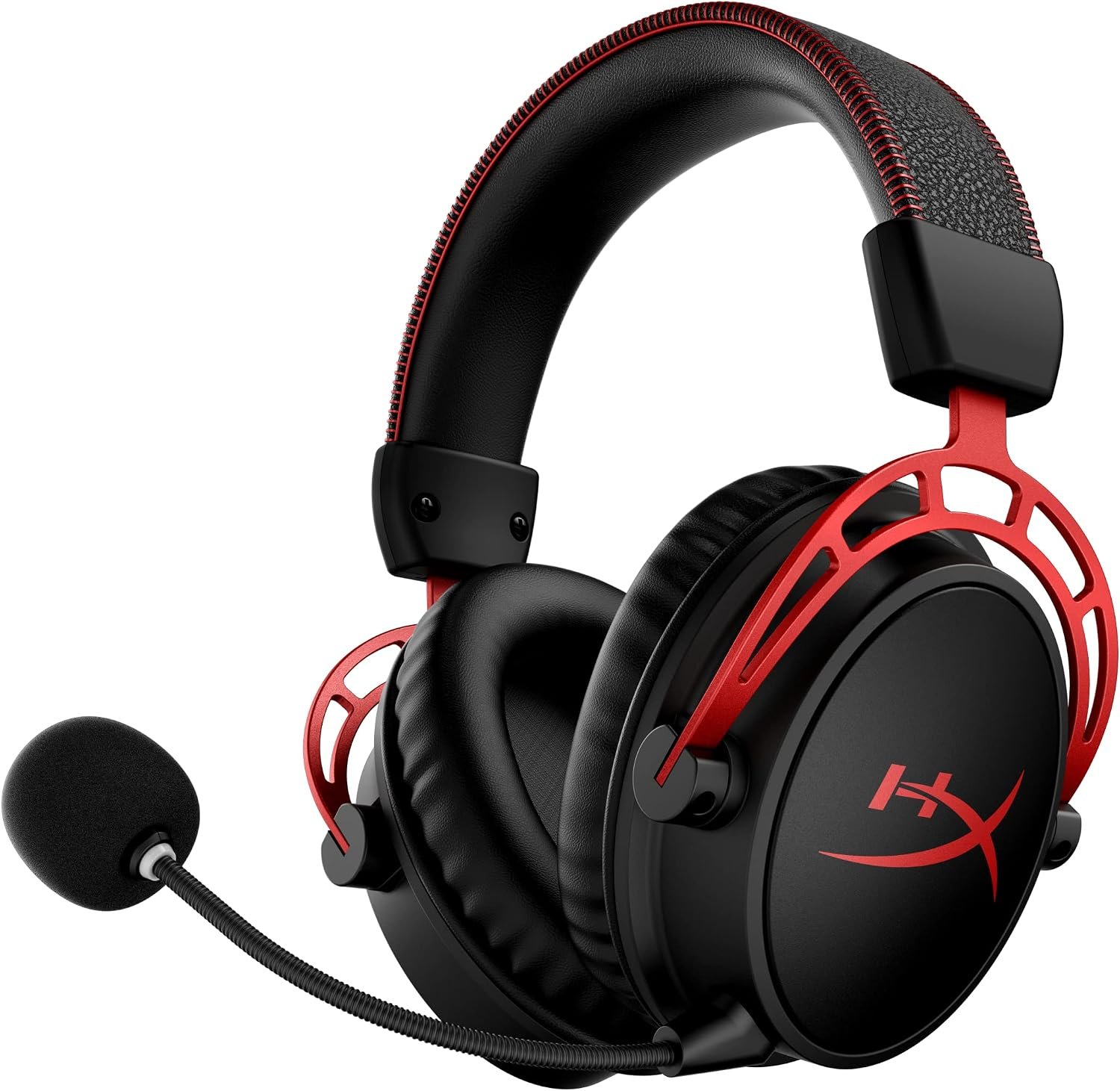
Three hundred hours of wireless gaming on one charge is not a typographical error and it changes how you live with a headset. At four hours a day that is more than two months between charges, which effectively removes battery from the list of things you think about. Nothing else in this category is close.
The audio design is the other reason to buy it. HyperX uses a dual chamber driver that separates the mids and highs from the bass-heavy lows, so heavy low end does not muddy voices and footsteps, and DTS Headphone:X handles spatial positioning. The frame is aluminium rather than plastic, the memory foam and leatherette are the signature HyperX comfort setup, and the microphone detaches entirely when you are playing alone.
What it does well
- Up to 300 hours per charge, by far the longest here.
- Dual chamber drivers keep bass out of the midrange.
- Aluminium frame rather than plastic.
- Fully detachable noise-cancelling microphone.
What to know before buying
- 2.4GHz only, so no Bluetooth for a phone.
- Primarily a PC headset rather than a console-first one.
- No charging dock, though at 300 hours it hardly matters.
3. RIG 800 PRO HX: The Xbox Headset With a Base Station
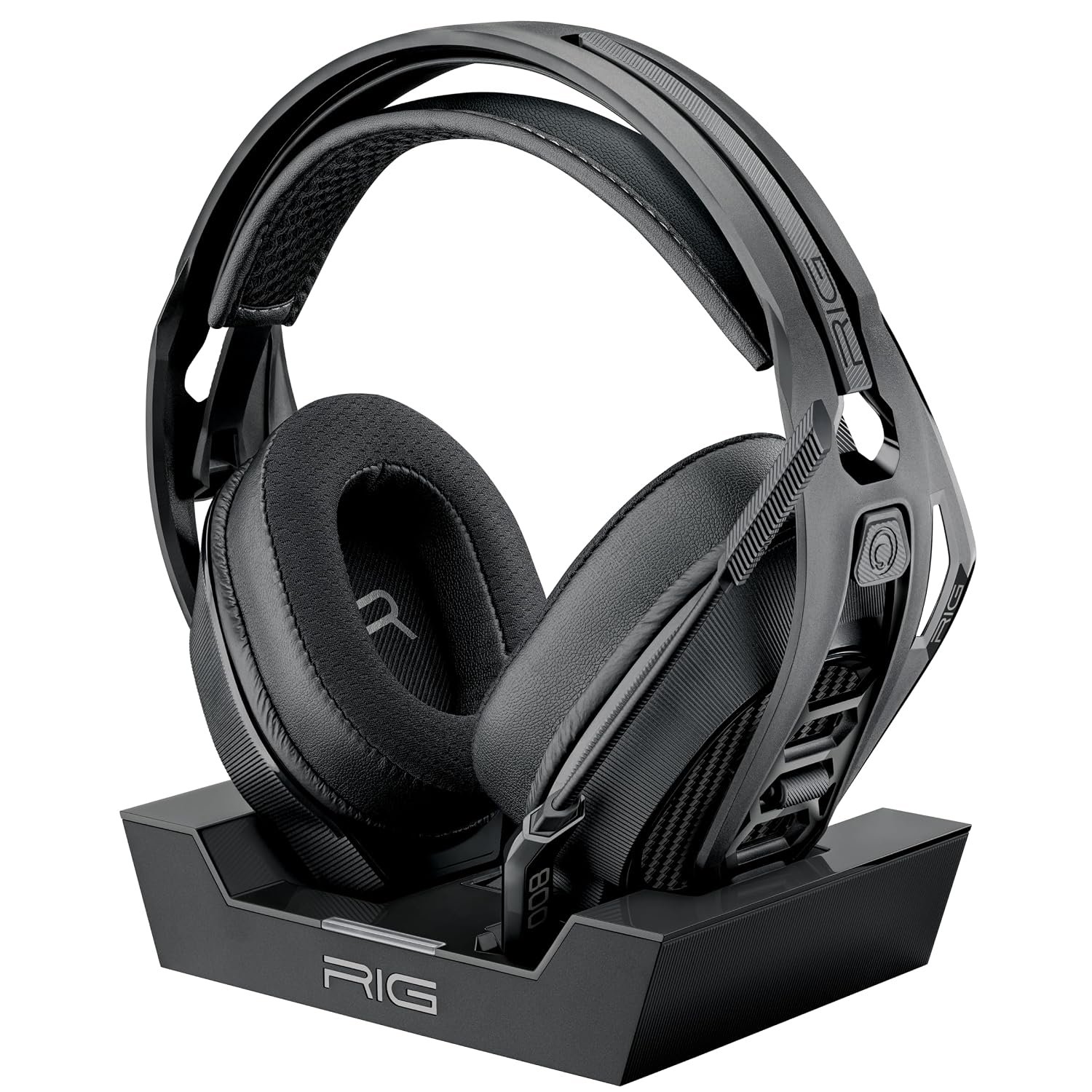
Xbox wireless is a closed system, so the question for Xbox owners is which of the licensed headsets to buy. The 800 PRO HX pairs up to 60 hours of battery with a multi-function charging base station, so the headset sits on a dock between sessions and the USB port on the base carries the wireless connection.
Dolby Atmos for Headphones is included rather than sold separately, which is unusual, and it is unlocked by plugging in the wireless adapter on Xbox or PC. Drivers are 40mm with low-frequency resonators to reinforce bass without distorting, and the flip-up microphone mutes mechanically. The fit system is the detail worth noting: RIG uses snap-fit size adjustments in small, medium and large with a self-adjusting head strap rather than a sliding band, which suits people who have never found a headset that sits right.
What it does well
- Up to 60 hours with a charging base station included.
- Dolby Atmos for Headphones included rather than an extra purchase.
- Snap-fit sizing in three sizes with a self-adjusting strap.
- Flip-up mechanical mute on the microphone.
What to know before buying
- Xbox and PC only, with no PlayStation support.
- The base station takes up desk space.
- 30 feet of range is less than some 2.4GHz rivals.
4. Turtle Beach Stealth 600: The Mainstream Wireless Pick
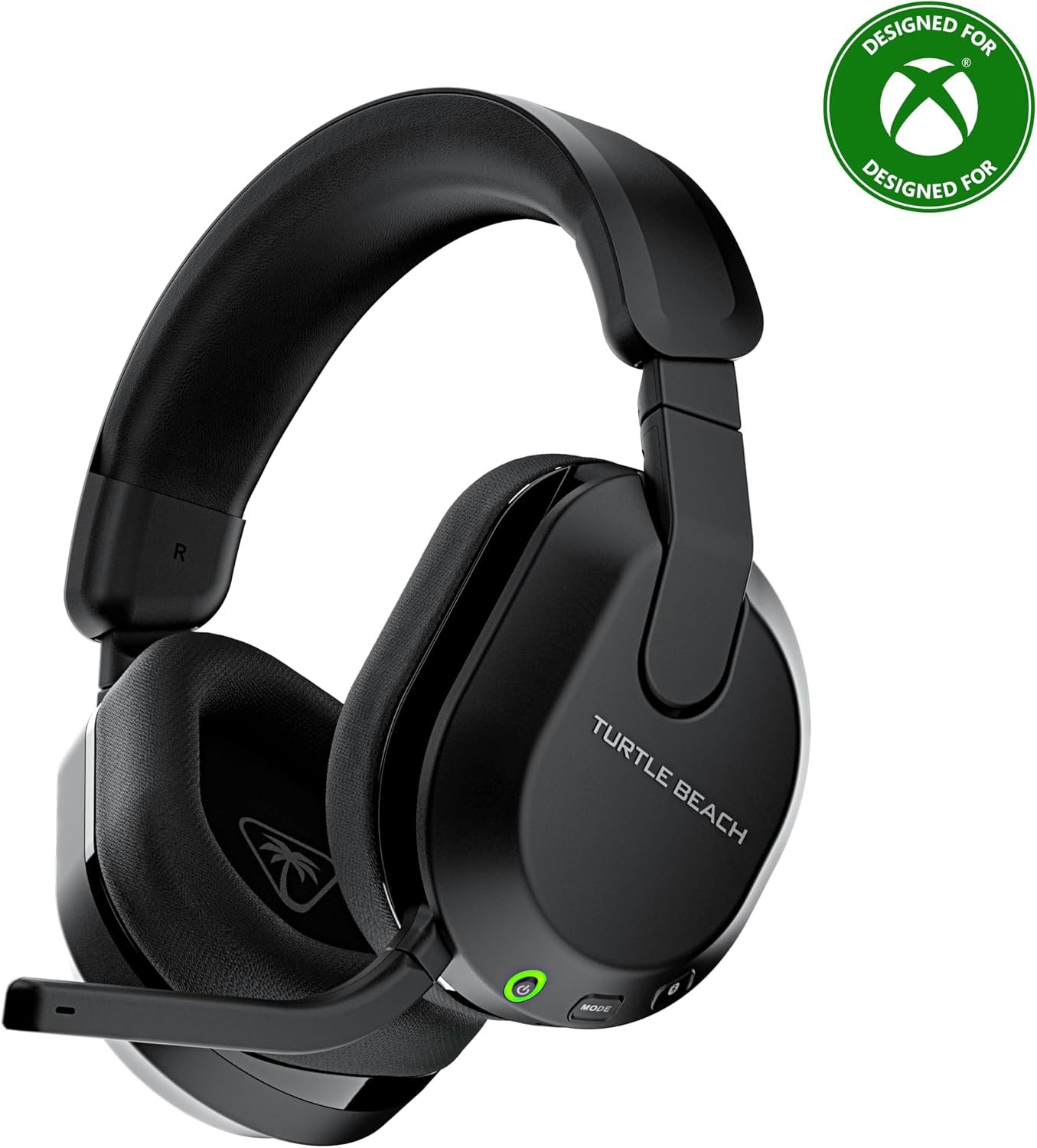
The Stealth 600 is the headset most people end up with, and the reason is that it covers nearly everything without a premium price. It runs 2.4GHz wireless for low latency on Xbox, PS5 and PC, and a QuickSwitch button moves it to Bluetooth for a phone without repairing.
Two details lift it above the rest of the mid-range. The memory foam cushions use glasses-friendly channels, which is a genuine comfort difference for anyone who has worn a headset over spectacles for three hours, and the microphone uses AI-based noise reduction with a flip-to-mute boom. A mappable wheel and mode button let you assign functions you actually use. The lay-flat design makes it easier to pack than most gaming headsets, which are built as though they never leave a desk.
What it does well
- Wireless and Bluetooth with a dedicated switching button.
- Glasses-friendly memory foam cushions.
- AI-based noise reduction on a flip-to-mute microphone.
- Mappable wheel and mode button.
What to know before buying
- Turtle Beach does not quote a battery figure on this listing.
- Separate versions exist for Xbox and PlayStation, so check before ordering.
- Plastic construction against the aluminium-framed rivals here.
5. HyperX Cloud III: The Wired One Worth Owning
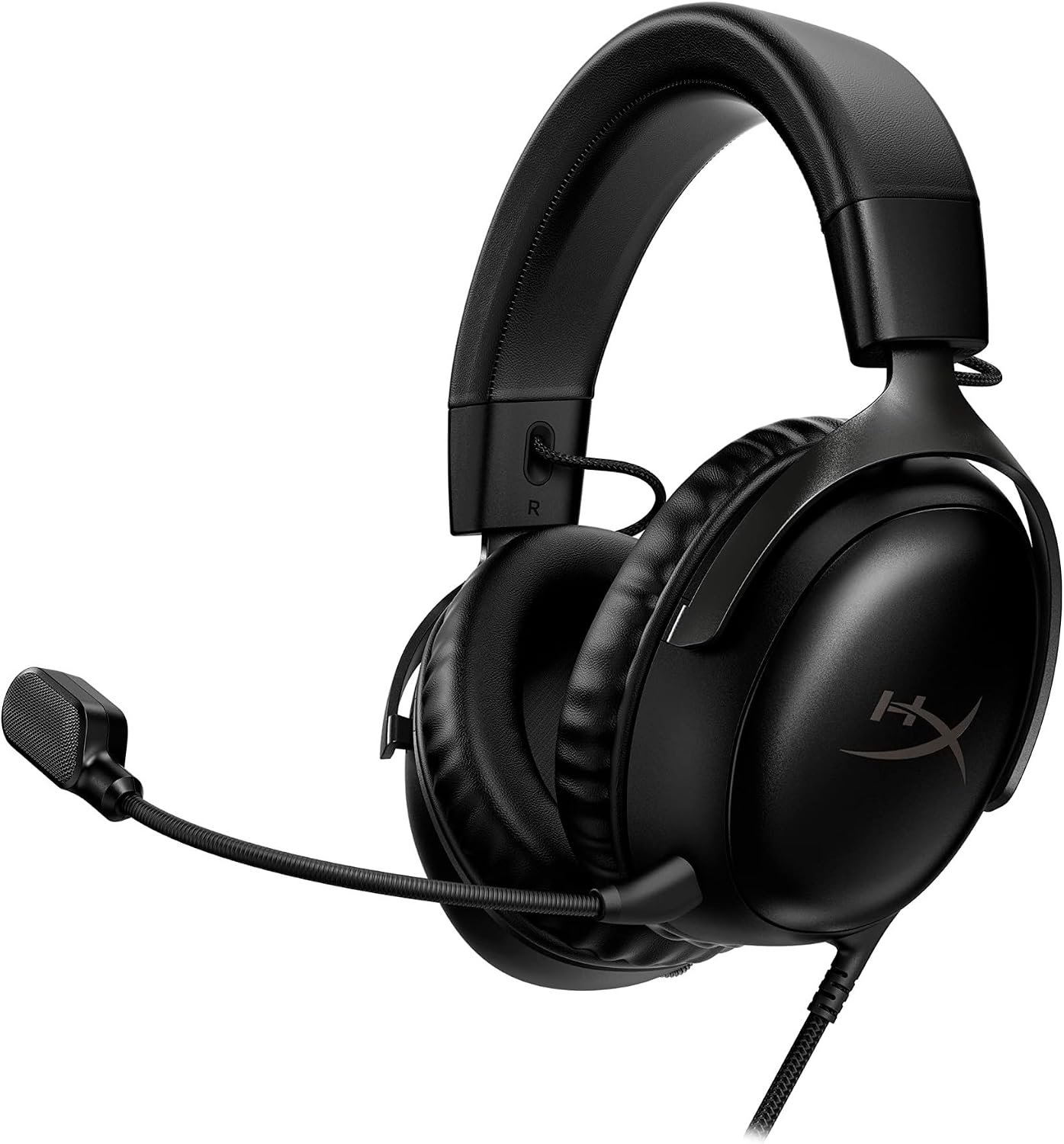
Wired headsets have one enormous advantage that marketing never mentions: no battery, no pairing, no latency and no firmware. The Cloud III is the version of that done properly, with angled 53mm drivers tuned specifically for games rather than repurposed from a music headphone.
The angling matters more than the size. Pointing the driver towards the ear canal rather than straight at the side of your head improves the stereo image, which is what positional audio depends on. The microphone is noise cancelling with a built-in mesh filter and an LED on the boom that tells you when you are muted, which removes the most common embarrassment in voice chat. An aluminium frame and the usual HyperX memory foam handle durability and long sessions.
What it does well
- No battery, no pairing and no latency to manage.
- Angled 53mm drivers improve the stereo image for positional audio.
- LED mute indicator on the microphone boom.
- Aluminium frame and HyperX memory foam comfort.
What to know before buying
- A cable, with everything that implies at a desk.
- No Bluetooth for a phone.
- No virtual surround without software on the host.
6. Razer BlackShark V2 X: The Competitive Budget Choice
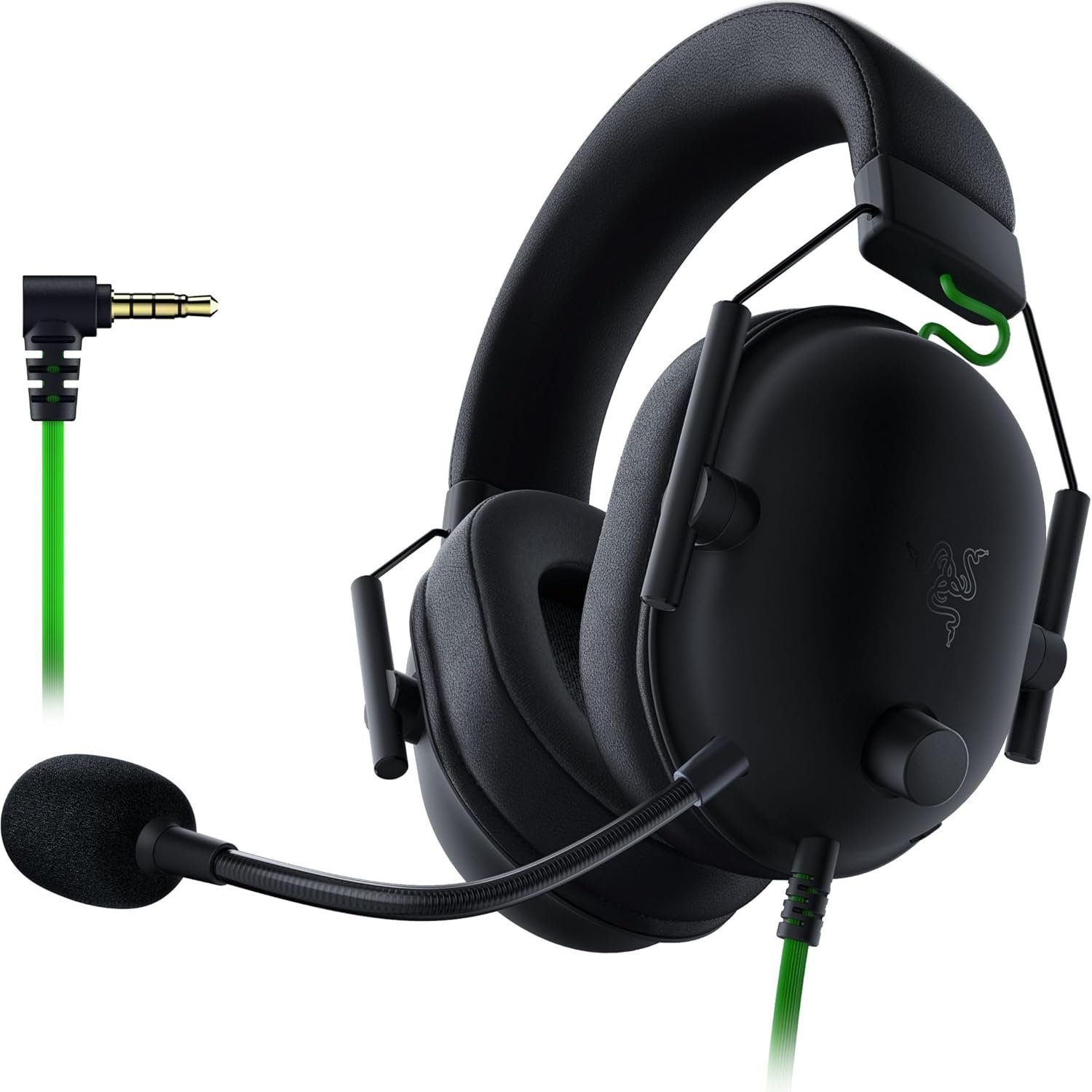
The BlackShark V2 X is built around one job: hearing where people are. Razer uses a TriForce titanium 50mm driver divided into three parts so highs, mids and lows are tuned separately, which is a different approach from a single full-range driver and aimed squarely at separating footsteps from gunfire.
Closed earcups with a proper seal do the passive isolation, and 7.1 surround is available through Razer software on Windows. At 240 grams it is one of the lightest headsets here, which is what makes a long session bearable, and the HyperClear cardioid microphone tapers its pickup towards the back and sides so it captures your voice rather than your room. A 3.5mm jack means it works on PC, Mac, PS4, Xbox One and Switch without any adapter on most of them.
What it does well
- TriForce drivers tune highs, mids and lows separately.
- 240 grams, among the lightest here.
- Cardioid microphone rejects noise from behind and the sides.
- Works across platforms over a plain 3.5mm jack.
What to know before buying
- 7.1 surround requires Razer software on Windows.
- An Xbox One stereo adapter may be needed on older hardware.
- Plastic build at this price point.
7. JBL Quantum 100M2: The Cheapest One Worth Buying
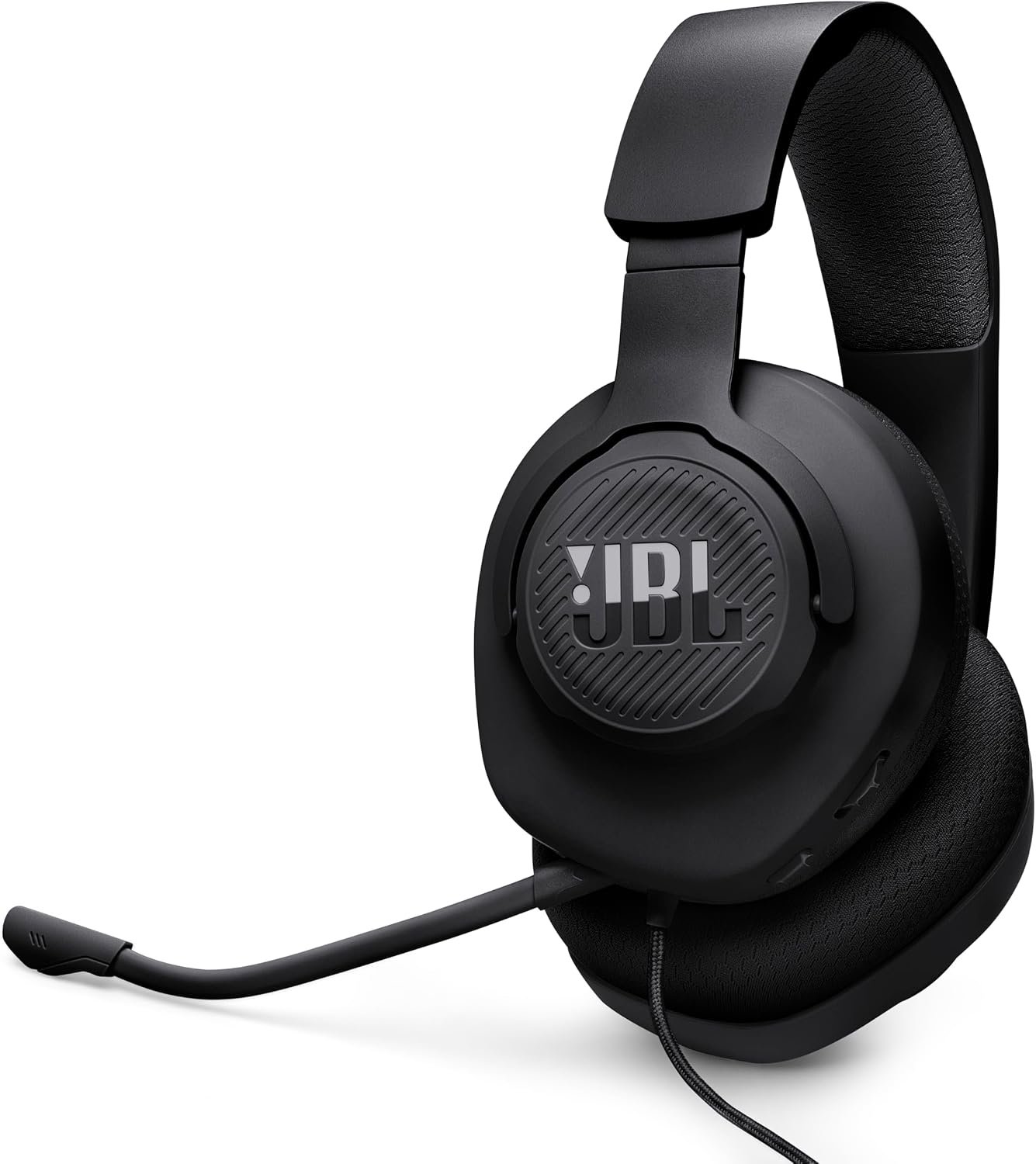
At the bottom of the market the question is what was cut, and on the Quantum 100M2 the answer is wireless and nothing much else. JBL QuantumSound tuning comes down from the more expensive Quantum range, the earcups use memory foam with breathable fabric, and the whole thing is light enough for long sessions.
The microphone detaches completely rather than folding away, which makes this the one headset here that works as ordinary headphones when you are not in a game, and it includes a mute option. Windows Sonic spatial sound is supported on Windows 10 and Xbox for positional audio at no extra cost. One 3.5mm jack covers PC, PlayStation, Xbox, Switch, mobile, Mac and VR, which is the widest platform list in this guide.
What it does well
- Widest platform support here from a single 3.5mm jack.
- Detachable microphone, so it doubles as ordinary headphones.
- Memory foam and breathable fabric at the lowest price.
- Windows Sonic spatial sound supported at no extra cost.
What to know before buying
- No wireless of any kind.
- Least refined sound of the seven.
- No onboard controls beyond volume and mute.
Wired or Wireless, and How Much Battery You Really Need
Wireless is worth paying for if you move around, play on a sofa or share a room. It is worth nothing at all if the headset never leaves a desk, and the money saved buys better drivers and a better microphone at the same price. Work through this before comparing anything else.
- Desk-bound PC player: buy wired and spend the difference on audio quality.
- Console in a living room: buy wireless, and check the platform is supported properly.
- More than one console: the A50 is the only headset here that connects to three at once.
- Xbox specifically: the licensed wireless models, because the protocol is closed.
- A headset with a charging dock: battery figures matter far less than they look.
- Glasses wearers: look for cushions with glasses channels rather than assuming.
Comfort decides which headset you keep using, and weight is the specification that predicts it. Anything over about 350 grams becomes noticeable within two hours regardless of how good the padding is. If your gaming happens away from a desk, the trade-offs are different again, and our guide to the best gaming handhelds covers what works with a portable. If the screen is across the room rather than on a desk, our guide to the best projectors covers that setup. The desk surface does its own share of that, which our guide to the best desk pad covers for wrist contact.
Which of These Gaming Headsets to Buy
For a household with more than one console, the Logitech G Astro A50 is the clear answer, because connecting to three systems at once and switching from the earcup solves a problem no amount of audio quality addresses. On PC, the HyperX Cloud Alpha Wireless is the one to buy, and 300 hours of battery means you will genuinely forget it needs charging.
Xbox owners should look at the RIG 800 PRO HX for the included Dolby Atmos and the charging base. The Turtle Beach Stealth 600 is the sensible mainstream wireless pick with Bluetooth alongside it. If the headset lives on a desk, buy wired: the HyperX Cloud III is the best of them, the Razer BlackShark V2 X is the lightest and the most focused on competitive positioning, and the JBL Quantum 100M2 is the cheapest one worth owning. Whatever you choose, the microphone is what everyone else experiences, so weight that more heavily than the driver size.
Frequently Asked Questions
Is a wireless gaming headset worth it?
Only if you move while playing. On a desk, a wired headset at the same price has better drivers and a better microphone because none of the budget went on radios and batteries. In a living room, or if you share a space, wireless is worth the compromise.
Do gaming headsets really do 7.1 surround sound?
Not physically. There are two drivers, and the surround effect is processing that simulates direction by altering timing and frequency. It is genuinely useful for locating sounds in competitive games, but the label describes software rather than speakers, and on several headsets it only works on one operating system.
Will an Xbox headset work on a PlayStation?
Wirelessly, usually not. Xbox uses a closed wireless protocol, which is why several headsets ship in separate Xbox and PlayStation versions. Anything with a 3.5mm jack works on both, which is a real advantage of the wired options.
How important is the microphone on a gaming headset?
More important than the drivers if you play with other people, because your squad only ever hears the microphone. Look for a boom that sits near your mouth, and for whether it detaches or flips to mute. A detachable boom also lets the headset double as ordinary headphones.
Related Articles
- Best Wireless Earbuds: 7 Compared on Noise Cancelling and Battery
- Best Webcams: Resolution, Low Light and Field of View Compared
- Best AirPods 5 Cases: 7 Compared on Locks, MagSafe and Water Sealing
- Genshin Impact Codes
- Best GameSir Controller: 7 Compared Across Every Platform
As an Amazon Associate, CanyonWire earns from qualifying purchases.





