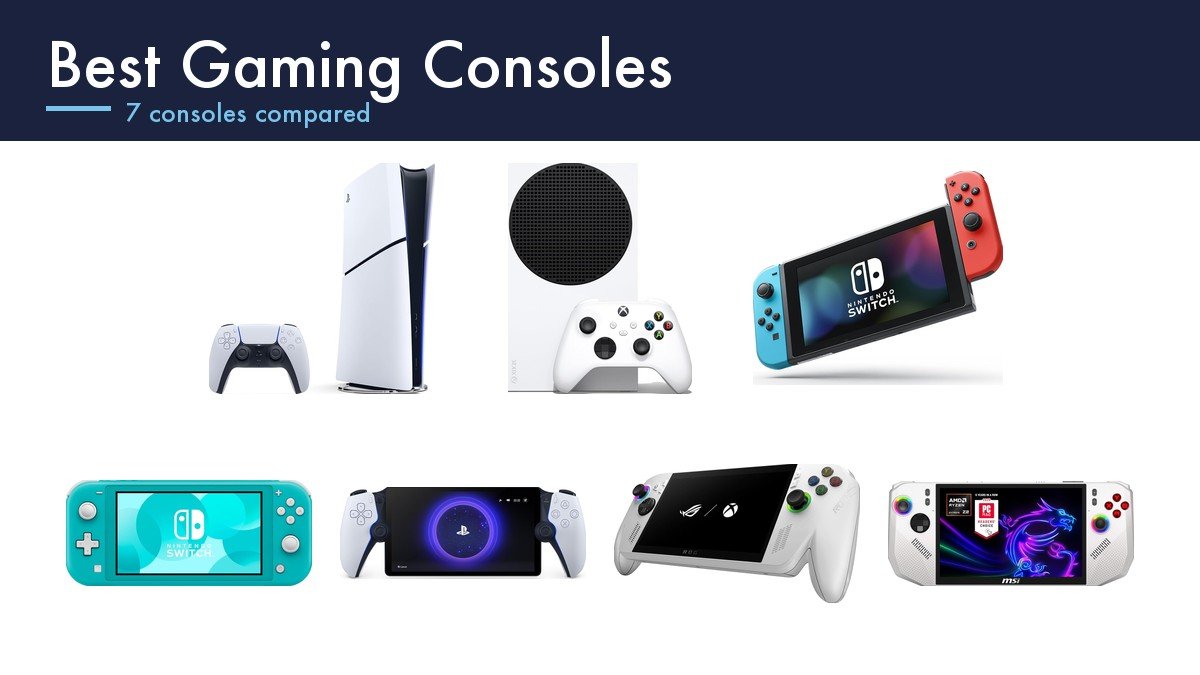
Choosing between the best gaming consoles is really a choice about which library you are buying into, because the hardware differences between them matter far less than what you can actually play. This guide covers the whole range rather than only the flagships: the top of the market is the disc-drive PlayStation 5, the PS5 Pro and the Xbox Series X, and everything here sits beneath or beside them, which is where most people actually buy. For Nintendo that library now spans three labels, which our guide to Nintendo Switch 2 games sorts out.
That range now includes two things that were not consoles a few years ago. Windows handhelds like the ROG Xbox Ally and the MSI Claw boot straight into a console-style interface and play the PC libraries you already own, and the PlayStation Portal is a screen with a controller wrapped round it that plays nothing at all on its own. Both change the shape of the decision, so both are here alongside the conventional boxes. For the historical picture, our list of the best selling consoles of all time uses only maker-published figures.
Best Gaming Consoles Compared on Library, Portability and Storage
The library column is the one that decides this. Storage is a number you can add to later; a games catalogue is not.
| Console | Library | Storage | Screen | Plays on its own |
|---|---|---|---|---|
| PlayStation 5 Digital Edition | PS5 and PS4 digital only | 1TB SSD | TV only | Yes |
| Xbox Series S 1TB | Four Xbox generations, digital only | 1TB custom NVMe SSD | TV only | Yes |
| Nintendo Switch | Nintendo first party and indies | 32GB plus microSD | 6.2 inch LCD | Yes, three play modes |
| Nintendo Switch Lite | Handheld-compatible Switch games | 32GB plus microSD | Built in, handheld only | Yes, handheld only |
| PlayStation Portal | Your own PS5 library over wifi | None, it streams | 8 inch 1080p LCD | No, needs a PS5 |
| ASUS ROG Xbox Ally | Game Pass, Steam, Epic, Windows | 512GB SSD, 16GB RAM | 7 inch 1080p 120Hz | Yes |
| MSI Claw A8 | Any Windows PC storefront | 1TB NVMe SSD, 24GB RAM | 8 inch FHD+ 120Hz | Yes |
Digital-Only Boxes, Streaming Screens and Windows Handhelds
The current console generation split almost every machine into a disc version and a cheaper digital one, and the digital versions are the ones in this guide. The trade is simple and worth thinking through properly: you give up second-hand games, lending, and the ability to resell, and in exchange you pay less for the box. If you buy your games on sale digitally anyway, the disc drive is a slot you will never use.
Subscription changes the maths more than the hardware does. Xbox Game Pass puts a large rotating catalogue behind a monthly fee, which is why the Xbox Series S is a genuinely different proposition from a PlayStation at a similar size: the cheap box plus a subscription gives you hundreds of games immediately. PlayStation has its own tiered service. Neither replaces owning the specific games you care about, but both change what the cheapest console in the range can do.
The third category is machines that play your existing library somewhere else. Remote Play is the technology behind the PlayStation Portal, which streams from a PS5 you already own over your home wifi, and the Windows handhelds do something similar in reverse by running PC games locally in your hands. Both assume you already have a library. Our guide to the best gaming handhelds goes deeper on that end of the market.
1. Xbox Series S 1TB: The Most Game for the Least Money
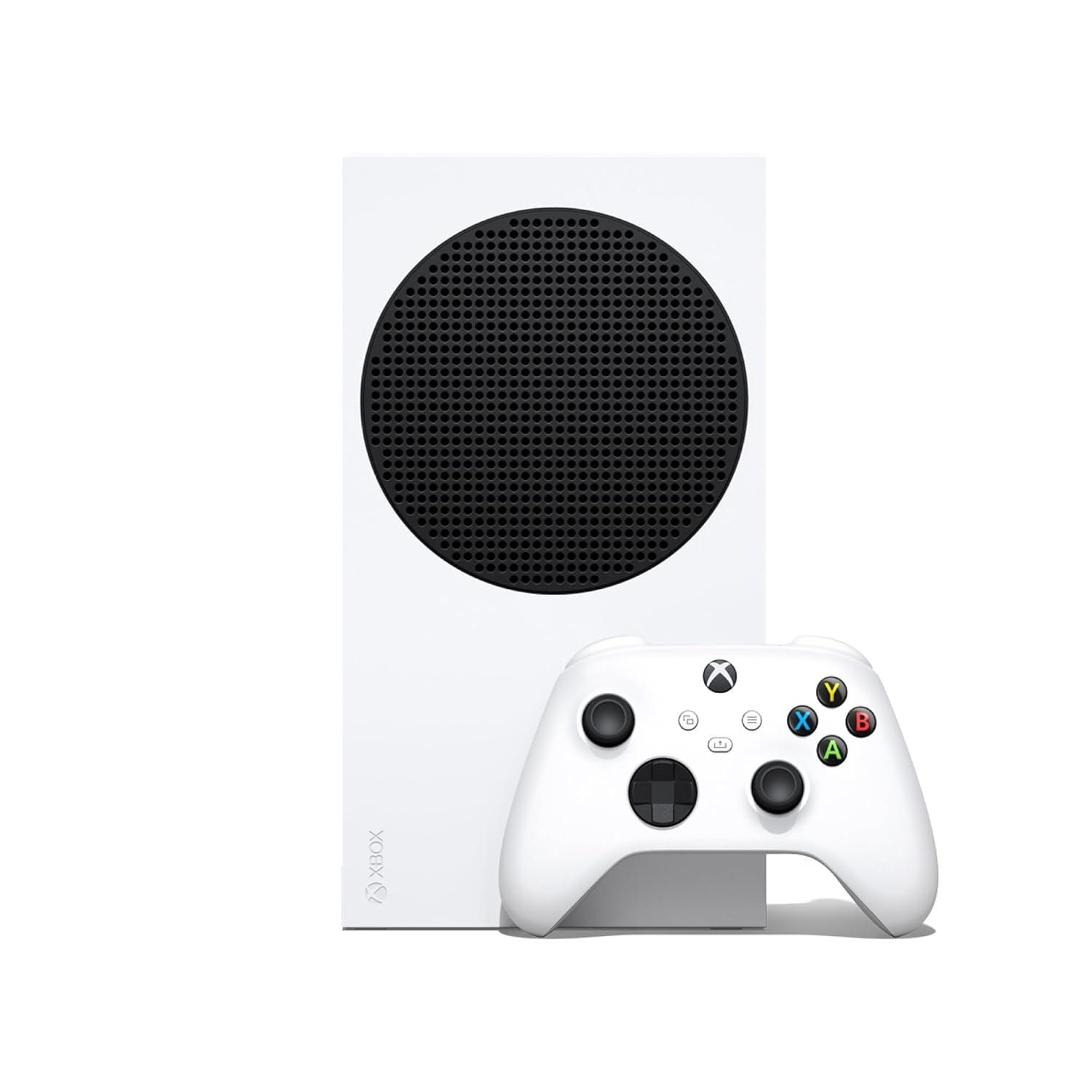
Microsoft calls this the best value in gaming and, with a subscription attached, that is hard to argue with. The 1TB version fixes the one genuine complaint about the original 512GB model, which was that modern games filled it almost immediately, and nothing else about the machine needed changing.
It runs at up to 120 frames per second with a custom NVMe SSD and DirectX raytracing, and Quick Resume lets you hold several games suspended at once and switch between them without reloading, which is a feature nothing else here matches. Backward compatibility covers four generations: Series X and S, Xbox One, Xbox 360 and the original Xbox, with Smart Delivery handing you the best version automatically. It is the smallest Xbox ever made and it is digital only. What people actually play on it is covered in our list of the most popular video games.
What it does well
- 1TB SSD, double the original Series S.
- Four generations of backward compatibility.
- Quick Resume holds several games suspended at once.
- Up to 120 fps with raytracing support.
What to know before buying
- Digital only, so no discs and no resale.
- Less powerful than the Series X it sits beneath.
- The subscription that makes it good value is a recurring cost.
2. PlayStation 5 Digital Edition: The Exclusives Without the Disc Drive
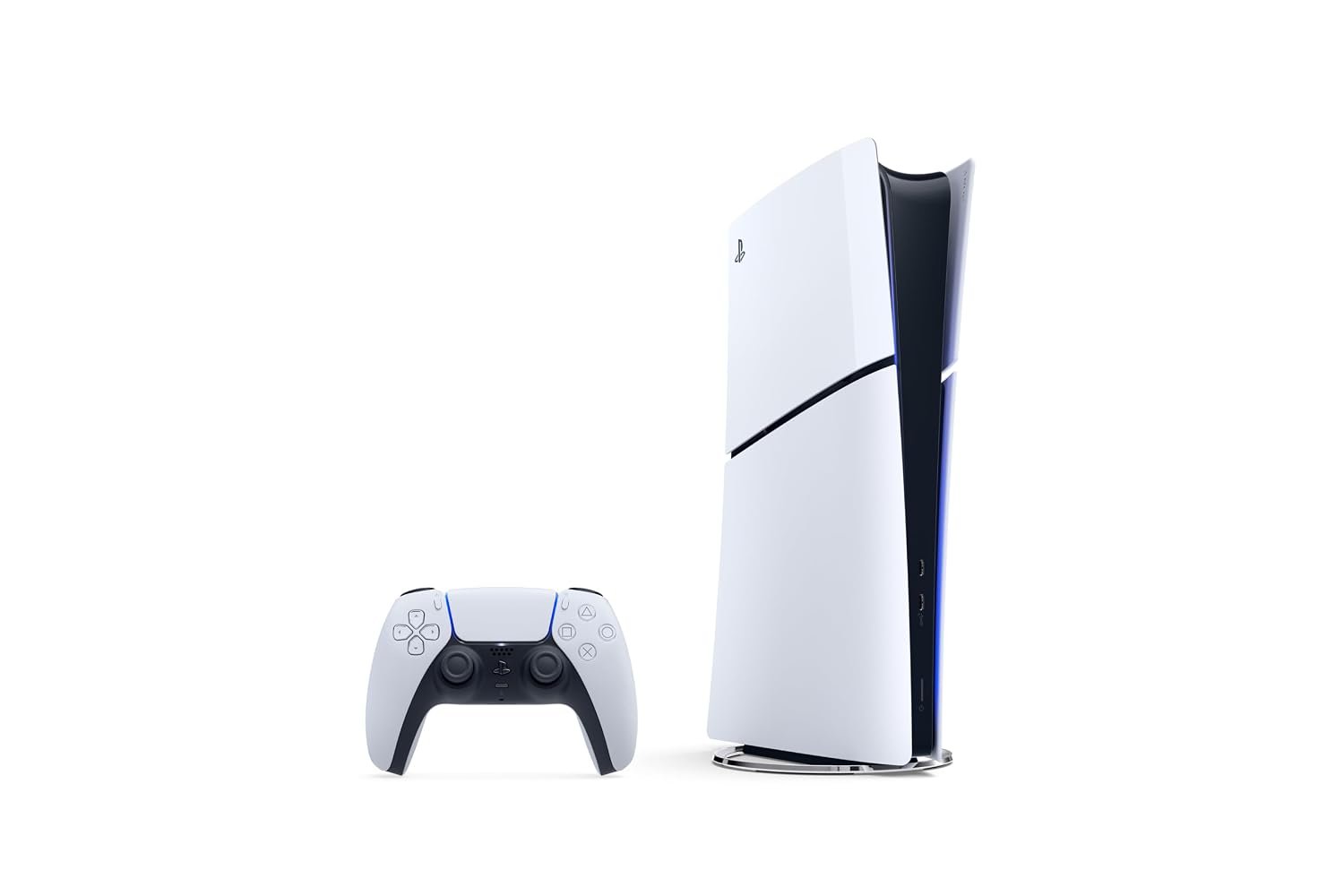
This is the slim PS5, model CFI-2000, with the disc drive removed and the price reduced accordingly. The games are identical, the hardware inside is identical, and the thing you lose is physical media. For anyone who has not bought a disc in years, that is a discount rather than a compromise.
It ships with 1TB of SSD storage, the DualSense wireless controller, two horizontal stand feet, an HDMI cable, power and USB cables, and Astro’s Playroom preinstalled, which is a genuinely good demonstration of what the DualSense haptics do. The vertical stand is sold separately, which is worth knowing before you plan where it goes. The argument for buying it over the Xbox is the PlayStation exclusives, and that is the whole argument.
What it does well
- Same hardware and same games as the disc model.
- 1TB SSD as standard.
- DualSense controller and Astro’s Playroom included.
- Slimmer than the original PS5 chassis.
What to know before buying
- No disc drive, so no second-hand or borrowed games.
- Vertical stand costs extra.
- Sits below the PS5 Pro on raw performance.
3. Nintendo Switch: The Only One That Is Three Consoles
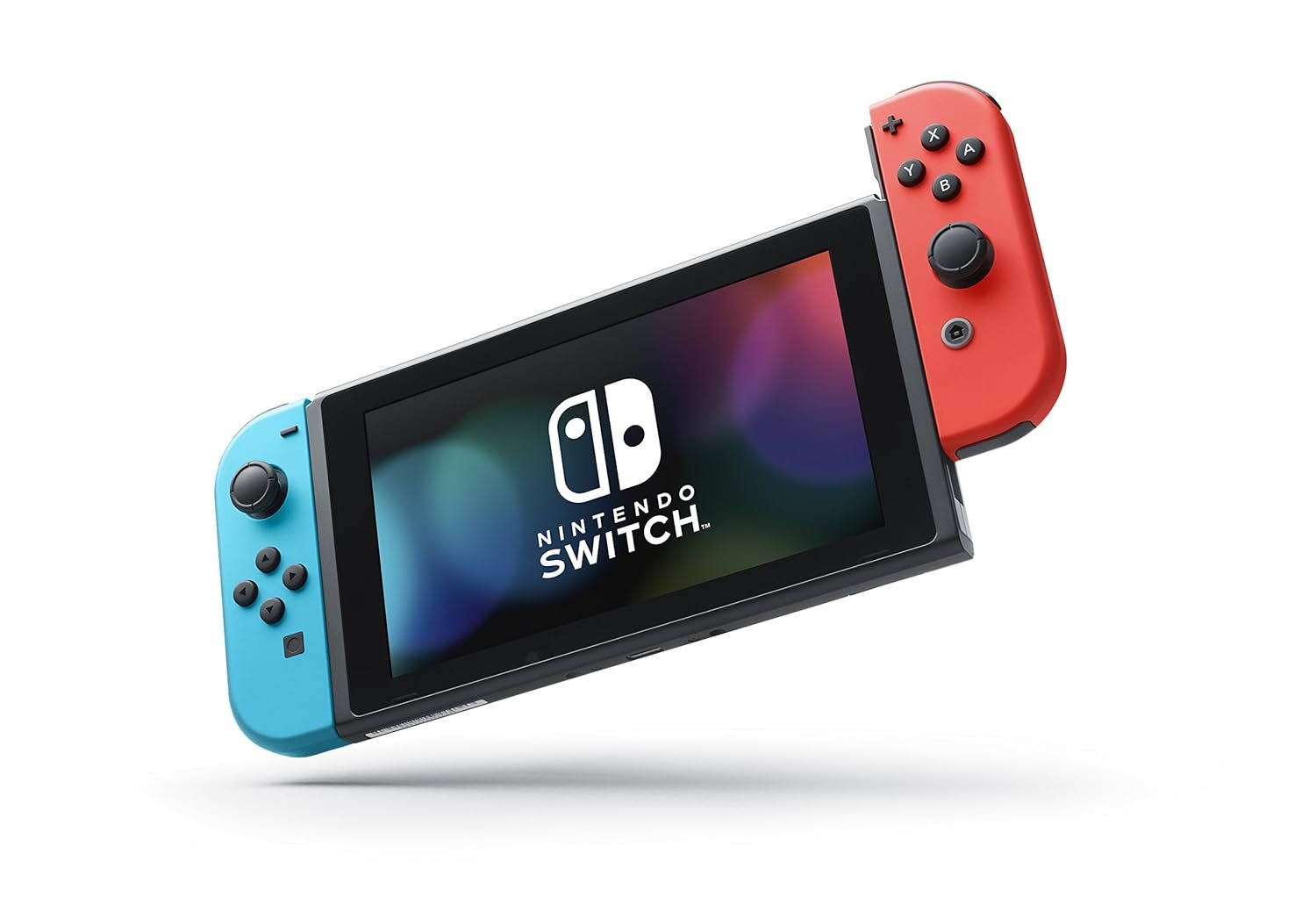
The original Switch remains the most flexible machine in this guide and the reason is the three play modes. It docks to a television, stands on its own kickstand on a table with the Joy-Con detached for two-player games anywhere, and slides into your hands as a handheld. Nothing else here does all three, and the tabletop mode in particular has no equivalent.
The screen is a 6.2 inch LCD, the Joy-Con detach for local co-op out of the box, and online, local wireless and couch multiplayer are all supported. The library is the real draw: Nintendo first-party games exist nowhere else, and the indie catalogue on the eShop is enormous. Internal storage is small and expects a microSD card, which is cheap and easy to add.
What it does well
- Three play modes: TV, tabletop and handheld.
- Joy-Con detach for instant two-player games.
- Nintendo first-party library available nowhere else.
- Storage expands cheaply with microSD.
What to know before buying
- 6.2 inch LCD rather than OLED.
- Older hardware than the newest Nintendo system.
- Small internal storage out of the box.
4. ASUS ROG Xbox Ally: A Windows PC That Behaves Like a Console
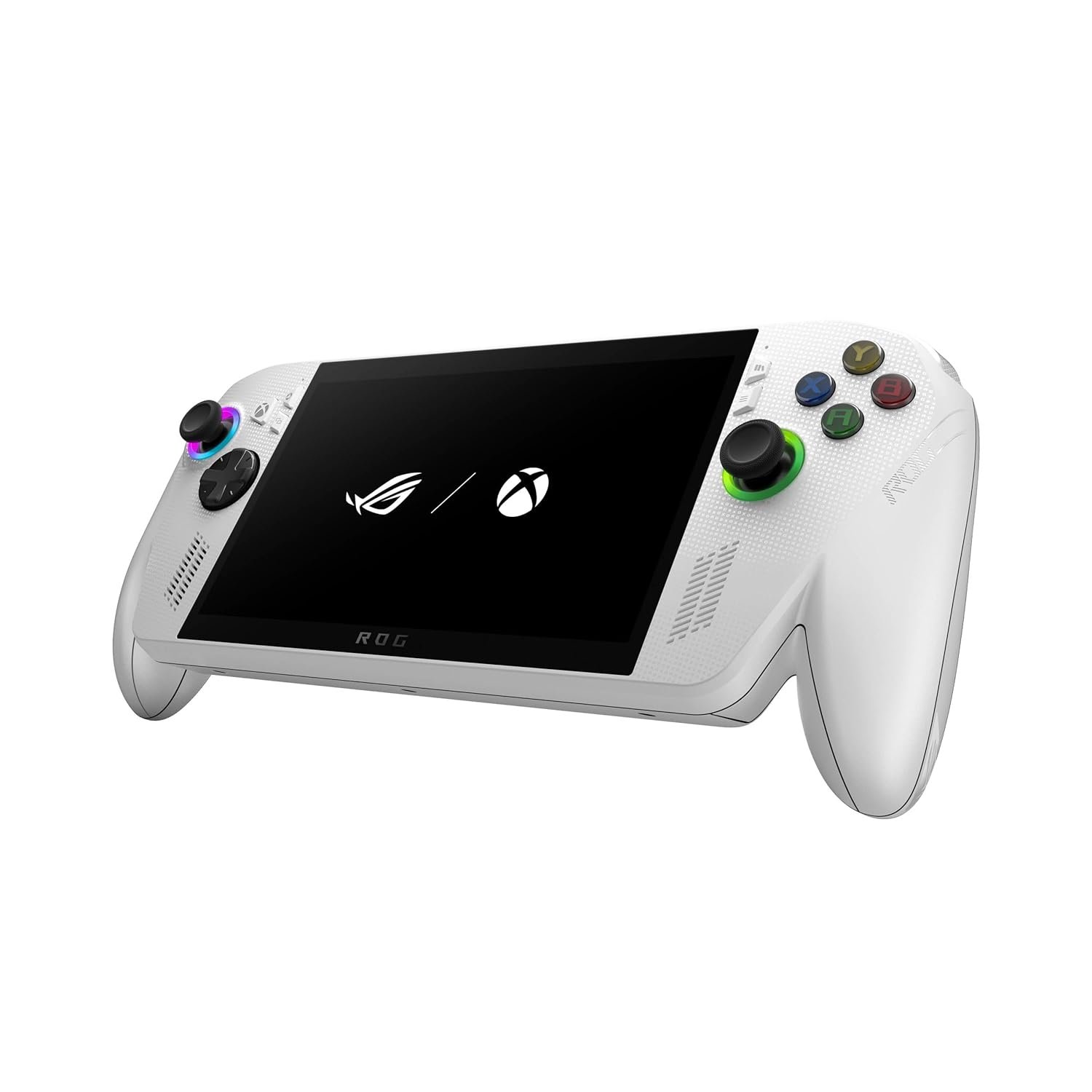
This is the handheld that stops pretending. It boots straight into the Xbox experience rather than into a Windows desktop, the Xbox button opens Game Bar, and underneath it is still Windows 11 with access to Game Pass, Steam, the Epic store and anything else you have bought. That combination is what previous Windows handhelds kept getting wrong.
The screen is a 7 inch 1080p 120Hz touchscreen and the chip is an AMD Ryzen Z2 A, chosen for efficiency rather than peak power, which is why ASUS claims hours of play away from a socket. There is 512GB of SSD storage and 16GB of LPDDR5 6400MHz memory. Xbox Play Anywhere means a game you were playing on a console picks up where you left off. Three months of Game Pass Premium is included.
What it does well
- Boots into the Xbox interface, not a Windows desktop.
- Plays Game Pass, Steam, Epic and Windows titles.
- Xbox Play Anywhere syncs progress with a console.
- 7 inch 1080p 120Hz touchscreen.
What to know before buying
- 512GB fills quickly with modern PC games.
- The Z2 A is the efficient chip, not the fast one.
- Windows underneath still means Windows problems.
5. MSI Claw A8: The Most Powerful Handheld Here
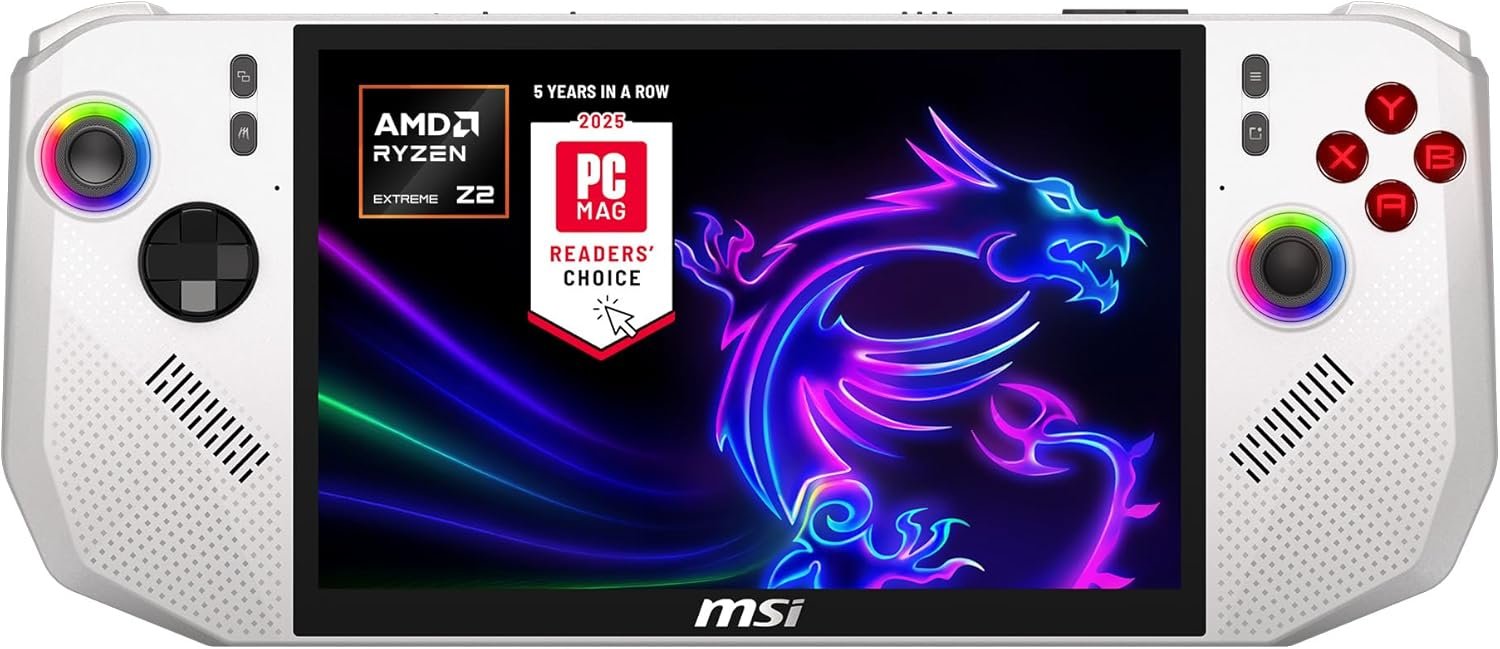
Where the ROG Ally picks the efficient processor, MSI has picked the fast one. The Claw A8 runs an AMD Ryzen Z2 Extreme with 24GB of LPDDR5x memory and a 1TB NVMe SSD, which is more of all three than anything else in this guide, handheld or otherwise.
The display is 8 inches at FHD+ and 120Hz, the largest screen here, and MSI has clearly spent time on the physical design: it talks about the curvature of the grip, finger positions and trigger force, which is the sort of detail that decides whether a heavy handheld is comfortable after an hour. There is a full-size SD card reader and Thunderbolt 4, so it docks to a monitor and external storage properly. It runs Windows 11 Home.
What it does well
- Ryzen Z2 Extreme, the fastest chip in this guide.
- 24GB RAM and a 1TB SSD as standard.
- 8 inch 120Hz display, the largest here.
- Thunderbolt 4 and an SD card reader for docking.
What to know before buying
- Larger and heavier than the 7 inch handhelds.
- More power means shorter battery life.
- Boots to Windows rather than a console interface.
6. Nintendo Switch Lite: The Cheapest Way Into the Nintendo Library
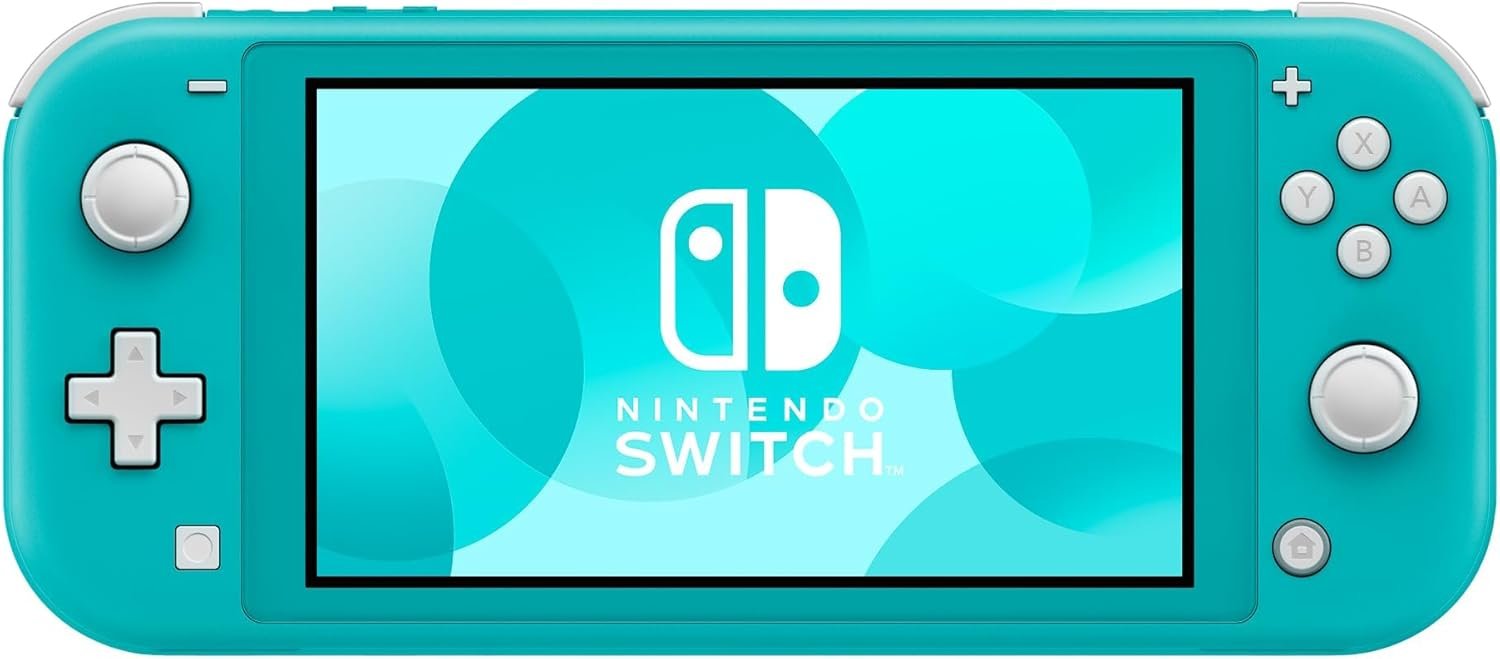
The Lite strips the Switch down to one job and does it for considerably less money. The controls are built into the body rather than detaching, there is no dock and no television output, and what you are left with is a small, light, solid handheld that plays the Nintendo catalogue.
That restriction is the thing to understand before buying. Games that require detached Joy-Con motion controls will not work on it without buying separate controllers, and anything you want to play on a television is out. For a child, a commuter, or a second console in a house that already has one docked, none of that matters. Online and local wireless multiplayer both work, and it comes in a range of colours.
What it does well
- The least expensive route into the Nintendo library.
- Smaller and lighter than the standard Switch.
- Solid one-piece body with nothing to detach or lose.
- Online and local wireless multiplayer supported.
What to know before buying
- No television output and no dock.
- Some games need separate controllers to work at all.
- Fixed controls cannot be replaced if a stick drifts.
7. PlayStation Portal: A Second Screen for a PS5 You Already Own
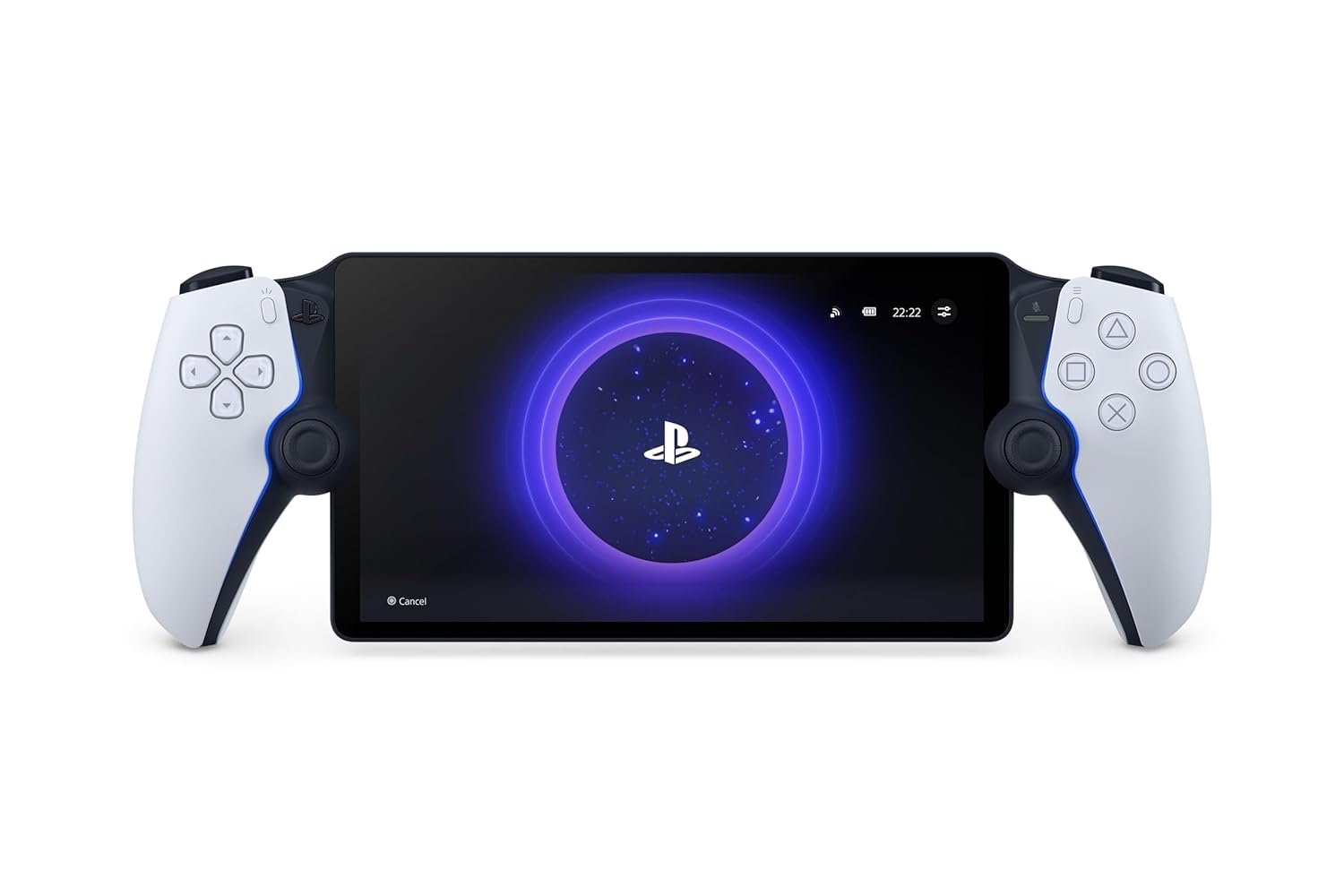
The Portal is the one machine here that plays nothing by itself. It is an 8 inch 1080p LCD with a DualSense split in half around it, and it streams PS5 and PS4 games from a console on your own home network. If you do not own a PS5, it does nothing at all.
Understood that way it is a good product rather than a confusing one. It delivers up to 60fps at 1080p, with the haptic feedback and adaptive triggers of a real DualSense because that is literally what the controls are, and Tempest 3D audio works through a connected headset. The honest caveat is in Sony’s own small print: performance depends on the game and on the quality of your network. On a good wifi connection it is the television in another room; on a poor one it is frustrating.
What it does well
- Full DualSense haptics and adaptive triggers.
- 8 inch 1080p screen at up to 60fps.
- Plays your existing PS5 library with no extra purchase.
- Tempest 3D audio through a connected headset.
What to know before buying
- Useless without a PS5 on the same network.
- Performance depends entirely on your wifi.
- No local storage and no games of its own.
Picking a Console Without Regretting It
Almost every disappointed console buyer made one of the same few mistakes. They are easy to avoid if you check before ordering rather than after.
- List the games you actually want first, then buy the machine that plays them.
- Check whether a digital-only box suits how you buy games.
- Budget for storage, because modern games are enormous.
- Count the controllers in the box if more than one person will play.
- Factor in the subscription if the library depends on one.
- For a handheld, weigh it in your hands before committing if you can.
Audio is the upgrade that changes the experience most for the least money, and it is the one people leave until last. Our guide to the best gaming headsets covers which connect to which platform, because that is less obvious than it should be. If you are putting a console in a living room rather than at a desk, our guide to the best projectors explains which brightness figures mean anything and which are invented.
Which Gaming Console to Buy
For most people the Xbox Series S 1TB is the sensible buy. It is the cheapest route to a current-generation console, the 1TB version removes its one real flaw, Quick Resume is genuinely good, and a subscription turns it into hundreds of games on day one. Buy the PlayStation 5 Digital Edition instead if the PlayStation exclusives are what you want, because no amount of value changes which games exist where.
For portability the answer depends on what you already own. The Nintendo Switch is the most flexible machine here and the only one that does television, tabletop and handheld, and the Switch Lite is the cheap way into the same library. If you own a large PC games collection, the ROG Xbox Ally is the better behaved of the two Windows handhelds and the MSI Claw A8 is the faster one. The PlayStation Portal is only for people who already have a PS5 and want to keep playing it when the television is taken.
Frequently Asked Questions
Is a digital-only console worth the saving?
It depends entirely on how you buy games. If you download everything and never trade titles in, the disc drive is a slot you will never open and the cheaper box is simply a better deal. If you buy second hand, borrow from friends or sell games on afterwards, a digital console removes all of that and the saving disappears quickly.
Do Windows handhelds really work like a console?
The best of them come close. The ROG Xbox Ally boots into the Xbox interface rather than a desktop, which removes most of the friction, and your games come from stores you already use. Underneath it is still a Windows PC, with Windows updates and the occasional game that needs fiddling with, so it is more capable and less predictable than a conventional console.
How much storage does a console actually need?
More than the base model usually ships with. A single large modern game can run past 100GB, so a 512GB machine holds surprisingly few of them once the system software is accounted for. The 1TB versions in this guide are the comfortable minimum for anyone keeping more than a handful installed, and the Nintendo machines expand cheaply with a microSD card.
Can the PlayStation Portal work away from home?
Sony sells it as a device for your own home network, and that is where it behaves predictably. It streams from your own PS5 over wifi rather than from a server, so everything depends on your connection quality, and Sony states plainly that performance varies with the game and the network. Treat it as a second screen for the house rather than a travel console.
Related Articles
- Best AAA Games on iPhone: 10 Compared on Price and Hardware
- Best Sports Streaming Services Compared on Price and Coverage
- Best Power Banks: 7 Compared on Watts, Watt-Hours and Cables
- Xbox Cloud Gaming: Plans, the Hour Allowance and Supported Devices
- GeForce NOW: What You Rent and the 100-Hour Month
As an Amazon Associate, CanyonWire earns from qualifying purchases.





