The best android auto wireless adapter for you depends on how much you want your car screen to do. A plain dongle mirrors Android Auto over Wi-Fi and nothing more, which is fast and simple. An AI box adds its own apps, so passengers can stream video while you are parked, at the cost of a slower start and stricter car requirements.
Both need a car that already has wired Android Auto or CarPlay, because they convert the existing connection rather than adding a new one. These six cover three compact dongles and three AI boxes, and every compatibility note comes from the maker.
Best Android Auto Wireless Adapter Options: Dongles vs AI Boxes
| # | Adapter | Type | Extras | Car requirement |
|---|---|---|---|---|
| 1 | OTTOCAST Mini Dongle | 2-in-1 dongle | 3-second reconnect, USB-C | Wired Android Auto or CarPlay |
| 2 | CarlinKit 5.0 | 2-in-1 dongle | OTA updates, both cables included | Same system only, not BMW or Tesla |
| 3 | OTTOCAST Mini Nova | 2-in-1 dongle | Bluetooth 5.4, metal housing | Wired Android Auto or CarPlay |
| 4 | ZYW Magic AI Box | AI box | Android 10 apps, equalisers | Wired CarPlay or Android Auto |
| 5 | OTTOCAST Play2Video Ultra | AI box | 4GB RAM, 32GB, AI assistants | Activated through wired CarPlay |
| 6 | Rocketek 5-in-1 AI Box | AI box | TF card up to 256GB | Wired CarPlay or Android Auto, not BMW or Tesla |
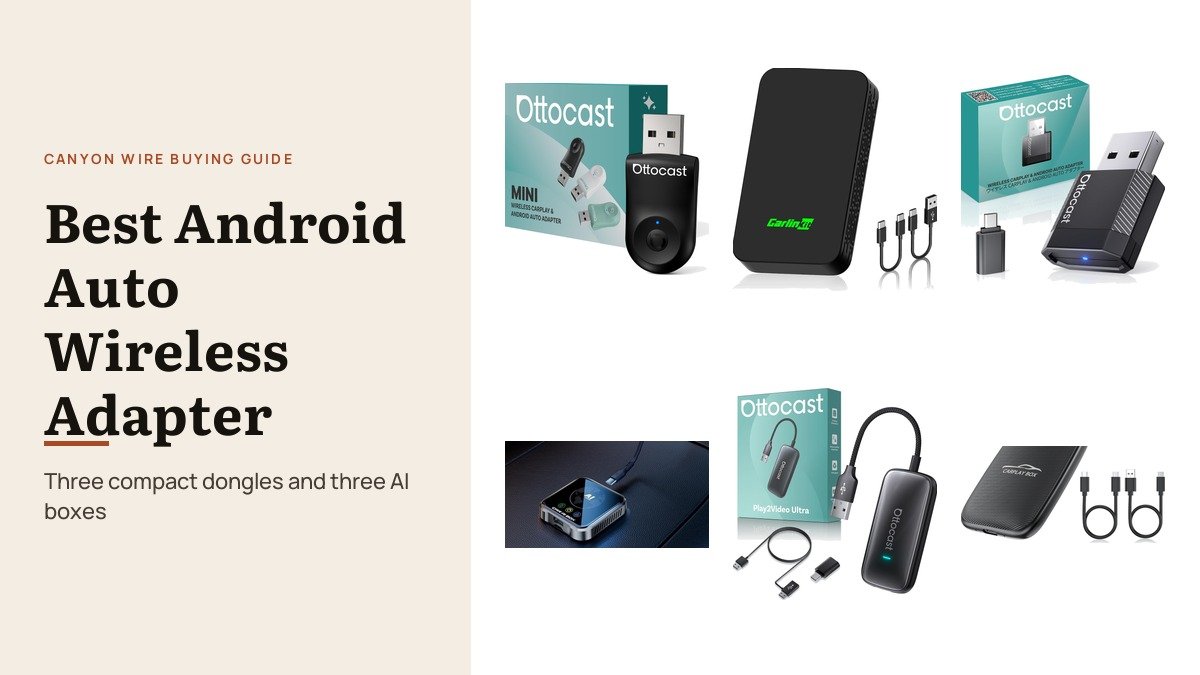
1. OTTOCAST Mini Dongle: The Quick, Simple Choice
Ottocast’s Mini Dongle is a small 2-in-1 adapter for Android phones on Android 11 and iPhones on iOS 10 or later. It uses 5GHz Wi-Fi and Bluetooth 5.0, takes about ten seconds to set up and, by Ottocast’s figure, reconnects in about three seconds after the first pairing.
Ottocast says it has been tested for more than 50,000 plug cycles and that its compact size fits tight console ports, with a USB-C connection available. It keeps the car’s own controls and microphone.
What it does well
- About three-second reconnects, per Ottocast
- 5GHz Wi-Fi for audio and maps
- Rated for 50,000+ plug cycles
- Works with Android and iPhone
What to know before buying
- Bluetooth 5.0 rather than 5.4
- Needs a car with wired Android Auto or CarPlay
- No streaming apps
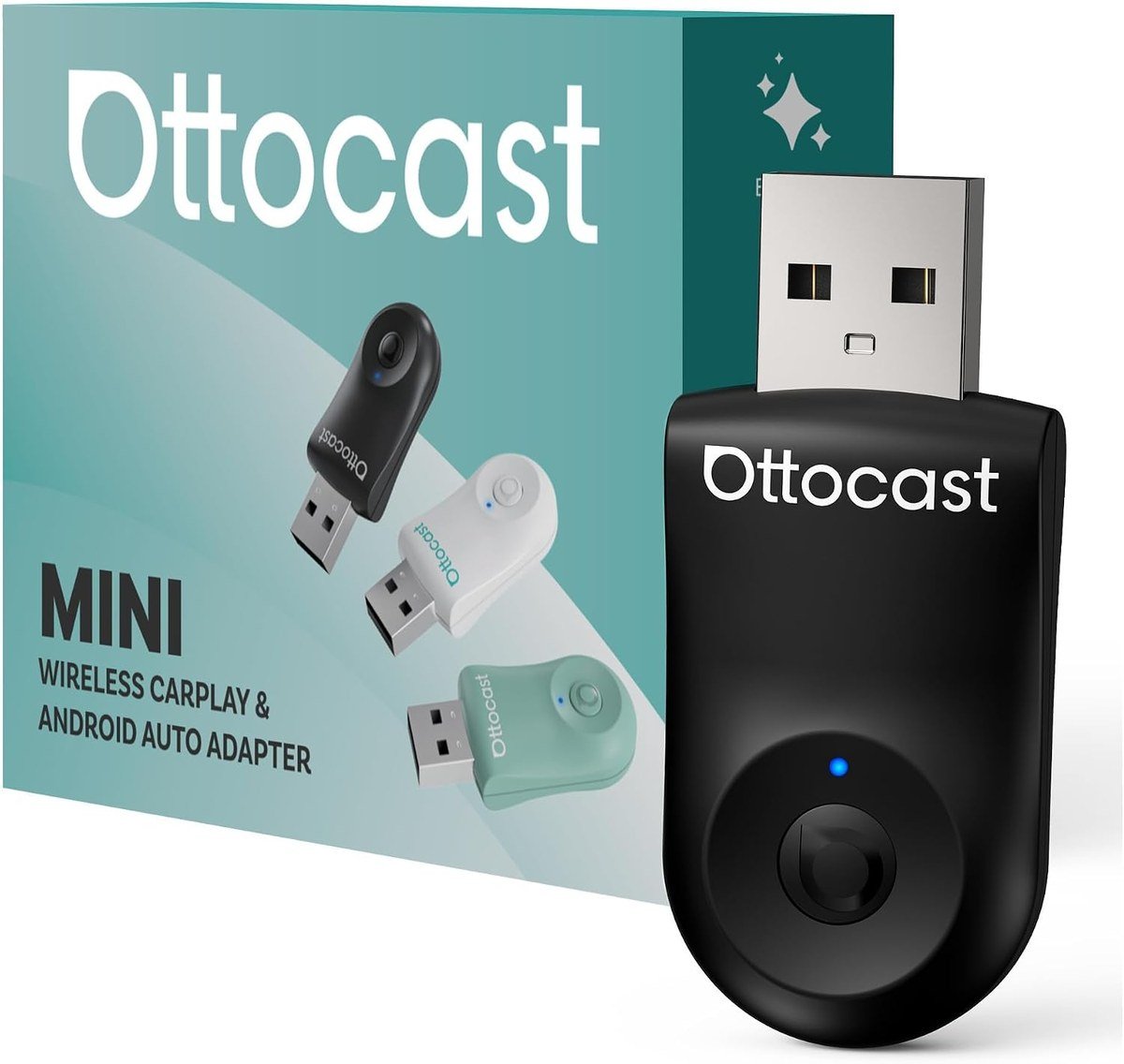
2. CarlinKit 5.0: Clear Rules and Both Cables in the Box
CarlinKit is unusually clear about how its 5.0 adapter behaves: it converts wired Android Auto to wireless Android Auto and wired CarPlay to wireless CarPlay, with no cross-conversion, no video streaming, and no support for BMW or Tesla. Android phones need Android 11 or later.
It comes with both USB-A and USB-C data cables, is rated from minus 20C to 60C, and receives online updates. It keeps the touchscreen, steering wheel buttons and the car’s microphone and speakers.
What it does well
- USB-A and USB-C cables included
- Online firmware updates
- Rated for minus 20C to 60C
- Clear compatibility rules
What to know before buying
- No cross-system conversion
- Not for BMW or Tesla
- No video or apps
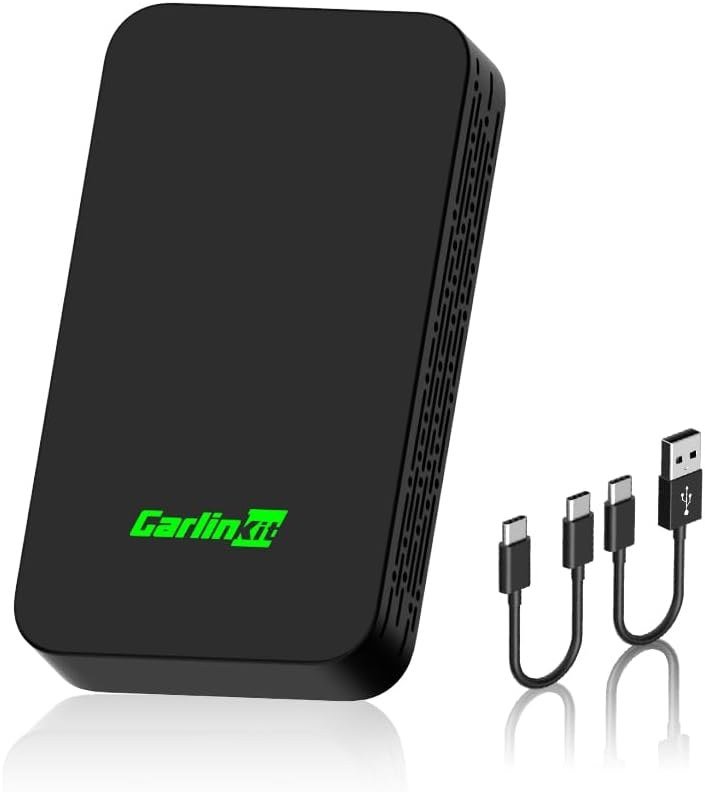
3. OTTOCAST Mini Nova: Smallest Body, Newest Radios
The Mini Nova measures 32.3 by 21 by 8 mm, smaller than many USB drives, and uses Bluetooth 5.4 with dual-band 2.4GHz and 5GHz Wi-Fi. Ottocast says it reconnects in about five seconds when the car starts.
A metal housing handles heat on long drives, and it switches between iPhones and Android phones for shared cars. Steering wheel buttons, knobs, touchscreen and voice assistants all keep working.
What it does well
- Tiny 32.3 by 21 by 8 mm body
- Bluetooth 5.4 and dual-band Wi-Fi
- Metal housing for heat
- Switches between iPhone and Android
What to know before buying
- Needs a car with wired Android Auto or CarPlay
- No streaming apps
- Easy to misplace when unplugged
4. ZYW Magic AI Box: Wireless Android Auto Plus an Android System
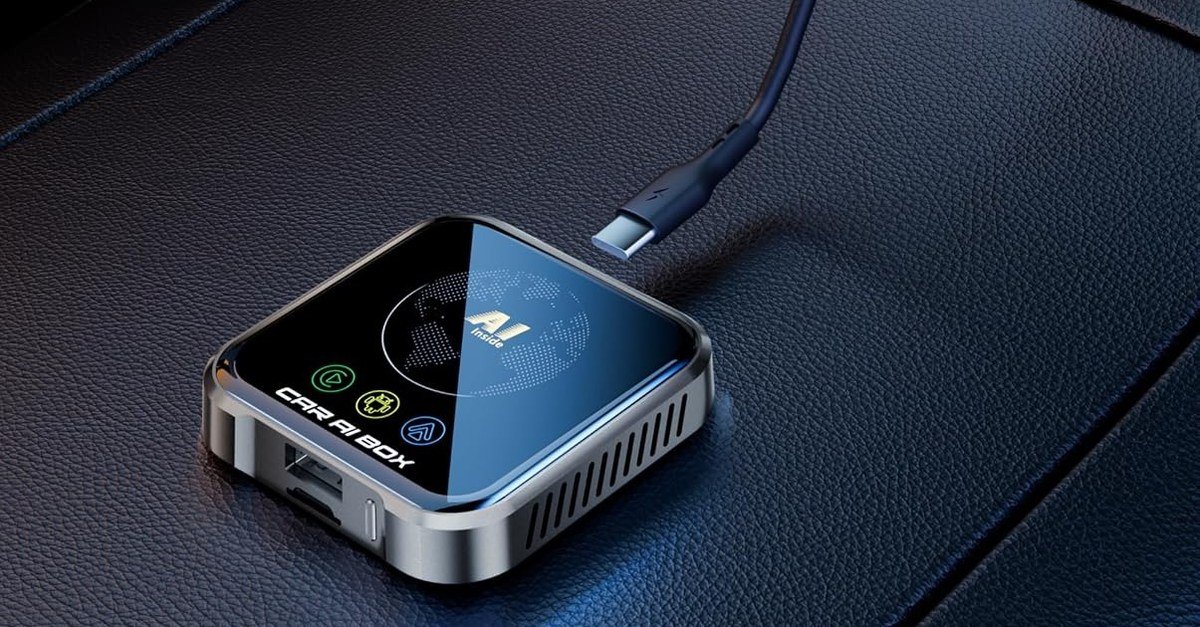
ZYW’s Magic AI Box combines three systems: wireless CarPlay, wireless Android Auto, and a full Android 10 operating system that can run apps and play video from Netflix, YouTube or a TF card while parked. Built-in equalisers let you tune the car’s audio.
It uses Wi-Fi 6 and an upgraded thermal design, which ZYW says keeps playback stable. It plugs into a car with wired CarPlay or Android Auto and needs no modification.
What it does well
- Wireless CarPlay, wireless Android Auto and Android 10
- Wi-Fi 6 and thermal design
- Built-in audio equalisers
- Offline video from USB or TF card
What to know before buying
- Video is for passengers or while parked
- Slower to start than a plain dongle
- Smaller brand
5. OTTOCAST Play2Video Ultra: The Most Capable AI Box
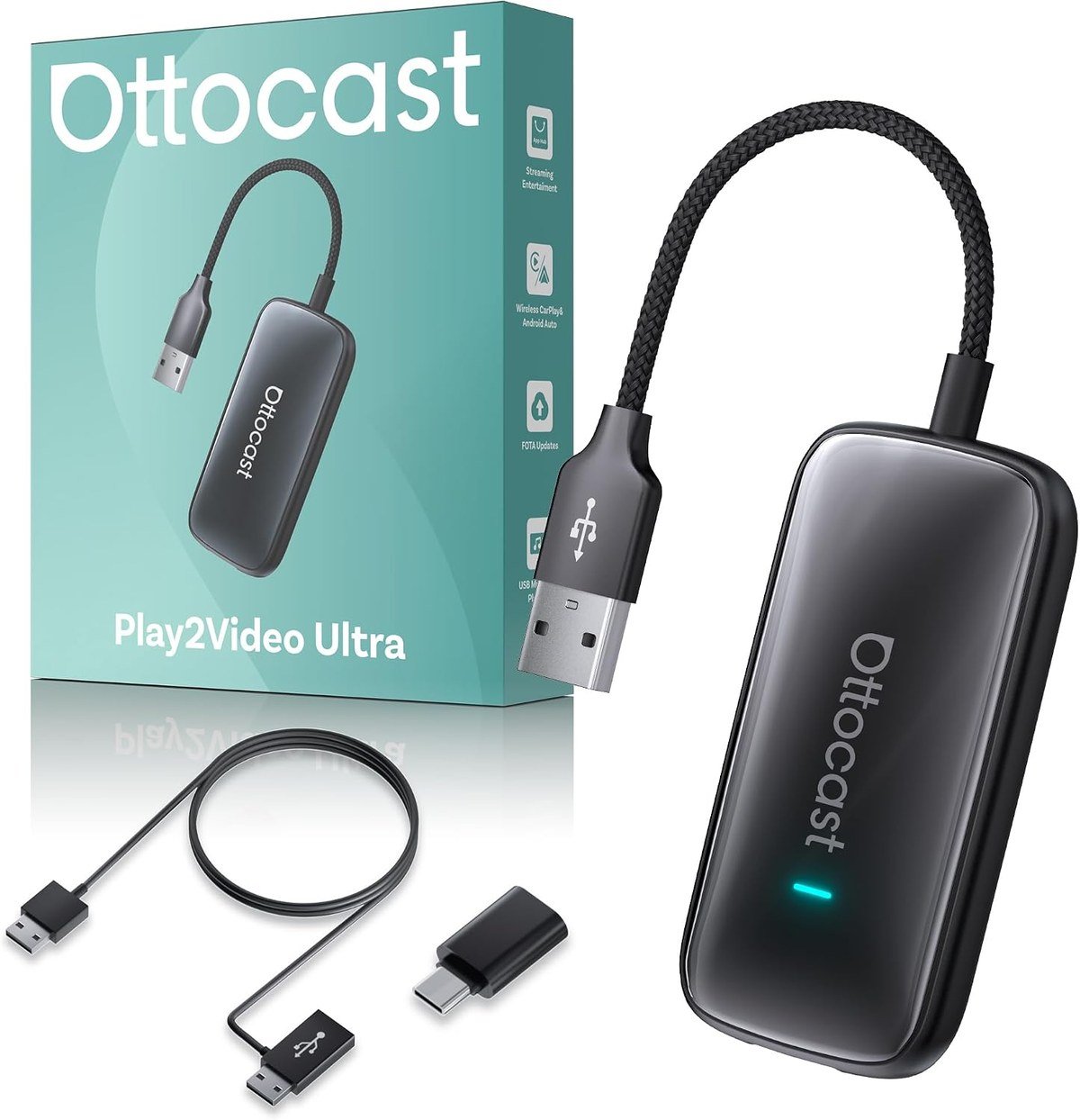
Play2Video Ultra has 4GB of RAM and 32GB of storage, runs YouTube, Netflix, Prime Video and Spotify while parked, and supports AI assistants including ChatGPT, Gemini and Claude for trip planning. It also provides wireless CarPlay and wireless Android Auto.
Note the activation route: Ottocast says it is activated through the car’s factory wired CarPlay connection, after which compatible Android phones can use wireless Android Auto. Dual Wi-Fi separates streaming from the phone link, and USB drives up to 128GB play video at up to 1080p.
What it does well
- 4GB RAM and 32GB storage
- Streaming apps and AI assistants while parked
- Dual Wi-Fi and Bluetooth 5.4
- Plays USB video up to 1080p
What to know before buying
- Activated through wired CarPlay
- Overkill if you only want wireless Android Auto
- Streaming needs a data connection
6. Rocketek 5-in-1 AI Box: Streaming With a TF Card Slot

Rocketek’s box converts wired CarPlay or Android Auto to wireless and adds Netflix and YouTube over a phone hotspot or Wi-Fi, plus a TF card slot for offline video and music up to 256GB. It fits most 2016 and later cars with factory wired systems.
Rocketek is clear about the limits: it does not work with BMW or Tesla, streaming needs a touchscreen and your own subscriptions, and CarPlay or Android Auto cannot run at the same time as streaming. USB-A and USB-C cables are included, with 24 months of service.
What it does well
- Wireless Android Auto and CarPlay plus streaming
- TF card slot up to 256GB
- USB-A and USB-C cables included
- 24-month service
What to know before buying
- Not for BMW or Tesla
- Streaming and Android Auto cannot run together
- Needs a touchscreen car display
Phone and Car Requirements Before You Buy
Google lists the phone requirements for wireless Android Auto: Android 11 or later, an active data plan and 5GHz Wi-Fi support. Phones running Android Go edition cannot use Android Auto at all, and EU phones must meet extra rules to use 5GHz Wi-Fi in the car. The first connection is always a Bluetooth pairing with Wi-Fi switched on, and after that the phone joins the adapter’s Wi-Fi automatically each time the car starts.
The car must already support wired Android Auto, or wired CarPlay for the AI boxes that activate through it. Most cars from 2016 onward with a factory screen qualify, but check the maker’s list, especially for BMW and Tesla. If you also record your drives, our best dash cam guide covers cameras that share the console.
Why Dongles Feel Faster Than AI Boxes
A dongle passes Android Auto straight through from phone to car, so once paired it reconnects in seconds and adds almost no delay to maps or music. AI boxes boot their own operating system first, which takes longer, and they share their processor between Android Auto and their own apps.
Pick an AI box for what it adds, such as video for passengers or apps on a car screen while parked, not for the wireless connection alone. Recent Pixel owners can find the rest of their car kit in our Pixel 10 accessories roundup.
Which Android Auto Wireless Adapter to Choose
For most drivers, a compact dongle is the right answer, and the OTTOCAST Mini Dongle reconnects fastest by its maker’s figures. The CarlinKit 5.0 is the clearest about compatibility and includes both cables, and the Mini Nova has the newest radios in the smallest body.
Choose an AI box only if you want apps on the car screen. The OTTOCAST Play2Video Ultra is the most capable, the ZYW Magic AI Box adds audio equalisers, and the Rocketek box adds a large TF card slot for offline video.
Frequently Asked Questions
Can a wireless adapter add Android Auto to a car that does not have it?
No. These adapters convert an existing wired Android Auto or CarPlay system to wireless. Without one, you need a new head unit instead.
Do AI boxes work with Android Auto?
The three here provide wireless Android Auto, but some, such as the OTTOCAST Play2Video Ultra, are activated through the car’s wired CarPlay connection first.
Will my steering wheel buttons still work?
Yes. The makers here state that the touchscreen, steering wheel buttons, knobs and the car microphone keep working.
Can passengers stream video through an AI box while driving?
The boxes can play video, but it should only be watched by passengers or while parked, and some cannot run Android Auto and streaming at the same time.
Related Articles
As an Amazon Associate, CanyonWire earns from qualifying purchases.





