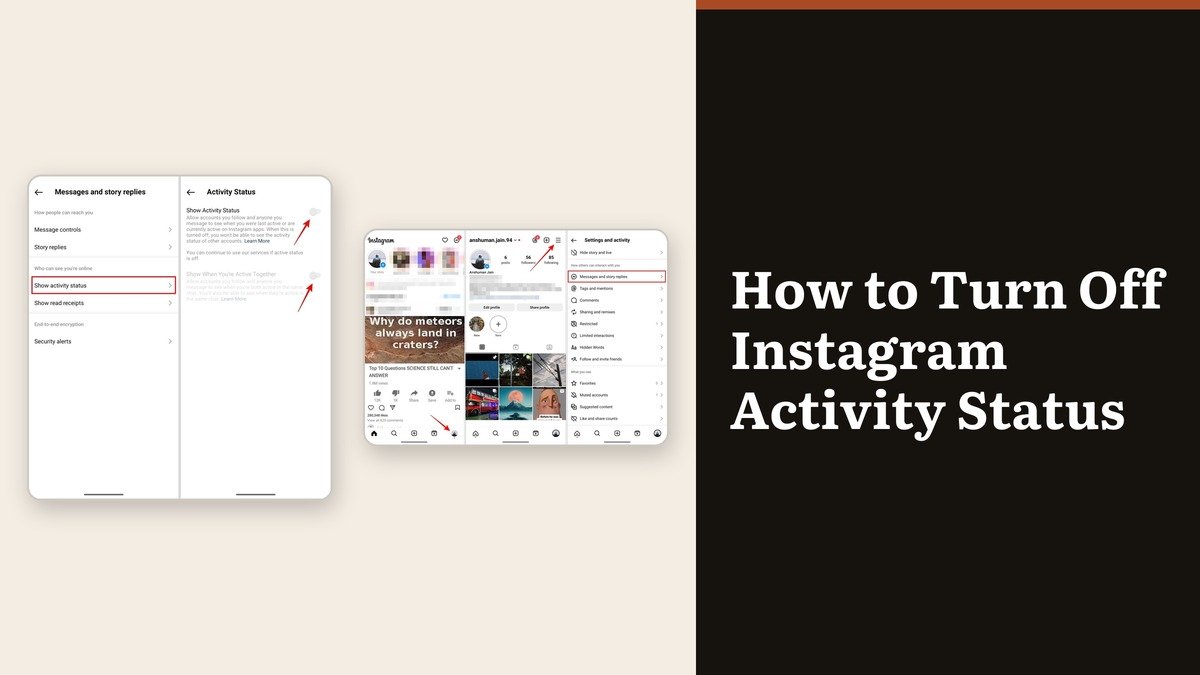
That small green dot next to your profile picture in Instagram messaging is broadcasting more than most people realise. When it is on, everyone you follow who follows you back, and anyone you have ever messaged, can see that you are in the app right now or exactly how long ago you last were. Working out how to turn off Instagram activity status takes four taps.
There is one condition attached, and Instagram is upfront about it. The setting is reciprocal: the moment you stop showing yours, everyone else’s disappears from your view as well.
Where the setting lives
It is filed under messaging rather than under privacy, which is why searching the privacy section for it comes up empty. The parent menu is Messages and story replies.
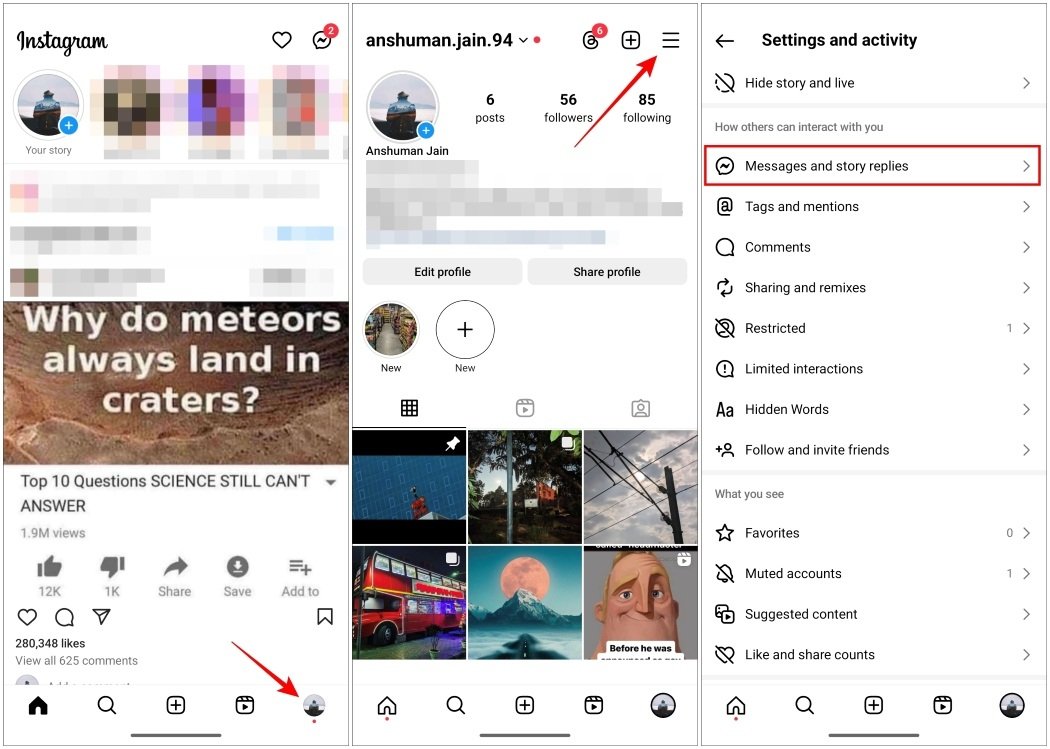
That same menu holds Show read receipts directly underneath, and the two get mixed up constantly. One controls whether people see that you are online. The other controls whether people see that you opened their message. They are separate switches and turning off one leaves the other running.
How to turn off Instagram activity status on your phone
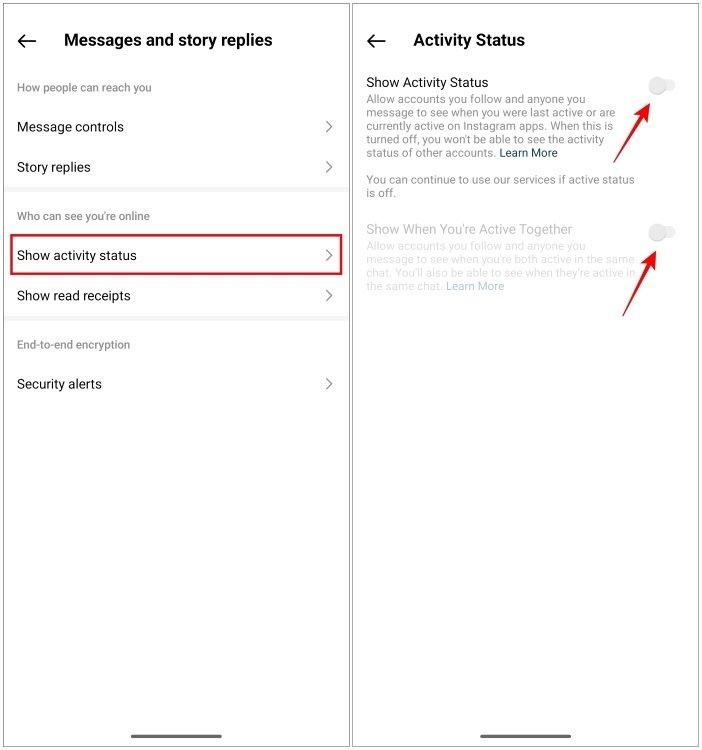
- Tap your profile picture in the bottom right to open your profile.
- Tap the menu in the top right.
- Under How others can interact with you, tap Messages and story replies.
- Tap Show activity status.
- Switch the toggle off.
The green dot disappears from your name straight away. The setting belongs to the account rather than the handset, so it applies everywhere you are signed in without needing to be repeated.
Doing it on a computer
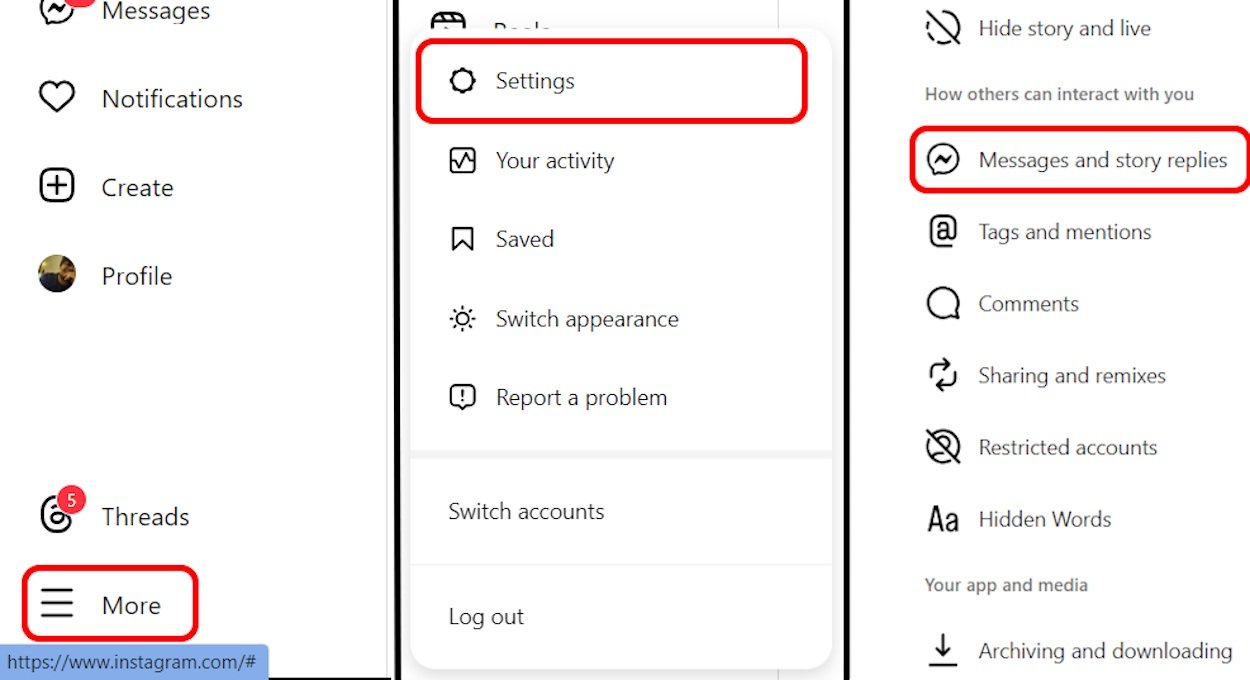
Unlike read receipts, which are an app-only setting, activity status can be changed from the web app. Click More in the bottom left, click Settings, then Messages and story replies, then Show activity status, and switch the toggle off.
This is the quicker route if you are already at a desk, and it is the only route if the app is misbehaving on your phone.
What the dot was telling people
Before switching it off it is worth knowing exactly what was visible, because the audience is narrower than the panic usually assumes.
| Who or what | Could they see your activity status? |
|---|---|
| People you follow | Yes, if they follow you back or you have messaged |
| Anyone you have a direct conversation with | Yes |
| Strangers who do not follow you | No |
| Where it shows | A green dot or a last active time next to your profile picture in messaging |
| After you switch it off | Nobody sees yours, and you see nobody else’s |
A stranger browsing your profile never saw it. The signal only appears in messaging, to people with an existing connection to you. What it showed them was precise, though: not just that you were online, but a timestamp for the last time you were.
The catch: it works both ways
Instagram states this plainly on the setting. Turn your activity status off and you will no longer see when accounts who follow you, or accounts you have conversations with, are active or were recently active. Nobody else’s dot is visible to you either.
For most people that is a fair trade and the reason they came. It is worth knowing in advance if you use the dot to judge whether someone is around before messaging them, because that goes away at the same moment.
If the aim is to hide from one specific person rather than from everyone, restricting does it more precisely: a restricted account cannot see when you are online or whether you have read their messages, and is never told. Our guide to blocking and restricting on Instagram covers how that compares with a full block.
Read receipts are the other half
Switching off activity status alone still leaves Seen appearing under messages you have opened, which tells someone you read them and chose not to reply. That is often the signal people actually wanted to hide.
Read receipts have their own entry in the same menu, with a global switch and a per-chat switch that overrides it. Turning both settings off is what produces genuinely quiet messaging. Press and hold a conversation in the inbox to preview it without opening it, and no receipt is sent at all.
Every messaging app handles this slightly differently, and the equivalent controls elsewhere are worth checking at the same time. Our walkthrough of last seen and blue ticks on WhatsApp covers how those read as signals once someone has hidden them.
Frequently Asked Questions
Does Instagram tell people when I turn off activity status?
No. There is no notification. The dot next to your name simply stops appearing, which someone may notice but will not be told about.
Can people still see when I was last active after I turn it off?
No. Both the live green dot and the last active timestamp disappear together. There is no partial setting that hides one and keeps the other.
Why can I not see anyone else’s activity status?
Because yours is switched off. The setting is reciprocal, so hiding your own removes everyone else’s from your view. Switch it back on and theirs reappear.
Does turning off activity status stop Seen appearing on my messages?
No. Read receipts are a separate toggle in the same menu and have to be switched off on their own. Activity status covers only the online and last active signal.