
The best iPad Pro cases are judged on their stand, because that is what you are really buying. The M4 and M5 iPad Pro is the thinnest tablet Apple has made and almost nobody holds one for long; it sits propped on a desk, a lap or a bench while you draw on it or type into it. A stand that sags at a low angle makes an expensive tablet frustrating to use.
The useful numbers are therefore the angle range and the weight, and several of these sellers publish both. The range below runs from a folio with four preset positions to an aviation aluminium dual stand that covers 0 to 105 degrees, and the weights run from 8.47 ounces to full armour. The other thing to check is whether the Apple Pencil Pro still charges on the side with the case fitted, because on a tablet bought for drawing that is not optional.
Best iPad Pro Cases Compared on Stand Range, Weight and Protection
Read the angle column rather than the number of positions, because a case offering four presets and one offering a continuous range are not comparable.
| Case | Stand range | Weight or build | Pencil Pro | Protection |
|---|---|---|---|---|
| TORRAS Ostand K1 | Dual stands, 0 to 105 and 30 to 105 degrees | Aviation aluminium hinges | Holder with magnetic charging | 30,000 durability tests on the hinge |
| SUPCASE | Pop-out, 45 degree view and 30 degree work | Dual-layer PC over TPU | Holder with magnetic charging | Drop tested 26 times from 48 inches |
| Dexnor Rugged | Extra-wide kickstand, multiple angles | Polycarbonate shell, TPU bumper | Not stated | Built-in screen protector, 360 degree hand strap |
| Pelican Voyager | 360 degree rotating kickstand | Dual layer, textured sides | Dedicated storage slot | Military grade drop protection, lanyard points |
| MOFT Dynamic Folio | 20 plus angles, 30 to 60 degree floating | 10.3 oz | Not stated | Single-piece folio, lifts the iPad 2 inches |
| PITAKA Folio2 | 4 angles from folding two ways | 8.47 oz polyurethane leather | Magnetic clasp, charges as usual | Does not cover the iPad edges |
| ZryXal Trifold | Trifold stand | PU leather over soft TPU | Recessed side groove for charging | Microfiber lining, auto wake and sleep |
Stand Hinges, Published Drop Tests and Pencil Pro Charging
The iPad Pro is thin enough that a magnetic folio stand struggles with it, and the better cases in this guide have responded with actual mechanical hardware. TORRAS uses two aviation aluminium stands with a damped hinge it says has passed more than 30,000 durability tests, giving 0 to 105 degrees on the short stand and 30 to 105 on the long one. That low end is a drawing angle, and a folded leather cover cannot hold one.
Drop claims split into the specific and the vague. SUPCASE publishes its test: 26 drops from 48 inches, exceeding military quality standards, with cutouts 5 mm above the camera and port covers. Pelican and Dexnor both say military grade without giving a height or a count. The specific claim is the one to trust, because a number can be checked and an adjective cannot.
Every iPad Pro here takes the Apple Pencil Pro, which attaches and charges magnetically on the long edge, so the case has to either leave that strip clear or cut a recess that charges through. Four of these state explicitly that it works; the two rugged cases that do not mention it are the ones to check before ordering if you draw. For the typing side of the same tablet, our guide to the best ipad keyboards covers the folios with trackpads.
1. TORRAS Ostand K1 Guardian: The Only Case With Two Aluminium Stands
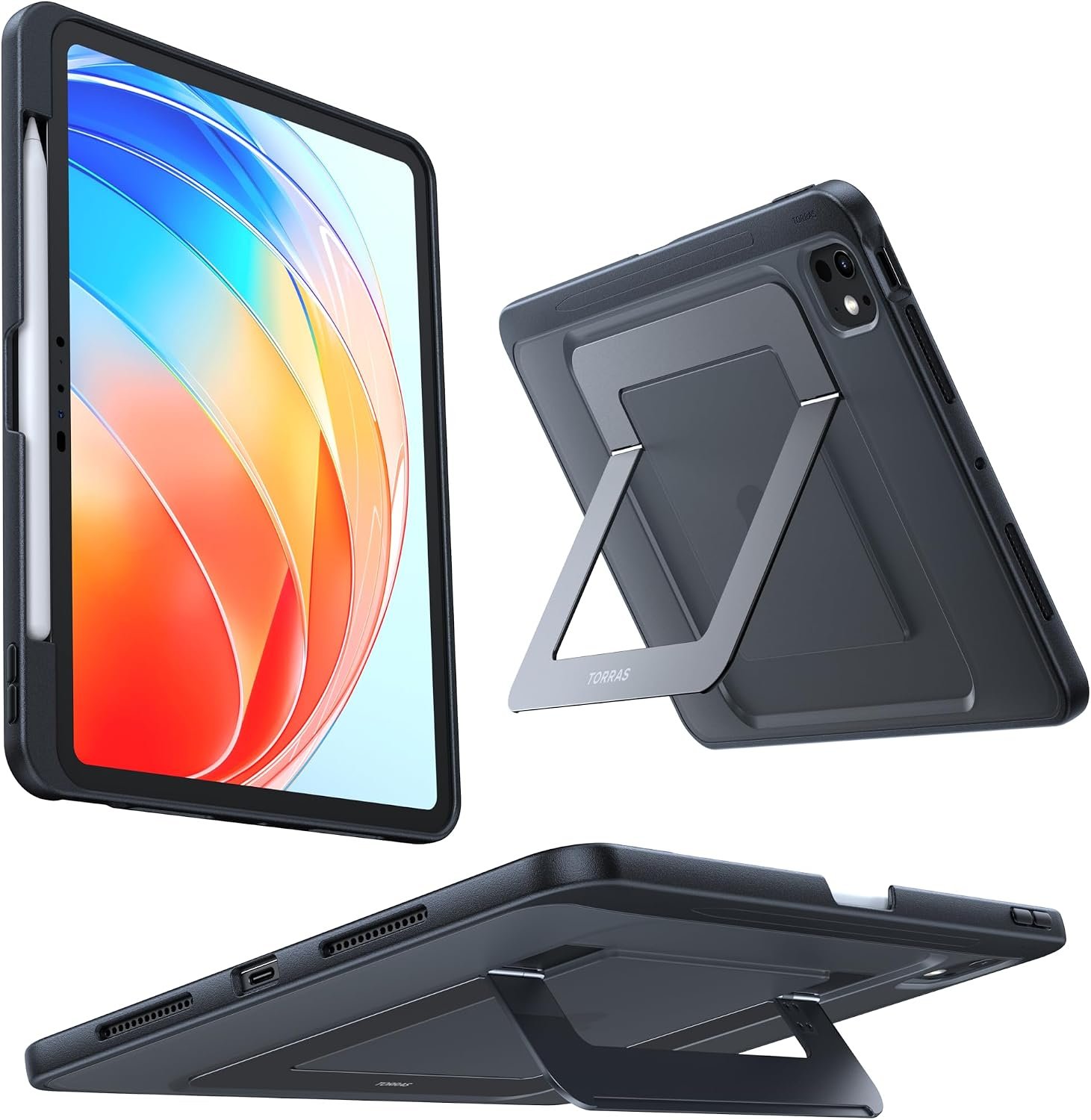
TORRAS has built the stand twice. A short aluminium stand covers 0 to 105 degrees for writing, typing and drawing, and a long one covers 30 to 105 degrees in landscape for viewing and creating, with 75 degrees available in portrait. Having two means the low drawing angle and the high viewing angle are both properly supported rather than compromised into one hinge.
The hardware is aviation aluminium with what TORRAS calls Tora-Hold damping, and the company says the hinge has passed more than 30,000 durability tests. That is the specification that separates this from a leather folio that collapses when you press on the screen. There is a built-in pencil holder that supports magnetic attachment and wireless charging of the Pencil Pro. Check the model number first: it fits the M4 and M5 11 inch only.
What it does well
- Two aluminium stands covering 0 to 105 and 30 to 105 degrees.
- Damped hinge tested to more than 30,000 cycles.
- Holds a genuine low angle for drawing and writing.
- Pencil Pro attaches and charges in the holder.
What to know before buying
- Metal stands add weight at the back.
- Fits only the M4 and M5 11 inch models.
- More stand than anyone using the iPad flat needs.
2. SUPCASE: The Only One That Publishes Its Drop Test
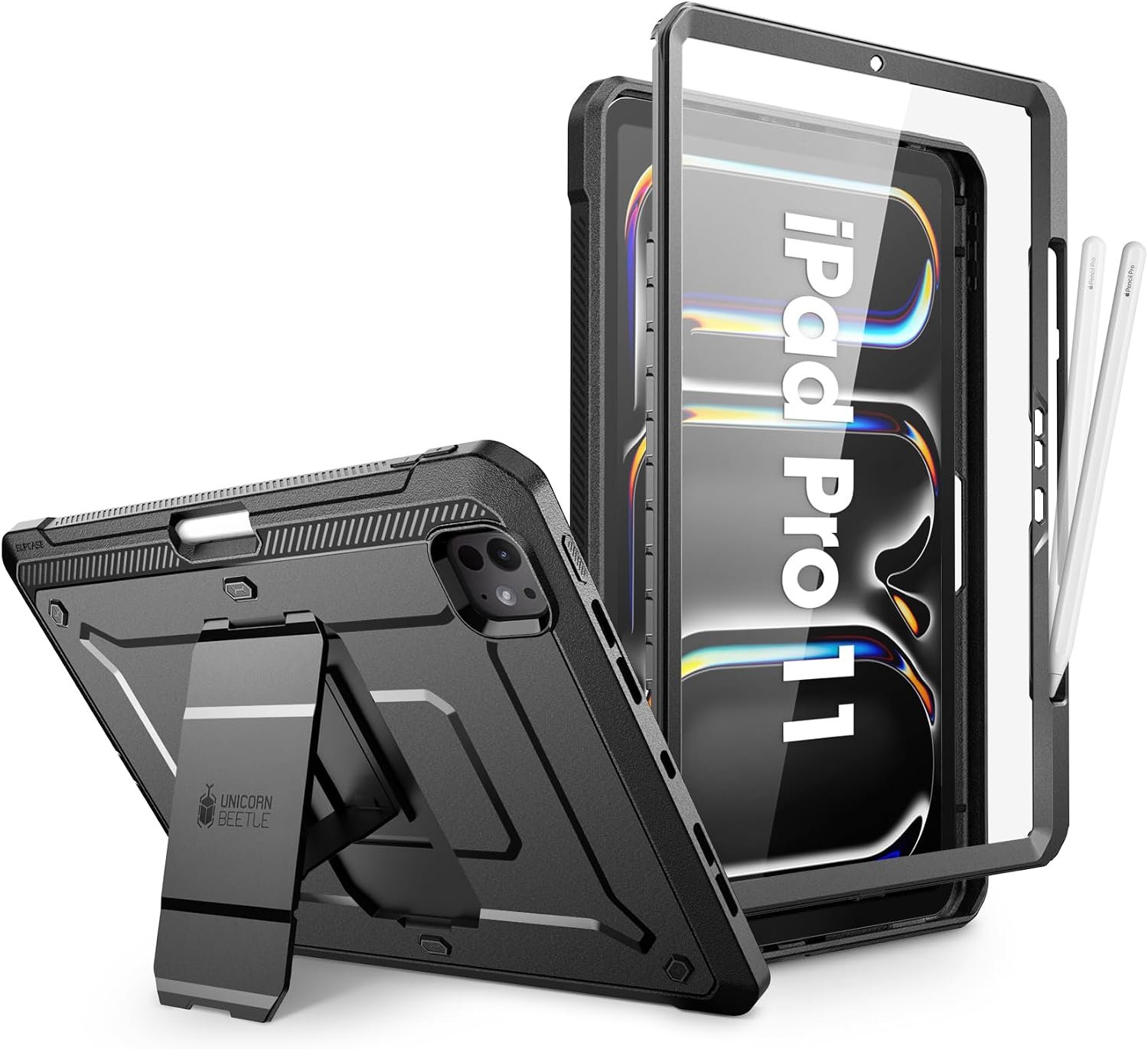
Most cases say military grade. SUPCASE says 26 drops from 48 inches, which is a number you can hold them to. The construction behind it is a dual-layer polycarbonate shield backplane with a shock-absorbing TPU bumper, cutouts sitting 5 mm proud of the camera, and port covers that keep dust out.
The stand is a pop-out kickstand with two defined positions, 45 degrees for viewing and 30 degrees for working, which covers most of what the tablet is used for without a hinge to wear out. A built-in screen protector is included and SUPCASE says it does not compromise touch sensitivity. The pencil holder supports the Pencil Pro magnetically and charges it wirelessly, which is the combination rugged cases usually break.
What it does well
- Published test: 26 drops from 48 inches.
- Built-in screen protector included.
- Pencil Pro charges wirelessly in the holder.
- Camera cutouts 5 mm proud, plus port dust covers.
What to know before buying
- Two fixed stand angles rather than a range.
- Considerably thicker than the folios here.
- Laminated screen protector cannot be replaced.
3. MOFT Dynamic Folio: The Stand That Lifts the iPad Off the Desk
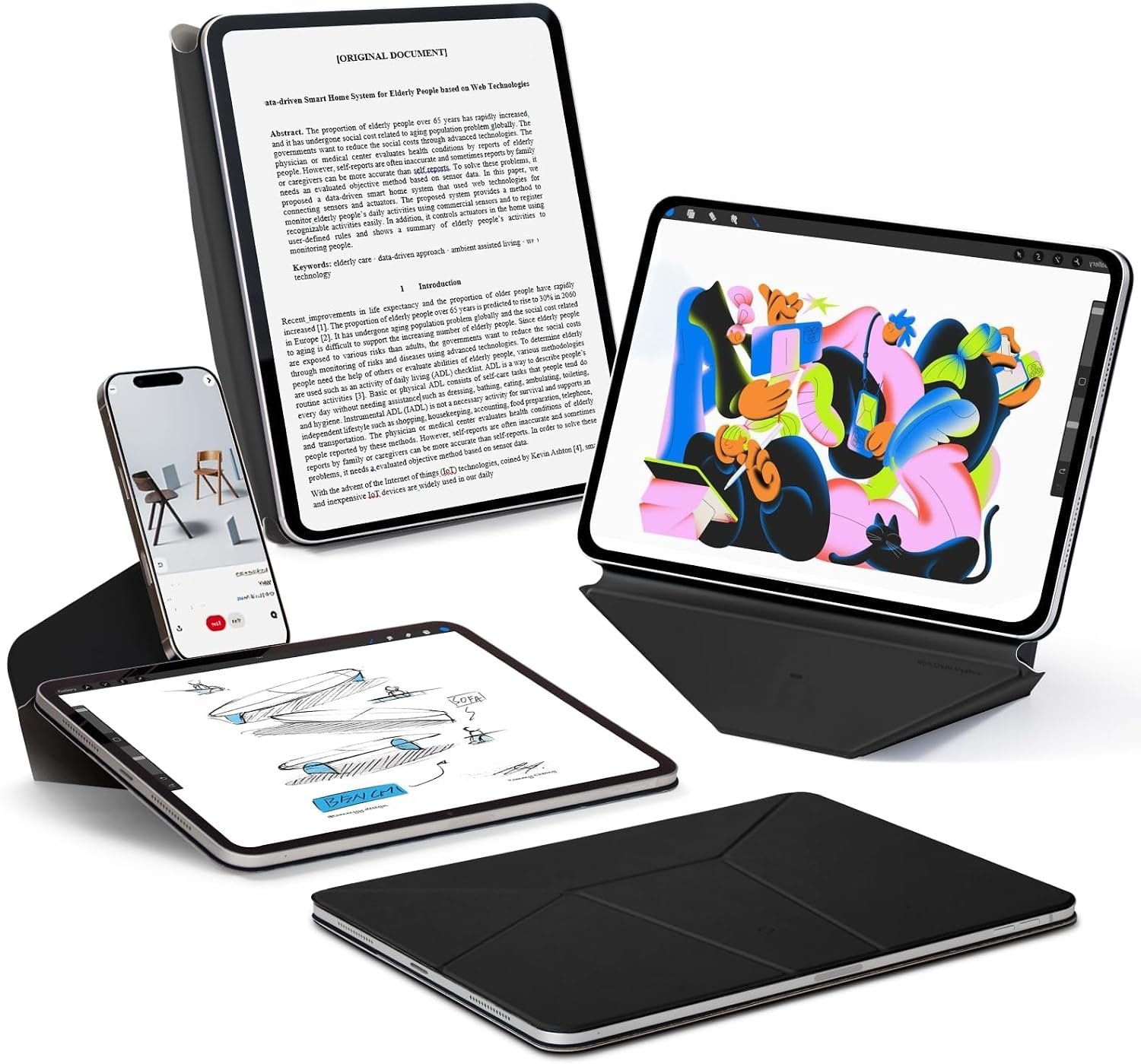
MOFT has done something none of the others attempt: the folio folds into a workstation that raises the iPad about two inches off the surface. On a desk beside a laptop that is the difference between looking down at the tablet and looking across at it, and it is a genuine ergonomic gain over any flat-propped case.
The single-piece structure gives more than 20 adjustable angles with frictionless shifts between 30 and 60 degrees, so it is continuous rather than preset. It weighs 10.3 ounces, which for a folio that becomes a stand is remarkable, and MOFT describes it accurately as behaving like a thin sheet of paper wrapped round the iPad. It is a stand and a cover rather than protection, and it does not claim otherwise.
What it does well
- Lifts the iPad about two inches for better ergonomics.
- More than 20 angles with continuous adjustment.
- 10.3 oz for a folio that becomes a workstation.
- Single-piece structure with nothing to assemble.
What to know before buying
- No drop protection and no rating.
- No pencil holder mentioned.
- Fits a narrower list of models than most cases here.
4. PITAKA Folio2: The Lightest at 8.47 Ounces
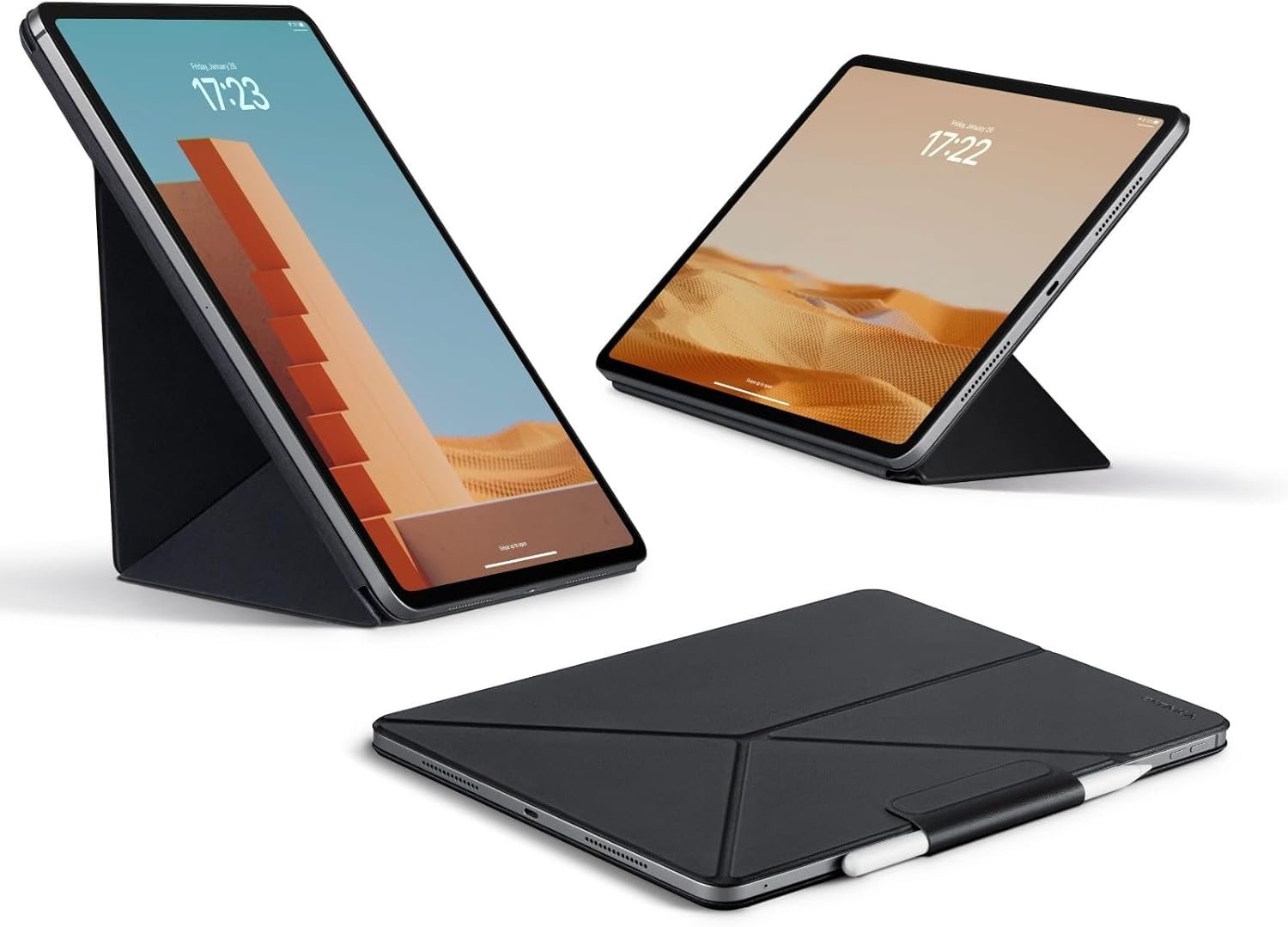
If you bought an iPad Pro because it is thin, this is the case that respects that. At 8.47 ounces in skin-friendly polyurethane leather it adds less than anything else here, and it still manages four standing angles by folding two different ways.
The multi-fold structure forms a triangle rather than a flap leaning on itself, which is why it is stable in portrait as well as landscape where most thin folios are not. A magnetic clasp holds the Apple Pencil or folds away when you are not using it, and the Pencil 2 attaches and charges normally. PITAKA is upfront about the trade: the magnetic design does not cover the iPad edges, so this protects the faces and nothing else.
What it does well
- 8.47 oz, the lightest case in this guide.
- Four angles from a triangle-structure multi-fold.
- Stable in portrait as well as landscape.
- Works alongside PITAKA MagEZ Case 2 and Pro.
What to know before buying
- States plainly that it does not cover the iPad edges.
- Four preset angles rather than a range.
- No drop rating published.
5. Dexnor Rugged: The Widest Kickstand and a Rotating Hand Strap
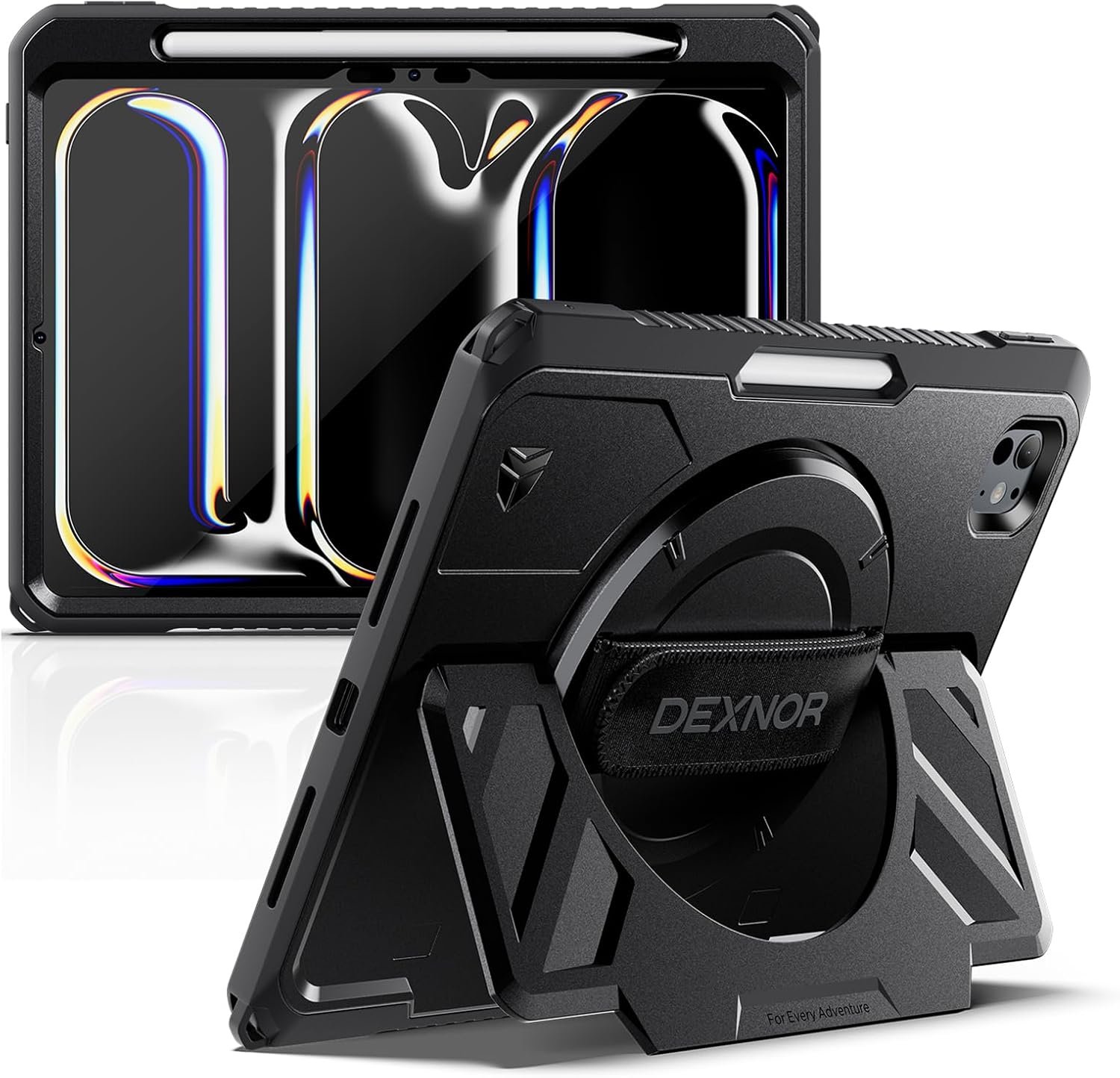
Dexnor has aimed this at the iPad Pro that goes to a construction site or a warehouse rather than a coffee shop. The kickstand is deliberately extra-wide so it stays upright on a lap, a sofa or uneven ground rather than only on a flat desk, which is where narrow stands fail.
The hand strap rotates a full 360 degrees and adjusts for hand size, so you can flip between portrait and landscape while holding it one-handed, which matters when you are reviewing documents on your feet. Protection is a reinforced polycarbonate shell with a shock-absorbing TPU bumper and a built-in screen protector that Dexnor says stays sensitive. The listing gives two separate ways to confirm your model number, which is more care than most sellers take.
What it does well
- Extra-wide kickstand stays up on laps and uneven surfaces.
- 360 degree rotating adjustable hand strap.
- Built-in screen protector in a reinforced shell.
- Listing explains two ways to check your model number.
What to know before buying
- No published drop height or test count.
- Pencil Pro charging is not stated in the listing.
- Heaviest option here with the strap fitted.
6. Pelican Voyager: Lanyard Points for Working at Height
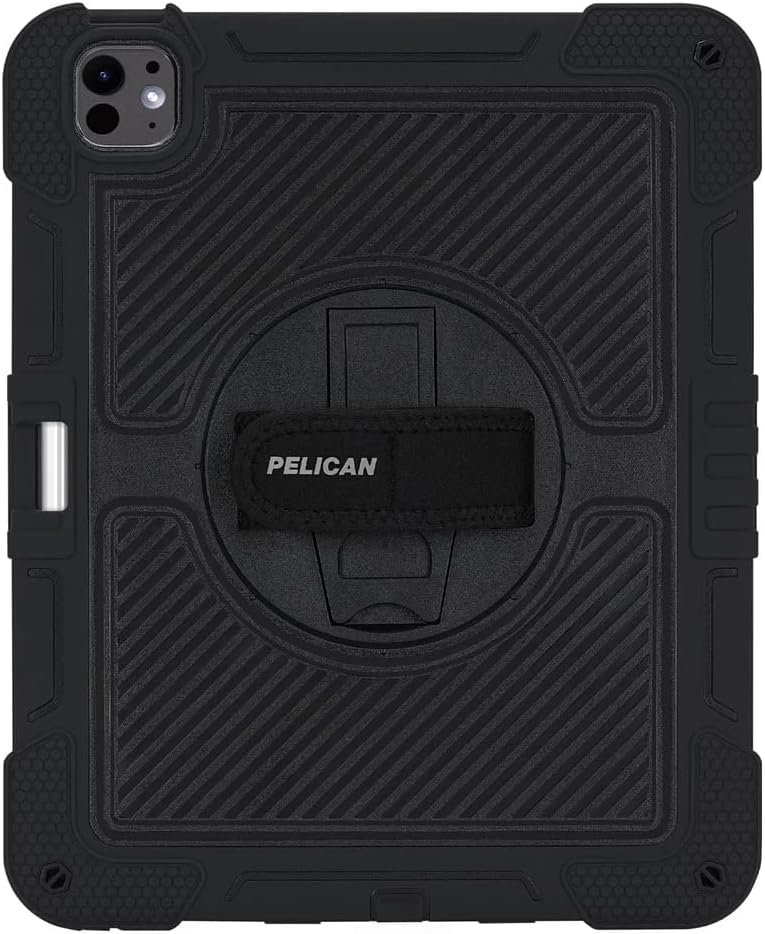
Pelican has been making protective cases for professionals for decades and the detail that gives this one away is the pair of lanyard attachment points. Those exist for people working on scaffolding, in vehicles or anywhere a dropped tablet is a bigger problem than a broken tablet.
Underneath that it is a tough dual-layer case with shock-absorbing ridges over a rigid back panel, textured sides for grip, and a military grade drop claim. The kickstand rotates a full 360 degrees for typing and viewing in either orientation, and a hook and loop hand strap holds the tablet securely rather than relying on your grip. There is a dedicated Apple Pencil storage slot.
What it does well
- Two lanyard attachment points for working at height.
- 360 degree rotating kickstand.
- Hook and loop hand strap plus textured grip sides.
- Dedicated Apple Pencil storage slot.
What to know before buying
- Military grade claimed without a published height.
- Pencil charging through the slot is not stated.
- Bulky for everyday desk use.
7. ZryXal Trifold: A Recessed Groove That Charges the Pencil
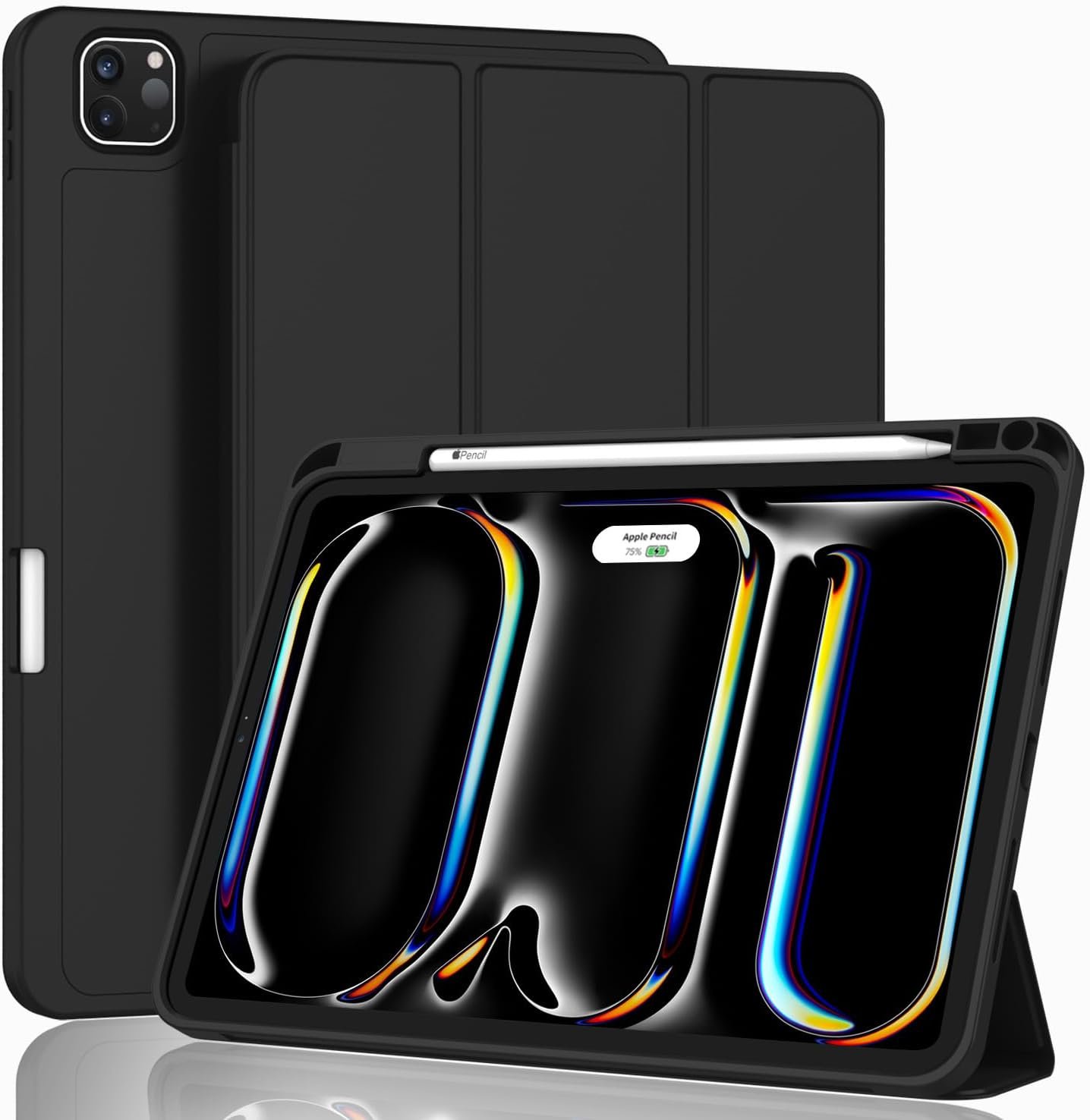
ZryXal has solved the Pencil problem in the neatest way here. Rather than a tube on the outside, the case has a recessed side groove that lets the Pencil Pro sit in its normal magnetic position and charge through it, with a magnetic clasp holding it in place. The Pencil stays where Apple intended and is still secure in a bag.
The rest is a conventional trifold done properly: PU leather exterior, microfiber lining against the screen, and a soft TPU back that flexes rather than cracking. Automatic wake and sleep works through the cover. It also supports the USB-C Pencil. ZryXal states clearly that it does not fit the 2022, 2021, 2020 or 2018 iPad Pro, which saves a return for anyone with an older model.
What it does well
- Recessed groove keeps the Pencil Pro in its charging position.
- Magnetic clasp secures the Pencil in a bag.
- Soft TPU back flexes instead of cracking.
- Lists clearly which older iPad Pros it does not fit.
What to know before buying
- Trifold stand with limited angles.
- No screen protector included.
- Least protective of the non-folio cases here.
Choosing by How You Actually Use the Tablet
An iPad Pro case is bought for one of three jobs, and they pull in opposite directions. Decide which one applies before reading any more specifications.
- Check the model number from Settings, General, About before ordering anything.
- If you draw, confirm the stand reaches a low angle and the Pencil Pro still charges.
- If it sits beside a laptop, a folio that raises the iPad beats one that props it flat.
- If it goes to a work site, prefer a published drop test over the words military grade.
- Weigh the case against the reason you bought a thin tablet.
- Check whether a screen protector is included, because only two here include one.
Once an iPad Pro is on a stand beside a monitor it is doing a laptop’s job, and the limitation becomes the ports rather than the case. Our guide to the best docking station covers which docks drive an external display from a tablet, and for the screen itself our guide to the best microfiber cleaning cloths explains which weave actually lifts fingerprints rather than smearing them.
Which iPad Pro Case to Buy
For anyone who draws or writes on the tablet, buy the TORRAS Ostand K1. Two aviation aluminium stands covering 0 to 105 degrees with a hinge tested past 30,000 cycles is the only arrangement here that holds a genuine drawing angle, and nothing else comes close to it. If the iPad lives beside a laptop instead, the MOFT Dynamic Folio is the better buy because it raises the screen two inches rather than laying it down.
Buy the SUPCASE if you want protection with a number behind it, because 26 drops from 48 inches is the only published test here. The Dexnor and the Pelican are the two for genuinely rough environments, with Dexnor giving the wider stand and Pelican the lanyard points. Choose PITAKA if weight is the priority at 8.47 ounces, and ZryXal if the thing you care about most is that the Pencil Pro stays where it belongs.
Frequently Asked Questions
Will a case stop the Apple Pencil Pro charging?
A thick case over the long edge will. The cases here solve it two ways: by cutting a recessed groove so the Pencil sits in its normal magnetic position and charges through the case, or by leaving the edge uncovered entirely. Four of these state explicitly that charging works; the two heaviest rugged options do not mention it, so check before ordering if you draw.
What stand angle do I need for drawing?
Much lower than for watching. Drawing and writing want something close to flat, which is why the one case here with a stand reaching 0 degrees is the pick for artists, and why a folded leather cover is not. Viewing wants 45 to 60 degrees and video calls want higher still. A case offering two preset angles is almost certainly offering two viewing angles rather than a working one.
Does military grade mean anything?
Only when it comes with a number. The phrase refers to a family of test standards, but a listing that names neither a drop height nor a number of drops is telling you nothing checkable. One case in this guide publishes 26 drops from 48 inches, and that is the kind of claim worth paying for.
How much weight does a case add to an iPad Pro?
Between about half a pound for the lightest folio and considerably more for an armoured case with a metal stand. The two cases here that publish figures are 8.47 and 10.3 ounces, and both are folios. If the thinness of the tablet was the reason you bought it, that is the number to compare first rather than the drop rating.
Related Articles
- Best iPad mini Cases: 7 Compared on Stand Angles and Weight
- Best iPad Cases: 7 Compared on Straps, Kickstands and Pencil Storage
- Best Keyboards for Mac: 7 Compared on Layout, Switches and Pairing
As an Amazon Associate, CanyonWire earns from qualifying purchases.





