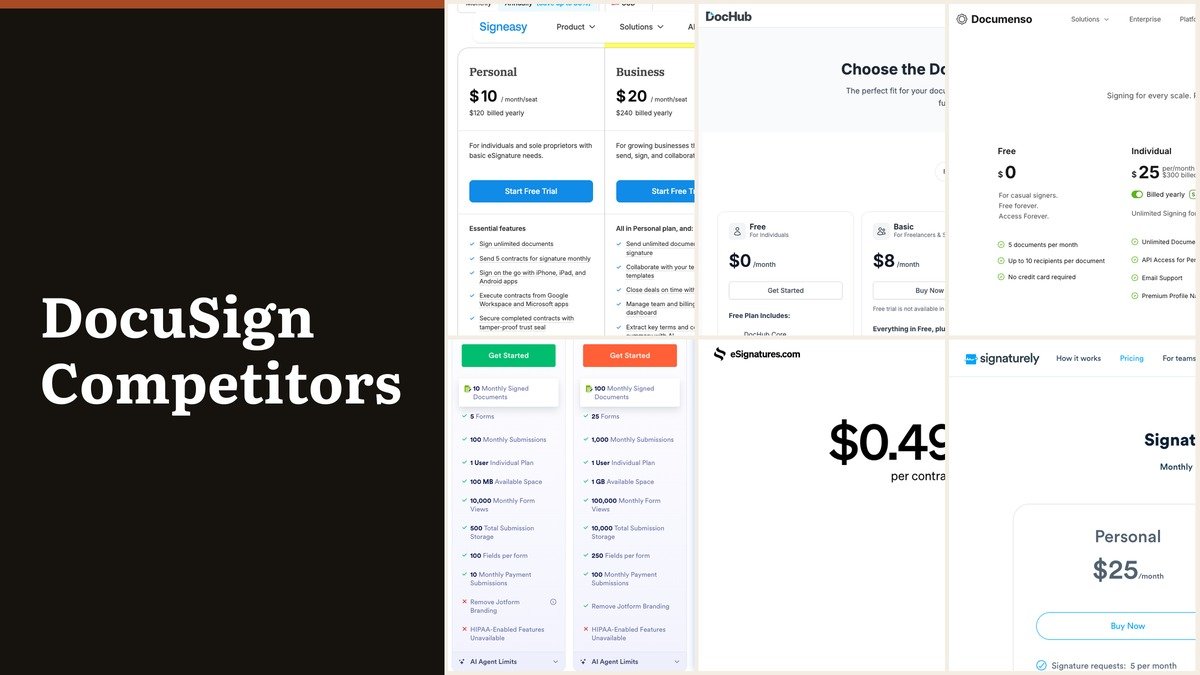
DocuSign competitors are easier to judge once you notice that no two of them charge for the same thing. Some bill the sender, some the seat, some the document and one bills only the contract itself.
DocuSign Personal is $11 a month and permits five envelopes in that month; Standard is $30 a user and Business Pro $45. The ten below are grouped by what they meter, starting with the one that charges nothing until you send.
The DocuSign Plans These Replace
The published ladder is short, and the limits rather than the features are what send people looking. Personal is a single user with a monthly envelope allowance; the team tiers remove the allowance and charge per seat instead.
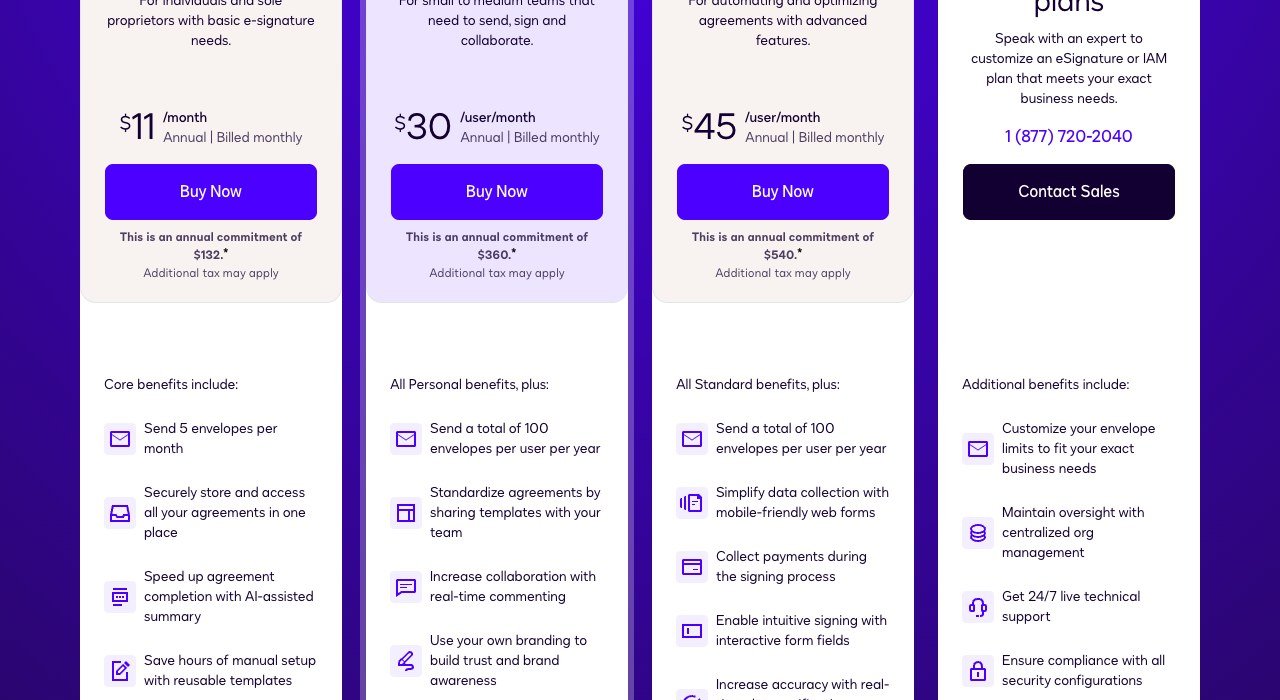
| Plan | Price | What it covers |
|---|---|---|
| Personal | $11 a month | 1 user, 5 envelopes a month |
| Standard | $30 per user a month | Shared templates and branding |
| Business Pro | $45 per user a month | Payments, bulk send, advanced fields |
Two charges sit outside the plan entirely. SMS delivery begins at $0.36 a message and recipient identity verification at $2.40 an attempt. A workflow that uses both on every agreement can spend more on add-ons than on licences.
DocuSign Competitors Compared on What They Meter
Ordered from the platform that charges least to start. The metering column is the one that matters: it tells you whether the bill follows your headcount, your document count or nothing at all.
| # | Platform | Metered by | Entry price | Free tier | Strength |
|---|---|---|---|---|---|
| 1 | eSignatures.io | Per contract sent | $0.49 per contract | No, free trial | Forty-nine cents, and no subscription at all |
| 2 | BoldSign | Envelopes per user | $5 per user a month | Yes, 25 envelopes a month | Twenty-five free envelopes every month |
| 3 | SignNow | Flat, users unlimited | $8 per month billed yearly | No, free trial | One price, as many users as you like |
| 4 | DocHub | Per user | $8 a month | Yes | Edit the PDF and sign it in one place |
| 5 | SignWell | Per sender | $10 a month billed yearly | Yes | Billed for who sends, not who signs |
| 6 | Signeasy | Per seat, unlimited sends | $10 per seat a month | No, free trial | A seat price with no sending limit |
| 7 | PandaDoc | Per seat | $19 per seat a month | Yes | Proposals first, signature last |
| 8 | Signaturely | Signature requests | $25 a month | Yes, 3 requests | Deliberately plain, with a hard cap |
| 9 | Documenso | Per account, then per user | $25 a month | Yes, self-hosted | Run it on hardware you own |
| 10 | Jotform Sign | Signed documents a month | $34 a month | Yes, limited | When the contract starts as a form |
The Ten Platforms in Detail
1. eSignatures.io: Forty-nine cents, and no subscription at all
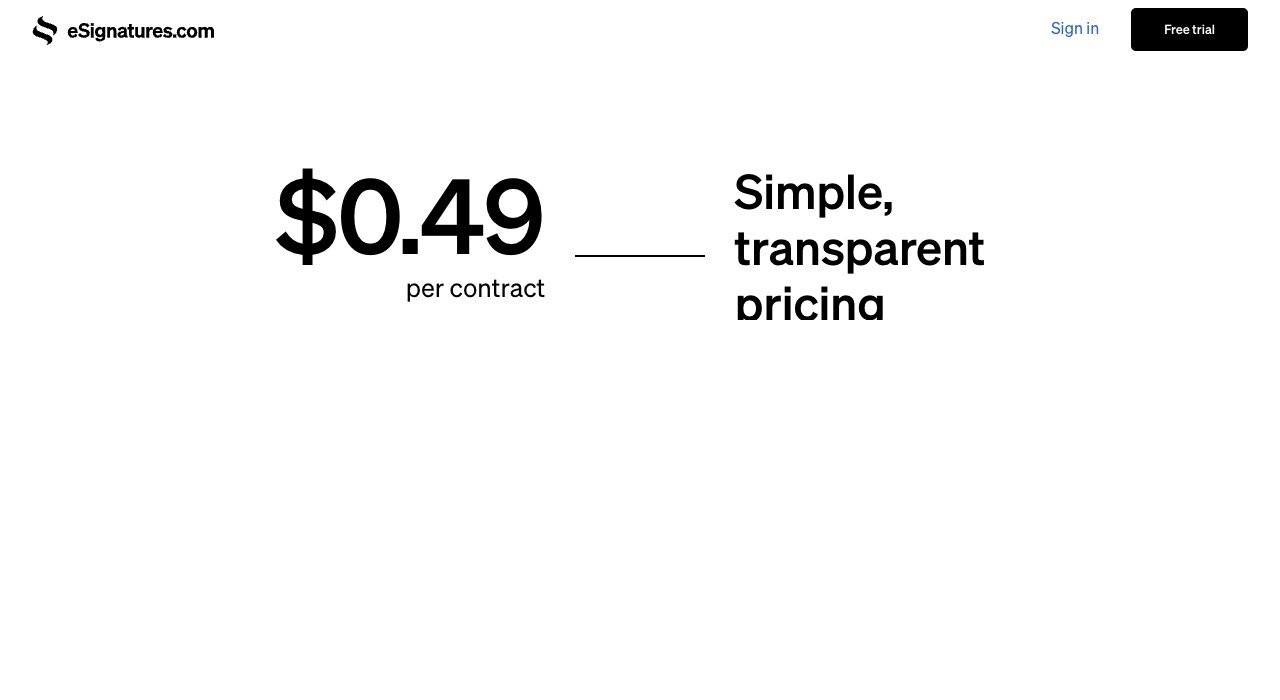
Metered by: Per contract sent. Starts at: $0.49 per contract. Free plan: No, free trial.
eSignatures.io has no monthly fee. A contract costs 49 cents and that is the whole arrangement, so an account that sends nothing costs nothing. Volume discounts start once $500 of credit is bought at a time.
Identity and delivery extras are priced the same way, $2.99 for a live photo check and 9 cents for an SMS. Below roughly forty contracts a month this beats every seat-priced plan here, and above it the maths turns around.
2. BoldSign: Twenty-five free envelopes every month
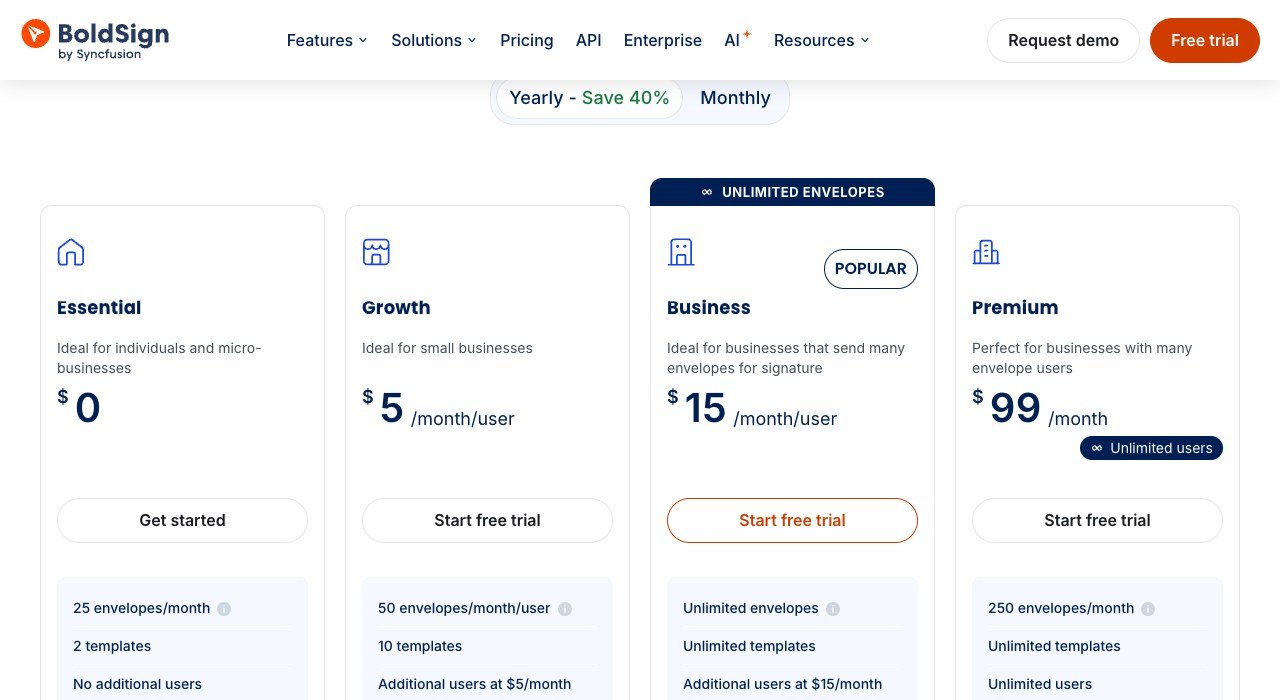
Metered by: Envelopes per user. Starts at: $5 per user a month. Free plan: Yes, 25 envelopes a month.
BoldSign’s free Essential plan carries 25 envelopes a month permanently, which is five times what DocuSign’s cheapest paid plan allows. Growth is $5 a user a month for 50 envelopes each, and Business $15 for unlimited.
Few free tiers in any software category are this close to a working product. For a small firm sending a dozen agreements a month, the honest recommendation is to use it and spend the budget elsewhere.
3. SignNow: One price, as many users as you like
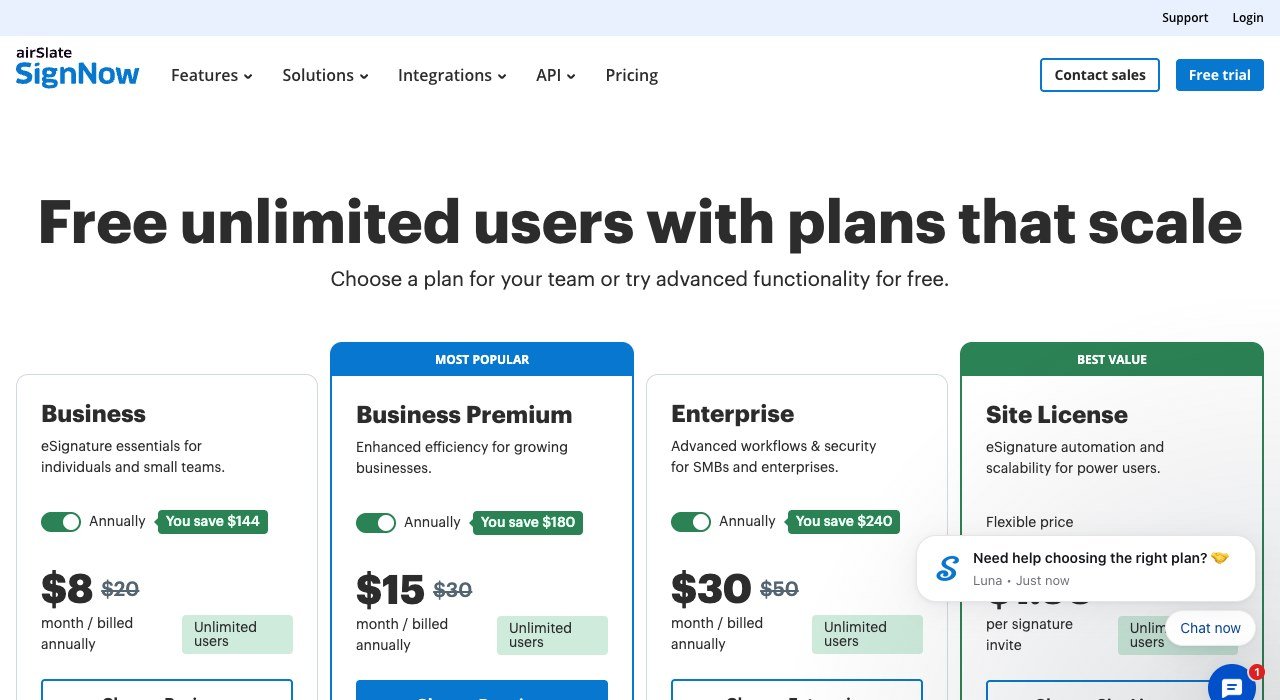
Metered by: Flat, users unlimited. Starts at: $8 per month billed yearly. Free plan: No, free trial.
SignNow is one of the only platforms here that does not count people. Business is $8 a month billed annually and Business Premium $15, and unlimited users are included on both.
Month to month the same plans are $20 and $30, so the headline rests on a year’s commitment. For an organisation where everyone occasionally needs to send something, no other pricing model on this page comes close.
4. DocHub: Edit the PDF and sign it in one place
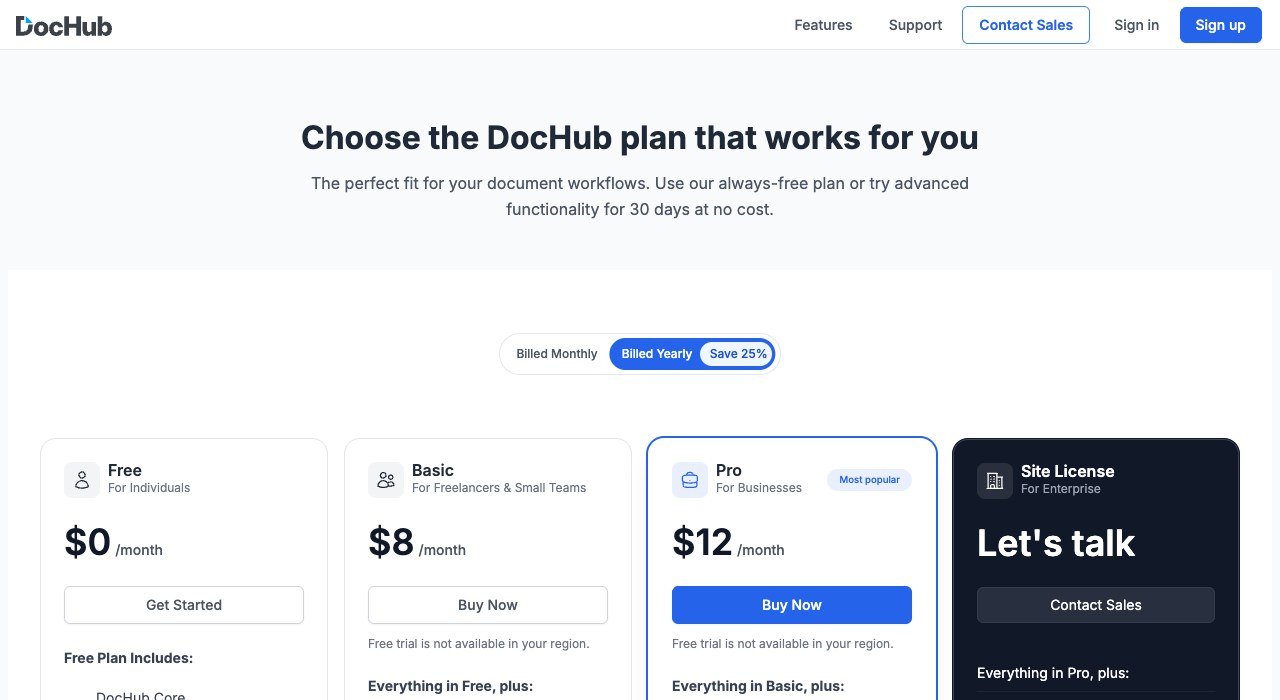
Metered by: Per user. Starts at: $8 a month. Free plan: Yes.
DocHub treats signing as one thing a PDF tool should do, alongside editing, annotating and filling. Free is usable, Basic is $8 a month and Pro $12, with a site licence above that.
It suits anyone whose documents arrive needing repair before they can be sent. What it lacks is the enterprise control surface, so regulated workflows that need granular permissions and detailed identity assurance will outgrow it.
5. SignWell: Billed for who sends, not who signs
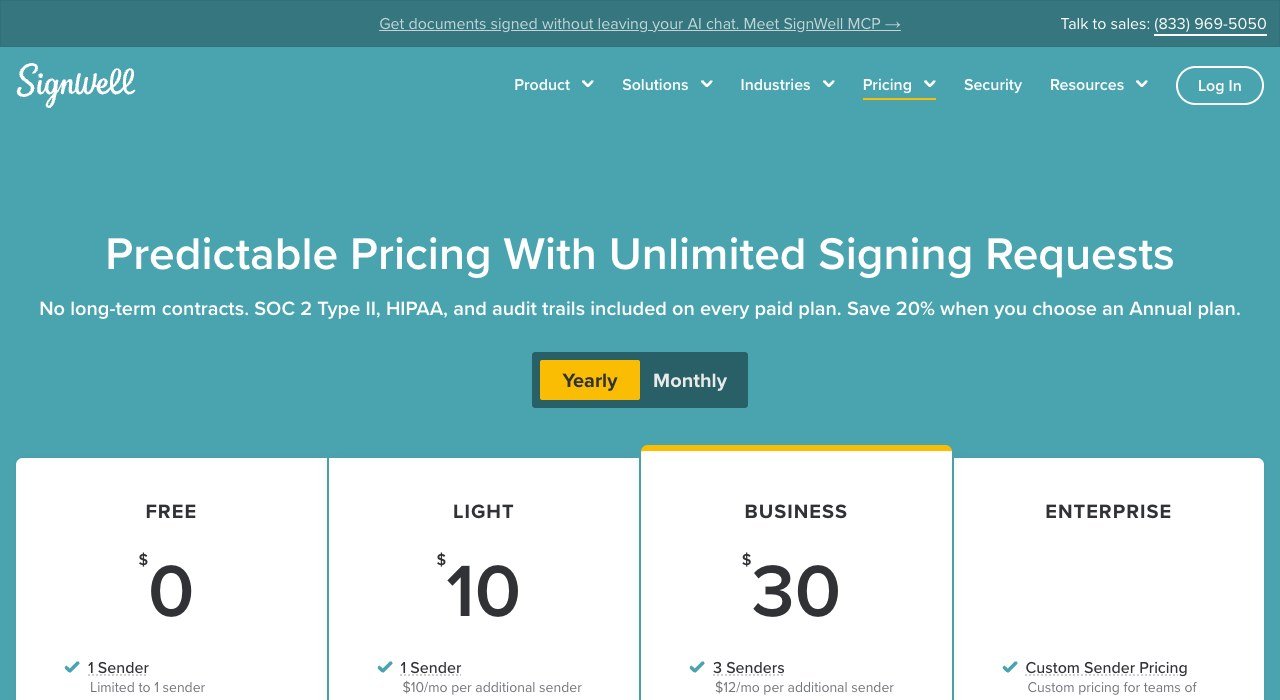
Metered by: Per sender. Starts at: $10 a month billed yearly. Free plan: Yes.
SignWell bills senders rather than seats, which reflects how most organisations actually work. Light is $10 a month billed yearly for one sender and Business $30 for three, with extra senders at $10 and $12.
Signers are never charged, which is true of every tool here but priced honestly by very few. In a company of forty where three people issue all the paperwork, this is the model that matches the work.
6. Signeasy: A seat price with no sending limit
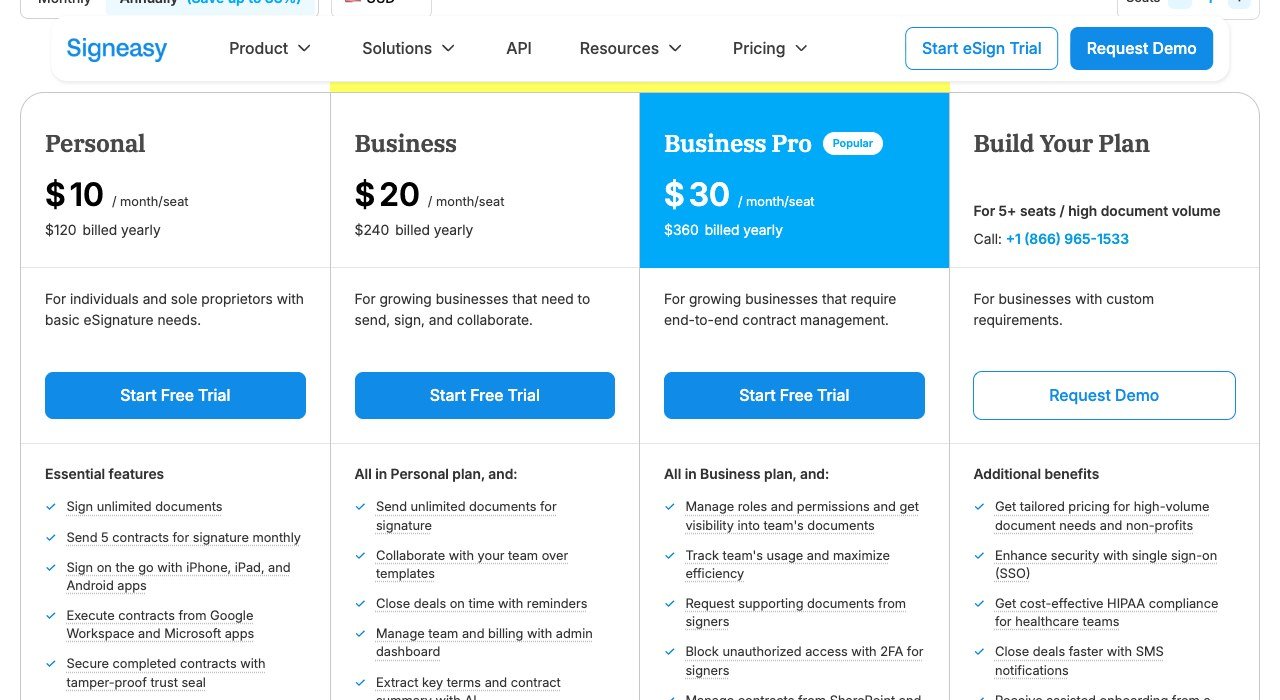
Metered by: Per seat, unlimited sends. Starts at: $10 per seat a month. Free plan: No, free trial.
Signeasy sells a seat and then stops counting. Personal is $10 a seat a month billed yearly, Business $20 and Business Pro $30, and every tier sends unlimited contracts.
Predictability is the selling point. There is no allowance to monitor and no per-envelope surcharge waiting at the end of a busy quarter, which is a meaningful difference from the platform most of these replace.
7. PandaDoc: Proposals first, signature last
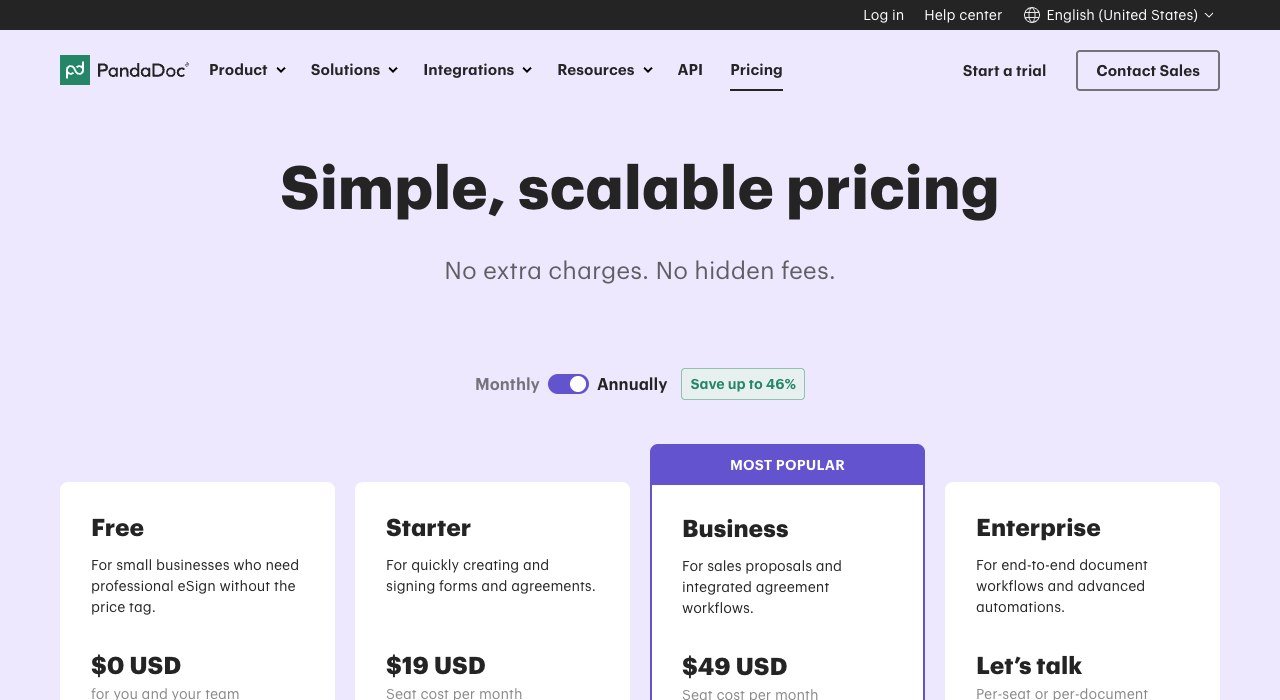
Metered by: Per seat. Starts at: $19 per seat a month. Free plan: Yes.
PandaDoc is a proposal and quoting tool with signature attached at the end. The free tier includes unlimited e-signatures, Starter is $19 a seat a month and Business $49.
Paying moves you from signing documents to building them, with template logic, approval routing and CRM links. If the documents you send are finished before they reach the platform, most of that value is wasted and a cheaper tool will do.
8. Signaturely: Deliberately plain, with a hard cap
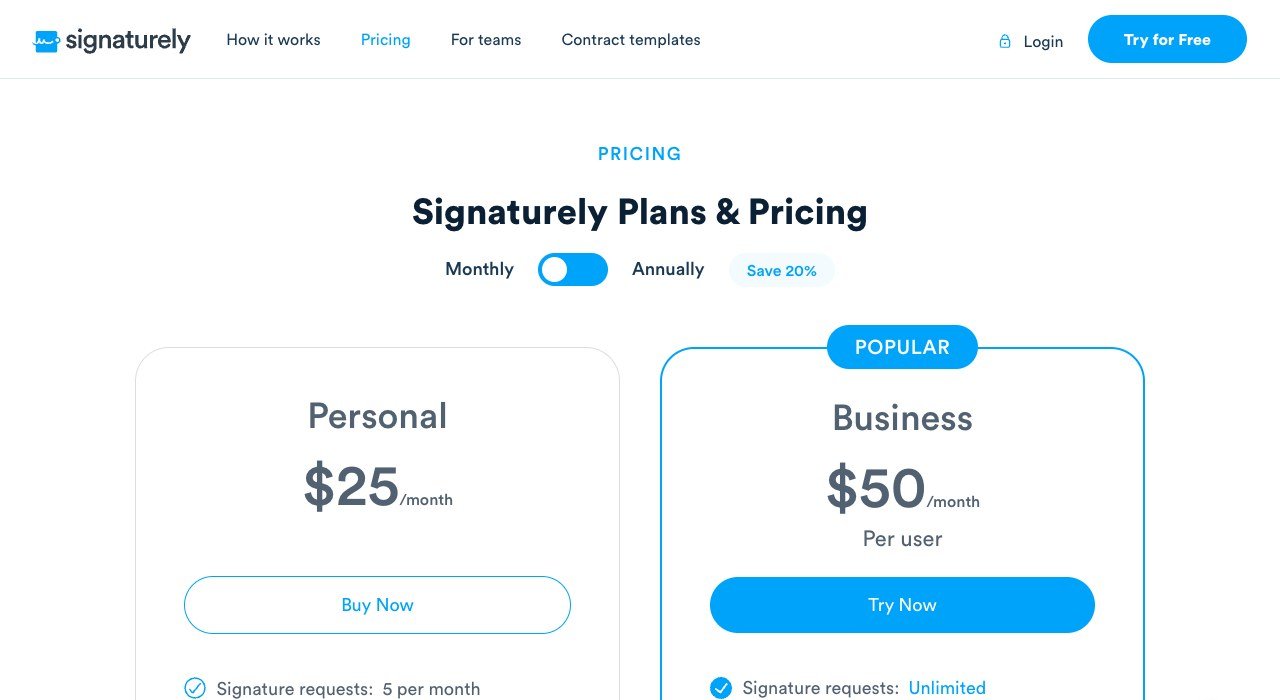
Metered by: Signature requests. Starts at: $25 a month. Free plan: Yes, 3 requests.
Signaturely is the plainest product on this list and prices by signature request rather than by document or seat. The free tier allows three, Personal is $25 a month for five and Business $50 a user for unlimited.
Five requests for $25 works out at $5 each, so it only makes sense when the agreements are valuable and infrequent. The cap is the first thing to check, because it is the thing most new users reach within a fortnight.
9. Documenso: Run it on hardware you own
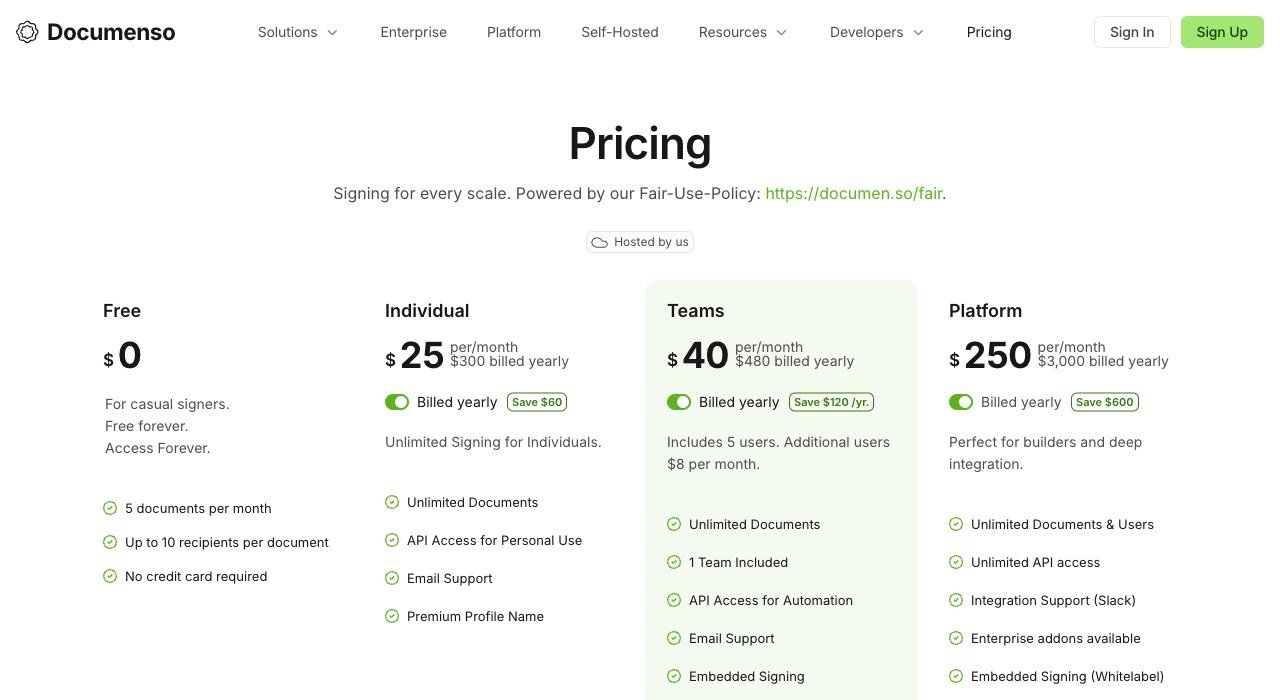
Metered by: Per account, then per user. Starts at: $25 a month. Free plan: Yes, self-hosted.
Documenso is open source, so the entire signing stack can run on infrastructure you control with no per-signature charge. Hosted plans are $25 a month for an individual and $40 for a team of five, with extra users at $8.
For organisations that cannot route contracts through a third-party service, this is the only genuine option here. The hosted price is unremarkable, which makes clear that what is being bought is control rather than savings.
10. Jotform Sign: When the contract starts as a form
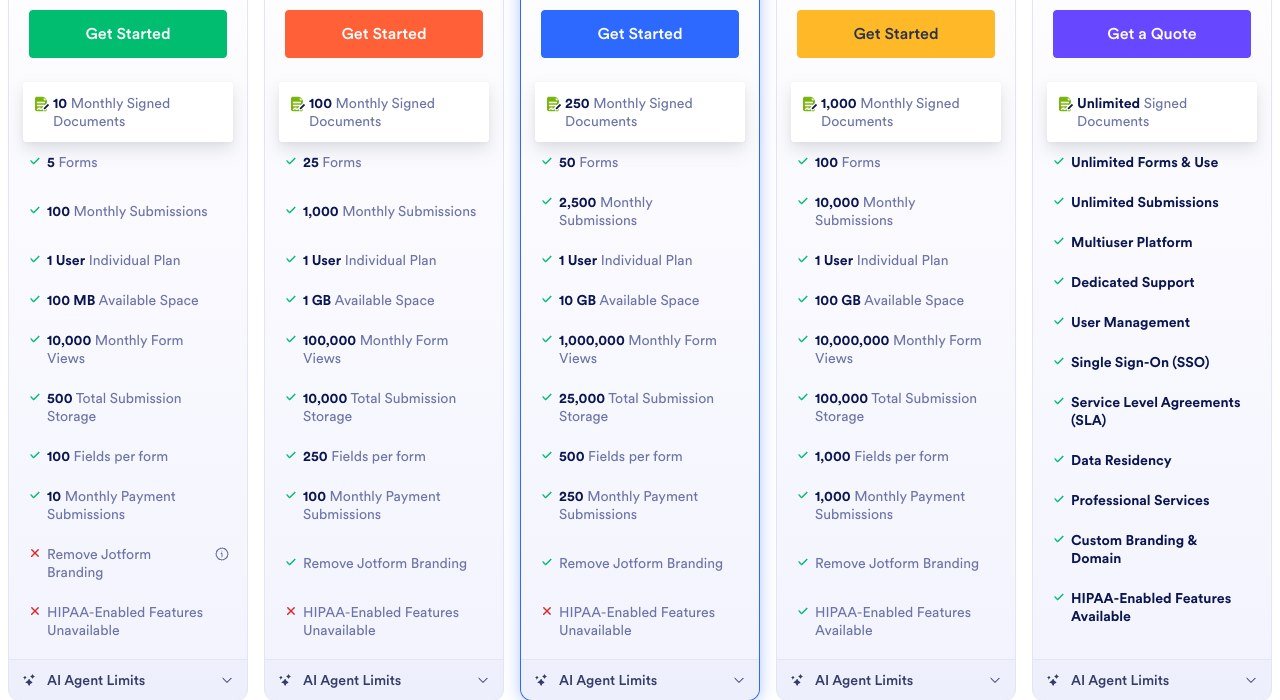
Metered by: Signed documents a month. Starts at: $34 a month. Free plan: Yes, limited.
Jotform Sign is built for agreements that begin as a web form: intake, onboarding, waivers and consent. The entry tier runs $34 a month and covers 100 signed documents, with 250 at $39 and 1,000 at $99.
Because the meter is completed documents rather than users, any number of staff can send. That makes it unusually well suited to a clinic, a school or a club where many people collect paperwork and nobody is a full-time sender.
Four Billing Models, and Who Each One Suits
Every platform here describes itself as simple pricing, and they mean four incompatible things by it. Matching the model to your organisation matters more than any feature comparison.
- Per contract: eSignatures.io. Nothing is owed in a quiet month, which suits seasonal or occasional sending.
- Per sender: SignWell. Right when a handful of people issue everything and everyone else only signs.
- Per seat: PandaDoc, Signeasy, DocHub, BoldSign. Predictable, and expensive the moment access is given widely.
- Per document, users unlimited: Jotform Sign, and SignNow in spirit. Suits many occasional senders and a countable document flow.
A company of forty where three people send contracts will pay several times more on a per-seat plan than on a per-sender one for identical work. That same mismatch between how software is priced and how it is used turns up across the stack, which is why so many teams end up re-examining their CRM and marketing platform bill at the same time.
The Law Does Not Care Which Tool You Used
A persistent assumption is that an expensive platform produces a more binding signature. It does not. In the United States the legal effect comes from statute, and the statute is indifferent to the software.
The Electronic Signatures in Global and National Commerce Act provides that a signature or contract may not be denied legal effect solely because it is in electronic form. The Uniform Electronic Transactions Act, adopted in most states, does the same thing at state level. Both turn on intent, consent and record retention.
What a platform adds is proof. A tamper-evident completed file, a timestamped audit trail and a record of who opened the document and when. Every tool here produces that. Where they differ is in how hard they work to confirm the signer is who they claim to be, which is a risk decision rather than a legal one.
- Wills, certain trusts and some court and family law documents sit outside the statute and still need wet ink.
- Consumer-facing agreements carry separate consent requirements before an electronic record may replace paper.
- Keep your own copy of every completed agreement. A signature you cannot produce later is not much use in a dispute.
Choosing Between Them
Count last quarter’s signed documents before reading another feature list. The number answers the question faster than any comparison.
- Fewer than 25 a month: BoldSign free, or eSignatures.io at 49 cents each.
- Everyone occasionally sends: SignNow, unlimited users from $8 a month on annual billing.
- A few people send constantly: SignWell, or Signeasy if the volume per person is high.
- Paperwork begins as a form: Jotform Sign, metered on completed documents.
- Nothing may leave your servers: Documenso, self-hosted.
Check the billing period before committing. SignNow is $8 a month on an annual plan and $20 month to month, a gap of 150 percent for identical software, and most of this category is advertised the same way. Independent operators deciding whether they need any of this at all will find the calculation covered in these freelancing tips.
Frequently Asked Questions
What is the cheapest DocuSign competitor?
eSignatures.io if you send rarely, at 49 cents a contract with no monthly fee. For regular use BoldSign is free up to 25 envelopes a month, then $5 a user. SignNow is cheapest for whole teams at $8 a month with unlimited users.
Does DocuSign limit how much you can send?
The Personal plan does, at five envelopes a month for $11. Standard at $30 a user and Business Pro at $45 lift that limit but charge per seat. SMS delivery and identity verification are billed separately on every tier.
Can I self-host an e-signature platform?
Documenso is open source and can run on your own infrastructure, which removes both the per-signature cost and the need to send contracts through a third party. Its hosted plans start at $25 a month if you would rather not run it yourself.
Is a signature from a cheap tool as valid as one from DocuSign?
Legally, yes. The ESIGN Act and state UETA adoptions give electronic signatures effect regardless of the product used, provided the intent and consent conditions are met. The practical difference is the strength of the audit trail and the identity checks behind it.