
The thing to settle before buying any of the best iPad cases is which Apple Pencil your iPad takes, because it decides which cases make sense. The plain 11 inch iPad works with the first generation Pencil and the USB-C Pencil, neither of which clips magnetically to the side of the tablet. That means the Pencil has nowhere to live unless the case gives it a slot, which is why six of the seven here have one. The mini answers that question the other way round, as our guide to the best iPad mini cases explains.
The second question is whether the iPad leaves the house. This is Apple’s cheapest full-size tablet and it ends up in classrooms, kitchens and the hands of children, so the cases built for it skew rugged in a way iPad Pro cases do not. Straps, built-in screen protectors and kickstands matter here; thinness matters less. The Pro is bought for a different job, which our guide to the best iPad Pro cases covers.
Best iPad Cases Compared on Straps, Kickstand and Screen Protection
If the iPad travels, read the straps column first. If it stays on a desk or a counter, read the kickstand column instead.
| Case | Stand | Straps | Screen protector | Pencil |
|---|---|---|---|---|
| SEYMAC Full-Body | 360 degree rotating, 30 to 60 degrees | Hand strap and shoulder strap | Built in | Holder included |
| Soke Rugged Armor | Kickstand | None | Built in | None |
| Azzsy Heavy Duty | Pop-out kickstand | None | None included | Slot built in |
| Grifobes Military Grade | Two positions, vertical and horizontal | None | None | Slot for 1st gen and USB-C |
| DTTO Leather Folio | Flexible swivel structure | None | Folio cover | Holder for 1st gen and USB-C |
| ToaPoia Slim Trifold | Trifold stand | None | Folio cover | Holder built in |
| Akkerds Trifold | Two viewing and typing positions | None | Folio cover | Holder for 1st gen and USB-C |
Which Pencil This iPad Takes, and What a Built-In Screen Protector Buys You
The 11 inch iPad and the 11 inch iPad Air are close enough in size that accessory listings for the two get confused constantly, and the difference that matters is the Pencil. The Air takes the Apple Pencil Pro and charges it magnetically on the long edge. This iPad does not. Its Pencils are the first generation, which charges from the port, and the USB-C Pencil, which charges by cable. Both need storing somewhere, and the case is the only thing that will do it.
A built-in screen protector is the feature that genuinely changes this category rather than a marketing line. Two cases here laminate one into the front frame, so there is no separate sheet to align, no bubbles and nothing a child can pick off. The cost is that it cannot be replaced: once it scratches you live with it or replace the case. For an adult who keeps the iPad in a bag, a separate tempered glass sheet is the better choice and is clearer.
Materials follow a standard pattern. The rugged cases use a hard polycarbonate shell over flexible TPU or silicone, which spreads impact rather than resisting it, and the folios use PU leather over a TPU tray that grips the back and corners. Neither survives a drop onto concrete from standing height, whatever the listing says. For the typing side of the setup, our guide to the best ipad keyboards covers which folios have real trackpads.
1. SEYMAC Full-Body: Every Feature in One Case

SEYMAC publishes the stand angles rather than just claiming rotation, and it is the only case here that does: the 360 degree kickstand holds at 30, 45 and 60 degrees, which covers viewing, drawing and typing respectively. That is a genuinely useful specification and nobody else in this guide gives it.
Everything else is here too. A soft rotating hand strap for one-handed use, a detachable shoulder strap for carrying it without a bag, a pencil holder, port plugs to keep dust out, and a built-in screen protector as part of the shock-absorbing front frame. If the iPad is used by a child, taken to a work site or carried about on foot, this is the one that covers all of it.
What it does well
- Published stand angles of 30, 45 and 60 degrees.
- Rotating hand strap plus a detachable shoulder strap.
- Built-in screen protector and port dust plugs.
- Pencil holder included.
What to know before buying
- The heaviest and bulkiest case here.
- Built-in screen protector cannot be replaced.
- Far more case than a desk iPad needs.
2. Soke Rugged Armor: Screen Protection Without the Straps

Soke covers the thing most rugged cases leave to a separate purchase, and leaves off the things most people do not use. A built-in screen protector that Soke says keeps touch sensitivity intact, a multi-layered hard polycarbonate back over a flexible TPU bumper, and a kickstand. No straps, no pencil tube.
That makes it the practical choice for a household iPad that gets dropped on floors rather than carried through car parks. The two-material construction is the right one for impact, the cutouts are precise enough that ports, sensors, speakers and cameras all work without removing it, and it is easy to install, which two-piece armour cases often are not. Check the model number before ordering: it fits the A16 11 inch and the 10th generation 10.9 inch only.
What it does well
- Built-in screen protector that keeps touch sensitivity.
- Hard polycarbonate back over a flexible TPU bumper.
- Easy to install for a two-piece armour case.
- Precise cutouts for ports, sensors and cameras.
What to know before buying
- No pencil storage at all.
- No hand or shoulder strap.
- Single kickstand position.
3. DTTO Leather Folio: A Case That Carries Your Cards Too

This is the one to buy if the iPad is a work tool rather than a toy. The exterior is premium synthetic leather lined with microfiber, and the stand is a flexible swivel rather than fixed grooves, so it adjusts to whatever you are doing instead of offering two presets.
The addition that distinguishes it is a pair of cross-lined pockets on the front for bills, cash and cards, which turns the case into a slim portfolio you can take to a meeting with nothing else. There is a pencil holder for the first generation or USB-C Pencil, and automatic sleep and wake. It is the least rugged case here and the only one that looks like a notebook rather than a piece of safety equipment.
What it does well
- Synthetic leather lined with microfiber.
- Flexible swivel stand rather than fixed grooves.
- Double card and document pockets on the front.
- Pencil holder for 1st generation and USB-C.
What to know before buying
- Least protective case in this guide.
- Leather finish marks more easily than plastic.
- No screen protector included.
4. Grifobes Military Grade: Rugged Without the Bulk of Straps

Grifobes is the straightforward armoured option: flexible silicone over durable hard polycarbonate with a military grade drop claim, and a kickstand with one vertical and one horizontal position. Nothing hangs off it, so it still slides into a bag.
The pencil slot is the part worth noting. Grifobes says the Pencil goes in or comes out within a second and does not work loose while stored, which is the specific failure of pencil tubes on cheaper cases, where the fit is either so tight you fight it or so loose it falls out in a bag. It takes the first generation and the USB-C Pencil, which are the two this iPad actually uses.
What it does well
- Silicone over hard polycarbonate with a military grade claim.
- Two kickstand positions, vertical and horizontal.
- Pencil slot holds firmly but releases in a second.
- No straps, so it still fits a bag.
What to know before buying
- No screen protection of any kind.
- Two fixed stand positions only.
- Bulkier than the folios without being as protective as the full-body cases.
5. Azzsy Heavy Duty: Shockproof With a Pop-Out Stand
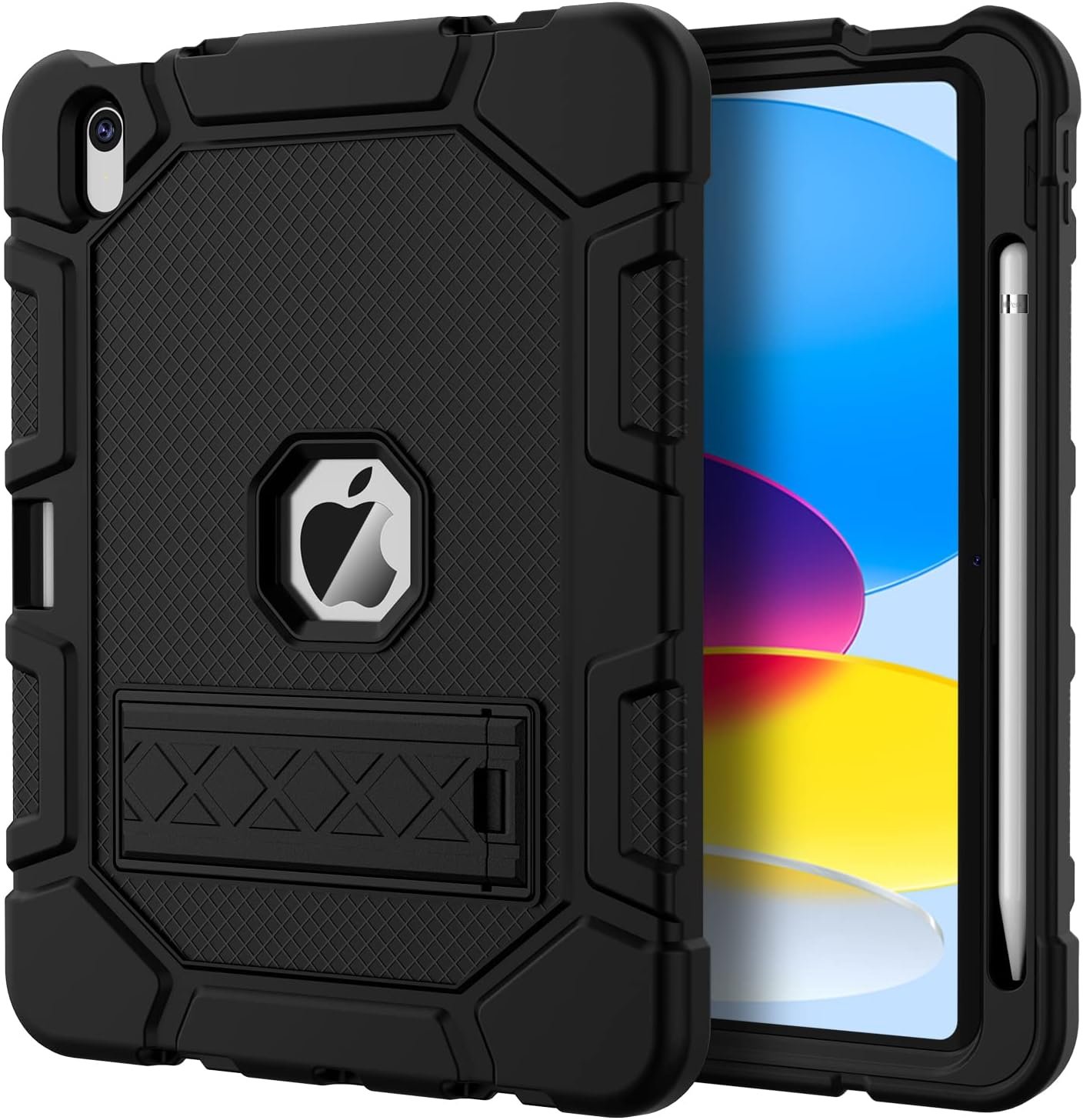
Azzsy uses the same construction as its iPad Air case, thermoplastic polycarbonate over anti-skidding silicone, and the anti-skid part is the detail that matters day to day. A rugged case that slides off a sloped surface is a rugged case that gets dropped, and the silicone grip is what stops that.
The kickstand pops out of the back rather than folding from a cover, which keeps the front of the iPad free. There is a built-in Apple Pencil slot for storage. Azzsy states plainly in the listing that no screen protector is included, which is the honest version of a specification two of its competitors here bury, and it means budgeting for a tempered glass sheet separately.
What it does well
- Polycarbonate over anti-skidding silicone.
- Pop-out kickstand keeps the front of the iPad clear.
- Built-in Apple Pencil slot.
- States the missing screen protector clearly rather than hiding it.
What to know before buying
- No screen protector in the box.
- Single kickstand angle.
- Heavy for a tablet this size.
6. Akkerds Trifold: The Simple Folio Done Properly

If you want a cover rather than armour, this is the sensible version. PU leather front and back over a durable TPU tray that grips the back cover and all four corners, so it protects the parts that actually hit the floor without adding the thickness of a shell.
The trifold cover gives two positions, one for viewing and one for typing, and automatic sleep and wake saves battery whenever you shut it. The pencil holder takes the first generation Pencil or the USB-C Pencil, and Akkerds is explicit that the adapter is not included, which is the piece people assume comes with the case and never does. The finish is soft rather than tacky.
What it does well
- TPU tray grips the back cover and all four corners.
- Two folded positions for viewing and typing.
- Automatic sleep and wake.
- Pencil holder for 1st generation and USB-C.
What to know before buying
- PU leather scuffs over time.
- No screen protector.
- Two positions rather than a true multi-angle stand.
7. ToaPoia Slim Trifold: The Lightest Case Here
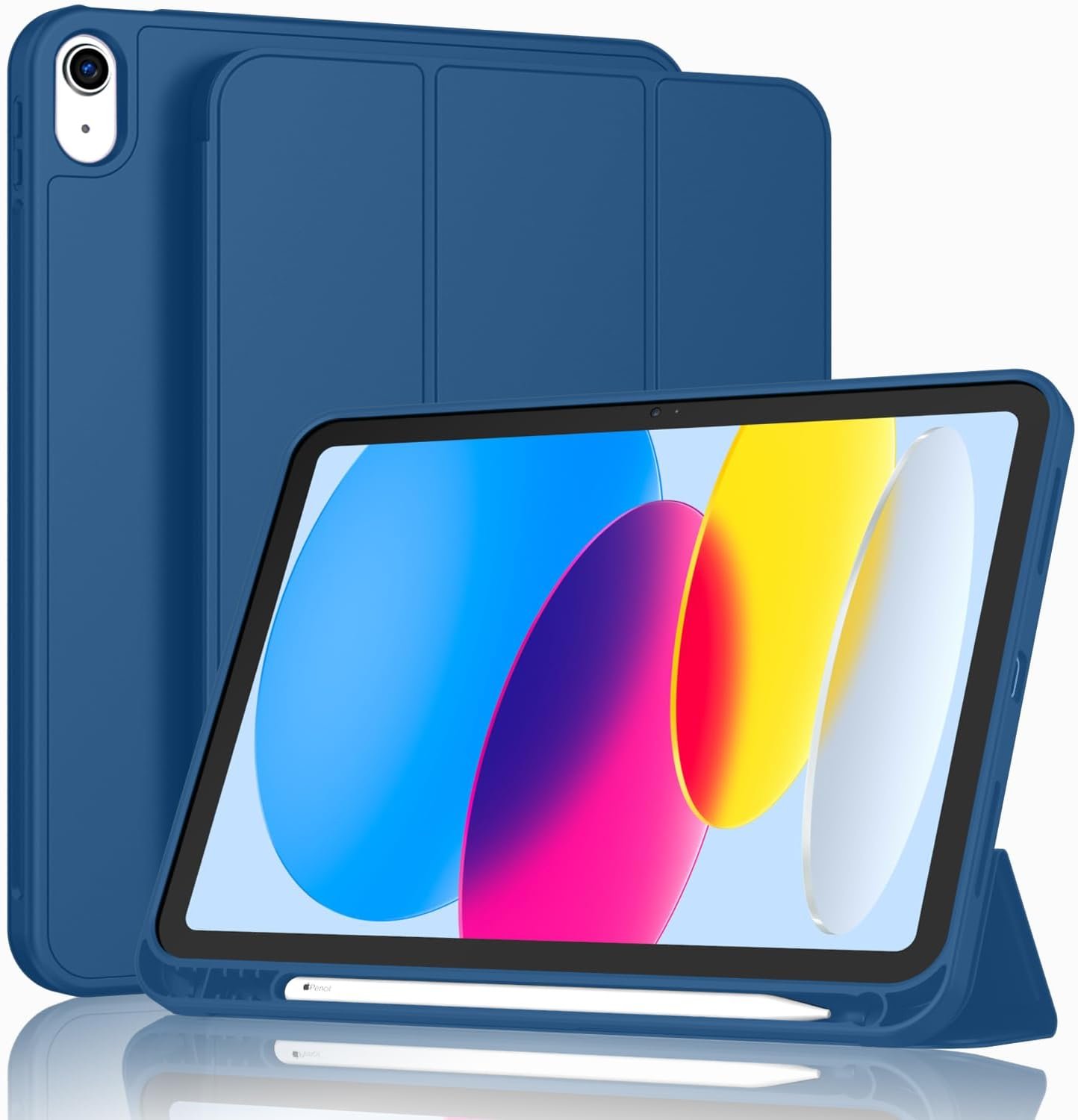
ToaPoia has gone for the least material that still does the job. A soft TPU back rather than a hard shell, a slim trifold cover, and a built-in pencil holder, with the whole thing noticeably lighter and thinner than anything else in this guide.
A soft TPU back is the right call on a tablet that mostly suffers scratches and knocks rather than falls: it flexes rather than cracking, and it does not add the weight of a polycarbonate shell. Automatic sleep and wake works through a magnetic strip, and the cutouts leave cameras, speakers, ports and buttons accessible. For an iPad that moves between a desk and a sofa, this is proportionate.
What it does well
- The lightest and slimmest case in this guide.
- Soft TPU back flexes rather than cracking.
- Built-in pencil holder despite the slim profile.
- Magnetic strip for automatic sleep and wake.
What to know before buying
- Soft TPU gives less impact protection than a hard shell.
- The listing overstates Pencil charging support for this iPad.
- No screen protector included.
Buying for the Right iPad and Making the Case Last
Every avoidable problem here comes from ordering a case for a different iPad. These checks take a minute and remove almost all of them.
- Read the model number from Settings, General, About before ordering.
- Confirm the case is for the plain iPad, not the iPad Air of the same size.
- Expect no magnetic Pencil charging on this model, whatever a listing implies.
- Decide between a built-in screen protector and a replaceable glass one.
- Check whether a screen protector is included at all, because most are not.
- Buy the strap features only if the iPad genuinely leaves the house.
A tablet with a case, a keyboard and a dock becomes a small desktop, and the dock is where the plans usually fall apart. Our guide to the best docking station explains which docks drive a monitor from a tablet rather than needing a laptop. For the battery side of a long day out, our guide to the best power banks covers which packs charge a tablet at a speed worth having.
Which iPad Case to Buy
For most households the Soke Rugged Armor is the right buy: a built-in screen protector, a proper two material shell, a kickstand and nothing else to lose, at a weight that is still reasonable. If the iPad goes to school, to a work site or anywhere on foot, buy the SEYMAC instead, because it is the only case here with a rotating stand at published angles, both straps, a pencil holder and screen protection together.
Buy the DTTO if the iPad is a work tool and you would rather carry cards than a drop rating, the ToaPoia if you want the lightest cover that still stores a Pencil, and the Akkerds if you want a plain folio done correctly. The Grifobes and the Azzsy are the two armoured options without straps, with Grifobes offering the better pencil slot and Azzsy the better grip.
Frequently Asked Questions
Which Apple Pencil works with this iPad?
The first generation Pencil and the Apple Pencil with USB-C. Neither attaches magnetically to the side of the tablet, which is the difference between this model and the iPad Air. If a listing promises magnetic side charging on a case for the plain iPad, treat that as a mistake in the listing rather than a feature of your tablet.
Will an iPad Air case fit this iPad?
Sometimes physically, but it is the wrong case. The two tablets are close in size and the accessory listings overlap constantly, yet the Air charges a Pencil on its side edge and this one does not, so the cutouts are in different places. Match the model number from Settings rather than the screen size.
Is a built-in screen protector better than a separate one?
For a child, yes: there is nothing to align, nothing to bubble and nothing to peel off. For an adult, a separate tempered glass sheet is clearer, feels better under a finger and can be replaced when it scratches, where a laminated plastic one cannot. Two cases here build one in and the rest leave it to you.
Do I need a military grade drop rating?
Only if the iPad is genuinely dropped. The rating refers to a standardised test onto a hard surface and it is a real difference from a plain folio, but it costs weight and thickness on every single day the iPad is not dropped. A household tablet that lives on a counter is better served by a case with a screen protector than by one with a drop rating.
Related Articles
- Best iPad Air Cases: 7 Compared on Stand Angles and Weight
- Best iPad 9th Generation Cases: 7 Compared on Stands and Straps
- Best Microfiber Cleaning Cloths: 7 Packs Compared
- Best Galaxy Tab S11 Ultra Cases
- Split Screen on iPad: How to Use Two or More Apps at Once
As an Amazon Associate, CanyonWire earns from qualifying purchases.





