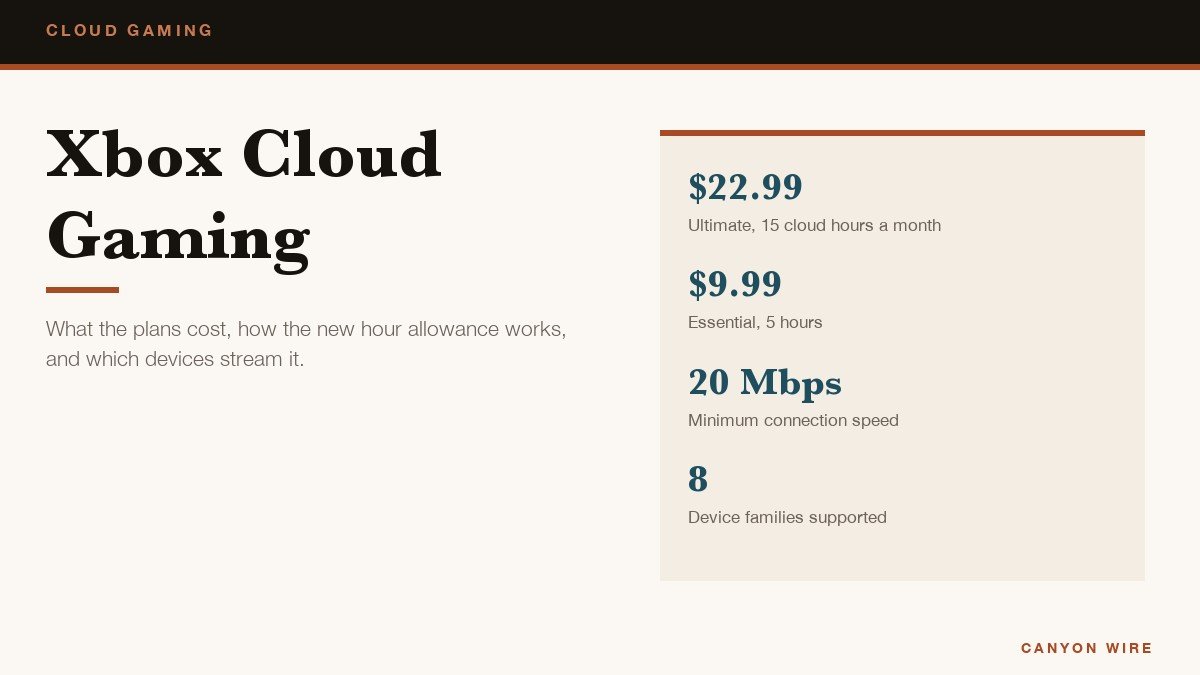
Xbox cloud gaming is the part of a Game Pass subscription that needs no console and no download. The game runs on Microsoft hardware in a data centre and the screen in front of you receives video and sends back button presses, which is why a phone bought four years ago can run something built for a current console.
The arrangement changed this year in a way worth understanding before subscribing. Streaming used to be an unlimited benefit on the plans that carried it. The plan pages now state a monthly allowance in hours, and the allowance is small enough to decide which plan makes sense.
What Xbox Cloud Gaming Costs on Each Plan
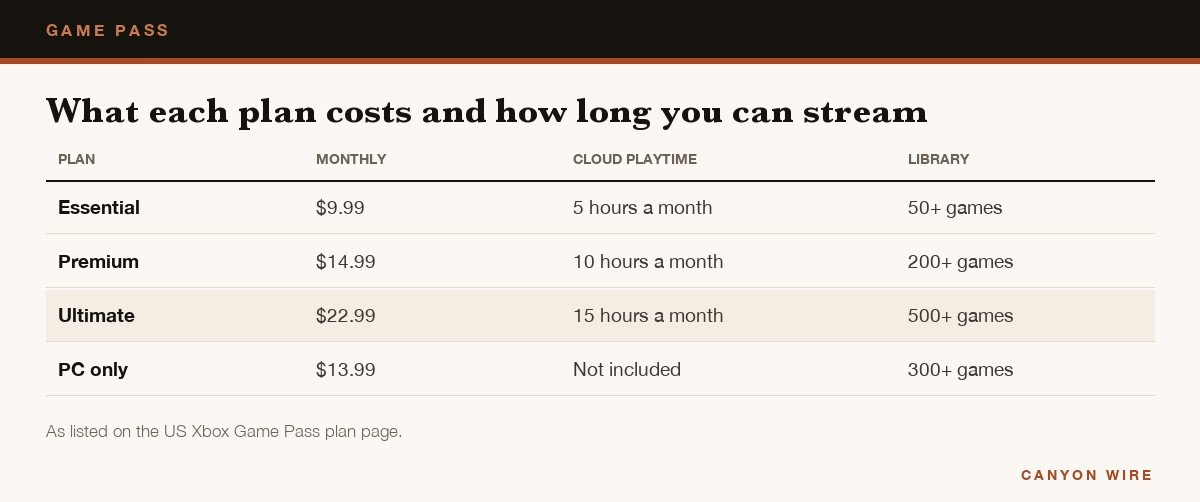
Four plans, three of which stream. The figures below are what Microsoft lists on its US Game Pass plan page, with cloud playtime stated per month.
| Plan | Monthly | Cloud playtime | Library |
|---|---|---|---|
| Essential | $9.99 | 5 hours | 50+ games |
| Premium | $14.99 | 10 hours | 200+ games |
| Ultimate | $22.99 | 15 hours | 500+ games |
| PC only | $13.99 | None | 300+ games |
PC Game Pass is the trap in that table. At $13.99 it is cheaper than Ultimate and carries no streaming at all, so it is the wrong plan for anyone whose main screen is a phone or a television. Essential at five hours a month is closer to a trial than a way to play.
Fifteen hours on Ultimate works out at roughly half an hour a day. Downloads are not metered, so a household with a console that streams occasionally on a train will never notice the cap, while a household with no console streaming to a TV every evening will clear it inside the first week. Extra hours can be bought from the store, and that purchase does not require a subscription at all.
Doing the Arithmetic on the Allowance
Fifteen hours sounds generous until it is divided by a month. It is thirty minutes a day, or two sessions of a couple of hours a week, or one long Saturday and nothing else. Whether that is enough is not a judgement call, it is a subtraction, and it is worth doing before the first bill rather than in the third week of the month.
- Console in the house, streams on the move: the cap is invisible, because downloads are not metered and the streaming is occasional.
- No console, plays most evenings: Ultimate runs out around the middle of the second week, and the top-up purchases start to add up.
- Shared between two people: halve every figure above, because the allowance belongs to the subscription rather than the person holding the pad.
- Trying a game before a 90 GB download: five hours on Essential is genuinely the right product, and the cheapest way to avoid a bad purchase.
Top-up hours are sold separately in the store and, unusually, can be bought without any subscription at all. That makes a specific and overlooked arrangement possible: someone who owns Xbox games but no console can buy playtime alone and stream the library they already paid for, with no monthly commitment anywhere in it.
Which Devices Stream It
The division that matters is app against browser. Consoles, Windows, smart TVs, handhelds and Meta Quest headsets run a real Xbox app. Everything Apple makes, plus Android, Chromebooks and the Steam Deck, go through a browser at xbox.com/play, which is how Microsoft worked around app store rules on streaming catalogues.
| Device | How you play | Minimum version |
|---|---|---|
| iPhone and iPad | Browser at xbox.com/play | iOS or iPadOS 14.4 |
| Android | Browser or the Xbox app | Android 12.0 |
| Windows PC | Xbox app or browser | Windows 10 20H2 |
| Mac | Browser | macOS 14.1.2 |
| Xbox console | Built into the library | Xbox One or later |
| Smart TV | Xbox app on the set | LG, Samsung, Amazon |
| Handheld | Xbox app | ROG Xbox Ally, Logitech G Cloud, Razer Edge |
| Meta Quest | Xbox app in the headset | Quest 2, Pro, 3, 3S |
Browser play is not a lesser version. The stream quality, the saves, the achievements and the controller support are identical, and the only practical difference is that you add the page to a home screen instead of installing something. Steam Deck support remains in beta and needs Microsoft Edge installed from desktop mode, which is more work than every other route on that list put together.
What Your Connection Has to Do
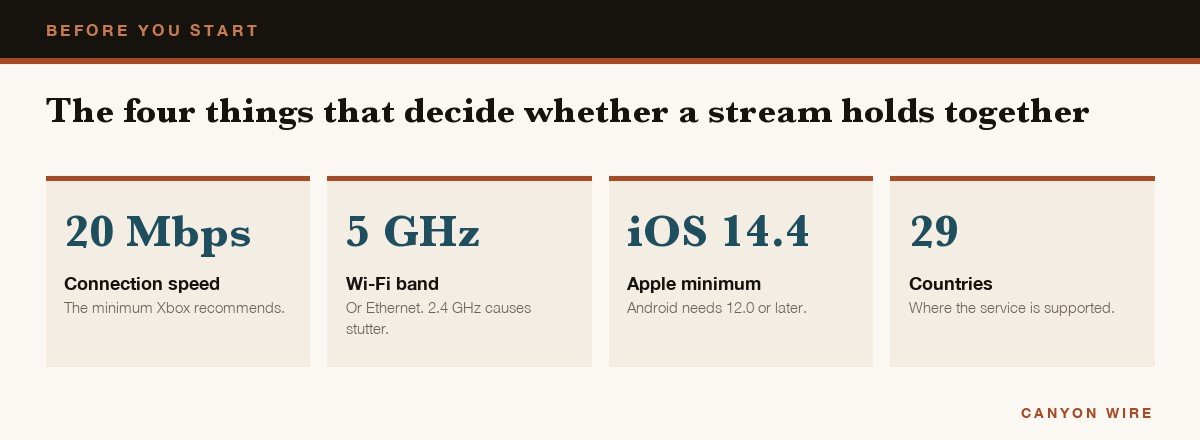
Microsoft recommends at least 20 Mbps and a wired connection where one exists. On a phone that means 5 GHz Wi-Fi or 5G, and the commonest cause of a stuttering stream in a house with fast broadband is a dual-band router quietly handing the phone the 2.4 GHz network.
Bandwidth and latency are separate problems and only one of them is on your bill. Bandwidth decides how the picture looks. Latency decides how the game feels, and a 200 Mbps line with a congested uplink will feel worse than a clean 30 Mbps one. Slower games absorb the delay without complaint. Fighting games and competitive shooters do not, and that is a property of streaming a game over a network rather than a fault anyone can patch.
Streaming also works a handset hard. The screen sits at full brightness, the radio never rests and the video decoder runs continuously, so an hour of cloud play warms a phone about as much as an hour of a native game. A clip-on fan is the usual fix, and our comparison of the best phone coolers for gaming covers what they actually do to sustained performance.
Getting a Game Running on a Phone
On any phone the whole process is a browser and a controller, and it takes longer to describe than to do.
- Open Safari or Chrome at xbox.com/play and sign in with the Microsoft account holding the subscription.
- Use the browser menu to choose Add to Home Screen, which gives you an icon that opens straight into the library.
- Pair a gamepad under Bluetooth. Xbox pads, the PlayStation DualSense, 8BitDo, GameSir and Backbone controllers are all supported.
- Pick a cloud-enabled title and wait out the queue, which is usually seconds outside peak evenings.
- If the controller does nothing, press a button while the game is on screen, because the browser only binds it on first input.
A clip-on controller that grips the phone is what turns this from a novelty into something you use, because holding a separate pad while the handset balances on a table gets old quickly. Touch controls exist for part of the library and suit slower games, though almost nothing competitive is playable with them.
One detail saves a lot of confusion on a shared account. Cloud saves are the same saves the console uses, so a game started on a television in the morning picks up on a phone at lunchtime at exactly the point it was left. What does not carry across is anything stored locally by a game that predates cloud saves, and those titles are mostly the older backwards-compatible library rather than anything recent.
What You Can Play, and Where It Falls Down
Two libraries sit behind one page. The Game Pass catalogue has more than two thirds of its titles enabled for streaming, and separately a long list of games you already own on Xbox can be streamed whether or not they are in Game Pass, with saves shared across every device. Ultimate adds EA Play and Ubisoft Classics on top.
The test before subscribing is to open the cloud gaming library and confirm the specific games you want are marked streamable, because being in Game Pass does not guarantee it. Where cloud play genuinely fails is competitive shooters, where input delay is structural, and metered home connections, where an hour of streaming moves several gigabytes.
If the appeal is a console library without a console, a dedicated handheld is the other route and does not meter anything. Our guide to the best gaming handhelds covers that side, and the current console range is the comparison worth making before a subscription becomes permanent.
Frequently Asked Questions
Do you need a console for Xbox Cloud Gaming?
No. The game runs on Microsoft hardware and streams to whatever screen you are holding, so a phone, tablet, laptop or smart TV is enough by itself. A console only matters if you also want to download games and play them offline.
Is there an app for iPhone?
Not for streaming the catalogue. You play through Safari or Chrome at xbox.com/play, and adding that page to the home screen gives an icon that behaves much like an app. The Xbox app on iOS handles chat, achievements and console remote play instead.
How much data does an hour of streaming use?
Budget several gigabytes an hour at 1080p and more on the higher-quality tier. That is comfortable on home broadband and expensive on a capped mobile plan, so check the allowance before making a habit of streaming on 5G.
What happens when the monthly hours run out?
Streaming stops until the month rolls over or you buy more time from the store. Downloaded games are unaffected, because the allowance applies only to cloud sessions.





