Phone overheating is not a fault in the usual sense. Every chip inside a handset turns electricity into work and waste heat, and a slab of glass and metal five millimetres thick has nowhere to send that heat except into your hand. The problem starts only when the heat outruns what the body can shed, at which point the phone begins switching things off to protect itself.
There are four causes behind almost every case, and none of them needs a repair. Brightness, background activity, charging while in use, and where the phone is physically sitting account for the overwhelming majority. The rest is hardware, and it looks different enough to recognise.
How Hot Is Too Hot
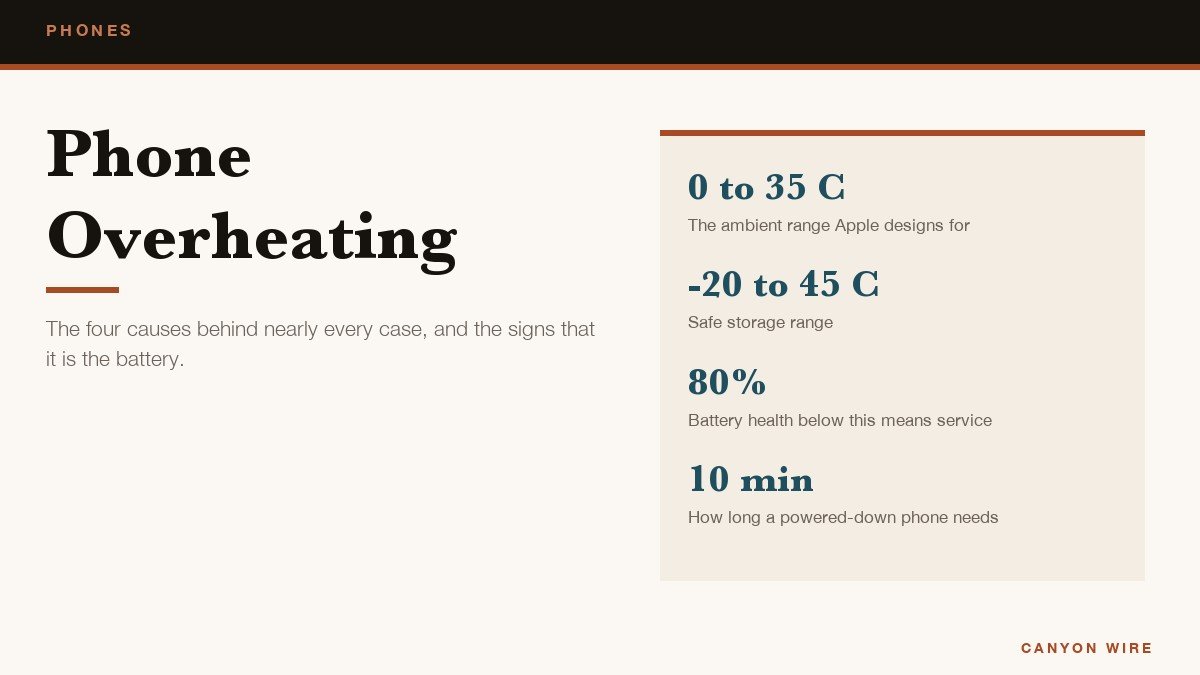
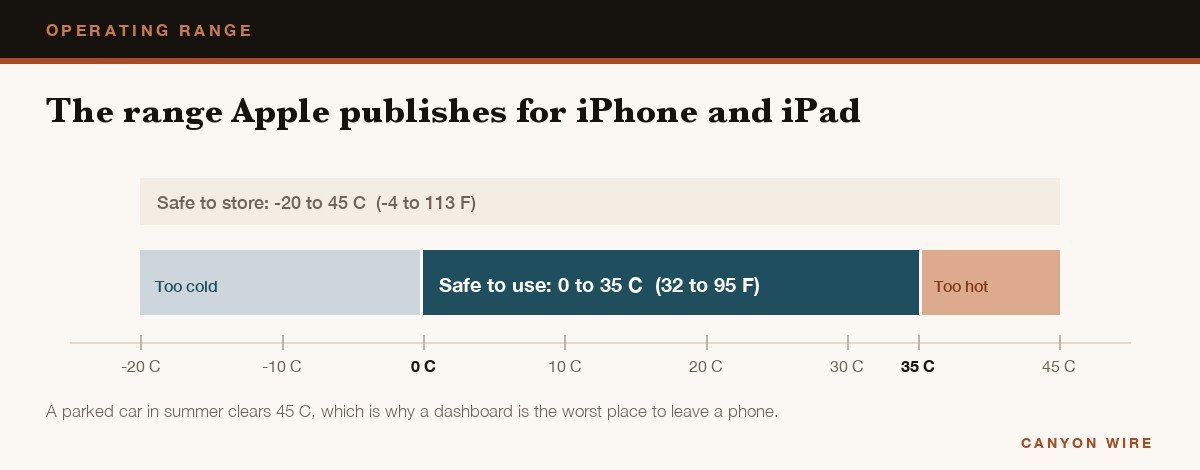
There is a published number to measure against. Apple designs iPhone and iPad for an ambient temperature of 0 to 35 degrees Celsius, which is 32 to 95 Fahrenheit, and its guidance on a device that gets too hot or too cold gives storage as -20 to 45 Celsius. Those describe the air around the phone rather than the phone itself, so a handset working hard in a 30 degree room is already close to the edge before you open anything demanding.
Warmth by itself means nothing. A phone is expected to get warm while it sets itself up, restores a backup, installs an update, charges wirelessly, records high-quality video, runs a demanding game or streams for an hour, and warmer still doing any of those on a charger. What matters is whether it has started taking features away from you.
What the Phone Switches Off Before It Gives Up
Both platforms degrade in stages, and recognising the stage tells you how serious the heat is. On an iPhone, charging slows or stops first, including wireless charging. Then the display dims and can go black, the cellular radios drop to low power so the signal weakens, the camera flash and some camera features stop working, and apps start running at lower frame rates.
Pixel phones do the same job in their own words. Google lists reduced processor performance, slower charging, the flash or camera switched off, mobile data or Wi-Fi partly or fully disabled including 5G, and a drop into low power mode. On a Pixel 6 or later you can read the temperature yourself by opening Settings, tapping Battery, then Battery diagnostics and choosing the option for a very warm phone.
The last stage is the temperature screen. The phone stops and refuses everything except emergency calls until it cools. If that happens mid-journey, audio navigation keeps playing and the screen lights only at turns, which is deliberate rather than a failure.
The Six Situations That Cause Phone Overheating
| What you were doing | What is generating the heat | The fix |
|---|---|---|
| Screen at full brightness outdoors | Display power | Turn on automatic brightness |
| Charging while playing or navigating | Two heat sources at once | Unplug, or use bypass charging |
| Direct sun or a car dashboard | Ambient temperature | Move it, and never leave it in a car |
| Background refresh and uploads | Radios and processor | Restrict the apps you do not need |
| Weak signal or a hotspot | Radio transmitting at full power | Turn off 5G or stop tethering |
| Hot while idle after a restart | A failing battery or a stuck app | Check battery health, then service |
Two of those deserve expanding because they are the ones people get wrong. Charging while playing is the worst combination available, since the battery warms as it charges and the processor warms as it renders, both inside one sealed body. And a weak signal is counter-intuitive: a radio hunting for a distant tower transmits at higher power than one sitting on a strong signal, so a basement or a rural dead spot produces a warm phone and a flat battery by lunchtime.
Cooling a Hot Phone Down Now
If the handset is uncomfortable to hold at this moment, the order matters. Remove the heat sources before trying to add cooling, because a phone still rendering a game will not cool wherever you put it.
- Unplug it. It is the worst of the two sources and the one the phone will stop for you anyway once protection kicks in.
- Close the game, camera or navigation app rather than switching away, since several keep working in the background.
- Take the case off. Samsung lists removing the cover among its first steps for a Galaxy phone that has heated up.
- Drop the brightness or lock the screen entirely, because the display is usually the single largest draw.
- Move it out of the sun and onto something hard and cool, which means off the dashboard, out of a pocket and off the arm of a sofa.
- Switch it off for five minutes if it is still too hot to hold. A powered down phone sheds heat several times faster than an idling one.
What not to do is cool it quickly. A fridge, a freezer or a bag of frozen peas drops the surface temperature far faster than the inside, and the water that condenses on and inside the phone as it warms back up does more damage than the heat ever would. Room temperature air and ten minutes of patience is the entire method.
The Settings That Stop It Happening Again
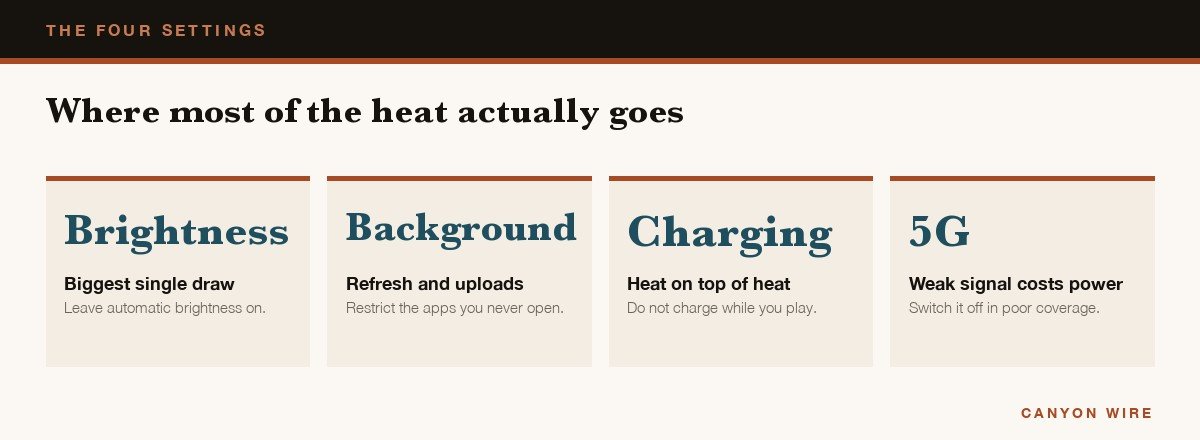
Four settings do most of the work and they are the same four on both platforms under different names. Automatic brightness, so the screen is not fighting you indoors. Low Power Mode or Battery Saver, switched on before a long session rather than after the phone is already hot. Background refresh restricted to the apps that genuinely need it. And 5G turned off in places where coverage is poor.
On Android the per-app control is the useful one: open Settings, then Apps, choose the app, tap Battery and set it to Restricted for anything you do not need notifications from. Samsung adds a Game Booster panel during play where a specific game’s frame rate and resolution can be capped without throttling everything else, which is the single most effective change for anyone whose heat problem is gaming.
Gaming is also where the settings run out of road, because a demanding title holds the processor near its limit for as long as you play. That is why frame rates often feel fine for fifteen minutes and ragged after forty. A clip-on fan is the hardware answer, and our comparison of the best phone coolers for gaming sets out what they change.
When It Is the Battery Rather Than the Software
A small share of cases is hardware, and it presents differently. These are the signs no setting will fix.
- Hot while idle, screen off, nothing installed recently, for more than a day after a restart.
- Battery health below about 80 per cent, which appears under Settings, Battery, Battery Health on an iPhone and in battery diagnostics on most Android phones.
- A lifting back panel or screen, or a phone that rocks on a flat table. A swollen cell is a safety issue; power it down and take it in.
- Repeated shutdowns under load, which Google treats as the point to stop troubleshooting and contact support.
- Hot and slow charging with more than one cable and plug, which points at the port or the battery rather than the accessory.
Heat is also what ages a battery in the first place. Lithium-ion cells lose capacity faster the warmer they are kept, which is why a phone that spends every summer on a car mount in the sun tends to need a battery two years in while an identical one kept in a bag does not. Fixing the heat now is the cheapest way to avoid paying for a replacement later, and a decent power bank removes the other common reason people leave a phone charging while they use it.
Frequently Asked Questions
Why does my phone get hot when I am not using it?
Something is running that you did not open: an app refreshing in the background, a photo or backup upload, an update downloading over cellular, or a weak signal forcing the radio to full power. Restart the phone, then look at which app sits top of the battery usage list for the last 24 hours.
Is it bad for a phone to get hot?
Occasional warmth is harmless and designed for. Sustained heat is not, because high temperatures permanently reduce battery capacity, and Apple warns that use in very hot conditions can shorten battery life for good. Performance lost to throttling comes back when the phone cools. Capacity does not.
Does a phone cooler actually work?
Yes, and measurably so during long gaming sessions, because it moves heat out of the body rather than spreading it inside. At a desk a small fan pointed at the phone does most of the same job for nothing, which is the honest comparison.
Should I charge overnight if my phone runs hot?
Overnight charging is rarely the problem, because the phone stops drawing meaningful current once full. The two things that do cause it are charging on a wireless pad, which wastes more energy as heat than a cable, and charging under a pillow or duvet where the heat cannot escape.





