
The best gaming laptop is the one whose graphics chip, screen and weight match how you actually play. Every machine here runs an NVIDIA RTX 50 Series GPU, so the bigger differences sit around it: whether the display is a fast IPS panel or an OLED, how much the laptop weighs in a bag, how long the battery lasts away from a desk, and whether you can add memory or storage later.
These seven each do a different job: an 18-inch RTX 5090 desktop replacement, a thin Razer with an OLED screen, an Acer that brings OLED to a lower tier, an MSI that is the value RTX 5070, a 14-inch ASUS with an RTX 5080, a light GIGABYTE for school and work, and a Lenovo LOQ that keeps an RTX 5060 within a modest budget.
Best Gaming Laptop Comparison by GPU, Screen and Memory
| # | Laptop | CPU and GPU | Display | Memory and storage | Best for |
|---|---|---|---|---|---|
| 1 | MSI Crosshair A16 HX | Ryzen 9 8940HX, RTX 5070 | 16in 2560×1600, 240Hz | 32GB DDR5, 1TB | Value RTX 5070 |
| 2 | Alienware 18 Area-51 | Core Ultra 9 275HX, RTX 5090 | 18in 2560×1600, 300Hz | 64GB DDR5, 2TB | Desktop replacement |
| 3 | Razer Blade 16 (2026) | Core Ultra 9 386H, RTX 5070 Ti | 16in 2560×1600 OLED, 240Hz | 32GB LPDDR5X, 1TB | Thin and premium |
| 4 | Acer Predator Helios Neo 16S AI | Core Ultra 9 275HX, RTX 5070 Ti | 16in 2560×1600 OLED, 240Hz | 32GB DDR5, 1TB | OLED for less |
| 5 | ASUS ROG Zephyrus G14 | Ryzen AI 9 HX 370, RTX 5080 | 14in 2880×1800 OLED, 120Hz | 32GB LPDDR5X, 2TB | A 14-inch portable |
| 6 | GIGABYTE AERO X16 | Ryzen AI 7 350, RTX 5060 | 16in 2560×1600, 165Hz | DDR5, 1TB | Light for school and work |
| 7 | Lenovo LOQ 15 | Ryzen 7 250, RTX 5060 | 15.6in 1920×1080, 144Hz | 16GB DDR5, 512GB | A tight budget |
1. MSI Crosshair A16 HX: The Best Value RTX 5070 for Most Players
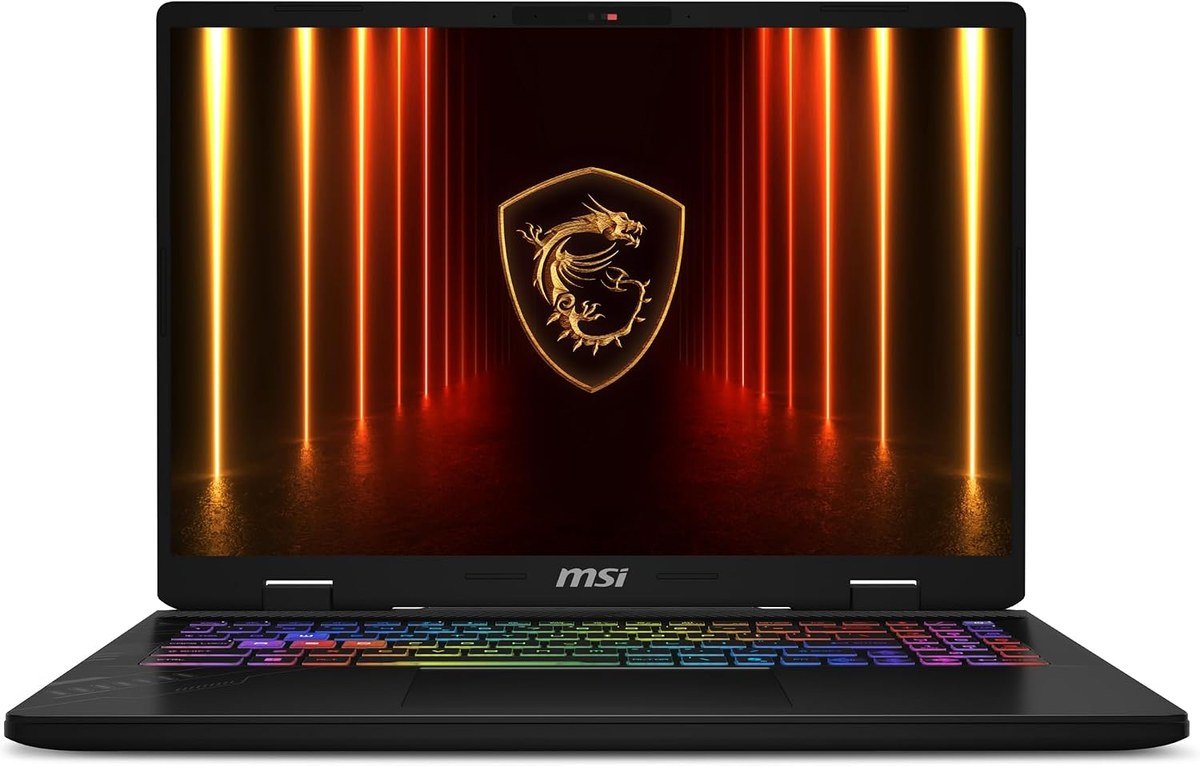
The Crosshair A16 HX is the sensible middle of the range. AMD’s Ryzen 9 8940HX reaches 5.3GHz, the RTX 5070 brings DLSS 4 and ray tracing on 8GB of GDDR7, and the 16-inch matte screen runs at 2560 x 1600 and 240Hz, a resolution that this GPU class handles well with DLSS on.
It also leaves room to grow. It ships with 32GB of DDR5 and supports up to 96GB, so memory sits on replaceable modules rather than being soldered, and a 90Wh battery is among the largest here. MSI’s Cooler Boost 5 uses two fans and multi-directional airflow, and a 24-zone RGB keyboard, fingerprint reader and Wi-Fi 6E complete it in Gunmetal Grey.
What it does well
- RTX 5070 with a 2560 x 1600, 240Hz screen
- Memory upgradeable to 96GB
- 90Wh battery
- Matte display that handles reflections
What to know before buying
- 5.5 pounds, so it is a carry-sometimes laptop
- Two 2W speakers, so plan on a headset
- Not for buyers who want an OLED screen
2. Alienware 18 Area-51: The RTX 5090 Desktop Replacement

This is the laptop for someone who wants desktop-class performance and rarely moves it. The configuration here pairs Intel’s 24-core Core Ultra 9 275HX with NVIDIA’s top laptop GPU, the GeForce RTX 5090, plus 64GB of DDR5 memory and a 2TB SSD. The 18-inch 2560 x 1600 anti-glare screen refreshes at 300Hz, and Dell lists it at 500 nits with 100 percent DCI-P3 color, G-SYNC and Advanced Optimus.
The size buys room to grow. Dell lists the memory as two removable CSoDIMM modules and offers storage up to a three-drive RAID array, so this is the most upgradeable machine here. The trade-off is weight: Dell quotes up to 9.56 pounds, before the large power adapter. A 96Wh battery, Wi-Fi 7, Ethernet and an optional Cherry MX low-profile mechanical keyboard round it out, in Alienware’s Liquid Teal finish.
What it does well
- RTX 5090 with a 24-core Core Ultra 9 275HX
- 18-inch 300Hz screen with G-SYNC and Advanced Optimus
- 64GB of DDR5 on removable modules
- Room for extra SSDs, up to a three-drive array
What to know before buying
- Up to 9.56 pounds before the charger
- A desk machine, not a backpack laptop
- Not for anyone who needs real battery life away from a socket
3. Razer Blade 16 (2026): Thin, Premium and OLED
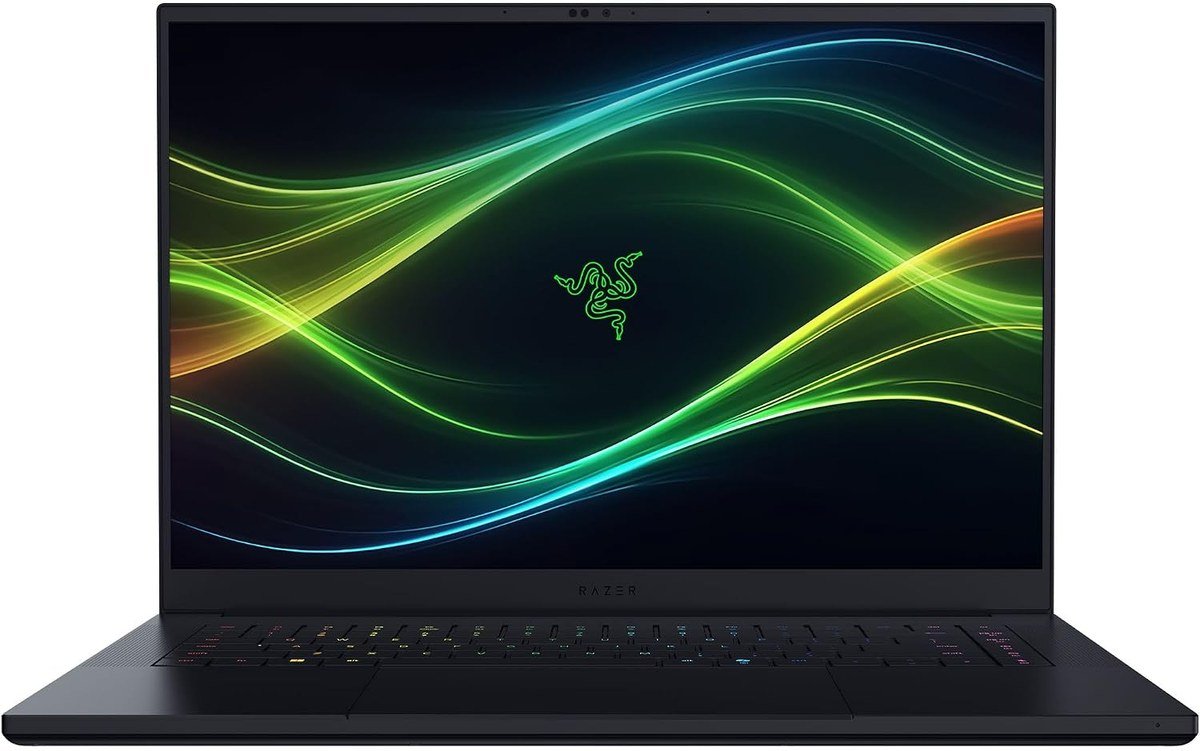
The Blade 16 puts serious hardware into a CNC-milled aluminum unibody that Razer quotes at 14.9 mm thin and 4.6 pounds, its thinnest gaming laptop yet. This configuration runs Intel’s Core Ultra 9 386H with an RTX 5070 Ti rated at up to 140W, cooled by a vapor chamber, with 32GB of LPDDR5X memory at 9600MHz and a 1TB PCIe 4.0 SSD.
The screen is the highlight: a 16-inch 2560 x 1600 OLED at 240Hz with a 0.2 ms response, VESA DisplayHDR TrueBlack 1000 certification and 100 percent DCI-P3 coverage, Calman Verified. Thunderbolt 5, HDMI 2.1, Wi-Fi 7, an SD card slot, a 90Wh battery and Windows Hello face sign-in make it as good for work as for play.
What it does well
- 14.9 mm and 4.6 pounds with an RTX 5070 Ti
- 240Hz OLED with DisplayHDR TrueBlack 1000
- Thunderbolt 5 and HDMI 2.1
- Two M.2 slots, expandable to 8TB of storage
What to know before buying
- Memory is soldered and cannot be upgraded
- A thin chassis has less cooling headroom than the 18-inch Alienware
- Not for buyers who want the most frames per dollar
4. Acer Predator Helios Neo 16S AI: OLED and an RTX 5070 Ti for Less
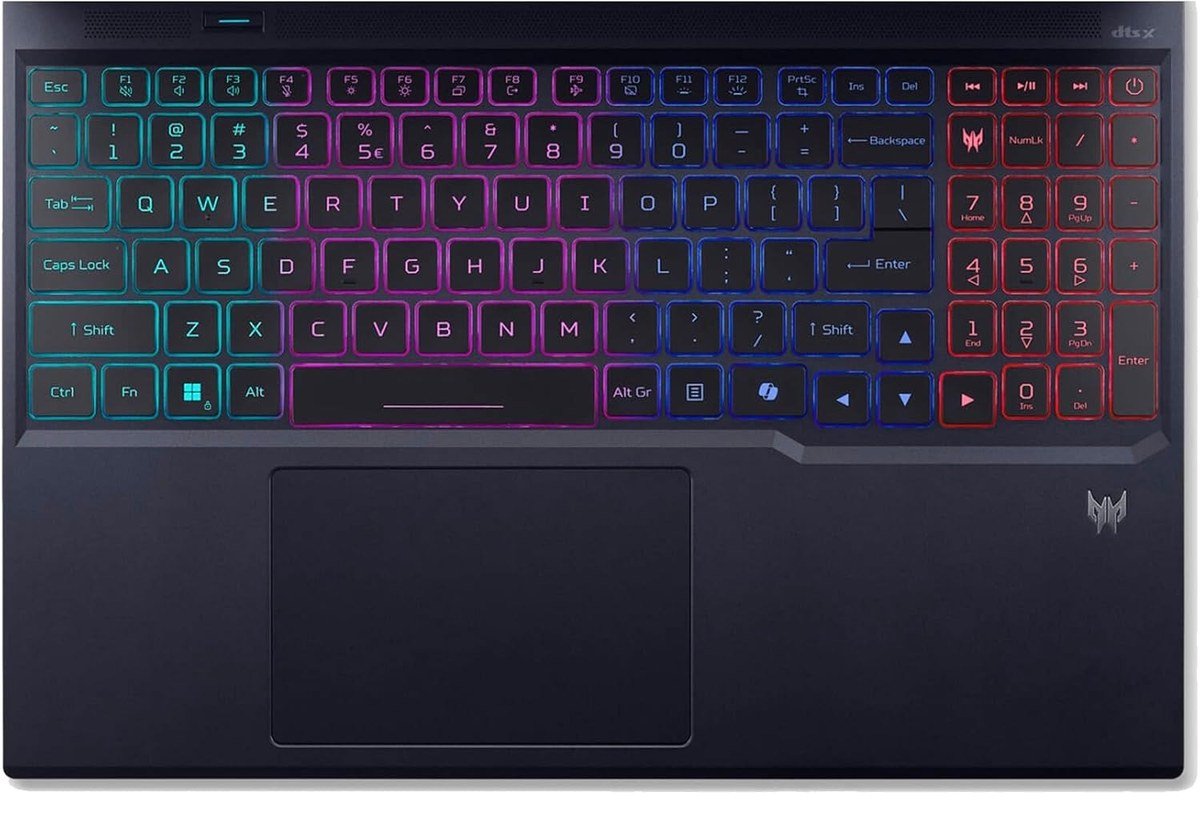
The Helios Neo 16S brings the same GPU class and a 240Hz OLED to a lower tier than the Razer. This configuration pairs a 24-core Intel Core Ultra 9 275HX, which reaches 5.4GHz, with an RTX 5070 Ti and 12GB of video memory, plus 32GB of DDR5 and a 1TB SSD. The 16-inch 2560 x 1600 OLED covers 100 percent of DCI-P3 and supports G-SYNC.
It keeps the ports a desk setup needs: three USB-A, two USB-C, HDMI 2.1, Gigabit Ethernet and a microSD reader, enough for a second gaming monitor without a dongle. Acer’s fifth generation AeroBlade fans handle cooling, Killer Wi-Fi 6E keeps latency low, and a 76Wh battery sits inside a 0.79-inch chassis that Acer lists at about 2.3 kg, or 5.1 pounds. It ships with Windows 11 Pro.
What it does well
- 240Hz OLED with 100 percent DCI-P3
- RTX 5070 Ti with a 24-core HX processor
- Three USB-A, two USB-C, HDMI 2.1 and Ethernet
- Windows 11 Pro included
What to know before buying
- Heavier and thicker than the Razer
- Wi-Fi 6E rather than Wi-Fi 7
- Not for anyone who leaves a static desktop on screen for hours, where OLED is less forgiving
5. ASUS ROG Zephyrus G14: An RTX 5080 in a 14-Inch Body

The G14 is the gaming laptop that fits a regular laptop bag. ASUS lists this RTX 5080 version at 3.46 pounds and 0.63 to 0.72 inches thick, in a CNC aluminum chassis, with the GPU running at up to 110W including 25W of Dynamic Boost. AMD’s Ryzen AI 9 HX 370 supplies 12 cores, 24 threads and up to 50 TOPS for AI features.
The 14-inch 3K OLED runs at 2880 x 1800 and 120Hz with a 0.2 ms response and G-SYNC, certified to ASUS’s ROG Nebula display standard. This configuration has 32GB of LPDDR5X and a 2TB PCIe 4.0 SSD, plus Wi-Fi 7, HDMI 2.1 and a 73Wh battery, in Platinum White.
What it does well
- An RTX 5080 at 3.46 pounds
- 3K OLED with G-SYNC
- 2TB of storage as configured
- Wi-Fi 7 and HDMI 2.1 in a 14-inch body
What to know before buying
- Memory is soldered at 32GB with no expansion
- A 110W GPU limit, below the 16- and 18-inch machines
- Not for players who want a 240Hz screen for competitive shooters
6. GIGABYTE AERO X16: Light Enough for School and Work

GIGABYTE built the AERO X16 for people who need one laptop for lectures, work and games. GIGABYTE quotes it at 16.75 mm thick and 1.9 kg, or 4.18 pounds, a light figure for a 16-inch machine with an RTX 5060. AMD’s Ryzen AI 7 350 qualifies it as a Copilot+ PC, and GIGABYTE adds its GiMATE AI assistant for system settings.
The 16-inch 2560 x 1600 IPS panel runs at 165Hz with 100 percent sRGB and 400 nits typical brightness, a good fit for photo work as well as play. Storage is a 1TB PCIe Gen4 SSD, and a 76Wh battery, Wi-Fi 6E, Thunderbolt 4, HDMI and Ethernet complete it in Space Gray.
What it does well
- 4.18 pounds for a 16-inch RTX laptop
- 2560 x 1600, 165Hz screen with 100 percent sRGB
- Copilot+ PC features from the Ryzen AI 7 350
- Thunderbolt 4 and Ethernet
What to know before buying
- An RTX 5060, a step below the RTX 5070 and 5070 Ti picks
- 165Hz is slower than the 240Hz screens here
- Not for anyone chasing maximum frame rates in new AAA games
7. Lenovo LOQ 15: An RTX 5060 on a Tight Budget
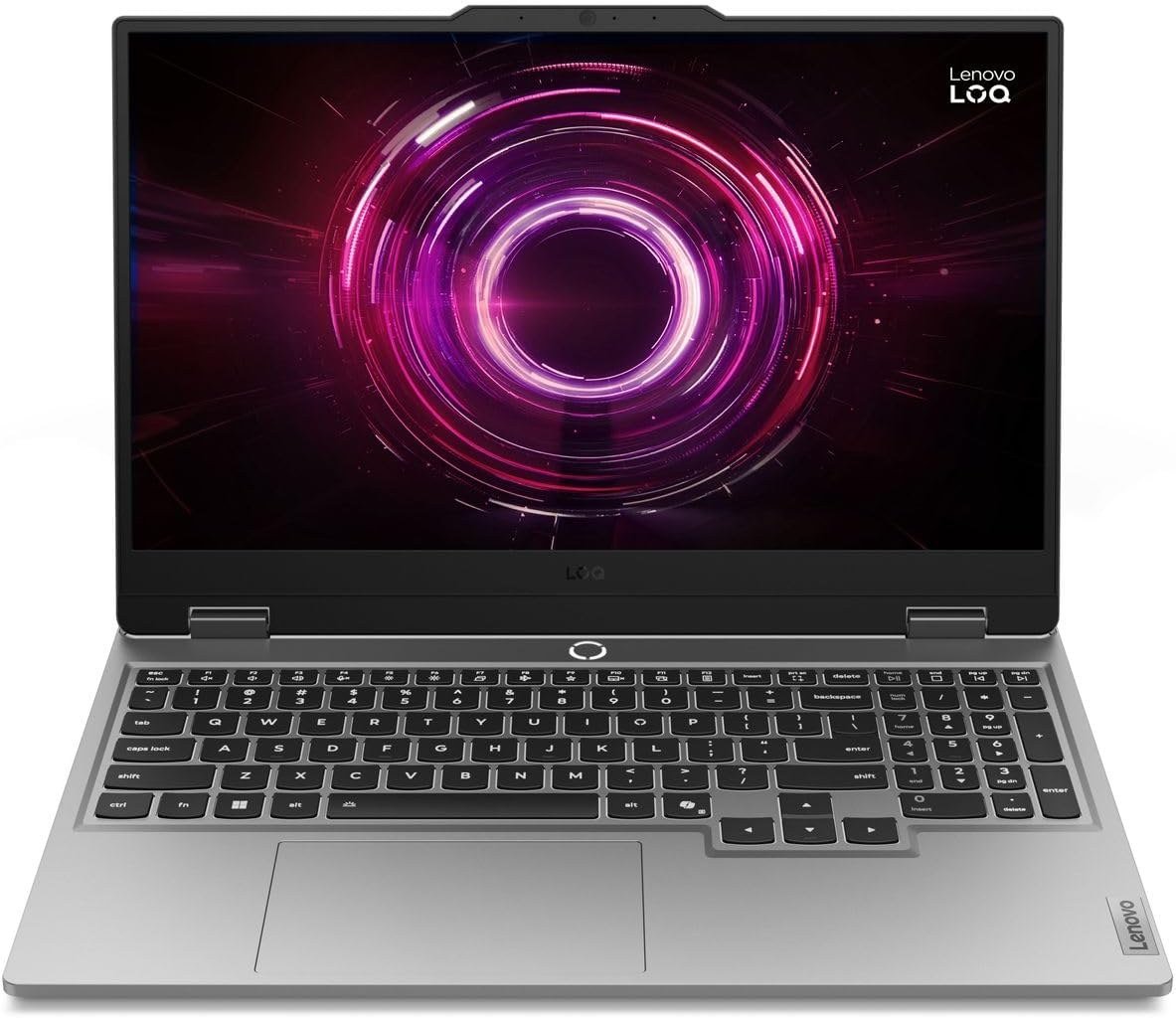
The LOQ is Lenovo’s entry gaming line, and this configuration keeps the essentials: an AMD Ryzen 7 250 with eight cores, an RTX 5060 with 8GB of GDDR7, and a 15.6-inch 1920 x 1080 IPS screen at 144Hz and 300 nits. 1080p is the resolution where an RTX 5060 is most comfortable.
NVIDIA G-SYNC and Advanced Optimus are included, the latter switching between the integrated graphics and the RTX GPU to save battery. Memory is 16GB of DDR5, expandable to 32GB, and ports include HDMI 2.1 and a USB-C Gen 2 port. The webcam has a privacy e-shutter, and a 245W slim-tip charger comes in the box.
What it does well
- RTX 5060 paired with a 1080p, 144Hz screen
- G-SYNC and Advanced Optimus
- Memory expandable to 32GB
- HDMI 2.1 for a TV or monitor
What to know before buying
- 512GB of storage fills quickly with modern games
- Wi-Fi 6 rather than 6E or 7
- Not for anyone who wants a 1440p or OLED screen
Resolution, Refresh Rate and Panel Type on a Gaming Laptop Screen
Three numbers describe a gaming laptop display. Resolution sets the detail: 1920 x 1080 on the LOQ, 2560 x 1600 on most picks here, and 2880 x 1800 on the G14. Refresh rate is how many times per second the screen draws a new image, and the gain is measurable: at 144Hz each frame stays on screen for about 6.9 ms against 16.7 ms at 60Hz, which is why fast games feel smoother on a 240Hz or 300Hz panel.
The catch is that the GPU has to produce those frames. A higher resolution costs frame rate, so an RTX 5060 is best matched to a 1080p or 165Hz screen, while 2560 x 1600 at 240Hz suits an RTX 5070 or above, with DLSS filling the gap in demanding games. G-SYNC, which the Alienware, Acer, ASUS and Lenovo support, smooths things when frame rates fall below the refresh rate.
Panel type is the last choice. OLED, on the Razer, Acer and ASUS, gives per-pixel blacks and a response time near 0.2 ms, but static elements such as taskbars and game HUDs carry a burn-in risk over years of use. The LCD panels on the Alienware, MSI, GIGABYTE and Lenovo have no burn-in concern and often a matte finish, at the cost of greyer blacks in a dark room.
Weight, Battery Life and Upgrade Slots: Living With the Laptop
Weight decides how often a gaming laptop leaves the house. The G14 is 3.46 pounds, the AERO X16 4.18 pounds and the Blade 16 4.6 pounds, while the Acer is 5.1 pounds, the MSI 5.5 pounds and the Alienware up to 9.56 pounds before its charger. The bigger machines also have bigger power bricks, so add their weight to the bag.
Battery capacity runs from 73Wh on the G14 to 96Wh on the Alienware, but gaming on battery drains any of them quickly, because the GPU draws far more power than the rest of the system. NVIDIA Optimus and its Advanced variant save energy by switching off the discrete GPU for browsing and video and waking it only for games, which is why a gaming laptop can last through a workday yet manage much less during play. Plug in for long sessions.
Upgrades are the last thing to check before buying. The Alienware, MSI and Lenovo use removable memory modules, while the Razer and ASUS solder memory to the board, so buy enough on day one. Extra SSD slots are more common: the Blade 16 has two M.2 slots for up to 8TB. A docking station on the desk turns a single cable into a full setup.
Which Gaming Laptop to Buy
For most players the MSI Crosshair A16 HX is the one to buy: an RTX 5070 driving a 2560 x 1600, 240Hz screen, memory you can upgrade later and a 90Wh battery. If budget is no object and the laptop stays on a desk, the Alienware 18 Area-51 with its RTX 5090 is the fastest machine here.
Choose the Razer Blade 16 for a thin premium laptop with an OLED, the Acer Helios Neo 16S for OLED and an RTX 5070 Ti at a lower tier, the ASUS Zephyrus G14 for the most power in a 14-inch bag, the GIGABYTE AERO X16 for school or work first, and the Lenovo LOQ 15 for the lowest cost of entry. Pair any of them with a proper gaming mouse for desk sessions.
Frequently Asked Questions
Is OLED or IPS better on a gaming laptop?
OLED gives deeper blacks and a faster response, which suits films and dark games. An IPS or other LCD panel avoids burn-in risk and is often matte, which suits long sessions with static on-screen elements.
Can I upgrade the RAM in a gaming laptop later?
Only if it uses removable modules, as the Alienware, MSI and Lenovo picks do. The Razer Blade 16 and ASUS G14 have soldered memory, so choose the capacity at purchase.
How long does a gaming laptop battery last while gaming?
Much less than the rated figure, because the GPU draws heavily under load. Rated runtimes assume light work with the discrete GPU switched off, so plug in to game.
Is a 14-inch gaming laptop powerful enough?
Yes, with limits. The G14 carries an RTX 5080, but ASUS caps it at 110W, below what larger chassis allow, so a 16- or 18-inch laptop with the same GPU usually runs faster.
Related Articles
- Best Gaming Headsets
- Best Gaming Handhelds
- How to Fix Laptop Screen Issues
- Best Laptop to Buy: 7 Compared on Screen and Memory
- Best graphics cards
As an Amazon Associate, CanyonWire earns from qualifying purchases.





