The obvious answer to this question died last year. Microsoft retired Skype on 5 May 2025 and moved everyone to Teams, which removed the default free calling app for a generation of users.
What replaced it is not one service but three different kinds of free, and they solve different problems. Some give you a real phone number. Some only call other people using the same app. Some are just software that needs a phone service behind it. Here are seven that genuinely cost nothing, what each one actually does, and where the free tier stops.
Free VoIP Services Compared
| # | Service | What free gets you | Real phone number | Best for |
|---|---|---|---|---|
| 1 | Google Voice | A US number, calls to US and Canada | Yes | A free second number |
| 2 | Ooma Basic | Unlimited US home calling, taxes only | Yes | Replacing a landline |
| 3 | Microsoft Teams | 60-minute meetings, chat | No | Skype refugees |
| 4 | Zoom Basic | 40-minute meetings, 100 people | No | Quick video calls |
| 5 | Jitsi Meet | Unlimited meetings, no account | No | Calling without signing up |
| 6 | Zoiper 5 | A softphone app, non-commercial | Bring your own | Using a SIP account |
| 7 | Linphone | Open-source app plus a free SIP address | Yes, a SIP address | Open-source users |
Only two of these hand you a normal phone number that anyone can dial. That distinction matters more than any feature list, so it is worth understanding before you pick.
Three Kinds of Free VoIP
Almost every argument about free VoIP comes from people comparing services that are not the same product. There are three groups.
Services that give you a phone number. Google Voice and Ooma hand you a real number in the North American numbering plan. Your mother can dial it from her landline. This is the only group that replaces a phone line.
Apps that call other users of the same app. Teams, Zoom and Jitsi are in this group, and so are WhatsApp and Signal. Calls are free and often unlimited, but both ends need the same app. There is no number to give out.
Softphones that need a provider behind them. Zoiper and Linphone are apps, not phone companies. They speak SIP, the protocol most business phone systems run on, and they are useless until you point them at an account from a VoIP provider or a PBX. Zoiper says so plainly in its own requirements: you need a computer or smartphone, an internet connection, and a VoIP provider or a PBX.
Pick the wrong group and the service will feel broken when it is working exactly as designed.
1. Google Voice: Best Free US Phone Number
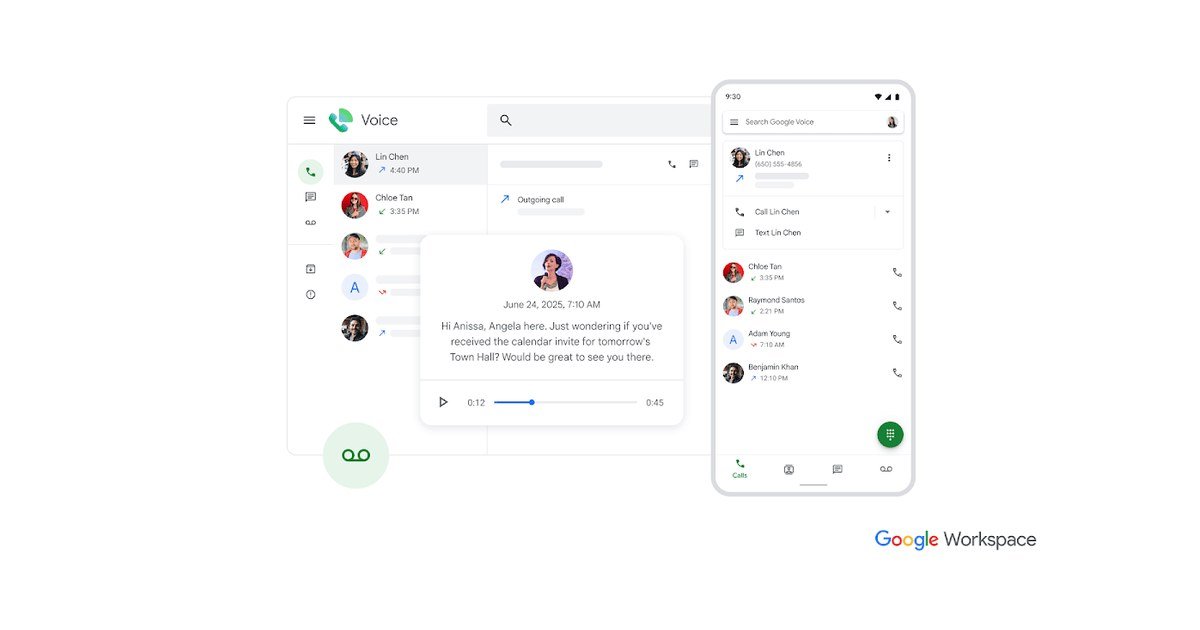
Google Voice is the closest thing to a free phone line that most people can get. A personal Google account gets one US number, voicemail with transcription, call forwarding to your existing phone, and spam filtering, at no cost.
The calling terms are more precise than the headline suggests. Google’s own support page says that when you call from the US, almost all calls to the US and Canada are free, that some specific numbers in the US and Canada cost one cent per minute, and that calls outside the US are charged at listed rates.
Two limits decide whether it works for you. The free tier is for personal use, not business use, and the business version sits inside Google Workspace at $10 per user a month. And you need an existing phone number to verify the account, so it is a second number rather than your only number.
- Free: one US number, US and Canada calling, voicemail transcription, call forwarding, spam filtering.
- Not free: some specific US and Canada numbers at one cent a minute, international calls at listed rates, business use.
- Catch: requires an existing phone number to sign up.
2. Ooma Basic: Best Free Home Phone Line

Ooma is the only entry here that replaces a landline properly, and the pricing model is unusual enough to explain carefully. Ooma lists Basic Phone Service at $0.00 a month with unlimited nationwide calling. You are not paying for the service.
You are paying for the hardware once. The Ooma Telo device is $99.99 as a one-time purchase, and after that the page states you only pay applicable monthly taxes and fees, which vary by zip code. There is a Telo Air at $129.99 for homes where the router is out of reach, and a Telo LTE that comes with the paid Premier plan instead.
Over a couple of years that works out cheaper than almost any paid home phone plan, which is why Ooma keeps appearing in best-of lists rather than free-stuff lists.
- Free: unlimited nationwide calling, $0.00 monthly service on the Basic plan.
- Not free: the Ooma Telo device at $99.99 once, plus monthly taxes and fees.
- Catch: it is a home phone, so it needs your router and your power to stay on.
3. Microsoft Teams: The Official Skype Replacement
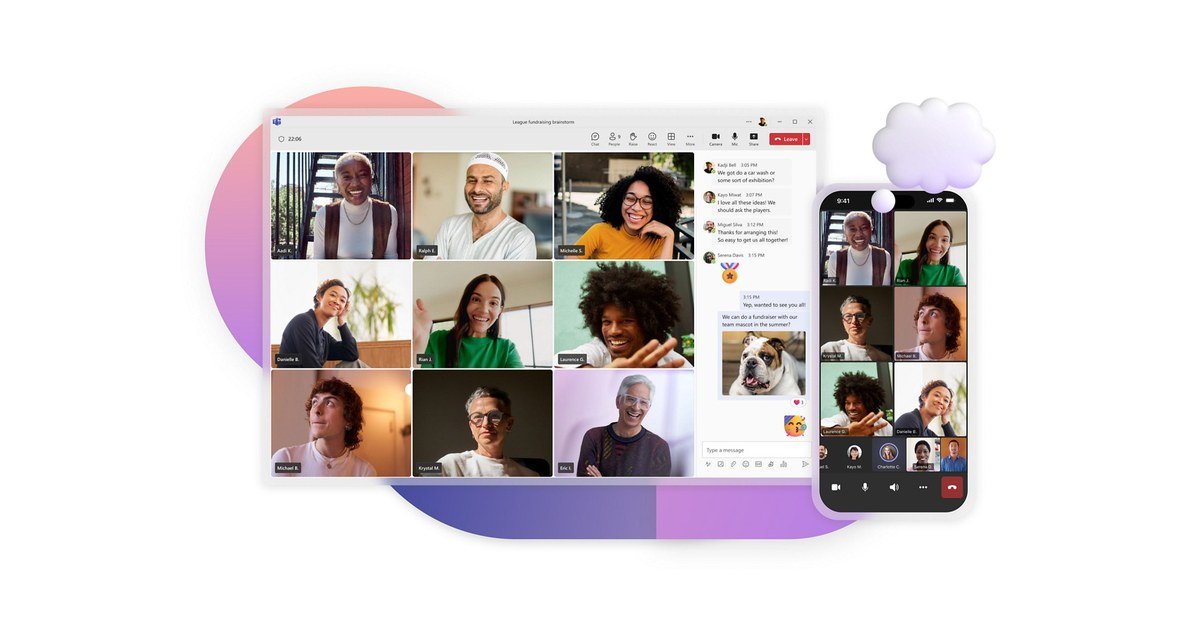
When Microsoft shut Skype down it pointed users at the free tier of Teams, and existing Skype logins carried chats and contacts across. If you are here because Skype vanished, this is where Microsoft intended you to land.
The free version covers one-to-one and group calls, chat, file sharing and communities. Meetings run up to 60 minutes, and people can join from a link without having a Teams account at all, which removes the usual friction of asking someone to install something.
What it does not give you is a phone number. Teams can dial real phone numbers, but that sits behind a paid Teams Phone plan. Free Teams calls Teams.
- Free: 60-minute meetings, chat, file sharing, guests join by link with no account.
- Not free: calling real phone numbers, which needs a paid Teams Phone plan.
- Catch: heavier than Skype was, and built around work rather than family calls.
4. Zoom Basic: Best for Quick Video Calls

Zoom’s free Workplace Basic plan allows meetings of 40 minutes with up to 100 participants. It also now includes a small allowance of AI features, with meeting summaries on three hosted meetings a month.
The 40-minute cap is the whole story. It is twenty minutes shorter than the free Teams limit, which sounds trivial until a call runs long and everyone has to rejoin. For a scheduled catch-up it is fine. For an open-ended conversation it is irritating.
Zoom’s actual phone product, Zoom Phone, is a separate paid subscription. The free plan is meetings only.
- Free: 40-minute meetings, 100 participants, basic AI meeting summaries.
- Not free: longer meetings, and Zoom Phone for real phone numbers.
- Catch: the 40-minute limit applies to group calls, so long meetings need a restart.
5. Jitsi Meet: Best With No Account At All
Jitsi Meet is open source, free, and asks for nothing. No account, no download on desktop, no time limit imposed on you by a sales team. You open the site, create a room name and send the link.
That makes it the best option for calling someone who refuses to install another app, or for a one-off conversation you do not want tied to an identity. The Tor Project has recommended it publicly as a Zoom alternative for exactly those reasons.
Because anyone with the link can join, use an unguessable room name or set a password, and the rules for that are the same as anywhere else, covered in our guide to creating a strong password. Being open source, you can also run Jitsi on your own server, which is why it shows up in privacy-focused setups. If that is your reason for being here, our guide on how to protect your privacy online covers the wider habits worth adopting.
- Free: unlimited meetings, no account, no install on desktop, open source.
- Not free: nothing, unless you want the hosted JaaS product for your own app.
- Catch: rooms are open to anyone with the link unless you set a password.
6. Zoiper 5: Best Free Softphone

Zoiper is a softphone, which means it turns a computer or phone into a desk phone for a SIP account you already have. It runs on Windows, Mac, Linux, Android and iOS, and the free version handles voice, video and instant messaging.
Read the licence before you deploy it at work. Zoiper describes version 5 as free for non-commercial use, and the paid PRO version is where conferencing, call transfer and encryption live. A small business running it on free licences is outside the terms.
It is the right pick if your employer or VoIP provider gave you SIP credentials and a clunky app. It is the wrong pick if you expected a phone number to arrive with it.
- Free: voice, video and IM softphone on five platforms.
- Not free: commercial use, plus conferencing, transfer and encryption in PRO.
- Catch: useless without a SIP account from a provider or PBX.
7. Linphone: Best Open-Source Option
Linphone solves the problem that makes Zoiper awkward. It is an open-source softphone, and the project also runs a free SIP service, so you can create an address and start calling without hunting for a provider first.
It covers voice, video conferencing and instant messaging, runs across desktop and mobile, and the underlying library is the same one the team licenses to businesses building their own communication tools. The source is public, which matters if you want to know what your call software is doing.
The trade is polish. It is engineered rather than designed, and the site pushes you toward the enterprise suite before the free app. For a free, auditable, no-strings VoIP setup, it is the strongest option on this list.
- Free: the app on every platform, plus a free SIP address from the project.
- Not free: the commercial Linphone suite for organisations.
- Catch: a SIP address is not a phone number that ordinary phones can dial.
What Free VoIP Will Not Do
Four limits apply to nearly everything on this list, and they are the reason free VoIP supplements a phone rather than replacing one outright.
- Emergency calls are not reliable. Google spells this out: in a power cut, an internet outage or a service outage, emergency calling is not available. Keep a mobile for.
- No power, no phone. Every option here dies with your router. A copper landline did not.
- Personal use only, often. Google Voice’s free tier and Zoiper 5 both restrict free use to non-commercial. Running a business on them breaks the terms.
- Your number may not be portable. Free numbers are easy to get and harder to take with you, so do not print one on anything permanent.
None of that is a reason to avoid them. It is a reason to treat a free number as a second line for work, selling things online or signing up to services, rather than the line your family calls in an emergency. If the calls carry anything sensitive, the same thinking applies as in our notes on cloud security best practices.
Frequently Asked Questions
Is there a way to get a free VoIP phone number?
Yes, two realistic ones. Google Voice gives a personal Google account a free US number for calls within the US and Canada. Ooma gives you a free home phone line with unlimited nationwide calling once you buy the Telo device.
Everything else described as free either calls app to app only, or is a softphone that needs a paid SIP account behind it.
Is Google Voice still free?
The personal tier is. One US number, calls to the US and Canada, voicemail transcription and call forwarding cost nothing on a personal Google account.
The business version is not free. Google Voice inside Workspace starts at $10 per user a month, and the free tier is licensed for personal use only.
What replaced Skype?
Microsoft Teams. Skype was retired on 5 May 2025 for both free and paid users, and Skype logins moved to the free version of Teams with chats and contacts intact.
Skype for Business is a separate product on its own timeline and was not part of that shutdown.
Can I use free VoIP to call 911?
Do not rely on it. Free VoIP runs over your internet connection, so a power cut or an outage takes it down, and Google states plainly that emergency calling is unavailable in those situations.
Keep a mobile phone for emergencies and treat any free VoIP number as an additional line.
Which free VoIP service is best for a small business?
None of the free tiers, strictly speaking. Google Voice’s free plan and Zoiper 5 both limit free use to personal or non-commercial use, so a business on either is outside the licence.
The honest answer is that free VoIP is for personal calling and side projects. A business needs a paid plan, and the cheapest credible starting point here is Google Voice through Workspace at $10 per user a month.