The green dot on Snapchat is the Activity Indicator. It appears on a friend’s avatar to show that they have been active on the app recently, and it appears by default on every account that has not turned it off.
That one word, recently, is where nearly every argument about this feature comes from. A green dot is not a confirmation that someone is holding their phone at this second, and Snapchat has never said it is. Here is the full picture: what the dot reports, where it turns up, how to switch your own off, and the four things people routinely mistake it for.
The Green Dot Means Active Recently, Not Active Now
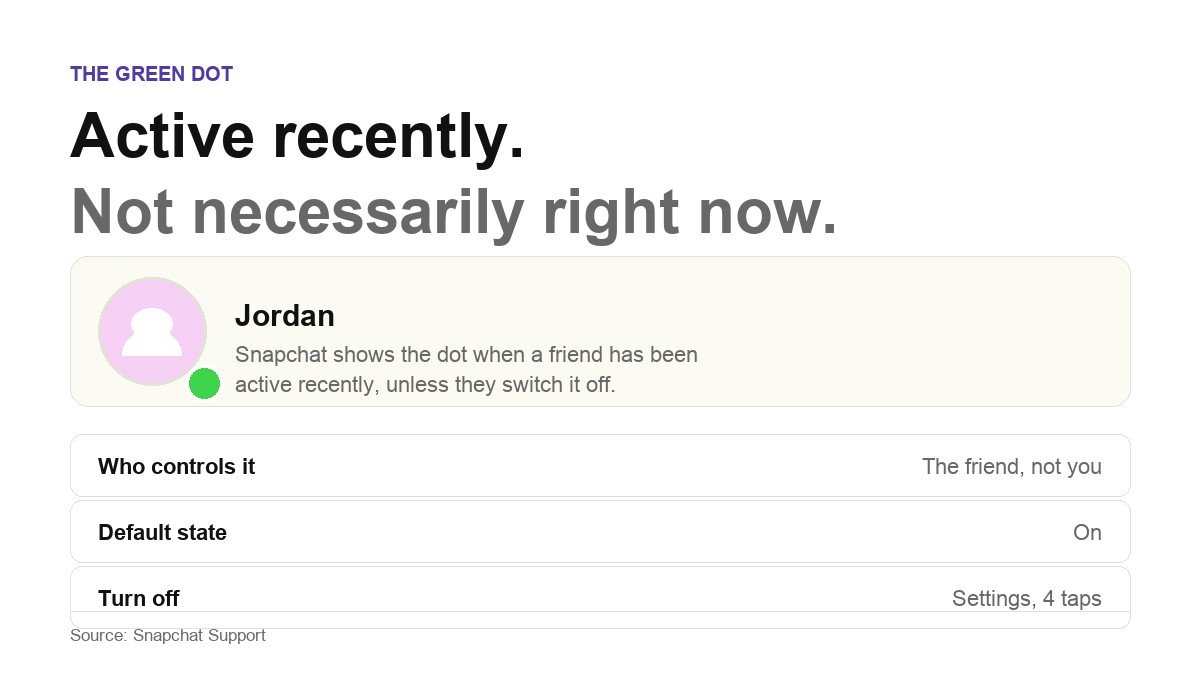
The wording on Snapchat’s own support page is short and worth reading literally. The green dot shows up on a friend’s avatar to indicate that they have been active on Snapchat recently, and it will show up unless they disable it. There is no claim about being online, no claim about being in a chat, and no claim about having read anything.
The difference matters because of what people do with the information. A dot appearing a minute after you sent a message does not mean your message was seen and ignored. It means the app registered activity at some point recently, which could be a Story watched on the bus, a notification tapped by accident, or the app opening itself in the background on a phone that has just come back into signal.
It is also worth noticing what the dot is attached to. It sits on the avatar, which is a per-person signal, not a per-conversation one. The same dot shows in every place that friend’s avatar appears, and it has nothing to do with the thread you happen to be looking at.
How Recent Is Recently?
Snapchat does not publish the window. The support article says recently and stops there, and no official documentation anywhere gives a number of minutes.
That silence is deliberate and probably sensible. A published number would turn the dot into a stopwatch, and a feature that tells your friends exactly how long ago you last opened an app is a different and much more intrusive product than the one Snapchat shipped. It also gives the company room to tune the behaviour without breaking a promise.
What this means in practice is that you should treat the dot as a rough signal rather than a measurement. Anyone quoting a precise figure for how long the green dot lasts is reporting their own observation, not Snapchat policy, and observations of this kind vary by device, connection and app version.
Where the Green Dot Appears
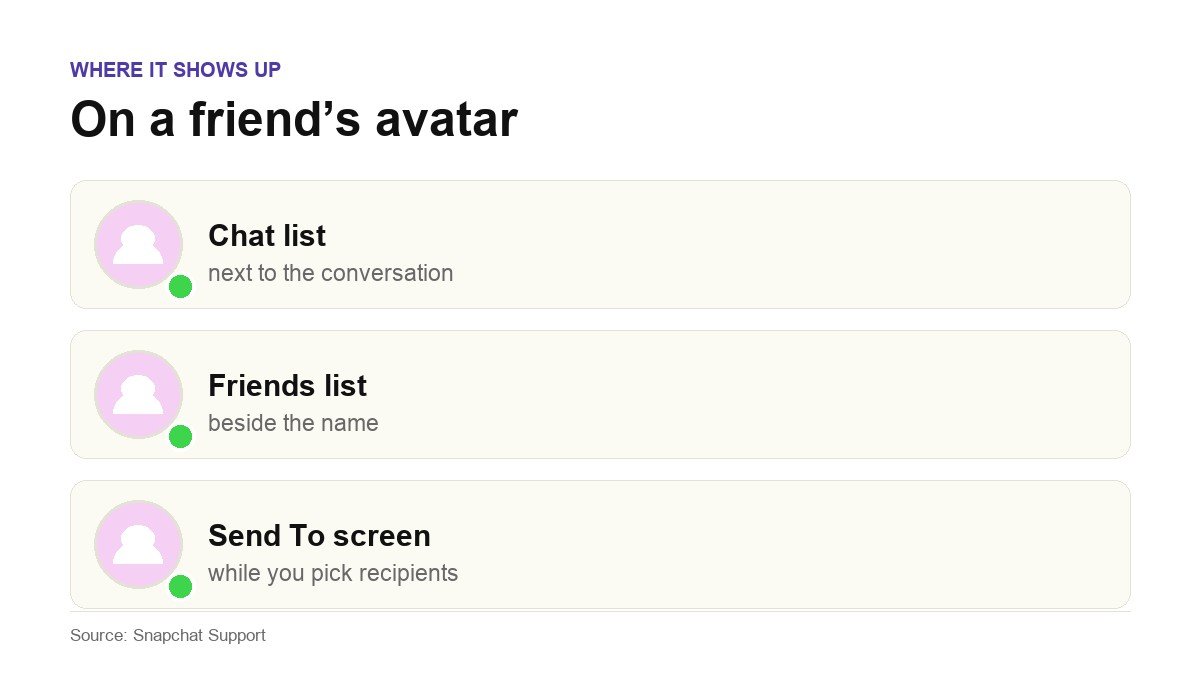
Because the indicator is bound to the avatar rather than a screen, you will run into it in every part of the app that draws your friends’ avatars:
- In the Chat list, on the avatar beside each conversation.
- In your friends list, next to the name.
- On the Send To screen, while you are choosing who receives a Snap.
One consequence catches people out. The dot is visible to anyone who can see that avatar, so it is not a signal you are broadcasting to one person. Everyone you are friends with sees the same dot at the same time.
How to Turn Off Your Own Green Dot
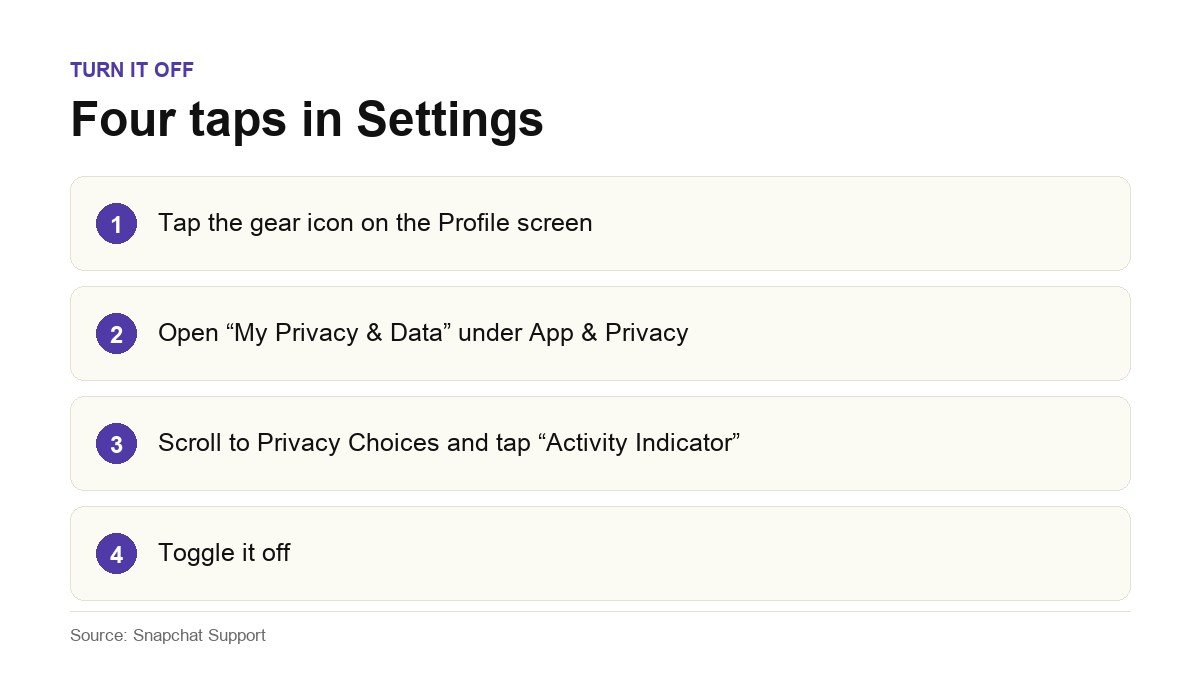
Snapchat documents a specific path for this, and it is buried far enough down that most people never find it by accident.
- Tap the gear icon on your Profile screen to open Settings.
- Scroll down to the App and Privacy section and tap My Privacy and Data.
- Scroll to the Privacy Choices section and tap Activity Indicator.
- Toggle it off.
Two things to understand before you do it. The setting controls your dot only, so switching it off stops your friends seeing when you were last active, and it does not hide theirs from you. And it is a single toggle rather than a per-person control, so there is no way to hide from one friend while staying visible to the rest.
If you want tighter control over what Snapchat shares about you generally, the Activity Indicator is one switch on a longer list, and it sits alongside the same kind of decisions covered in our guide to protecting your privacy online. The same is true of your Snapchat Public Profile, which every account aged 16 and over already has whether or not they have ever opened it.
Four Things the Green Dot Is Not
Most of the confusion comes from people mapping the dot onto a different Snapchat feature. These are the four it gets mixed up with:
- Not a read receipt. Whether your message has been delivered, opened or screenshotted is shown by the chat screen icons on the chat itself, which are a separate system entirely.
- Not a typing indicator. Snapchat shows a separate signal when someone is composing a reply. The green dot says nothing about whether anyone is writing to you.
- Not location sharing. A friend’s Bitmoji appearing on Snap Map is Snapchat’s location feature and is controlled by completely different settings. The dot carries no location.
- Not a friendship signal. The Friend Emojis beside a name describe your relationship history, such as streaks and mutual best friends. The dot has nothing to do with any of.
The Green Dot Versus the Icons Beside the Chat
If what you actually want to know is whether a message landed, the dot is the wrong thing to look at. Snapchat documents a separate set of chat screen icons that report exactly that, and they are grouped into six states rather than one:
- Sent. Your Snap or Chat has left your phone. Snapchat shows different icons for a Snap without audio, a Snap with audio and a Chat.
- Received. Something is waiting for you and has not been opened yet.
- Opened. A friend opened what you sent.
- Viewed. Your Snap or Chat has been viewed.
- Screenshot. Someone captured your Snap or Chat.
- Replay. A Snap you sent has been replayed.
Two grey icons are worth recognising in particular, because both get read as rejection when they are not. A grey pending icon can appear simply because the other person has not accepted your friend request yet, depending on their privacy settings. A separate grey icon means a Snap or Chat is pending and may have expired.
Line those up against the dot and the division of labour is clear. The chat icons describe the fate of a specific message. The green dot describes a person. If you find yourself inferring one from the other, you are guessing.
Why the Dot Is Missing on Someone Who Is Obviously Online
This is the other half of the question, and the answer is usually the least dramatic one available.
- They turned it off. The Activity Indicator is a normal privacy setting, and plenty of people switch it off the moment they learn it exists. This is by far the most common explanation.
- Their activity has aged out. They were active, the window passed, the dot went. Nothing happened.
- You are not looking at a friend. The indicator lives on friends’ avatars, so an account you have not added is not going to show one.
- Your app has not refreshed. Pull to refresh the Chat list or restart the app. The state you are looking at can be a few moments old.
What it does not mean is that you have been blocked. Blocking has its own visible consequences, and a missing dot on its own is not evidence of anything.
Frequently Asked Questions
Does the green dot mean someone is online right now?
No. Snapchat’s wording is that the person has been active recently. The company does not describe it as a live presence indicator and does not say how far back recently reaches, so treating it as proof that someone is on their phone at this moment is reading more into it than the feature supports.
Can I hide my green dot from one specific person?
No. The Activity Indicator is a single account-wide toggle in Settings under My Privacy and Data. It is either on for everyone who can see your avatar or off for everyone. There is no per-friend option.
Will they know if I turn my green dot off?
Snapchat does not send a notification when someone changes the setting. What a friend can notice is that your dot has stopped appearing, which is not the same as being told, though an attentive friend may well draw the conclusion.
Does turning off my green dot hide other people’s dots from me?
No. The toggle governs what you broadcast, not what you receive. You can switch yours off and still see the dots on every friend who has left theirs on.
Why does the dot appear seconds after I send a message?
Because your message generated a notification, and opening or tapping that notification counts as activity. The dot is reporting that the app was used, not that your message was read. The chat icons are the only reliable indication of whether something has been opened.