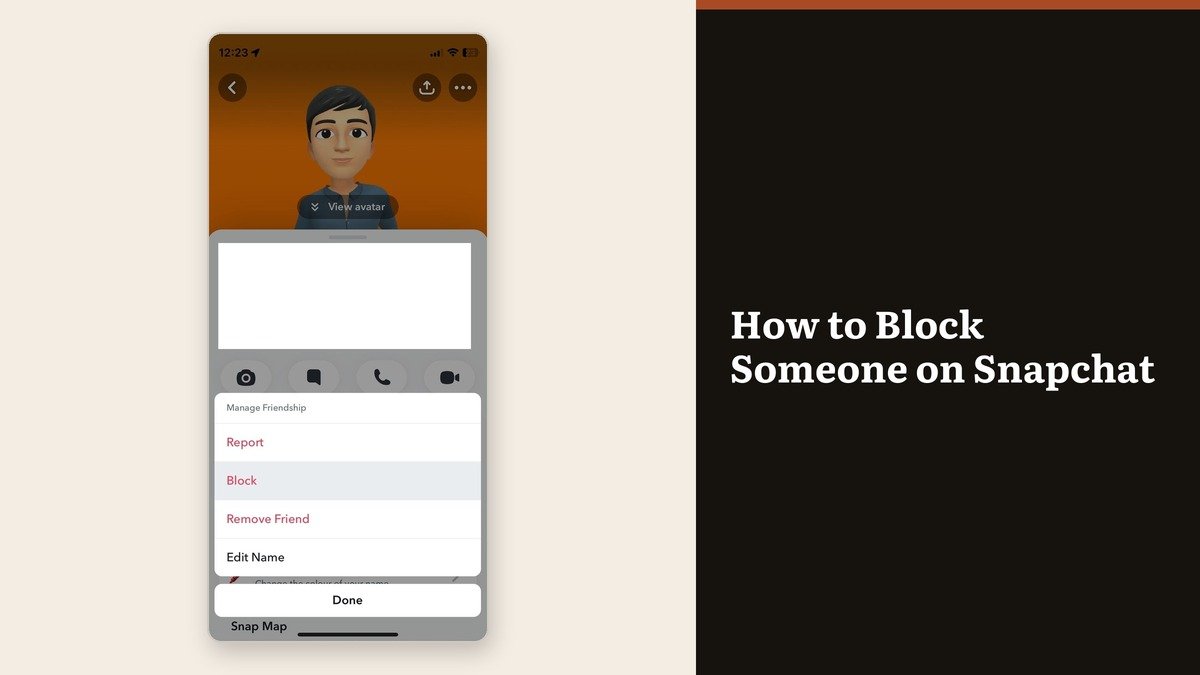
Knowing how to block someone on Snapchat is two taps deep once you know the menu it hides in. Go to the Chat screen, press and hold the person’s name, tap Manage Friendship, then tap Block. There is no notification and no announcement, and the block takes effect at once.
What is less obvious is the shape of what a block actually covers. It cuts private contact completely and leaves two gaps that surprise people: a group chat you both belong to, and anything you have posted publicly.
Two routes to the Block button
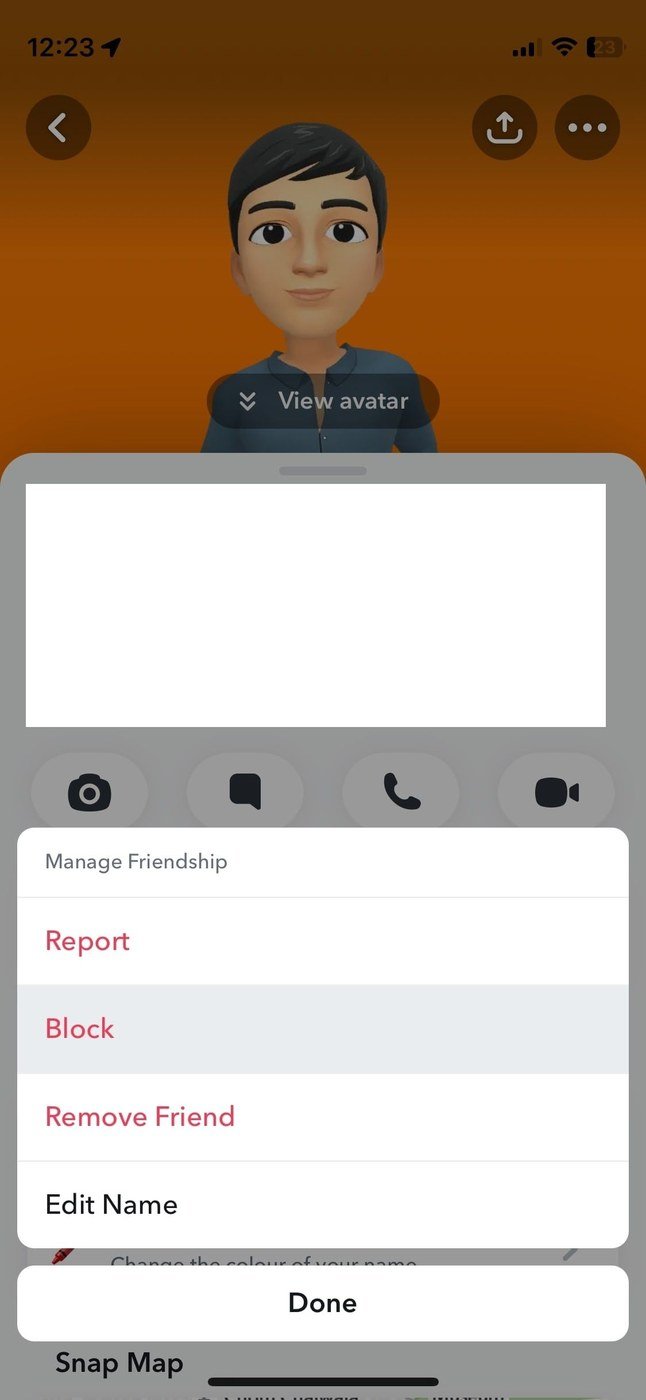
Both routes finish in the same Manage Friendship menu, which also holds Report and Remove Friend. The long-press route is faster; the profile route is easier to find if you are already looking at the conversation.
- From the Chat screen: swipe right from the camera, press and hold the person’s name, tap Manage Friendship, then tap Block.
- From their profile: swipe right, open the chat, tap their profile icon at the top, tap the three circles, tap Manage Friendship, then Block.
- Confirm when prompted. The entry leaves your Friends Feed straight away.
What the blocked person loses
Snapchat is specific about this, and the list is longer than most people expect.
- No Snaps and no Chats. They cannot send you either one.
- No Stories and no Charms. Both stop being visible to them.
- No Snap Map location, even if you had been sharing it with them before.
- No search result. The account stops appearing in your Search results, Best Friends list and Quick Add suggestions, and their name leaves your Friends Feed.
- No private group invitations. They cannot add you to new groups.
From your side, any active one-to-one conversation with them stops being visible. That also means you can no longer save or delete individual messages in it, because the chat itself is out of reach.
What a block does not hide
Two things survive, and both catch people out.
- Public content. A blocked account can still see Public Stories and your posts on Spotlight. Those are not friendship-gated, so a block has no effect on them.
- Shared group chats. Blocking does not remove you from a group you both belong to, and you will still see their messages there. Leaving the group is the only way to stop that.
If public visibility is the real concern, the setting to look at is the profile itself rather than the block list. Our guide to setting up a public profile on Snapchat sets out which parts of a profile anyone can reach.
Block, remove or mute
Snapchat offers four actions on the same menu and they are not interchangeable. Blocking is the strongest and the most visible in its effects; muting is the one nobody notices.
| Action | What it does | Undoing it |
|---|---|---|
| Block | Stops all contact, hides your profile and Snap Map location | Reversible in Settings |
| Remove Friend | Takes them off your friends list, they may still contact you | Re-add by searching |
| Mute | Hides their Stories and notifications, friendship intact | Unmute any time |
| Report | Sends the account to Snapchat for review | Can be combined with a block |
Snapchat’s own distinction is blunt: blocking completely prevents someone from interacting with you, while removing a friend simply takes them off your friends list and may still leave them able to contact you depending on your privacy settings. Mute is the quiet middle option when the problem is their Stories rather than the person.
Reversing it later
The block list lives in Settings, not on the other person’s profile, because a blocked account no longer appears anywhere you could tap it. Open your profile, tap the gear icon, scroll to Blocked, and tap the X beside the name.
Expect the friendship to need rebuilding rather than resuming. Snapchat says an unblocked person can send you Snaps and Chats and see your Stories again, but it does not say you are friends again, and your previous chat history may be incomplete. The same caution applies on other messaging apps, and our walkthrough of telling whether someone blocked you on WhatsApp covers how those platforms signal the same thing differently.
Frequently Asked Questions
Does Snapchat tell someone they have been blocked?
No. There is no notification. Snapchat notes they might work it out by noticing they can no longer view your profile or contact you, which is a different thing from being told.
Does blocking someone delete the chat?
The conversation stops being visible to you, and saved messages in a one-to-one chat may be removed over time once you are no longer friends. Screenshot anything you need before you block.
Can a blocked person still see me in a group chat?
Yes. Blocking does not remove either of you from a shared group, and their messages still appear there. Leaving the group is the only way to stop seeing them.
Can I block someone who is not my friend?
Yes. Snapchat allows blocking any account, friend or not. For a message from a stranger, the chat itself carries a Report or Block option, and they are not told you used it.