The usual starting point for this question is the wrong one. It walks you through creating a Public Profile on Snapchat, when for most accounts there is nothing to create. Snapchat gives Public Profiles to accounts aged 16 and over by default, and has done for some time. The profile is already sitting there behind your Bitmoji.
So the real task is finding it, filling it in properly, and understanding what becomes visible to people who are not your friends once you start using it. This guide covers all three, plus the rules that decide whether an account gets a profile at all and what Snapchat changes for 16 and 17 year olds.
Snapchat Already Made You One
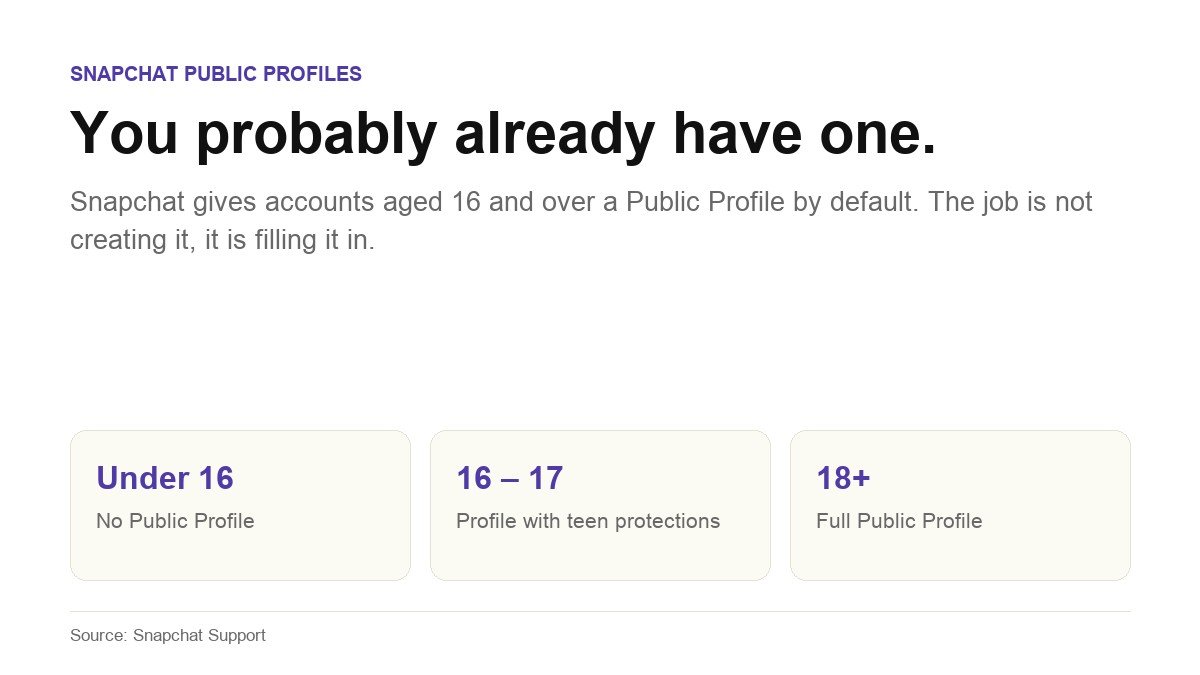
The wording on Snapchat’s support page on Public Profiles is unambiguous: Snapchatters aged 16 and over have a Public Profile by default, but can decide whether or not they use it. Your personal profile is visible only to friends. A Public Profile is visible to anyone on Snapchat.
Snapchat has a separate help article explaining why people find a Public Profile they never made, which tells you how often this surprises people. The company’s reasoning is that a filled-in public page makes it easier for real friends to find and add you. Whether you agree with that is a separate question, and the useful thing to know is that having one and using one are different states. An empty Public Profile is not doing anything. A filled-in one is.
Where to Find Your Public Profile
It takes one tap and most people have never made it.
- Open Snapchat and tap your Bitmoji in the top left corner of the screen.
- Select My Public Profile.
- If nothing appears under that name, your account does not currently have one. The section further down on eligibility explains why.
That is the whole navigation. There is no separate signup, no application and no approval step for a standard Public Profile.
The Four Fields Worth Filling In
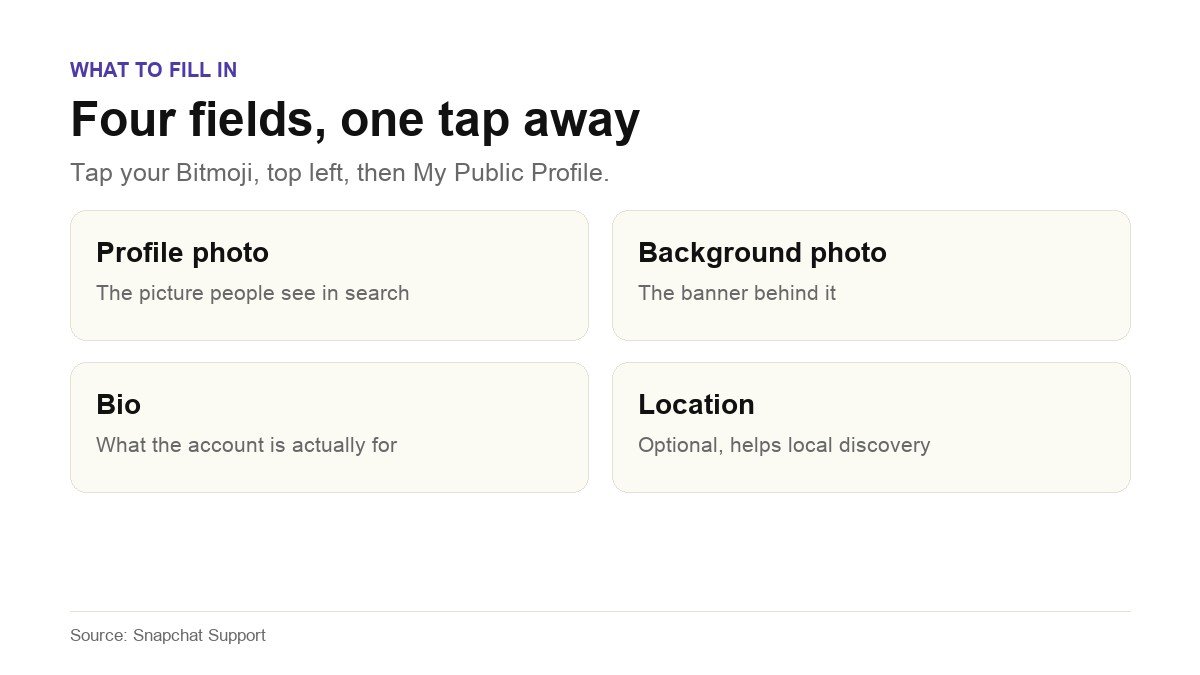
Snapchat names four things to add, and each one does a specific job:
- Profile photo. The image people see when your account turns up in search or in a suggested list. An empty one reads as an abandoned account.
- Background photo. The banner behind it. This is the only piece of real estate on the page large enough to carry a message rather than an image.
- Bio. One short description of what the account is for. Write it for someone who has never heard of you, because that is exactly who is reading it.
- Location. Optional, and worth adding if anything you do is local. Skip it if the account is personal.
None of this is difficult, which is precisely why it is worth doing. The comparison is not against a perfect profile, it is against the blank one almost everyone else has left sitting there.
What a Public Profile Actually Unlocks
Snapchat publishes a feature comparison between a standard Public Profile and a Creator Account. A standard Public Profile covers the things most people want:
- A photo, bio, description, location, Stories and Lenses on the profile itself.
- The ability for other Snapchatters to Subscribe to you, and a visible subscriber count.
- Insights on your public Stories, Lenses and audience.
- A public Story kept separate from My Story, so your public posting and your friends-only posting do not mix.
- Public Story replies and quoting.
Held back for Creator Accounts are a website link and a public email address on the profile, the ability to choose a category, a Chat button, Story notifications for subscribers and the ability to assign roles to other people. Snapchat states plainly that a standard Public Profile cannot select a category.
One detail is easy to miss and matters: Snapchat says that creating a Public Profile does not change any existing contact or Story privacy settings. Turning the profile on does not silently open your account up. What it changes is that anything you deliberately post publicly now has a public home.
Why Some Accounts Do Not Have One
Snapchat gives two reasons on Why don’t I have a Public Profile? and in its main profiles article, and there is no third.
- Age. The minimum is 16, and Snapchat notes that laws in your country or region may set a different minimum. Accounts below the threshold do not get a Public Profile.
- Past Community Guidelines violations. An account that has broken the Community Guidelines in the past may not be able to have one.
There is also a consequence worth knowing about that catches people out. Snapchat states that if your birthday indicates you are 16 or older when you save public content, and you later change your birthday to under 16, your Public Profile and all of its content will be deleted. That is not presented as a way to remove a profile, it is a warning about what an age change destroys.
What Changes for 16 and 17 Year Olds
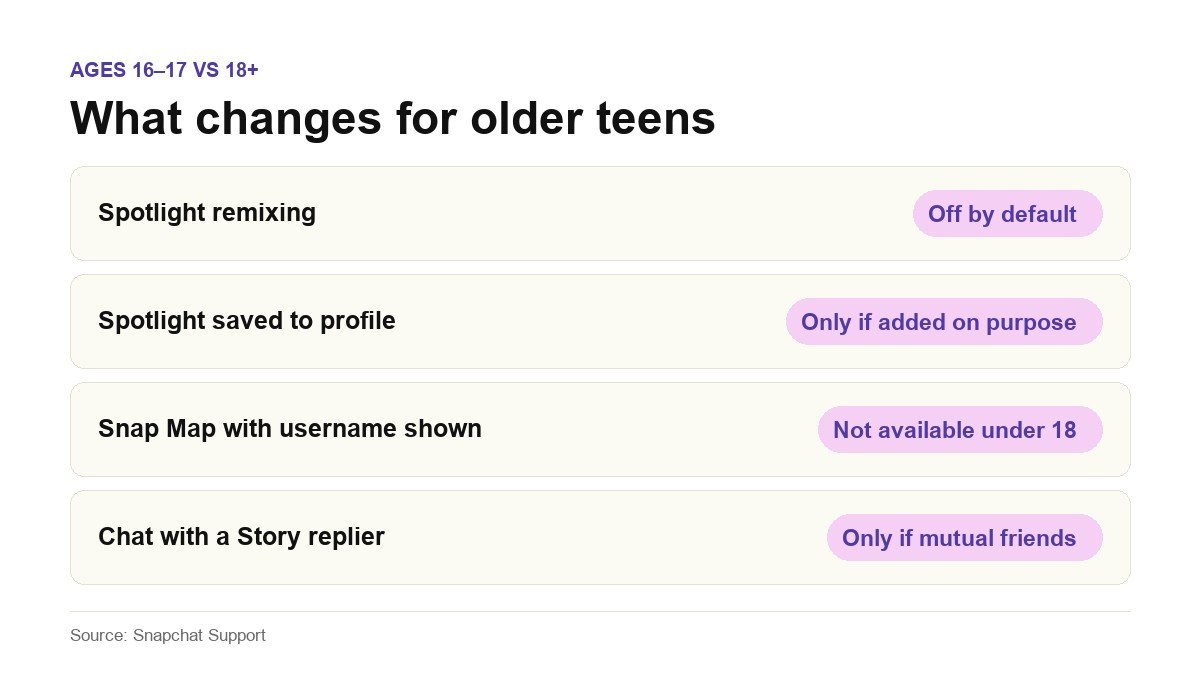
Older teens get a public content page with protections applied by default. Snapchat sets out how public posting differs for 16 and 17 year olds in its own article, and the differences are specific rather than vague:
- Spotlight remixing is off by default, so a 16 or 17 year old’s Spotlight Snaps cannot be reused by other people without them changing.
- Spotlight Snaps are not saved to the Public Profile automatically, and appear there only if the teen adds them on purpose.
- Posting to Snap Map with a username shown or a profile attached is not available under 18 at all.
- Story replies do not open a chat. A 16 or 17 year old can receive Story replies from people who follow them, but cannot have a chat conversation with the replier unless the two are mutually accepted friends. Story replies can be turned off entirely at any time.
Within those limits, older teens can still add a profile photo, cover photo and bio, save Snaps to the public page, post to Spotlight with their username shown, post a public Story, and see analytics on their public Stories and Spotlights. Snapchat describes all of this as running with the highest privacy settings by default.
Professional Accounts and Business Profiles Are Not the Same Thing
Three terms get used interchangeably online and mean different things in Snapchat’s own documentation.
- Public Profile. The default one, from age 16. What this guide is mostly about.
- Professional Account. Snapchat describes it as a version of your Public Profile that some Snapchatters have access to, with a choice between Creator and Business types. It is limited to accounts aged 18 and over, and Snapchat says it is a newer feature that is not available to everyone yet.
- Business Profile. Not created by Snapchat for you. Businesses build and manage these themselves through Ads Manager, and you need to be 18 or older. If you have never opened Ads Manager, Snapchat says your Public Profile is probably not a Business Profile.
Snap Star status is separate again. Snapchat lists account engagement, authenticity, content quality, and notability and cultural relevance as factors, and a Public Profile is described as only one part of what it takes. There is no threshold you can hit to guarantee it.
If the plan is to build an audience across more than one platform, it is worth thinking about where that audience actually lives, in the same way our guide to platform earnings treats reach and revenue as separate problems.
Frequently Asked Questions
Do I have to create a Public Profile on Snapchat?
No. If you are 16 or over, Snapchat has almost certainly already created one for your account. The work is finding it under your Bitmoji, then adding a profile photo, background photo, bio and location. There is no creation step and no approval to wait for.
Can people see my Snaps if I have a Public Profile?
Not the private ones. Snapchat states that creating a Public Profile does not change any existing contact or Story privacy settings. What sits on the public page is content you have deliberately posted publicly, and the public Story is kept separate from My Story for exactly this reason.
Why can I not add a website link to my Public Profile?
Because a website and a public email address sit on the Creator Account tier rather than the standard Public Profile, according to Snapchat’s own feature comparison. The same tier holds the category selector, the Chat button, subscriber Story notifications and role assignment.
What is the minimum age for a Snapchat Public Profile?
Sixteen, with the caveat that Snapchat says laws in your country or region may set a different minimum. Professional Accounts and Business Profiles both require 18 or older.
Can I have more than one Public Profile?
Snapchat publishes a help article on maintaining and switching between multiple Public Profiles, so the capability exists. For an ordinary personal account with no Creator or Business setup, one profile is what you will have.