Fortnite parental controls are more capable than their reputation, and the part most households never find is the time limit system. It can cap a day, restrict play to specific windows, and treat building in the creative editor as separate from playing.
Setting it up takes about five minutes and hinges on two decisions: which email address owns the controls, and what the six-digit PIN is. Get those wrong and you will be undoing it later.
Setting Up Fortnite Parental Controls
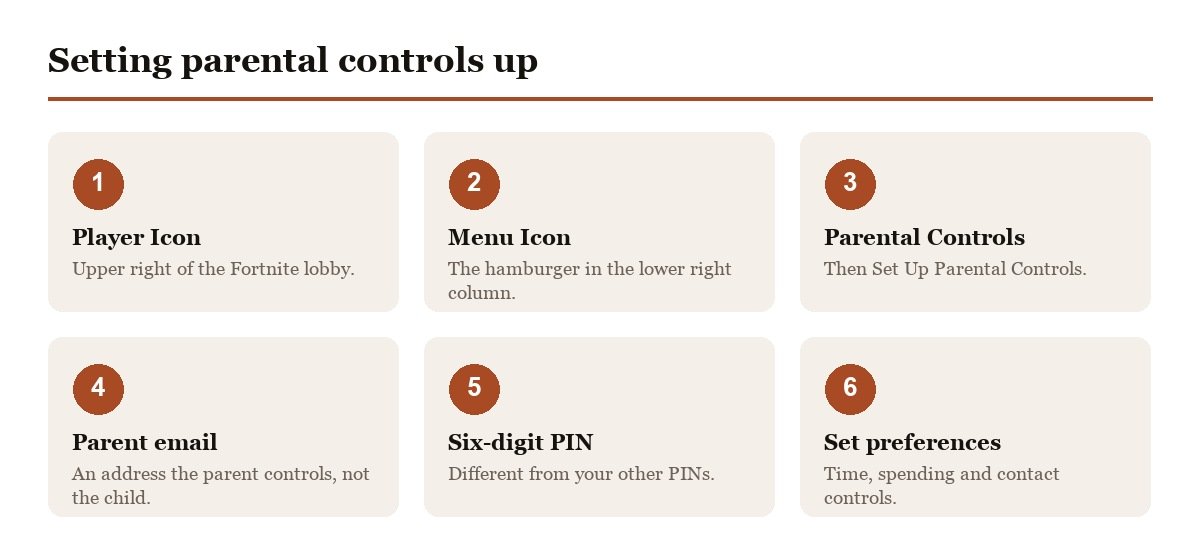
Epic’s own walkthrough starts inside the game rather than on the website, which is where most parents begin looking.
- Launch Fortnite and select the Player Icon, the circle in the upper right.
- Select the Menu Icon, the three stacked lines in the lower right column.
- Choose Parental Controls in the right column.
- Select Set Up Parental Controls.
- Choose and confirm an email address that the parent controls, not the child.
- Set a six-digit PIN, different from other PINs you use and memorable to you.
- Choose your preferences, which is now unlocked.
The email address is the critical choice. Epic says explicitly that it should be an email the parent controls, because that address is where verification goes and what recovers the controls if the PIN is forgotten. Using the child’s own address hands them the keys without anyone noticing.
The PIN Rules That Matter
- Six digits, chosen during setup.
- Required to change any control afterwards.
- Make it different from your other PINs, which Epic states directly.
- Make it memorable to you, since you will need it every time you adjust a setting.
- Do not reuse a console PIN, because a child who knows one will try it here.
- Write it down somewhere they will not look, since recovery runs through email and takes longer than remembering.
The advice to avoid reusing a PIN is not boilerplate. Children who have watched a parent unlock a phone or a console have already seen the number, and a parental control that uses the same digits is protection in name only. Pick something that exists nowhere else in the household.
Time Limits Cover Creating as Well as Playing
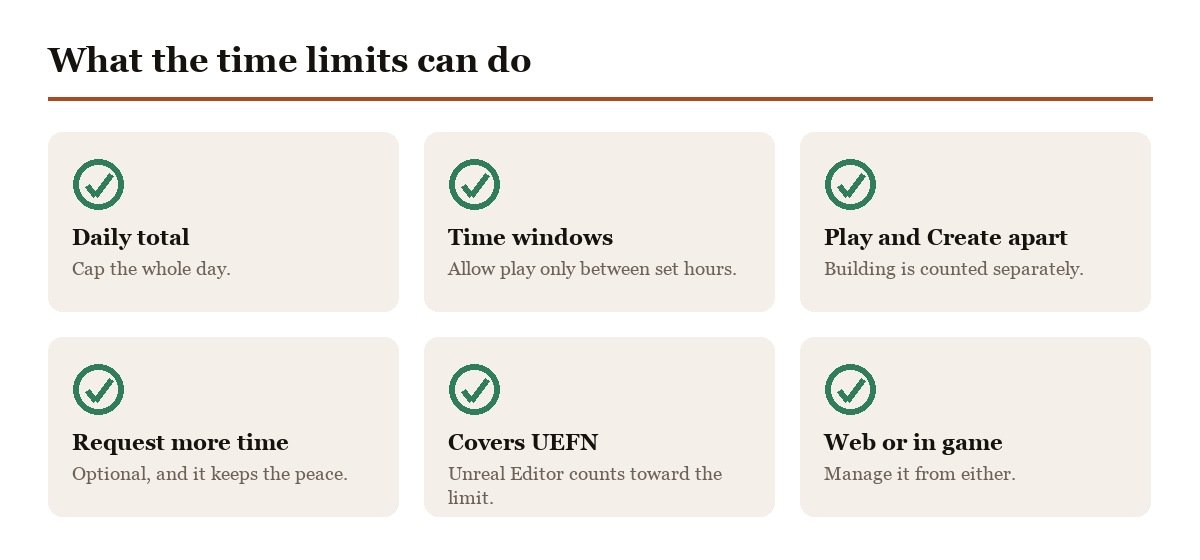
Epic’s time limit documentation describes a more flexible system than a simple daily cap, and it is available from the in-game menu or the Epic account on the web.
- A total daily limit on how long the child can play.
- Specific windows during the day when play is allowed, with limits inside those windows.
- Separate Play and Create limits, each with its own windows.
- The option to let the child request more time as they approach the limit.
The detail worth knowing is the scope. Time limits apply to the total time spent in Fortnite and in Unreal Editor for Fortnite, the creation tool, and the two can be limited separately. A household that wants to encourage building while capping competitive play can do exactly that, which is unusual among game parental controls.
The request-more-time option is the one that keeps the system usable day to day. Without it, a limit expiring mid-match is a fight. With it, the child asks, the parent decides, and the negotiation happens through the system rather than across the room.
If the Account Has No Email Attached
Accounts created by signing in through a console sometimes have no email address on them at all, which stops the setup before it starts.
- The account needs upgrading with an email address first.
- Epic publishes separate instructions for Xbox, PlayStation and Nintendo accounts.
- This is the same process that syncs progress across devices.
- Do it from a browser, not the console interface.
It is a browser job rather than a console one because the console interface has no screen for adding an email address to an Epic account. Expect a verification email, and use an address the parent can reach, since this is the same address the parental controls will later depend on.
That upgrade is worth doing regardless of parental controls, because it is what lets the same Fortnite account work on a phone, a PC and a console with the same skins and progress. Households often discover the gap only when a second device arrives.
Cabined Accounts Are Something Else
If a child set up an account without a parent involved, Epic may have created a Cabined Account rather than a standard one. These run with a reduced feature set until a parent verifies them.
That is a different mechanism from parental controls and it behaves differently: features are restricted by default rather than by your choices, and some things stay unavailable no matter what you configure. If a setting seems to be ignored, check the account type before troubleshooting the controls themselves.
It also interacts with rewards and gifting, which is why it comes up in the context of two-factor authentication as well. Verification is the step that resolves both, and it needs the parent rather than the player.
Spending Is the Other Half
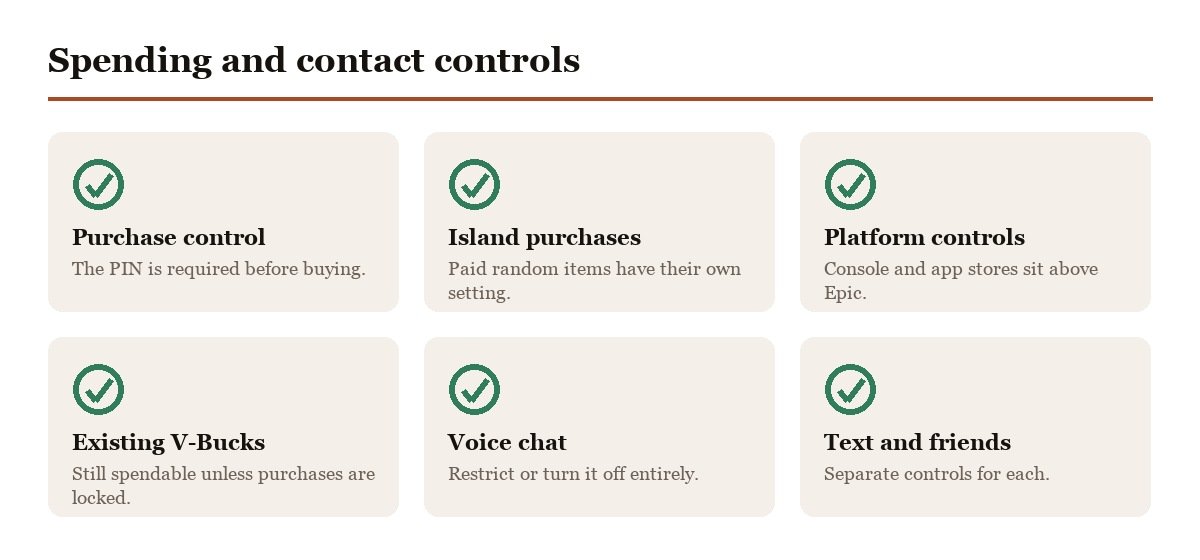
Playtime is the control parents look for. Spending is usually the one that matters more, and it sits in the same menu.
- Purchase controls require the PIN before anything is bought.
- Island purchases have their own setting, covering paid random items on developer-made islands.
- Platform controls sit above Epic’s, on console and mobile stores.
- V-Bucks already on the account can still be spent unless purchase controls are on.
That last point catches people out after a birthday. A gift card redeemed to the account is spendable currency, and only the purchase control stops it disappearing into the Item Shop in an afternoon. If it already has, our guide to the Fortnite refund system explains the narrow set of circumstances in which any of it comes back.
Contact and Who Can Reach Them
The third category is social, and for younger players it is often the one that actually matters. These settings sit alongside the time and spending controls behind the same PIN.
- Voice chat can be restricted or turned off entirely.
- Text chat has its own separate control.
- Friend requests can be limited to people the child already knows.
- Mature language filtering applies to what appears on screen.
Voice chat is worth a specific decision rather than a default. In a squad of friends it is the point of the game. In a random public lobby it is an open channel to strangers, and the two situations are not distinguishable by any setting, so most households end up choosing between them rather than getting both.
Reviewing It as They Get Older
Parental controls set at eight are rarely right at twelve, and the most common failure is not a weak configuration but one nobody ever revisits.
- Check the time limits against the current term, since school holidays and exam weeks want different numbers.
- Revisit spending whenever a gift card arrives rather than after it is spent.
- Reconsider voice chat as the friend group changes.
- Keep the PIN yours, and change it if you suspect it has been seen.
- Check the email on the account still works, since recovery depends on it.
It is also worth telling the child what is switched on and why. Controls discovered by surprise get treated as an obstacle to route around, and a determined twelve year old with a second account is a harder problem than a negotiated bedtime. The request-more-time option exists precisely because Epic expects this to be a conversation rather than a lock.
Frequently Asked Questions
Do parental controls work across every device?
They follow the Epic account rather than the hardware, so the same settings apply whether the child plays on a console, a PC or a phone. Platform-level controls on the console or app store sit above them and are configured separately.
Where are parental controls in Fortnite?
In the game rather than the website. Select the Player Icon in the upper right, then the hamburger menu in the lower right column, then Parental Controls. They can also be managed from your Epic Games account on the web once set up.
What happens if I forget the parental controls PIN?
Recovery runs through the email address you chose during setup, which is why Epic specifies an address the parent controls. If the child owns that address, they can reset the PIN themselves and the controls stop meaning anything.
Do Fortnite time limits cover creative mode?
Yes. Time limits apply to total time in Fortnite and in Unreal Editor for Fortnite, and Play and Create limits can be set separately with their own daily windows.
Can my child ask for more time?
Only if you enable it. One of the time limit options is whether the child may request additional time as they approach the end of their allowance, which turns the cut-off into a request rather than an argument.





