A PC power supply is the component people research last and regret first. It converts mains electricity into the voltages every other part needs, and it is the only one whose failure can damage the things plugged into it.
Three decisions cover it: how many watts, which efficiency rating, and which connector standard. None of them is difficult once you know what the numbers describe, and getting them right costs very little more than getting them wrong.
Sizing the Wattage Without Guessing
Wattage is sized against the two components that draw real power, not against the total of every number on every specification sheet. Those are the graphics card and the processor.
- Start with the graphics card maker recommendation. Every card lists a suggested system wattage, and that figure already includes a sensible allowance for the rest of a machine.
- Add headroom for the processor if it is a high-core-count part. A large desktop processor under a sustained all-core load draws considerably more than its headline rating.
- Aim to sit near half load in normal use. Efficiency peaks around the middle of a unit range, and the fan stays slower and quieter there.
That last point is the useful one. A unit running at roughly half its rating is at its most efficient and its quietest, which is a better argument for buying a little more capacity than any worry about running short.
There is a limit to it. Buying enormously more than the machine will ever draw wastes money and pushes the unit into the inefficient low end of its range, so double what you need is sensible and triple is not.
Choosing a PC Power Supply: Rating, Standard and Cables
The three things that decide a purchase, and a real example of each.
| # | Standard | Key figure | Best for | |
|---|---|---|---|---|
| 1 | The 80 PLUS certification | Rating | Standard, Bronze, Silver, Gold, Platinum, Titanium, Ruby | Telling a serious unit from a cheap one |
| 2 | Seasonic PRIME TX ATX 3.1 | ATX 3.1 | 80 PLUS Titanium, 94% at 50% load | A build with a current high-draw graphics card |
| 3 | Corsair RM1200x SHIFT | ATX | 80 PLUS Gold | Builds where cable routing is awkward |
The Three Things to Read on the Box
Efficiency certification, connector standard and cable arrangement, each with a real example.
1. The Efficiency Rating: Telling a serious unit from a cheap one

What it is: Independent efficiency certification · Key figure: Standard, Bronze, Silver, Gold, Platinum, Titanium, Ruby · Why it matters: Recognised by ENERGY STAR, EU ErP and UNEP
80 PLUS certifies how much of the mains power a unit draws actually reaches the components rather than leaving as heat. There are seven levels: Standard, Bronze, Silver, Gold, Platinum, Titanium and Ruby, the last aimed at data centres rather than desktops.
The certification is recognised by ENERGY STAR, the European Union’s ErP rules and a United Nations environment programme, which is why it appears on almost every unit worth considering. An uncertified supply is the one meaningful warning sign at the budget end of the market.
The 80 PLUS certification product page
2. The Current Standard: A build with a current high-draw graphics card
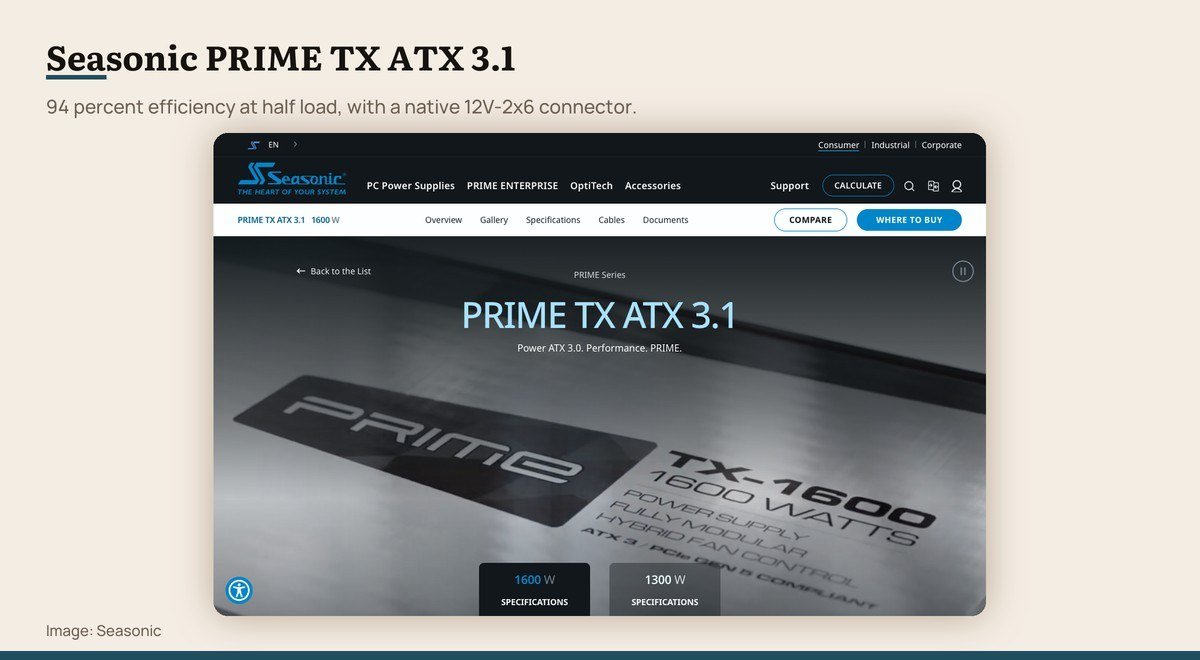
What it is: ATX 3.1 with native 12V-2×6 · Key figure: 80 PLUS Titanium, 94% at 50% load · Why it matters: PCIe 5.1 ready, 105 C Japanese capacitors
ATX 3.1 is the current connector and behaviour standard, and the part that matters to a buyer is the 12V-2×6 connector. It replaced the earlier 12VHPWR design with better pin retention, after connectors that were not fully seated caused problems in the field.
A top-level unit shows what the standard allows. The PRIME TX holds 80 PLUS Titanium certification at 94 percent efficiency at half load, carries the connector natively rather than through an adapter, and is specified for PCIe 5.1.
Seasonic PRIME TX ATX 3.1 product page
3. Cables and Fitting: Builds where cable routing is awkward
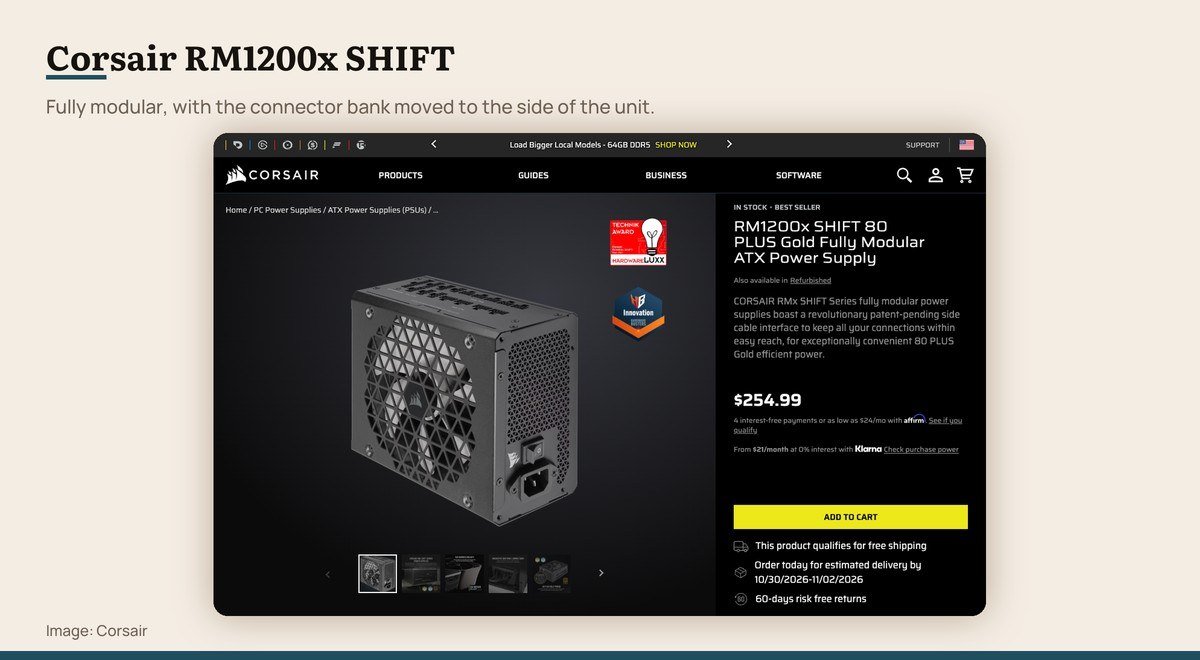
What it is: Fully modular ATX · Key figure: 80 PLUS Gold · Why it matters: Side-mounted connectors for easier cable routing
Modular means the cables unplug from the unit, so only the ones a build actually uses get fitted. Semi-modular fixes the two cables every machine needs and leaves the rest detachable. Non-modular has everything permanently attached and is now mostly a budget arrangement.
Physical layout matters more than the brochure suggests. The RM1200x SHIFT moves its connector bank to the side of the unit rather than the end, which makes routing easier in cases where the supply sits in a tight basement compartment.
Corsair RM1200x SHIFT product page
What the Efficiency Rating Is Worth in Money
Efficiency describes how much drawn power reaches the components. At 90 percent efficiency, a machine using 400 watts pulls about 444 from the wall and the rest leaves as heat.
The saving between adjacent certification levels is real but modest for a desktop used a few hours a day. What the rating is better used for is as a proxy: manufacturers do not put Platinum or Titanium internals behind cheap protection circuitry and poor capacitors.
So the meaningful step is from no certification to any certification, and the sensible stopping point for most desktops is Gold. Titanium earns its price in a machine that runs long hours or in a room where the extra heat is unwelcome.
Heat is the underrated half of this. Every watt lost to inefficiency becomes warm air inside the case, which the fans then have to remove, so a more efficient unit makes a quieter machine as well as a slightly cheaper one.
Connectors, Cables and the Mistake Worth Avoiding
Current graphics cards draw power through a 16-pin 12V-2×6 connector. An ATX 3.1 unit has it natively, which is the arrangement to prefer, because the alternative is an adapter splitting several older connectors into one.
Those adapters work and they add a failure point in exactly the place that has caused trouble. A connector that is not fully seated concentrates current through fewer pins, and that is a heat problem rather than a theoretical one. Push it home until it clicks, every time.
On cables, fully modular units let you fit only what the build uses, which keeps the case tidy and airflow unobstructed. Semi-modular saves a little money and still removes most of the clutter.
Never reuse modular cables from a different power supply, even from the same manufacturer. The pinouts are not standardised between models, and a cable that physically fits can deliver the wrong voltage to a component. Use the cables that came in the box.
Form Factor, and Fitting It in the Case
ATX is the standard desktop size and fits nearly every mid-tower and full-tower case. SFX is the compact version for small form factor builds, and SFX-L sits between them.
A case built for ATX will usually accept an SFX unit with a bracket, but the reverse is never true. Check the case specification for both the supported form factor and the maximum depth, because high-wattage units are physically longer and can foul the drive cage.
Mount it with the fan facing whichever side has a vent and a dust filter, which in most modern cases means downward through the base. That lets the unit draw its own cool air rather than recycling warm air from the graphics card above it.
One more reason to leave headroom is that a graphics card does not draw power smoothly. It spikes far above its average for very short periods, and a unit sized exactly to the average can trip its own protection and shut the machine down under load. Modern standards account for these excursions, which is part of why a current unit behaves better with a current card than its wattage alone suggests.
Frequently Asked Questions
What wattage power supply do I need for a gaming PC?
Start from the graphics card maker’s recommended system wattage, which already allows for the rest of a typical machine, then add headroom if the processor is a high-core-count part. Aiming to run near half the unit’s rating keeps it efficient and quiet.
Is 80 PLUS Gold worth paying for over Bronze?
For most desktops, yes, as a proxy for build quality more than for the electricity saved. The bigger step is from no certification at all to any certification, since an uncertified unit is the clearest warning sign at the budget end.
Do I need an ATX 3.1 power supply?
If the machine has a current high-draw graphics card, it is the sensible choice, because the 12V-2×6 connector is native rather than adapted. An older unit with a good rating is fine for a card that does not use that connector.
How long does a PC power supply last?
Good units carry long warranties, frequently ten years, which is a reasonable guide to expected life. Capacitors age with heat, so a unit running cool at half load outlasts one pushed near its limit. Replace rather than repair, and never open one, since the capacitors hold charge after unplugging.
Can a power supply be too powerful for a PC?
It will not damage anything, since components draw only what they need. The downsides are cost and efficiency, because units are least efficient at the very bottom of their range, so a vastly oversized supply spends its life in its worst operating band.