How to retrieve deleted WhatsApp messages has a short answer and an awkward condition. The short answer is to restore your backup. The condition is that the backup has to predate the deletion, and since WhatsApp keeps only one file per account and overwrites it on every run, that window closes on its own overnight.
So the order of operations matters more than the procedure. Stop the backups first, work out what you have second, and only then reinstall. Doing it the other way round is how people destroy the file they were trying to read.
The five steps, in this order
| Step | Do this | Why |
|---|---|---|
| 1 | Turn the backup schedule off | Stops tonight overwriting the evidence |
| 2 | Read the last backup date | Decides whether recovery is possible |
| 3 | Export anything newer you need | The restore will delete it |
| 4 | Uninstall and reinstall | The restore prompt only appears at setup |
| 5 | Tap Restore, not Skip | Skip forfeits the backup permanently |
WhatsApp says the same thing in its own words: if you are trying to recover chats that are already missing, do not create a new backup, do not delete the existing one, and do not factory reset the device.
Find out what the backup holds
One screen answers the whole question. It carries the date, the time and the size of the last run that completed, and a backup that has never completed shows nothing at all.
- Go to Settings, then Chats, then Chat backup.
- Compare the backup timestamp against when the messages went missing.
- A backup from before the deletion contains them. A backup from after it does not.
- Check the backup size against the phone’s free space, because a restore needs more room than the file occupies.
An empty screen here is the end of the road. Nothing readable survives on the device once WhatsApp is uninstalled, so without a cloud file there is no second copy anywhere.
Retrieve deleted WhatsApp messages from the backup
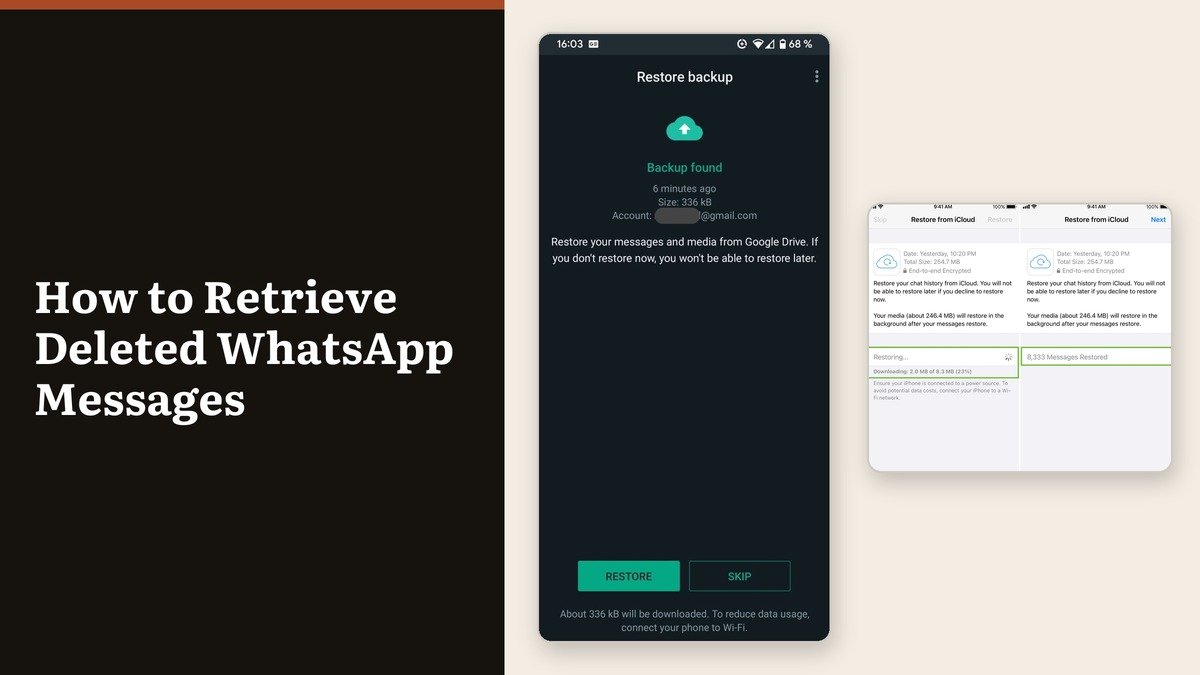
WhatsApp offers no restore button inside a working installation. The prompt is part of registration, which is why the app has to be removed and put back.
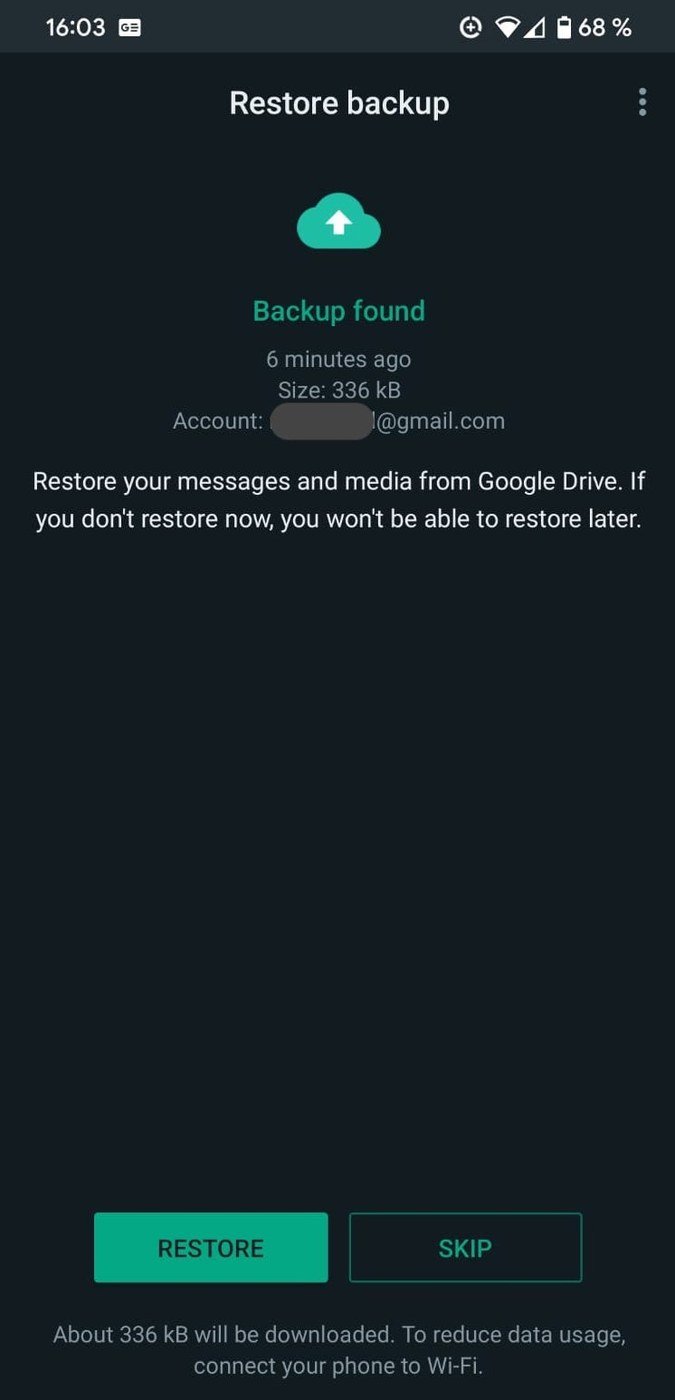
- Uninstall WhatsApp and reinstall it from the official store.
- Verify the same phone number the backup was created on.
- Tap Restore at the prompt. Skip gives the backup up for good.
- Supply the encryption password or 64-digit key if the backup was encrypted, and complete any identity check.
- Keep WhatsApp open on screen until the conversations load.
Messages arrive first and media follows in the background, so older chats look half empty for a while. Stay on Wi-Fi with the phone charging until the downloads stop. New backups are suspended until the restore finishes, which also means the restored state is not protected yet.
What the swap costs
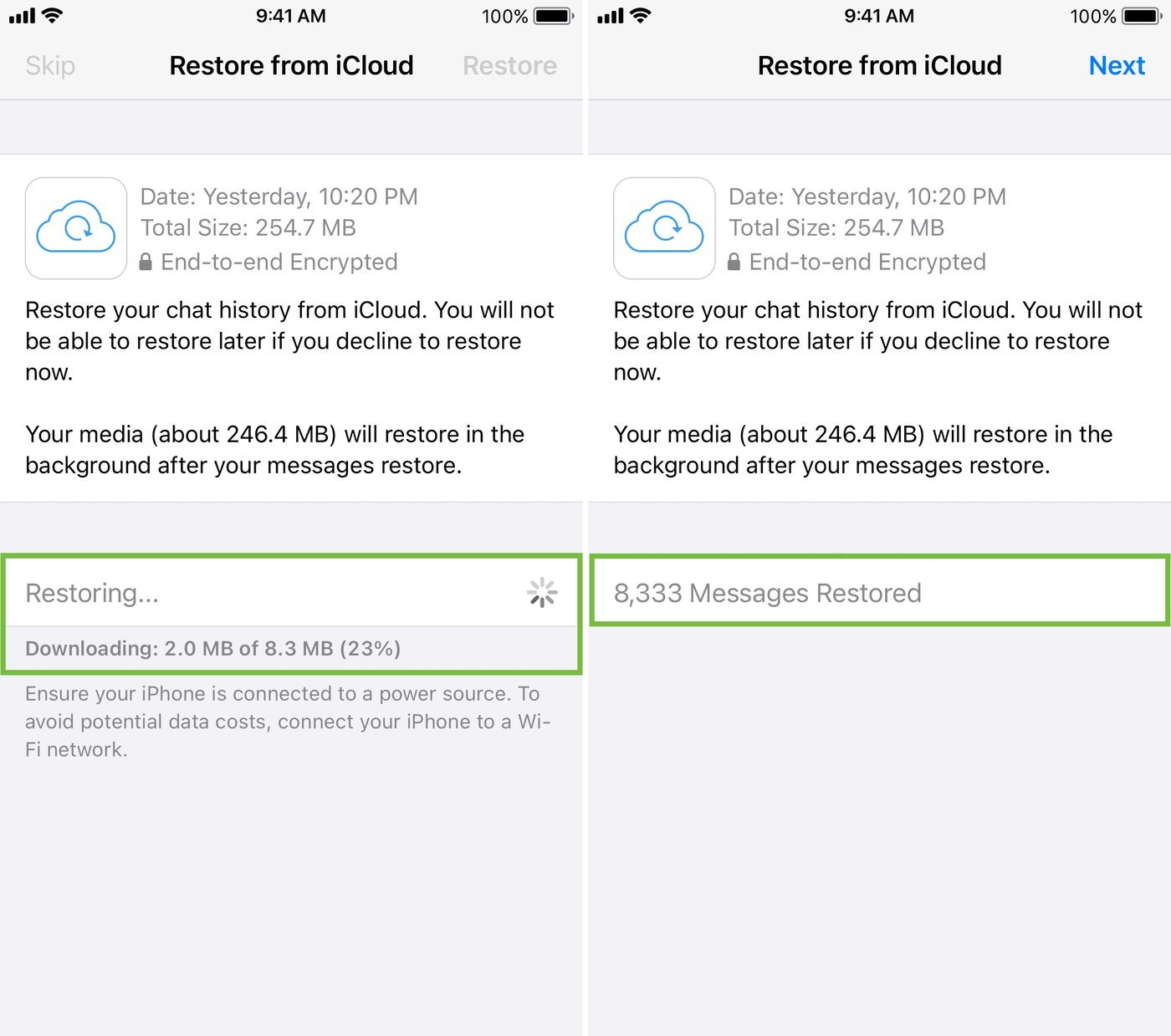
A restore does not merge the backup into the current chats. It replaces them, and the arithmetic is worth doing before the uninstall rather than after.
- Everything after the backup is lost. Recovering a chat from Tuesday’s backup also deletes Wednesday and Thursday.
- Videos only return if Include videos was switched on before that backup was written.
- The number must match. A backup restores only to the account that made it.
- A partial backup will not restore. Running out of space mid-restore fails the whole attempt.
- Platforms do not mix. A Google Account backup will not open on an iPhone and an iCloud backup will not open on Android.
Export the chats you cannot afford to lose before starting. A per-chat export produces a text file plus attachments that survives the whole process untouched, and parking it in a cloud storage service removes it from the overwriting cycle altogether.
The cases with no way back
Some of this is simply not recoverable, and knowing which case you are in is worth more than another hour of searching.
- No backup has ever run. There is no local archive to fall back on.
- The backup is newer than the deletion. The messages were already gone when it was written.
- Delete for everyone was used. That removes the message from both sides, including yours.
- The account was deleted. WhatsApp cannot restore chats, media, backups or call history from a deleted account.
WhatsApp is explicit that it cannot restore, transfer or delete chats, contacts or media files on anyone’s behalf, so there is no support ticket that changes the outcome. If the phone is the problem rather than the data, recovery mode is the step that applies instead.
Frequently Asked Questions
Do paid WhatsApp recovery tools work?
They read the same backup file you can restore yourself. Where no backup exists, there is nothing for them to read, and a tool that asks for your WhatsApp credentials is a worse problem than the lost messages.
Can I restore just one chat instead of all of them?
No. The backup is a single archive and restores whole. Picking out one conversation means restoring everything, exporting that chat, and then restoring your newer backup if you kept one.
Does an iPhone device backup contain WhatsApp?
A full device backup can include the app’s data, but WhatsApp restores from its own chat backup during registration, not from a device backup. The two are separate copies and using both needs space for both.
Why are old photos missing after a restore?
Media downloads after the messages do, and it continues in the background once the chats are visible. Leave the phone on Wi-Fi and charging, and the gaps fill in.